
BugzillaJS - Tweaks for Bugzilla EN
Gregory Koberger · Firefox
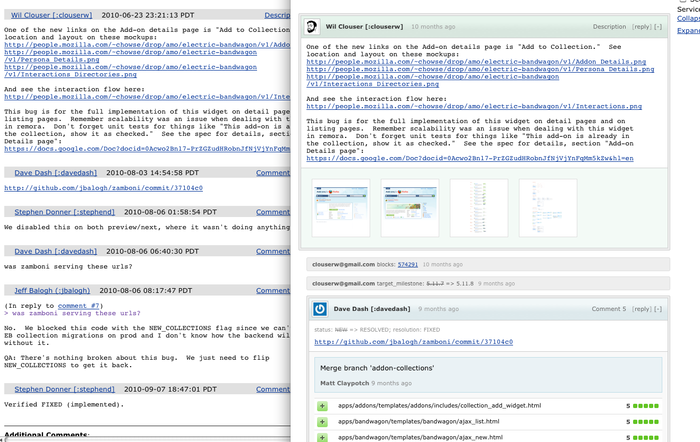
BugzillaJS adds a number of features to Mozilla's Bugzilla. Keyboard shortcuts, quick file links, inline image/github previews, gravatars and more.
<all_urls>),意味着它可以读取你在任意站点的页面内容,包括已登录的页面。这是许多扩展正常工作的必要条件,但也值得你确认来源可信。
截图


简介
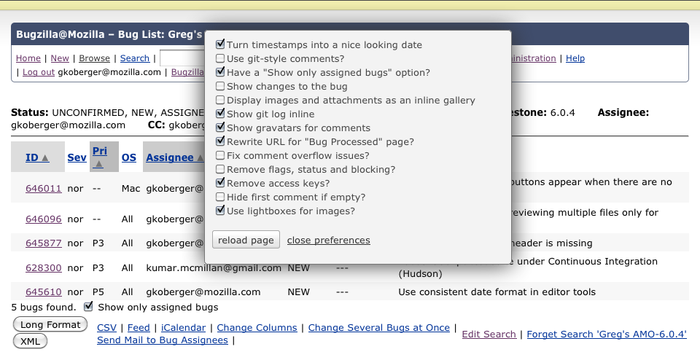
Toggle all features from the Bugzilla Preferences link on every Bugzilla page.
Works on any Bugzilla Installation.
Features:
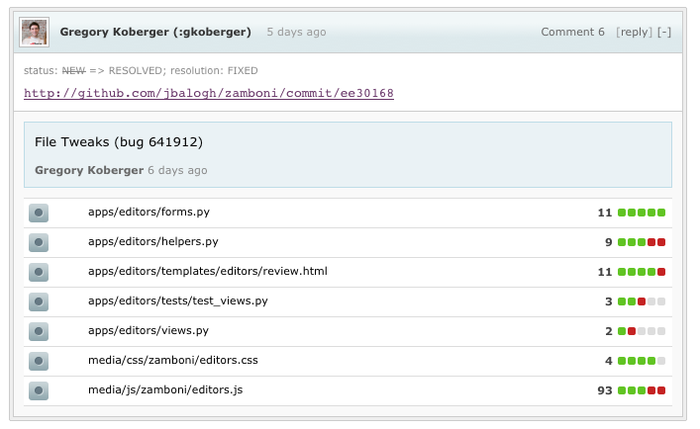
- Show all changes to the bug inline. (This is really useful.)
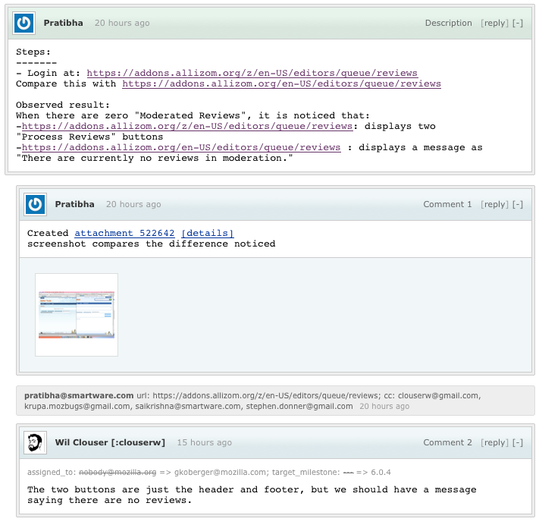
- Image attachments or links to images are shown inline as thumbnails.
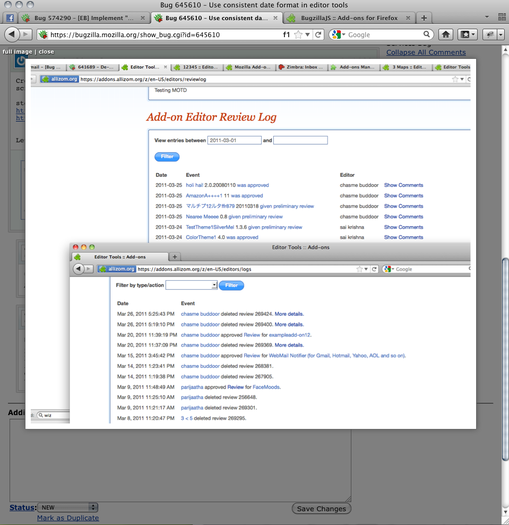
- View images as a lightbox.
- Styled comments.
- Temporarily removed: Github commits are shown inline if linked to in the comment.
- Gravatars next to comments.
- Add a scroll bar if the text in the comment is too wide.
- Remove flags, status and blocking options (off by default).
- Remove access keys (off by default).
- Hide the first comment if there's nothing in it.
- Hide "CC" items from history
- Show bug status (closed, etc) on inline history.
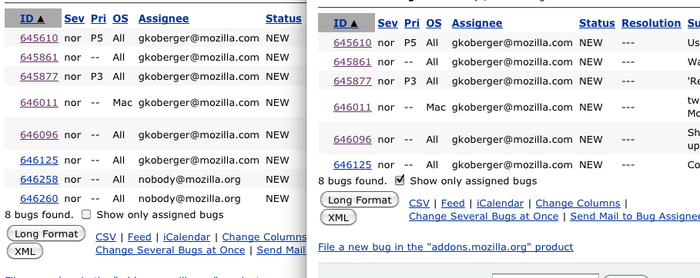
- Option to hide "nobody@" bugs from bug lists.
- Remove "Bug" from the title, so it's easier to see the bug number with a lot of tabs.
- Automatically select component and product for "Clone Bug" link.
- Add "new" link to depends and blocks fields
- Don't guess OS or Hardware (off by default).
- "Open all bugs in tabs" link for lists
Notes
- You can contribute! https://github.com/gkoberger/BugzillaJS
- Icon created for Mozilla by Dave Shea.
BugzillaJS - Tweaks for Bugzilla 是做什么的
BugzillaJS - Tweaks for Bugzilla 是一款面向 Firefox 的开发者工具类扩展,主要用来调试页面、查看样式与请求、测试接口、辅助前端开发。官方对它的介绍是:BugzillaJS adds a number of features to Mozilla's Bugzilla. Keyboard shortcuts, quick file links, inline image/github previews, gravatars and more.在Firefox 附加组件商店(AMO)上,它当前版本 4.2.2resigned1,评分 4(4 人评价),约 96 名用户。
适合什么人用
从功能定位看,BugzillaJS - Tweaks for Bugzilla 更适合前端工程师、测试与需要经常查看页面结构的用户。如果你平时只是偶尔遇到相关需求,用浏览器自带功能也能凑合;但如果这件事每天都发生,装一个专门处理它的扩展通常比手动操作省事得多。需要注意的是它作用于所有网站,装上后建议先观察一两天,确认不影响常用站点的正常使用。
怎么安装 BugzillaJS - Tweaks for Bugzilla
- 打开Firefox 附加组件商店(AMO)上的官方页面;
- 点「添加到浏览器」并确认权限提示;
- 装好后在扩展列表里固定图标,方便随时开关。
本站只做索引与介绍,安装包来自官方商店。如果商店页面提示当前地区不可用,说明该扩展未在你所在区域上架。
常见问题
BugzillaJS - Tweaks for Bugzilla 是免费的吗?
BugzillaJS - Tweaks for Bugzilla 在Firefox 附加组件商店(AMO)免费提供下载。它是浏览器扩展,装上就能直接用,不需要注册账号。
BugzillaJS - Tweaks for Bugzilla 安全吗?
它只申请了 0 项权限,范围比较克制,没有申请「读取所有网站数据」这种大权限。
BugzillaJS - Tweaks for Bugzilla 支持哪些浏览器?
当前收录的版本来自Firefox 附加组件商店(AMO),适用于 Firefox。同一个扩展在其他商店可能有对应版本,但功能与版本号不一定相同。
怎么卸载 BugzillaJS - Tweaks for Bugzilla?
在扩展管理页找到 BugzillaJS - Tweaks for Bugzilla,点移除即可。它在本地保存的设置会一起清掉,不会残留数据。
权限清单 来自 manifest.json 原文
接口权限 1
storage