
Bright Data Proxy Extension EN
Bright Data · Firefox
Extension that changes location for manual data collection
<all_urls>),意味着它可以读取你在任意站点的页面内容,包括已登录的页面。这是许多扩展正常工作的必要条件,但也值得你确认来源可信。
截图


简介
The Bright Data business proxy network is the most powerful way to browse anonymously from anywhere in the world.
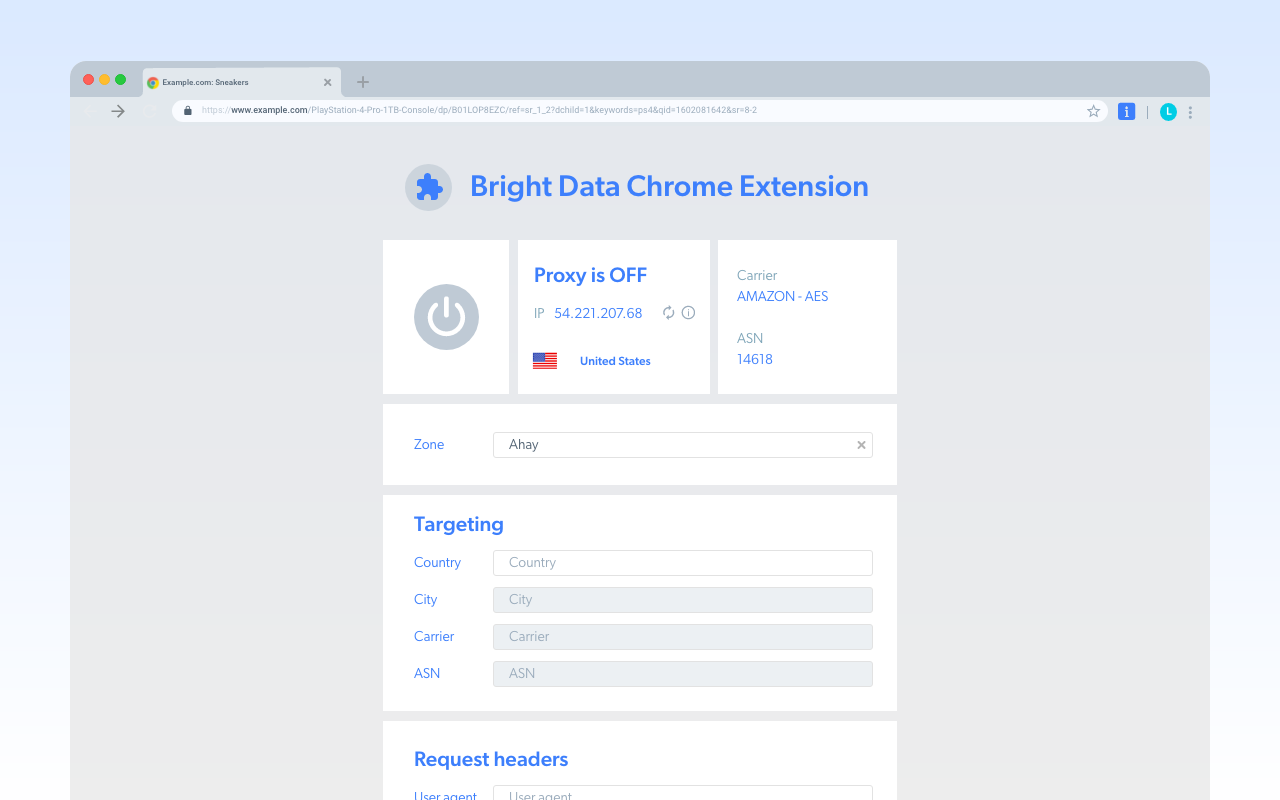
Bright Data extension is the simplest way to integrate Bright Data directly into your Firefox browser.
Bright Data extension enables you to send concurrent URL requests through millions of residential IPs directly from your Firefox browser. Your requests are routed through nodes on the Bright Data P2P network, which are real residential IPs. When sending requests via real IPs, it's virtually impossible to get blocked or cloaked. Our solution is used by Fortune 500 companies because it is the most powerful tool currently available with near-perfect success rates.
To use the Bright Data extension, you must have an existing Bright Data account. You can sign up for Bright Data here: https://brightdata.com
Bright Data extension includes the following features:
- Supports Data center, Static Residential, Residential and Mobile IPs browsing
- Browse from any country
- Customize configuration of DNS to maximize discretion or speed
- Set random IP rotation
- Adjust user agent
- Customize configuration of session length
- Browsing from specific cities or carriers
To learn more about our other platforms for utilizing Bright Data, visit the following link: https://brightdata.com/proxy-tools/chrome-ext
How do we use your information?
We use your information in order to provide you with the Service and to comply with our legal requirements and internal guidelines. This means that we will use the information to set up your account, provide you with support regarding the Service, communicate with you for updates, marketing offers or concerns you may have and conduct statistical and analytical research to improve the Service.
Information we share
We do not rent or sell any Personal Information. We may disclose Personal Information to other trusted third party service providers or partners for the purposes of providing you with the Services, storage and analytics and to comply with our legal requirements and internal guidelines. We may also transfer or disclose Personal Information to our subsidiaries, affiliated companies.
Security and Confidentiality
We use industry-standard information, security tools, and measures, as well as internal procedures and strict guidelines to prevent information misuse and data leakage. Our employees are subject to confidentiality obligations. We use measures and procedures that substantially reduce the risks of data misuse, but we cannot guarantee that our systems will be absolutely safe. If you become aware of any potential data breach or security vulnerability, you are requested to contact us immediately. We will use all measures to investigate the incident, including preventive measures, as required.
Your Choices and Rights
We strive to give you ways to update your information quickly or to delete it – unless we have to keep that information for legitimate business or legal purposes. When updating your personal information, we may ask you to verify your identity before we can act on your request.
To exercise such right, you may contact us at: privacy@brightdata.com
Privacy Policy: https://brightdata.com/privacy
License: https://brightdata.com/license
Patents: https://brightdata.com/patent-marking
Bright Data Proxy Extension 是做什么的
Bright Data Proxy Extension 是一款面向 Firefox 的隐私与安全类扩展,主要用来拦截追踪器、屏蔽广告、管理 Cookie、加固浏览器指纹。官方对它的介绍是:Extension that changes location for manual data collection在Firefox 附加组件商店(AMO)上,它当前版本 1.671.507,评分 5(1 人评价),约 441 名用户。
适合什么人用
从功能定位看,Bright Data Proxy Extension 更适合在意上网被跟踪、希望减少广告干扰的用户。如果你平时只是偶尔遇到相关需求,用浏览器自带功能也能凑合;但如果这件事每天都发生,装一个专门处理它的扩展通常比手动操作省事得多。需要注意的是它作用于所有网站,装上后建议先观察一两天,确认不影响常用站点的正常使用。
怎么安装 Bright Data Proxy Extension
- 打开Firefox 附加组件商店(AMO)上的官方页面;
- 点「添加到浏览器」并确认权限提示;
- 装好后在扩展列表里固定图标,方便随时开关。
本站只做索引与介绍,安装包来自官方商店。如果商店页面提示当前地区不可用,说明该扩展未在你所在区域上架。
常见问题
Bright Data Proxy Extension 是免费的吗?
Bright Data Proxy Extension 在Firefox 附加组件商店(AMO)免费提供下载。它是浏览器扩展,装上就能直接用,不需要注册账号。
Bright Data Proxy Extension 安全吗?
它只申请了 0 项权限,范围比较克制,没有申请「读取所有网站数据」这种大权限。
Bright Data Proxy Extension 支持哪些浏览器?
当前收录的版本来自Firefox 附加组件商店(AMO),适用于 Firefox。同一个扩展在其他商店可能有对应版本,但功能与版本号不一定相同。
怎么卸载 Bright Data Proxy Extension?
在扩展管理页找到 Bright Data Proxy Extension,点移除即可。它在本地保存的设置会一起清掉,不会残留数据。
权限清单 来自 manifest.json 原文
站点访问 1
<all_urls>
接口权限 9
browsingDatacookiesprivacyproxystoragetabswebNavigationwebRequestwebRequestBlocking