

 整页截图工具 — FireShot
FireShot 可捕获整页截图、可见区域以及超出屏幕范围的…
Firefox

Blur. The Image and Video blur extension EN
Fhazer Systems · Firefox
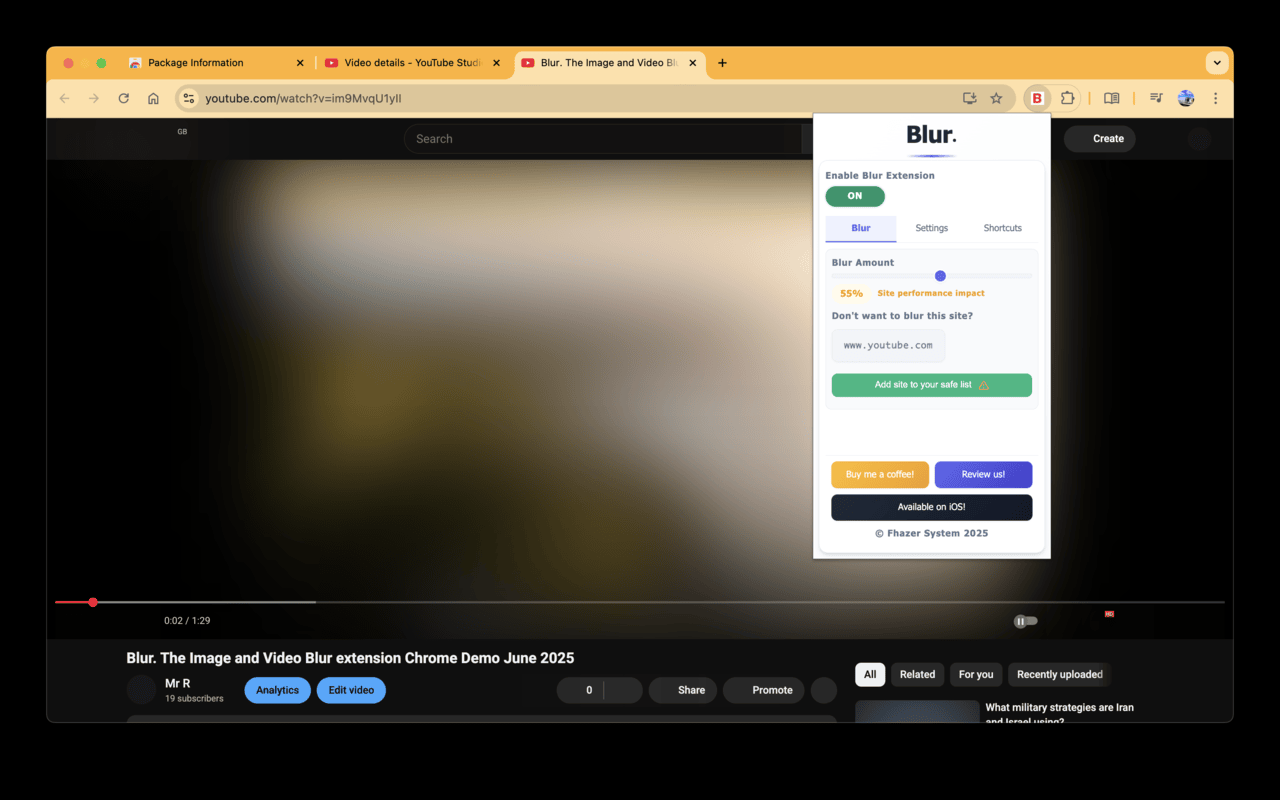
A chrome extension that blur all images on a page, for when you want to be discreet or don't want to look at certain images.
4.4/5
11 人评分
613用户
v6.0.3当前版本
权限提示
该扩展申请访问所有网站(
<all_urls>),意味着它可以读取你在任意站点的页面内容,包括已登录的页面。这是许多扩展正常工作的必要条件,但也值得你确认来源可信。
截图
简介
Celebrating 100,000 installs, we've updated your favourite browser extension with a new look and feel! Here's to many more years of blurring!
Watch this space as we continue to roll out new and exciting changes.
Happy Blurring!
The Blur Team.
We’ve all had those times when we've 'accidentally' searched for something online and ended up seeing images we didn't want to see.
Or maybe you’ve experienced browsing Facebook or Instagram at work or in a public place, only to catch someone glancing at your screen.
Or perhaps you just want to read an article without being distracted by all the images and videos.
Well, now you can. This add-on blurs all images and videos on a webpage, so you can concentrate on what’s important. You can choose to view the content or not.
To see or not to see? The choice is yours.
Shortcuts:
ALT + K: Blur or unblur an image or video when hovering over it
ALT + L: To quickly enable or disable the extension
Language Support:
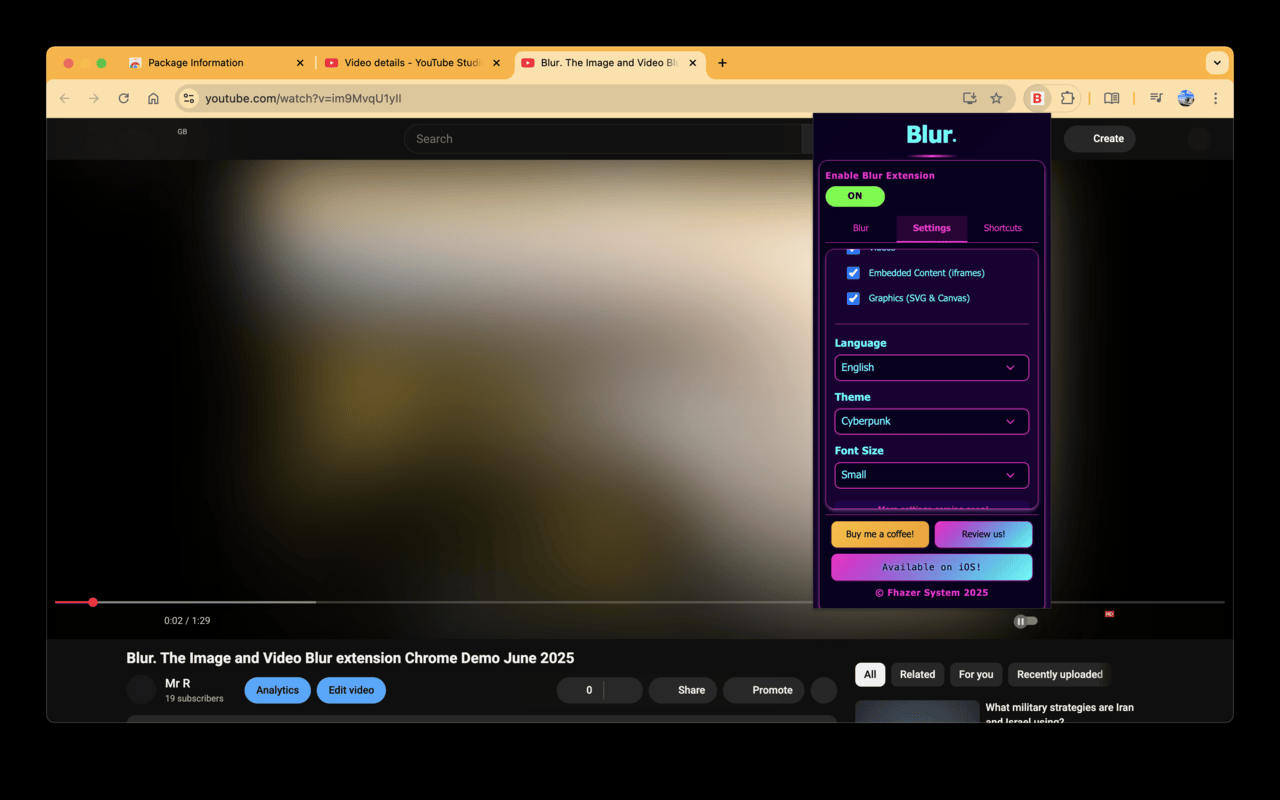
We now support over 5 languages including English, Mandarin, Russian, Arabic, Bangla, Hindi and Urdu. Simply change your preferences via the settings tab.
Themes:
Change between light and dark theme or choose the system default.
Two additional fun themes have been added, install to find out what they are.
Allow list:
You can also white list websites, simply open the extension and add the site to your allow list!
Powerusers:
Power users can choose to unblur images, video or iframes. Also optionally blur shadow DOM elements.
Blur. The Image and Video blur extension 是做什么的
Blur. The Image and Video blur extension 是一款面向 Firefox 的隐私与安全类扩展,主要用来拦截追踪器、屏蔽广告、管理 Cookie、加固浏览器指纹。官方对它的介绍是:A chrome extension that blur all images on a page, for when you want to be discreet or don't want to look at certain images.在Firefox 附加组件商店(AMO)上,它当前版本 6.0.3,评分 4.36(11 人评价),约 613 名用户。
适合什么人用
从功能定位看,Blur. The Image and Video blur extension 更适合在意上网被跟踪、希望减少广告干扰的用户。如果你平时只是偶尔遇到相关需求,用浏览器自带功能也能凑合;但如果这件事每天都发生,装一个专门处理它的扩展通常比手动操作省事得多。需要注意的是它作用于所有网站,装上后建议先观察一两天,确认不影响常用站点的正常使用。
怎么安装 Blur. The Image and Video blur extension
- 打开Firefox 附加组件商店(AMO)上的官方页面;
- 点「添加到浏览器」并确认权限提示;
- 装好后在扩展列表里固定图标,方便随时开关。
本站只做索引与介绍,安装包来自官方商店。如果商店页面提示当前地区不可用,说明该扩展未在你所在区域上架。
常见问题
Blur. The Image and Video blur extension 是免费的吗?
Blur. The Image and Video blur extension 在Firefox 附加组件商店(AMO)免费提供下载。它是浏览器扩展,装上就能直接用,不需要注册账号。
Blur. The Image and Video blur extension 安全吗?
它只申请了 0 项权限,范围比较克制,没有申请「读取所有网站数据」这种大权限。
Blur. The Image and Video blur extension 支持哪些浏览器?
当前收录的版本来自Firefox 附加组件商店(AMO),适用于 Firefox。同一个扩展在其他商店可能有对应版本,但功能与版本号不一定相同。
怎么卸载 Blur. The Image and Video blur extension?
在扩展管理页找到 Blur. The Image and Video blur extension,点移除即可。它在本地保存的设置会一起清掉,不会残留数据。
权限清单 来自 manifest.json 原文
站点访问 1
<all_urls>
接口权限 2
activeTabstorage
标签 点标签看同类扩展
整页截图工具 — FireShot
FireShot 可捕获整页截图、可见区域以及超出屏幕范围的…
Firefox
 Global Speed: 视频速度控制
设置视频和音频的默认速度。
Firefox
 Privacy Extension For WhatsApp™ Web
The Privacy Extension For What…
Firefox
 划词翻译
一站式划词 / 截图 / 网页全文 / 音视频 AI 翻译扩…
Firefox
 WhatsApp in Sidebar
Displays WhatsApp in the sideb…
Firefox
 免费VPN VNNet
匿名、安全且无限制的VPN访问——使用VNNet免费解锁网站…
Firefox
 二维码
从页面URL,链接URL,选中的字符串,剪贴板字符串和页面标…
Firefox
 WhatsApp Pinned
Open, Go to, or Toggle a pinne…
Firefox