
BlockSite EN
Blocksite · Firefox
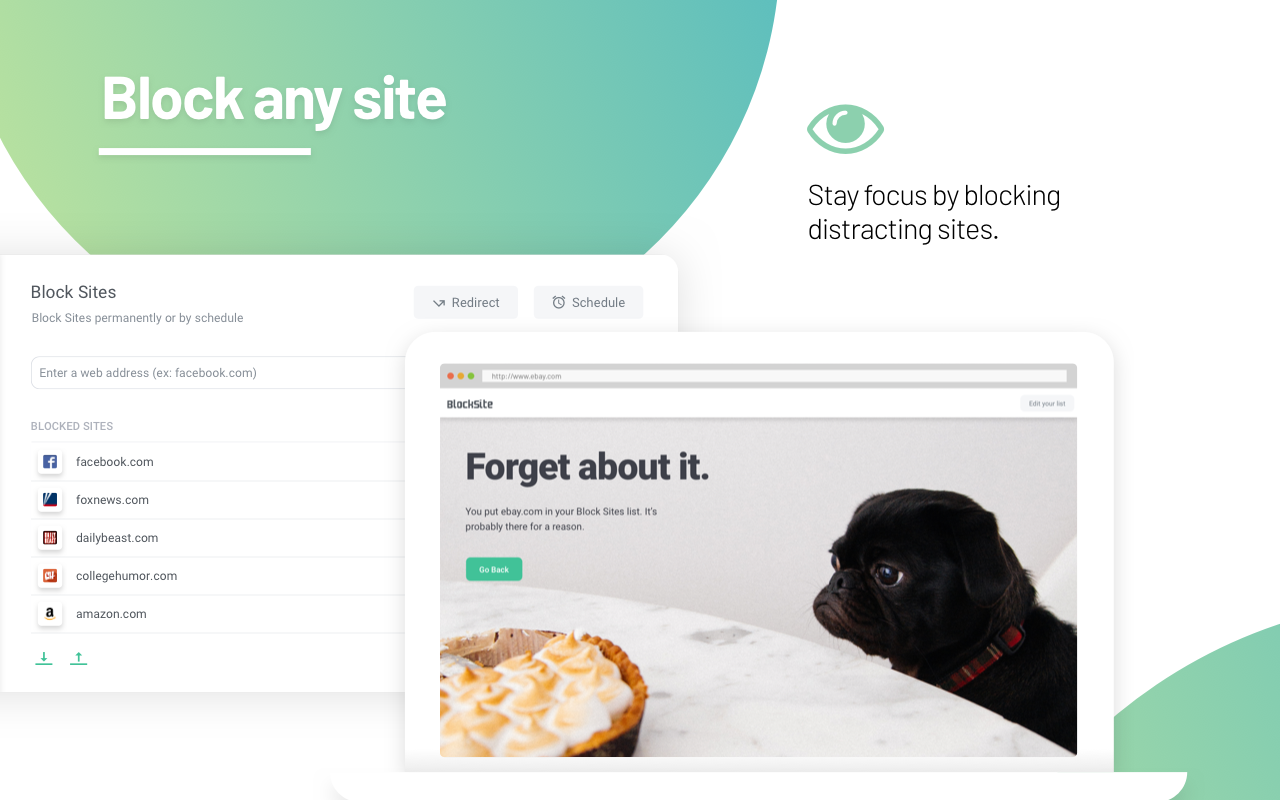
BlockSite is an extension, which automatically blocks websites of your choice. Additionally, this extension will disable all hyperlinks to these websites, by just displaying the link text without the clicking functionality.
<all_urls>),意味着它可以读取你在任意站点的页面内容,包括已登录的页面。这是许多扩展正常工作的必要条件,但也值得你确认来源可信。
截图


简介
Stay focused and improve productivity. Easily block any distracting or harmful website. Stop procrastination once and for all!
Simply Block Websites - No willpower necessary
Create Block Lists
Add the websites or pages you want to block in a smart and simple way. Get automatically redirected to safer, more positive sites. Build a more effective work environment for yourself
--
Bulk Adult block
All adult sites can now be blocked with a single click.
--
Control Your Browsing
Set up the sites you want to be redirected to. Make sure your internet usage is productive and effective. Block social media sites, adult content, or other sites you find disturbing.
--
Improve Productivity
Right click anywhere on any website to open the quick access menu. Block sites in seconds to avoid procrastination and stay on target.
--
Block by Keywords
Block sites and search queries on search engines like Google or Bing, based on specific words. Make sure you choose what to block wisely, so Keyword Block will only stop the sites and pages you’re not interested in.
--
Keep Your Kids’ Internet Safe
Activate “Adult related” keyword block to filter out all predefined bad words and profanities. Highly recommended for parents with young children.
--
Block For Specific Times
Choose days and intervals in which you want Block site to be active. Set up custom blocks based on your work schedule (for example: 09:00 - 17:00), so you won’t procrastinate during the day, when at work or at school.
--
Switch Between Blacklists & Whitelists
Create a list of friendly sites, and switch from blocking specific sites to only allowing certain sites to work.
--
Help Us Create a Better Internet
Anonymously share statistics to help us monitor harmful and time-wasting sites. All stats are completely anonymous.
--
Questions? We’re Here.
If you have any questions regarding the functionality or you would like to put a feature request, please do it via email: support@blocksite.co
Block Site is a browser extension that allows you to block specific sites based on parameters you define. As part of our service, Block Site maintains and updates a database of known sites with adult content. Each URL you visit is checked against this database, in case you want to block adult content. Additionally, Block Site receives and analyzes data about visited sites. The data collected includes: visited URLs, your IP address, your operating system and the browser you are using, and the time stamp. For more information, see our privacy policy: https://blocksite.co/privacy/
Your privacy is important to us. The data collected is not used to identify individual users. In addition, the data collected is not shared with any third parties for the purposes of marketing or targeting individual users. You can always opt out from data collection by deselecting the checkbox next to the words “Block Adult Sites” which can be found under the Settings tab of the Options page. Note that once you opt out, some of the services provided by BlockSite will no longer be available.
BlockSite 是做什么的
BlockSite 是一款面向 Firefox 的隐私与安全类扩展,主要用来拦截追踪器、屏蔽广告、管理 Cookie、加固浏览器指纹。官方对它的介绍是:BlockSite is an extension, which automatically blocks websites of your choice. Additionally, this extension will disable all hyperlinks to these websites, by just displaying the link text without the clicking functionality.在Firefox 附加组件商店(AMO)上,它当前版本 4.0.8.3resigned1,评分 3.71(1267 人评价),约 32,195 名用户。
适合什么人用
从功能定位看,BlockSite 更适合在意上网被跟踪、希望减少广告干扰的用户。如果你平时只是偶尔遇到相关需求,用浏览器自带功能也能凑合;但如果这件事每天都发生,装一个专门处理它的扩展通常比手动操作省事得多。需要注意的是它作用于所有网站,装上后建议先观察一两天,确认不影响常用站点的正常使用。
怎么安装 BlockSite
- 打开Firefox 附加组件商店(AMO)上的官方页面;
- 点「添加到浏览器」并确认权限提示;
- 装好后在扩展列表里固定图标,方便随时开关。
本站只做索引与介绍,安装包来自官方商店。如果商店页面提示当前地区不可用,说明该扩展未在你所在区域上架。
常见问题
BlockSite 是免费的吗?
BlockSite 在Firefox 附加组件商店(AMO)免费提供下载。它是浏览器扩展,装上就能直接用,不需要注册账号。
BlockSite 安全吗?
它只申请了 0 项权限,范围比较克制,没有申请「读取所有网站数据」这种大权限。
BlockSite 支持哪些浏览器?
当前收录的版本来自Firefox 附加组件商店(AMO),适用于 Firefox。同一个扩展在其他商店可能有对应版本,但功能与版本号不一定相同。
怎么卸载 BlockSite?
在扩展管理页找到 BlockSite,点移除即可。它在本地保存的设置会一起清掉,不会残留数据。
权限清单 来自 manifest.json 原文
站点访问 1
<all_urls>
接口权限 10
contextMenuscookiesmanagementnotificationsstoragetabsunlimitedStoragewebNavigationwebRequestwebRequestBlocking