
Awesome RSS EN
shgysk8zer0 · Firefox
Puts an RSS/Atom subscribe button back in URL bar. Supports "Live Bookmarks" (built-in), Feedly, & Inoreader
<all_urls>),意味着它可以读取你在任意站点的页面内容,包括已登录的页面。这是许多扩展正常工作的必要条件,但也值得你确认来源可信。
截图


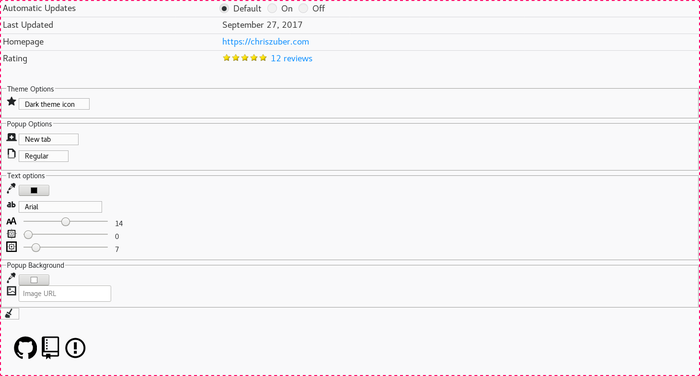
简介
Want to see Awesome RSS in your language? Please contribute to translations here.
A long time ago (especially in Internet time), Firefox used to have an icon that showed up in the Awesome Bar when a website had RSS or Atom feeds available for subscribing. This add-on replaces the icon, so you don't have to add a button that will be constantly visible and taking up space. It will only be visible when there is a feed to subscribe to.
RSS is a way to consume a LOT of information very quickly, and STORE it in nice categories if you miss it. So I can catch up with a small blog's output at the end of the week and, if I so choose, read EVERY article easily in one sitting. You think on Friday I'm gonna go browse that same site's Twitter feed on their page (digging through all the messy @ replies) and see what they did that week?! Or go to their Facebook page that is littered with contests? No way dude, I'm too busy for that!
I feel like small blogs cut their own throat by taking away the RSS capability. I give this analogy a lot, but social media outlets are INFO COLANDERS! 5% of your followers will see anything you post, and that's probably only within 20 minutes of posting. That's the way it is and it's gonna only get worse. Apart from email lists, RSS is the best way you can collect stuff across the internet to read quickly, and I am so irritated when that choice is taken from me.
/rant
Awesome RSS 是做什么的
Awesome RSS 是一款面向 Firefox 的资讯订阅类扩展,主要用来订阅 RSS、聚合新闻、跟踪博客更新。官方对它的介绍是:Puts an RSS/Atom subscribe button back in URL bar. Supports "Live Bookmarks" (built-in), Feedly, & Inoreader在Firefox 附加组件商店(AMO)上,它当前版本 1.3.6resigned1,评分 4.45(110 人评价),约 4,600 名用户。
适合什么人用
从功能定位看,Awesome RSS 更适合想摆脱算法推荐、自己掌控信息源的用户。如果你平时只是偶尔遇到相关需求,用浏览器自带功能也能凑合;但如果这件事每天都发生,装一个专门处理它的扩展通常比手动操作省事得多。需要注意的是它作用于所有网站,装上后建议先观察一两天,确认不影响常用站点的正常使用。
怎么安装 Awesome RSS
- 打开Firefox 附加组件商店(AMO)上的官方页面;
- 点「添加到浏览器」并确认权限提示;
- 装好后在扩展列表里固定图标,方便随时开关。
本站只做索引与介绍,安装包来自官方商店。如果商店页面提示当前地区不可用,说明该扩展未在你所在区域上架。
常见问题
Awesome RSS 是免费的吗?
Awesome RSS 在Firefox 附加组件商店(AMO)免费提供下载。它是浏览器扩展,装上就能直接用,不需要注册账号。
Awesome RSS 安全吗?
它只申请了 0 项权限,范围比较克制,没有申请「读取所有网站数据」这种大权限。
Awesome RSS 支持哪些浏览器?
当前收录的版本来自Firefox 附加组件商店(AMO),适用于 Firefox。同一个扩展在其他商店可能有对应版本,但功能与版本号不一定相同。
怎么卸载 Awesome RSS?
在扩展管理页找到 Awesome RSS,点移除即可。它在本地保存的设置会一起清掉,不会残留数据。
权限清单 来自 manifest.json 原文
站点访问 1
<all_urls>
接口权限 2
storagetabs