

 DuckDuckGo Privacy Essentials
⚡保护您的数据。支持可选 AI 的私密搜索、私密浏览和广告拦…
Firefox

AI Anywhere for ChatGPT EN
Juraj Mäsiar · Firefox
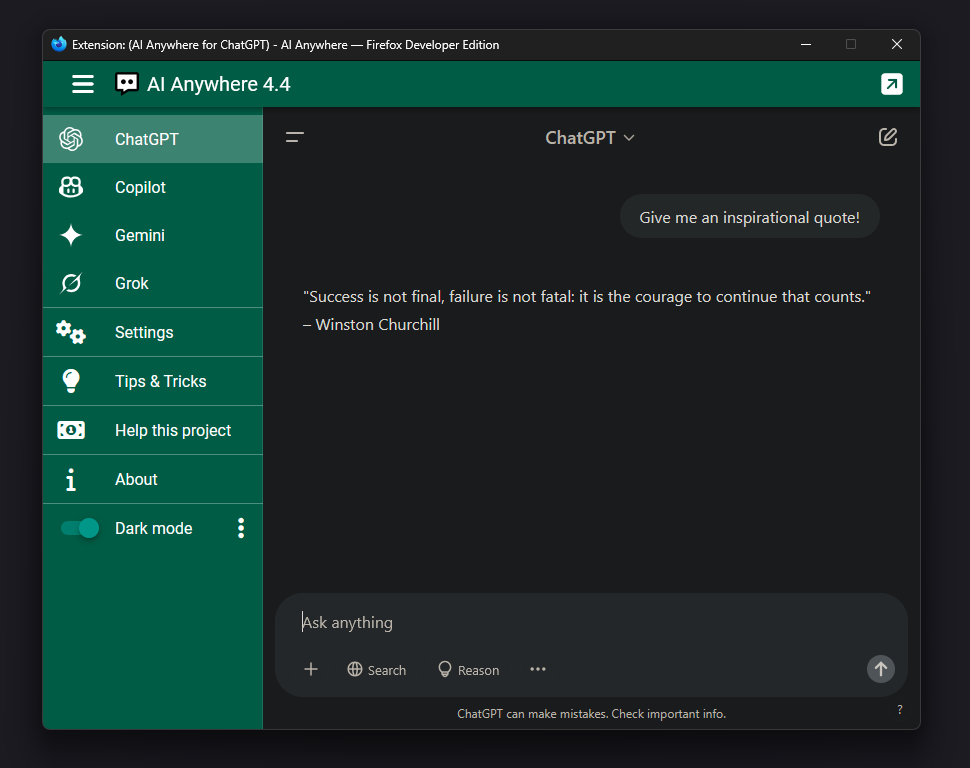
📈 Press "Alt + i" or use context menu to quickly access 💬 ChatGPT, GitHub Copilot, Claude, T3 Chat, Lumo, Gemini, DeepSeek, Mistral, Perplexity and Grok.
4.6/5
38 人评分
1.9千用户
v6.0当前版本
截图
简介
💬 AI Anywhere gives you quick access to the most popular AI tools like ChatGPT, GitHub Copilot, Claude, T3 Chat, Lumo, Gemini, DeepSeek, Mistral, Perplexity and Grok.
⭐ Main features:
- press "Alt + I" to open ChatGPT in a new window
- press "Alt + Up/Down" to switch between providers (ChatGPT, Claude, T3 Chat, Lumo, GitHub Copilot, Gemini, Grok, DeepSeek, Mistral, Perplexity)
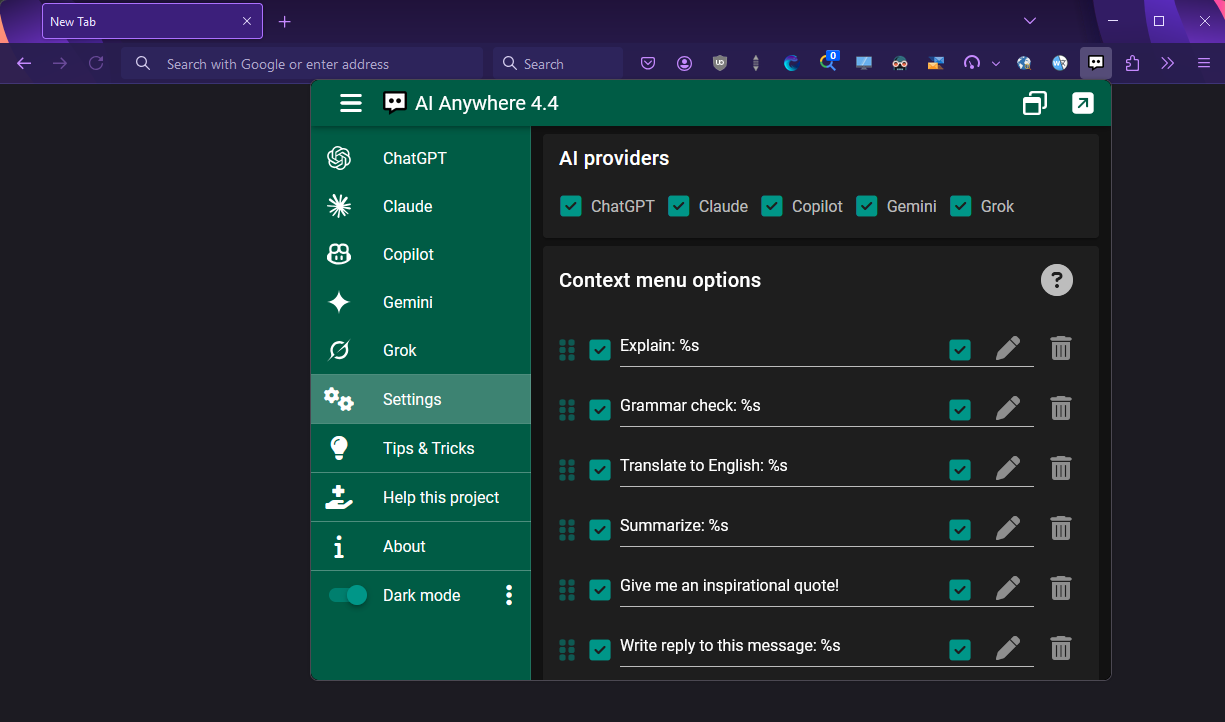
- customizable context menu options - Summarize / Explain / Translate {selected text}
- click toolbar icon for instant access
- press arrow Up / Down inside ChatGPT to access previous queries
❤ Support independent developer and a Friend of Add-ons:
- I'm full-time add-on developer and your donation is my only income. There are no ads in my add-ons!
☕ Please support my work by:
Thank you! :)
Your donation will help me keep this add-on working in future versions of Firefox!
🕑 Recently added features (changelog) page
Tags:
ChatGPT, Claude, T3 Chat, Lumo, GitHub Copilot, Gemini, Grok, DeepSeek, Mistral, Perplexity, AI, machine, artificial intelligence, productivity, context menu, summarize, explain, translate
AI Anywhere for ChatGPT 是做什么的
AI Anywhere for ChatGPT 是一款面向 Firefox 的搜索增强类扩展,主要用来补充搜索结果、切换搜索引擎、过滤无效结果。官方对它的介绍是:📈 Press "Alt + i" or use context menu to quickly access 💬 ChatGPT, GitHub Copilot, Claude, T3 Chat, Lumo, Gemini, DeepSeek, Mistral, Perplexity and Grok.在Firefox 附加组件商店(AMO)上,它当前版本 6.0,评分 4.63(38 人评价),约 1,921 名用户。
适合什么人用
从功能定位看,AI Anywhere for ChatGPT 更适合每天大量搜索、希望结果更干净准确的用户。如果你平时只是偶尔遇到相关需求,用浏览器自带功能也能凑合;但如果这件事每天都发生,装一个专门处理它的扩展通常比手动操作省事得多。
怎么安装 AI Anywhere for ChatGPT
- 打开Firefox 附加组件商店(AMO)上的官方页面;
- 点「添加到浏览器」并确认权限提示;
- 装好后在扩展列表里固定图标,方便随时开关。
本站只做索引与介绍,安装包来自官方商店。如果商店页面提示当前地区不可用,说明该扩展未在你所在区域上架。
常见问题
AI Anywhere for ChatGPT 是免费的吗?
AI Anywhere for ChatGPT 在Firefox 附加组件商店(AMO)免费提供下载。它是浏览器扩展,装上就能直接用,不需要注册账号。
AI Anywhere for ChatGPT 安全吗?
它只申请了 0 项权限,范围比较克制,没有申请「读取所有网站数据」这种大权限。
AI Anywhere for ChatGPT 支持哪些浏览器?
当前收录的版本来自Firefox 附加组件商店(AMO),适用于 Firefox。同一个扩展在其他商店可能有对应版本,但功能与版本号不一定相同。
怎么卸载 AI Anywhere for ChatGPT?
在扩展管理页找到 AI Anywhere for ChatGPT,点移除即可。它在本地保存的设置会一起清掉,不会残留数据。
权限清单 来自 manifest.json 原文
接口权限 5
activeTabcontextMenusdeclarativeNetRequestWithHostAccessscriptingstorage
接口权限(可选) 1
browsingData
标签 点标签看同类扩展
DuckDuckGo Privacy Essentials
⚡保护您的数据。支持可选 AI 的私密搜索、私密浏览和广告拦…
Firefox
 Search by Image
A powerful reverse image searc…
Firefox
 SteamDB
在 Steam 商店和社区页面中添加 SteamDB 链接和…
Firefox
 Qwant - Search engine
With this extension, Qwant bec…
Firefox
 Popup Blocker (strict)
Strictly block all popup reque…
Firefox
 Indie Wiki Buddy
Helping you discover quality, …
Firefox
 Tabliss - New Tab
A beautiful New Tab page with …
Firefox
 Block Site
A customizable, password-prote…
Firefox