
Trace EN
AbsoluteDouble · Firefox
An advanced extension that can protect many different types of browser fingerprinting such as Canvas/Audio/WebGL Fingerprinting. Trace also offers URL cleaning and header editing features such as the tracking cookie eater and Google header remover.
<all_urls>),意味着它可以读取你在任意站点的页面内容,包括已登录的页面。这是许多扩展正常工作的必要条件,但也值得你确认来源可信。
截图
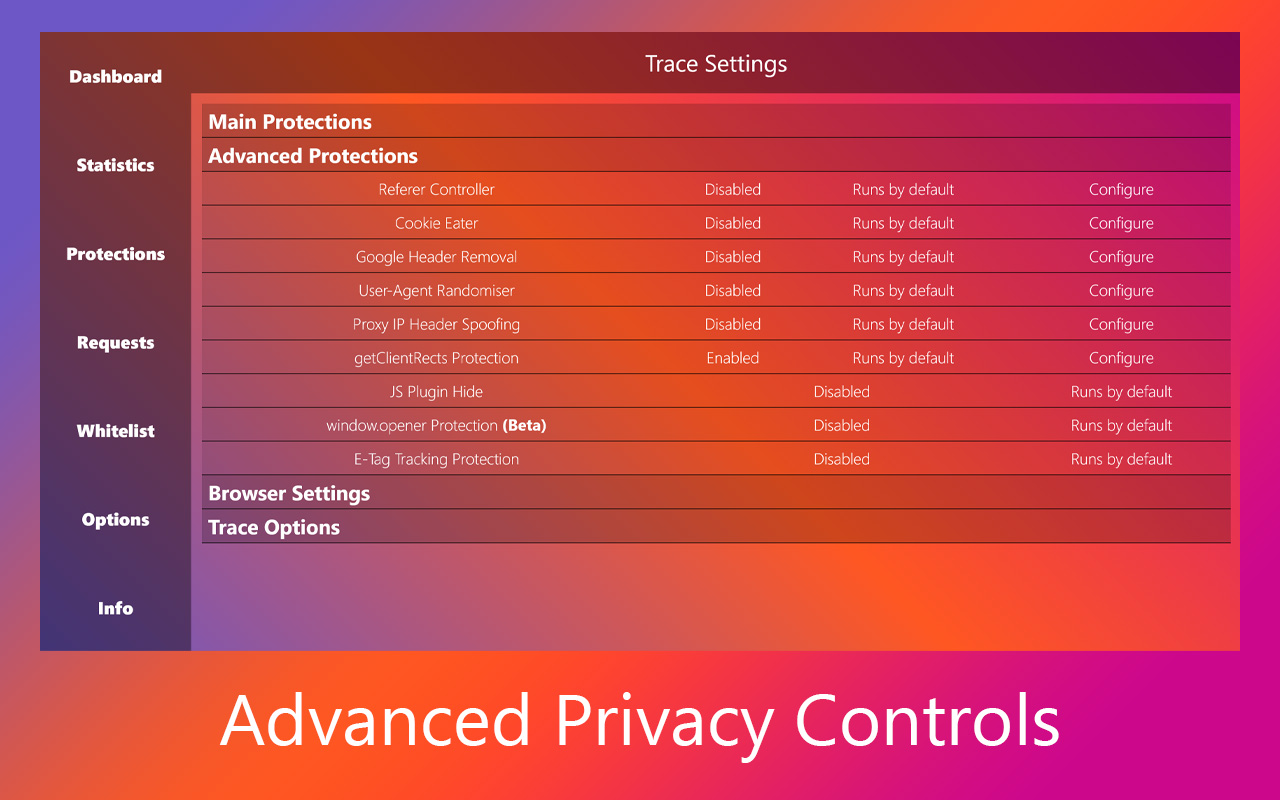


简介
An extension to stop multiple advanced tracking techniques employed by websites all over the web.
Trace has not been updated since 2021 and will likely not be updated again due to me not having time to work on it
Trace provides the following features:
- Canvas Fingerprint Spoofing (Video)
- Audio Fingerprinting Protection
- WebGL Fingerprinting Protection (Updated)
- JS Crypto Currency Mining Domain Blocking
- WebRTC IP Leakage Protection
- WebRTC Device Enumeration Protection
- Client Rects Protection
- Screen Resolution Spoofing
- User-Agent Spoofing
- Battery API Spoofing
- Browser Plugin Fingerprinting Protection
- Hardware Fingerprinting Protection
- Beacon/'Ping' Request Blocking
- Blocks Malicious Top Level Domains
- Hyperlink Auditing Prevention
- HTTP Referrer Header Controls (Video)
- Chrome Header Tracking Controls
- E-Tag Tracking Mitigation
- Removal of URL Tracking Parameters
- Removal of specific Tracking Cookies
Trace was made in my spare time as an extension to stop online tracking and give the user more control over browser features which may have been hard to find, or in other cases enabled with no option to disable. There is no team of developers behind Trace, I wrote it by myself and so you can be sure that there is no evil corporation behind it trying to get your data. If you don't believe me, check the source code, it's on GitHub.
The privacy policy is available here
Have Telegram and want updates on Trace? Join the Trace News & Updates channel
A Changelog & Roadmap is available here!
Trace 是做什么的
Trace 是一款面向 Firefox 的隐私与安全类扩展,主要用来拦截追踪器、屏蔽广告、管理 Cookie、加固浏览器指纹。官方对它的介绍是:An advanced extension that can protect many different types of browser fingerprinting such as Canvas/Audio/WebGL Fingerprinting. Trace also offers URL cleaning and header editing features such as the tracking cookie eater and Google header remover.在Firefox 附加组件商店(AMO)上,它当前版本 3.0.7,评分 4.12(73 人评价),约 531 名用户。
适合什么人用
从功能定位看,Trace 更适合在意上网被跟踪、希望减少广告干扰的用户。如果你平时只是偶尔遇到相关需求,用浏览器自带功能也能凑合;但如果这件事每天都发生,装一个专门处理它的扩展通常比手动操作省事得多。需要注意的是它作用于所有网站,装上后建议先观察一两天,确认不影响常用站点的正常使用。
怎么安装 Trace
- 打开Firefox 附加组件商店(AMO)上的官方页面;
- 点「添加到浏览器」并确认权限提示;
- 装好后在扩展列表里固定图标,方便随时开关。
本站只做索引与介绍,安装包来自官方商店。如果商店页面提示当前地区不可用,说明该扩展未在你所在区域上架。
常见问题
Trace 是免费的吗?
Trace 在Firefox 附加组件商店(AMO)免费提供下载。它是浏览器扩展,装上就能直接用,不需要注册账号。
Trace 安全吗?
它只申请了 0 项权限,范围比较克制,没有申请「读取所有网站数据」这种大权限。
Trace 支持哪些浏览器?
当前收录的版本来自Firefox 附加组件商店(AMO),适用于 Firefox。同一个扩展在其他商店可能有对应版本,但功能与版本号不一定相同。
怎么卸载 Trace?
在扩展管理页找到 Trace,点移除即可。它在本地保存的设置会一起清掉,不会残留数据。
权限清单 来自 manifest.json 原文
站点访问 3
<all_urls>http://*/*https://*/*
接口权限 8
activeTabalarmsnotificationsprivacystoragetabswebRequestwebRequestBlocking