
Zoomorph EN
PeteraxUtilities · EEdge MV3
Tire a tarja preta dos filmes em streaming. Zoom automático pela sua tela e pelo formato do vídeo, em qualquer site.
<all_urls>),意味着它可以读取你在任意站点的页面内容,包括已登录的页面。这是许多扩展正常工作的必要条件,但也值得你确认来源可信。
截图
简介
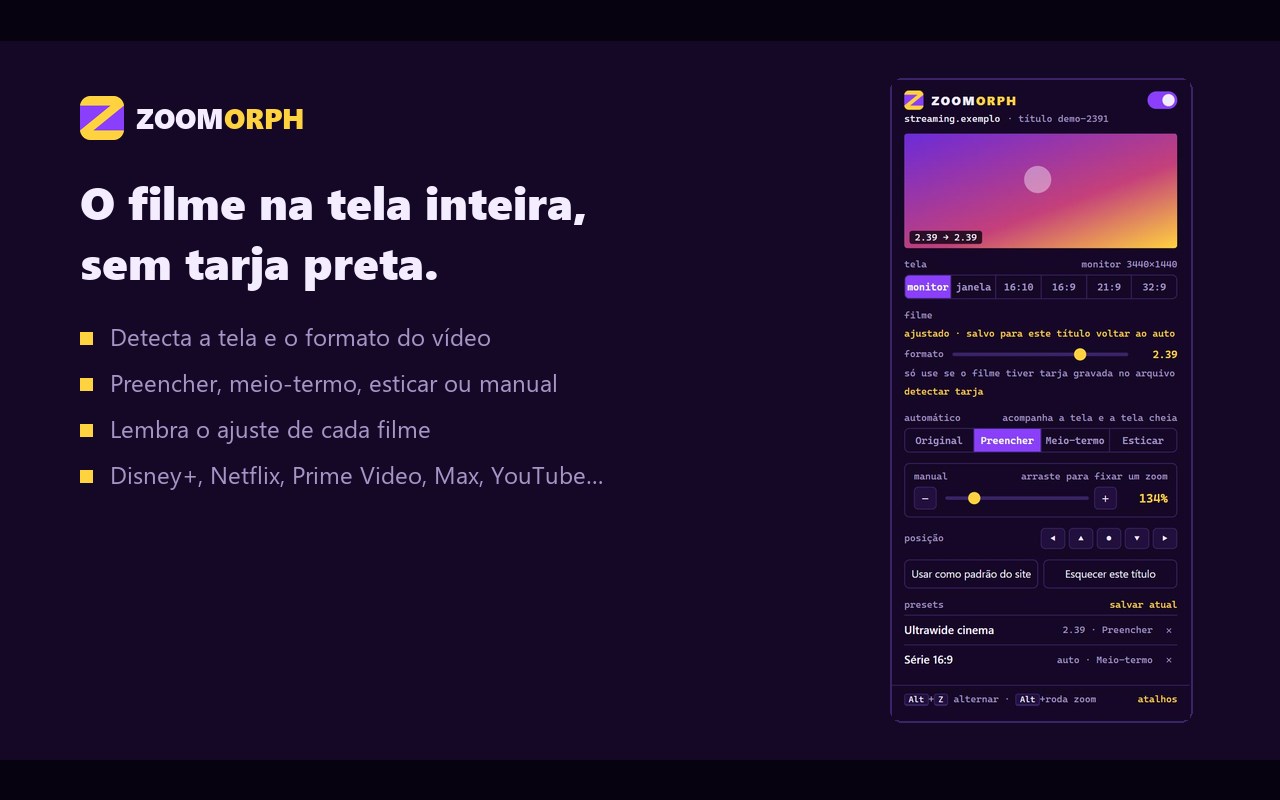
O Zoomorph faz o filme ocupar a sua tela inteira, sem tarja preta.
Ele lê o tamanho da sua tela e o formato do vídeo e calcula o zoom certo. Você não precisa adivinhar porcentagem, e o ajuste acompanha a entrada e a saída da tela cheia. Se o vídeo já cobre a tela, o zoom fica em 100%.
MODOS
• Preencher: zoom até a tarja sumir, sem distorcer
• Meio-termo: metade da tarja, metade do corte
• Esticar: ocupa a tela toda sem cortar nada
• Manual: zoom fixo de 100% a 300%
FEITO PARA QUALQUER TELA
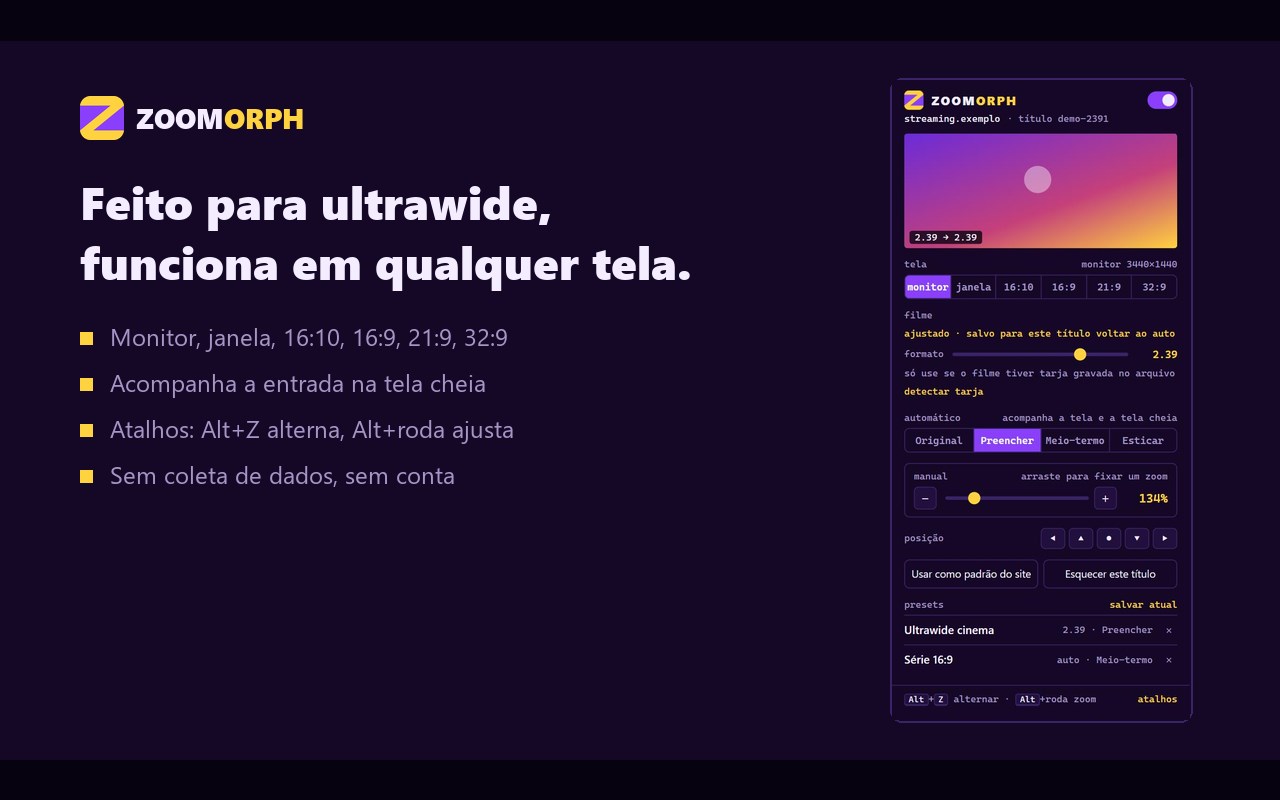
• Monitor, janela do player, 16:10, 16:9, 21:9 e 32:9
• Ideal para monitores ultrawide
• No YouTube e em sites sem DRM, detecta sozinho a tarja gravada no vídeo
LEMBRA DE TUDO
• Cada filme ou série guarda o próprio ajuste
• O modo pode virar padrão do site
• Presets com nome
ATALHOS
• Alt+Z alterna entre o ajuste e o original
• Alt+X troca o formato do filme, Alt+M troca o modo
• Alt+roda do mouse ajusta o zoom
• Aviso na tela, também em tela cheia
FUNCIONA COM
Disney+, Prime Video, Netflix, Max, Apple TV+, Paramount+, Globoplay, Crunchyroll, YouTube e qualquer site com vídeo HTML5.
PRIVACIDADE
Nenhum dado é coletado ou enviado. Tudo fica no seu navegador.
Código-fonte: https://github.com/Pedroooxx/zoomorph
————————————————————
ENGLISH
Zoomorph makes movies fill your whole screen, with no black bars.
It reads your screen size and the video format and works out the right zoom. No guessing percentages, and it adapts when you enter or leave fullscreen. If the video already covers the screen, the zoom stays at 100%.
MODES
• Fill: zoom until the bars are gone, without distortion
• Half-way: half the bars, half the crop
• Stretch: fill the screen without cropping
• Manual: fixed zoom from 100% to 300%
ANY SCREEN
• Monitor, player window, 16:10, 16:9, 21:9 and 32:9
• Great for ultrawide monitors
• On YouTube and other DRM-free sites, detects letterboxing baked into the video automatically
REMEMBERS EVERYTHING
• Each movie or show keeps its own setting
• Make a mode the default for a site
• Named presets
SHORTCUTS
• Alt+Z toggles between your setting and the original
• Alt+X cycles the film ratio, Alt+M cycles the mode
• Alt+mouse wheel adjusts the zoom
• On-screen indicator, also in fullscreen
WORKS WITH
Disney+, Prime Video, Netflix, Max, Apple TV+, Paramount+, Globoplay, Crunchyroll, YouTube and any site with HTML5 video.
PRIVACY
No data is collected or sent. Everything stays in your browser.
Source code: https://github.com/Pedroooxx/zoomorph
Zoomorph 是做什么的
Zoomorph 是一款面向 Edge 的实用工具类扩展,主要用来解决浏览器里某类具体的小问题。官方对它的介绍是:Tire a tarja preta dos filmes em streaming. Zoom automático pela sua tela e pelo formato do vídeo, em qualquer site.在微软 Edge 加载项商店上,它当前版本 2.3.6,评分 5(1 人评价),约 2 名用户。
适合什么人用
从功能定位看,Zoomorph 更适合想补上浏览器原生缺失功能的用户。如果你平时只是偶尔遇到相关需求,用浏览器自带功能也能凑合;但如果这件事每天都发生,装一个专门处理它的扩展通常比手动操作省事得多。需要注意的是它作用于所有网站,装上后建议先观察一两天,确认不影响常用站点的正常使用。
怎么安装 Zoomorph
- 打开微软 Edge 加载项商店上的官方页面;
- 点「添加到浏览器」并确认权限提示;
- 装好后在扩展列表里固定图标,方便随时开关。
本站只做索引与介绍,安装包来自官方商店。如果商店页面提示当前地区不可用,说明该扩展未在你所在区域上架。
常见问题
Zoomorph 是免费的吗?
Zoomorph 在微软 Edge 加载项商店免费提供下载。它是浏览器扩展,装上就能直接用,不需要注册账号。
Zoomorph 安全吗?
它只申请了 0 项权限,范围比较克制,没有申请「读取所有网站数据」这种大权限。
Zoomorph 支持哪些浏览器?
当前收录的版本来自微软 Edge 加载项商店,适用于 Edge。同一个扩展在其他商店可能有对应版本,但功能与版本号不一定相同。
怎么卸载 Zoomorph?
在扩展管理页找到 Zoomorph,点移除即可。它在本地保存的设置会一起清掉,不会残留数据。
权限清单 来自 manifest.json 原文
站点访问(可选) 1
<all_urls>
接口权限 2
scriptingstorage