
Zoom Lens - by DBZ Clasher EN
DBZ Clasher · EEdge MV3
Zooms into images on webpages with a customizable magnifying lens.
截图


简介
🔍 Zoom Lens – Image Magnifier for the Web
Turn any image on the web into a crystal-clear, magnified view. Perfect for reading tiny text, examining product details, studying maps, or appreciating artwork up close.
Key Features:
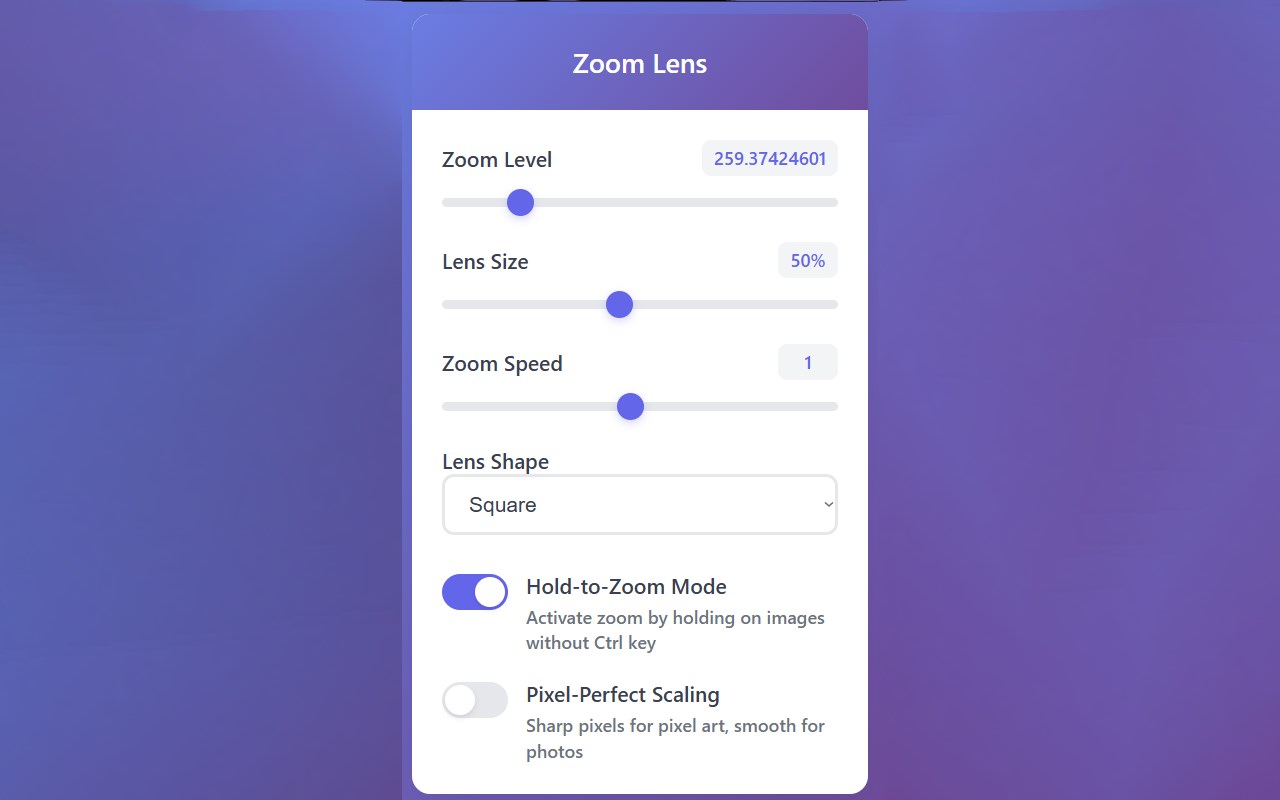
• Hold-to-Zoom – Hold Ctrl + mouse button to activate the lens
• Custom Lens Shapes – Choose circle, square, or rectangle
• Adjustable Zoom (100%–1000%) – Fine-tune magnification levels
• Dynamic Wheel Zooming – Scroll to zoom in/out instantly
• Resizable Lens – Scale from 10% to 100% of your screen
• Pixel-Perfect Mode – Switch between smooth scaling & sharp pixels (great for pixel art)
• Smart Reactivation – Lens reappears when hovering back over the same image
• Optional One-Key Mode – Zoom without holding Ctrl
Great For:
✔ Reading small text in screenshots
✔ Checking product details in online stores
✔ Studying diagrams, maps, or technical drawings
✔ Inspecting artwork, photos, or pixel art
✔ Accessibility support for visual impairments
✔ Web development & design reviews
Privacy First: No tracking, no data collection. Works fully offline, with all settings saved locally.
✨ Enhance your browsing with a professional-grade magnifier right at your fingertips!
Zoom Lens - by DBZ Clasher 是做什么的
Zoom Lens - by DBZ Clasher 是一款面向 Edge 的实用工具类扩展,主要用来解决浏览器里某类具体的小问题。官方对它的介绍是:Zooms into images on webpages with a customizable magnifying lens.在微软 Edge 加载项商店上,它当前版本 1.0,约 8 名用户。
适合什么人用
从功能定位看,Zoom Lens - by DBZ Clasher 更适合想补上浏览器原生缺失功能的用户。如果你平时只是偶尔遇到相关需求,用浏览器自带功能也能凑合;但如果这件事每天都发生,装一个专门处理它的扩展通常比手动操作省事得多。
怎么安装 Zoom Lens - by DBZ Clasher
- 打开微软 Edge 加载项商店上的官方页面;
- 点「添加到浏览器」并确认权限提示;
- 装好后在扩展列表里固定图标,方便随时开关。
本站只做索引与介绍,安装包来自官方商店。如果商店页面提示当前地区不可用,说明该扩展未在你所在区域上架。
常见问题
Zoom Lens - by DBZ Clasher 是免费的吗?
Zoom Lens - by DBZ Clasher 在微软 Edge 加载项商店免费提供下载。它是浏览器扩展,装上就能直接用,不需要注册账号。
Zoom Lens - by DBZ Clasher 安全吗?
它只申请了 0 项权限,范围比较克制,没有申请「读取所有网站数据」这种大权限。
Zoom Lens - by DBZ Clasher 支持哪些浏览器?
当前收录的版本来自微软 Edge 加载项商店,适用于 Edge。同一个扩展在其他商店可能有对应版本,但功能与版本号不一定相同。
怎么卸载 Zoom Lens - by DBZ Clasher?
在扩展管理页找到 Zoom Lens - by DBZ Clasher,点移除即可。它在本地保存的设置会一起清掉,不会残留数据。
权限清单 来自 manifest.json 原文
接口权限 2
activeTabstorage