
Zoho Vault - Password Manager
Zoho Corp · EEdge MV3
团队在线密码管理器,用于安全地存储、共享及管理密码和其他敏感数据。
<all_urls>),意味着它可以读取你在任意站点的页面内容,包括已登录的页面。这是许多扩展正常工作的必要条件,但也值得你确认来源可信。
截图
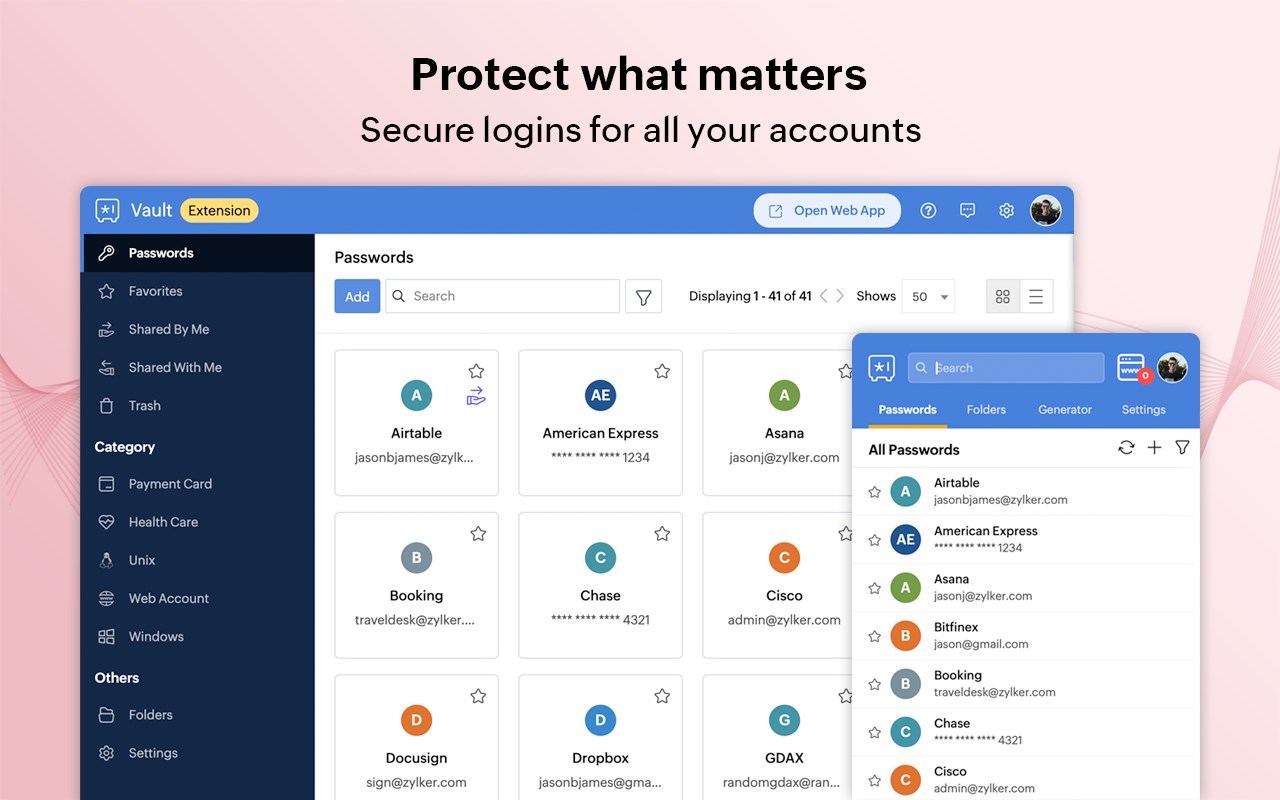
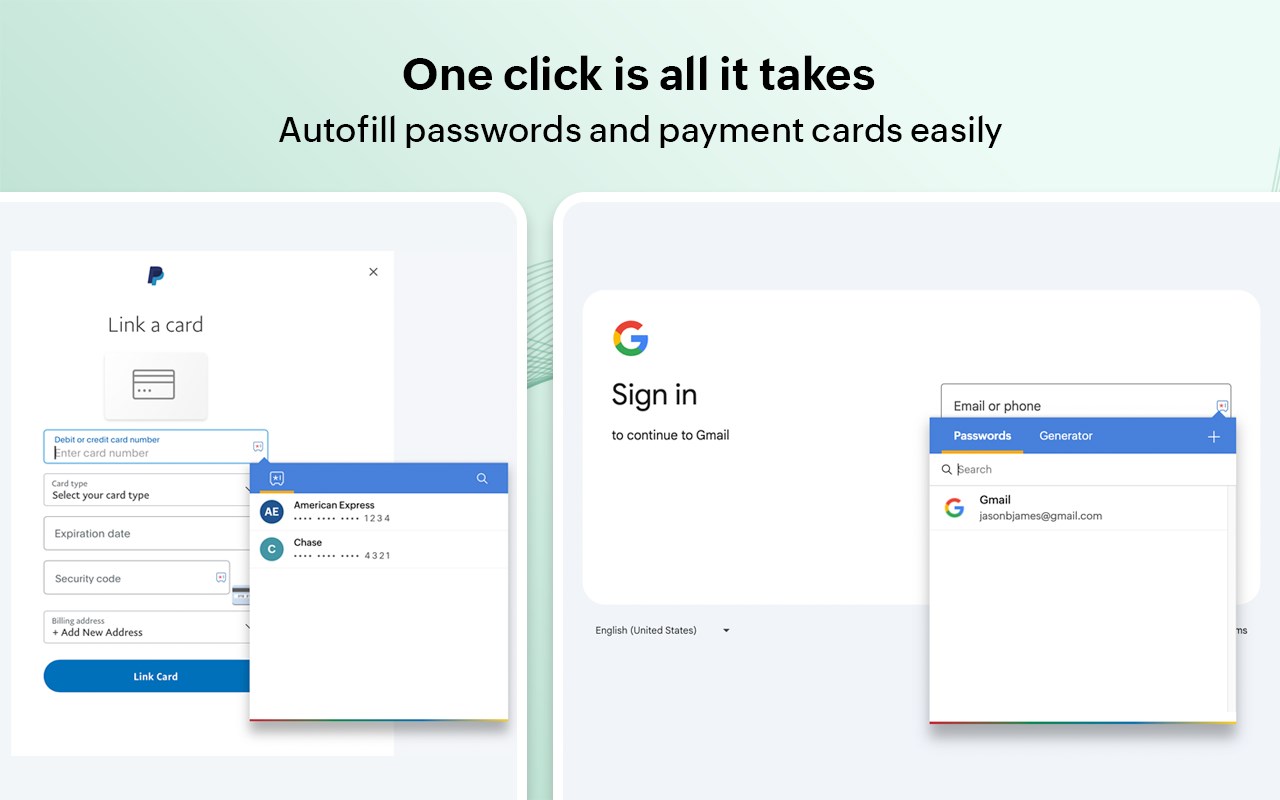


简介
Zoho Vault - Free Password Manager
Zoho Vault is a robust password manager designed to help you securely store, autofill, generate, share, and manage sensitive information—all from a single, encrypted vault. Access your confidential data anytime, anywhere, whether you're using an Android, iOS, Apple Watch, MacBook, or Windows.
Built entirely on the cloud, Zoho Vault seamlessly integrates with your existing apps for a smooth, secure experience. IT teams gain centralized visibility and control, preventing data breaches, ensuring compliance, and implementing zero-trust security effortlessly.
For over a decade, tens of thousands of businesses have trusted Zoho Vault as their password management solution for its simplicity, strong encryption, and affordability, making it a truly dependable choice for modern workplaces.
Zoho Vault for personal and business use cases
----------------------------------------------
1. Securely store and manage passwords, passkeys, and other sensitive information like bank details, documents, and more in an encrypted vault.
2. Embrace passwordless authentication with advanced passkey compatibility.
3. Generate strong, unique passwords instantly across all of your devices with the password and passphrase generator.
4. Autofill usernames, passwords, addresses, payment details, and TOTP codes for quick logins.
5. Seamlessly autofill and auto login to websites on popular browsers, including Ulaa, Chrome, Safari, Edge, Firefox, Vivaldi, Brave, and Opera.
6. Strengthen security by enforcing multi-factor authentication (MFA).
7. Skip the master password and access your vault using biometrics, Zoho OneAuth, Windows Hello, TouchID, Passkey, and YubiKey.
8. Ensure regulatory compliance with tamper-proof audit trails and detailed security reports.
9. Keep your data safe with encrypted backups to email and cloud services like Google Drive, Dropbox, and OneDrive.
10. Benefit from enhanced integrations with Zoho and third-party applications.
Advanced security features
--------------------------
1. Implement the principle of least privilege with granular role-based access controls for secure sharing.
2. Enforce strong password complexity and expiration rules through built-in password policies, ensuring continuous regulatory compliance.
3. Gain real-time insights into your security posture with a security dashboard and proactive dark web monitoring to detect compromised credentials.
4. Enhance security by restricting access based on IP address and geographical location.
5. Empower developers with robust API and Command Line Interface (CLI) tools for custom integrations.
Security and compliance
-----------------------
- Data is encrypted with AES-256 on your device before transmission—your master password is never stored, even by Zoho.
- Secured through regular third-party audits, white-hat testing, and internal security assessments.
- Built on our own tech stack and data centers to ensure your data remains private and exclusively yours.
- Fully aligned with GDPR, HIPAA, CCPA, and other global data protection standards.
Plans and pricing
-----------------
Free: Sign up for our powerful free password manager app and enjoy unlimited storage and device access at no cost.
Standard: $1 USD/user/month and $10.80 USD/user/year
Professional: $5 USD/user/month and $54 USD/user/year
Enterprise: $8 USD/user/month and $86 USD/user/year
Flex: Customized, volume-based pricing
Secure your business the way tens of thousands already do with Zoho Vault. Download now!
For questions or feedback, email us at support@zohovault.com or support@eu.zohovault.com (for EU users).
Privacy Policy: zoho.com/privacy
Terms of use: zoho.com/terms
Zoho Vault - Password Manager 是做什么的
Zoho Vault - Password Manager 是一款面向 Edge 的效率工具类扩展,主要用来管住注意力、屏蔽干扰站点、记录时间。官方对它的介绍是:团队在线密码管理器,用于安全地存储、共享及管理密码和其他敏感数据。在微软 Edge 加载项商店上,它当前版本 6.10.1,评分 4.1(9 人评价),约 66,941 名用户。
适合什么人用
从功能定位看,Zoho Vault - Password Manager 更适合想专注工作学习、减少无效刷网页的用户。如果你平时只是偶尔遇到相关需求,用浏览器自带功能也能凑合;但如果这件事每天都发生,装一个专门处理它的扩展通常比手动操作省事得多。需要注意的是它作用于所有网站,装上后建议先观察一两天,确认不影响常用站点的正常使用。
怎么安装 Zoho Vault - Password Manager
- 打开微软 Edge 加载项商店上的官方页面;
- 点「添加到浏览器」并确认权限提示;
- 装好后在扩展列表里固定图标,方便随时开关。
本站只做索引与介绍,安装包来自官方商店。如果商店页面提示当前地区不可用,说明该扩展未在你所在区域上架。
常见问题
Zoho Vault - Password Manager 是免费的吗?
Zoho Vault - Password Manager 在微软 Edge 加载项商店免费提供下载。它是浏览器扩展,装上就能直接用,不需要注册账号。
Zoho Vault - Password Manager 安全吗?
它只申请了 0 项权限,范围比较克制,没有申请「读取所有网站数据」这种大权限。
Zoho Vault - Password Manager 支持哪些浏览器?
当前收录的版本来自微软 Edge 加载项商店,适用于 Edge。同一个扩展在其他商店可能有对应版本,但功能与版本号不一定相同。
怎么卸载 Zoho Vault - Password Manager?
在扩展管理页找到 Zoho Vault - Password Manager,点移除即可。它在本地保存的设置会一起清掉,不会残留数据。
权限清单 来自 manifest.json 原文
站点访问(可选) 2
http://*/*https://*/*
接口权限 15
alarmsclipboardWritecontextMenuscookiesidlenotificationsoffscreenprivacysidePanelstoragetabsunlimitedStoragewebNavigationwebRequestwebRequestAuthProvider
其他商店也有这款
同一款扩展在不同浏览器下的版本,权限与更新节奏可能不同
