
YDownloadNow – Video Downloader & MP3 EN
TOP15 · EEdge MV3
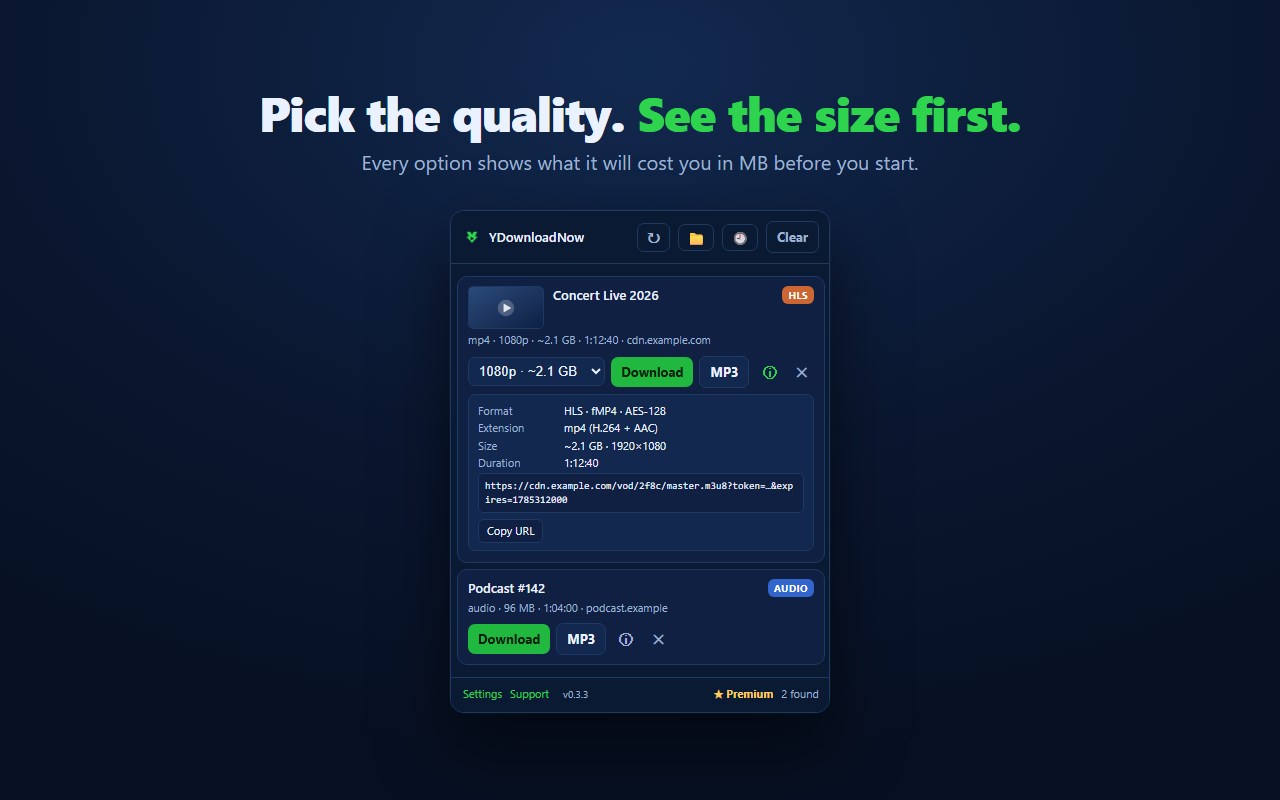
Save the video a page is playing as MP4 or MP3, even streamed video. See each quality's size first. No re-encoding.
<all_urls>),意味着它可以读取你在任意站点的页面内容,包括已登录的页面。这是许多扩展正常工作的必要条件,但也值得你确认来源可信。
截图
简介
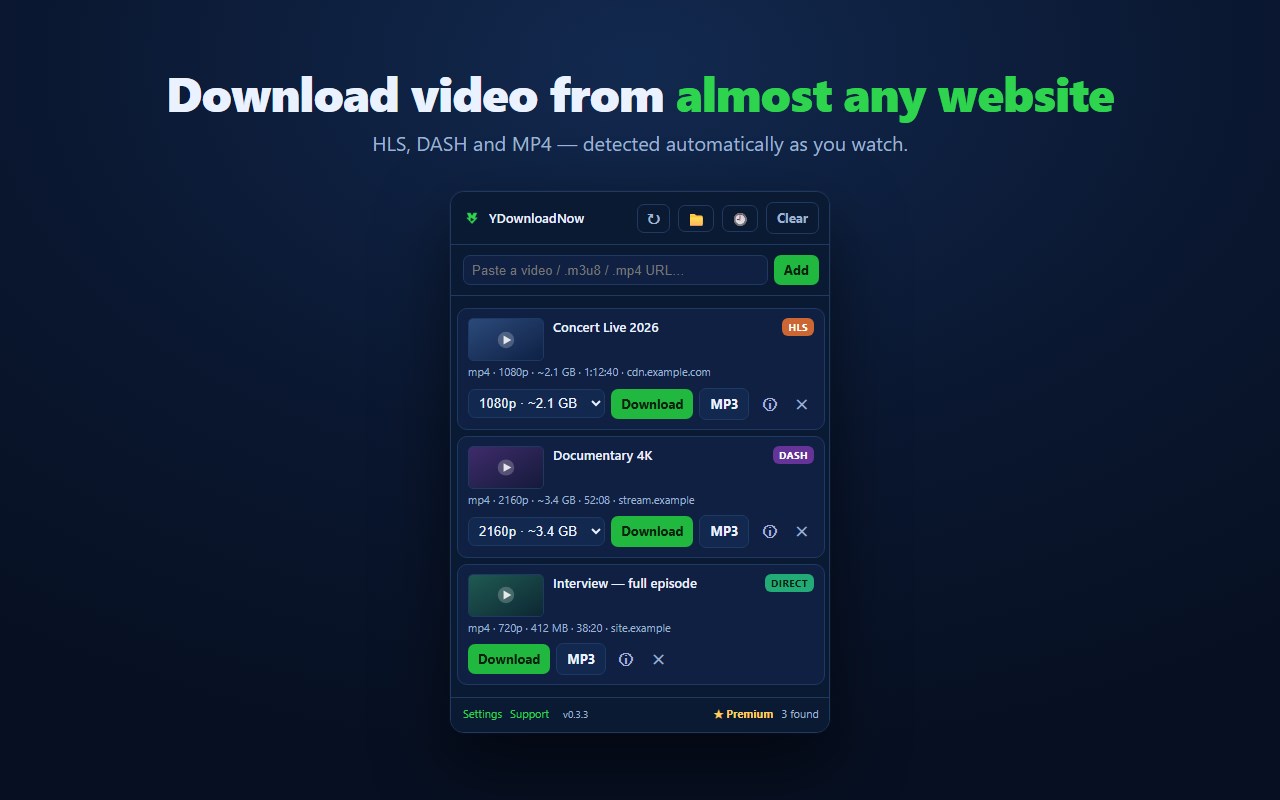
YDownloadNow finds the video a page is actually playing and saves it as a normal file — on video sites, on YouTube and on social networks.
Most videos on the web are not a single file: they are streams cut into hundreds of small segments. Your browser can play them, but it has no button to save them. YDownloadNow reads the playlist, downloads every segment and rebuilds the video into an MP4 — without re-encoding, so there is no quality loss and no long wait.
WHAT IT DOES
- Detects streaming video and ordinary media files on the page you are on, while you watch.
- Downloads from YouTube and from popular social and video sites: open the video and it shows up in the list.
- Quality picker with the estimated size of each option, so you know what you are getting before you start.
- Save only the audio, as MP3.
- Suno: save your Suno songs as MP3.
- Trim before downloading: pick a start and an end, and save only that part.
- Link scanner: sweep the page for downloadable files when nothing shows up.
- Handles encrypted and fragmented streams that simpler tools choke on.
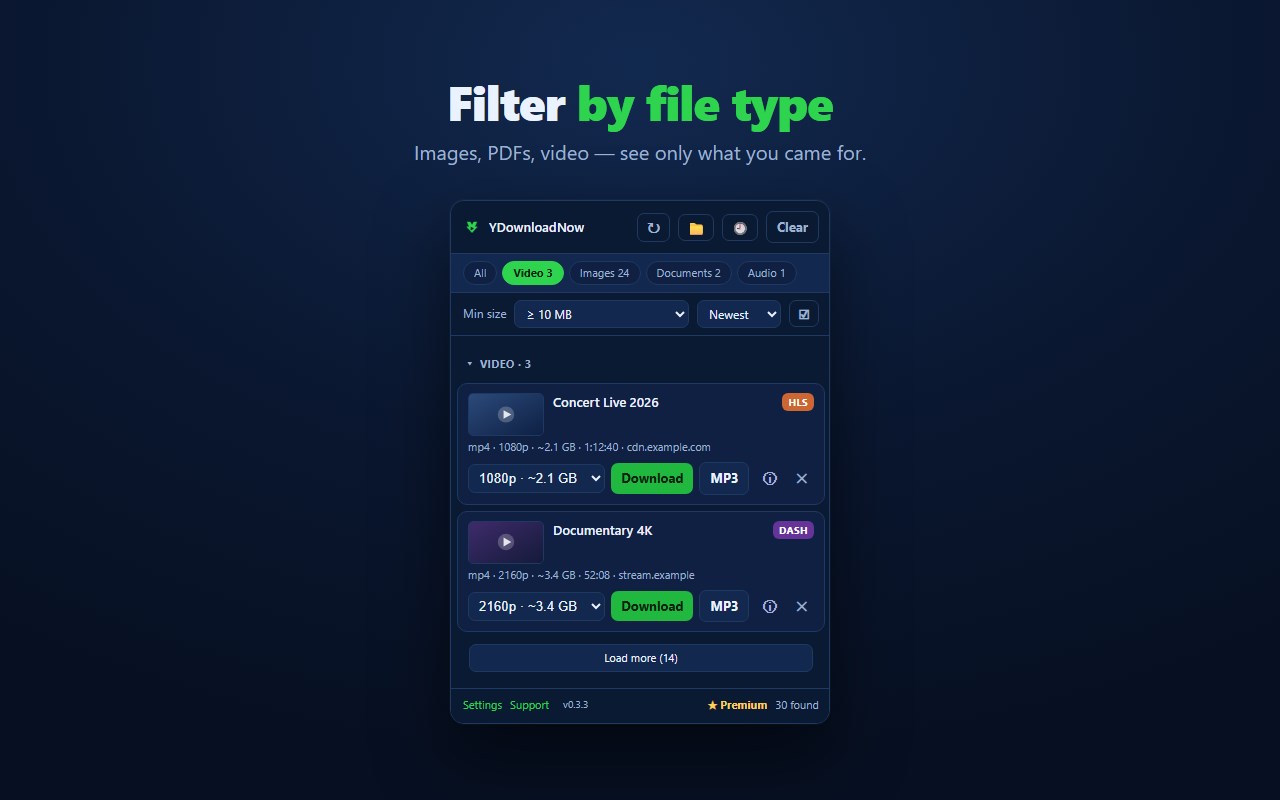
- Finds images, PDFs, archives and other files too — switch each type on or off so the list shows only what you want.
- Thumbnails, so you can tell two videos apart.
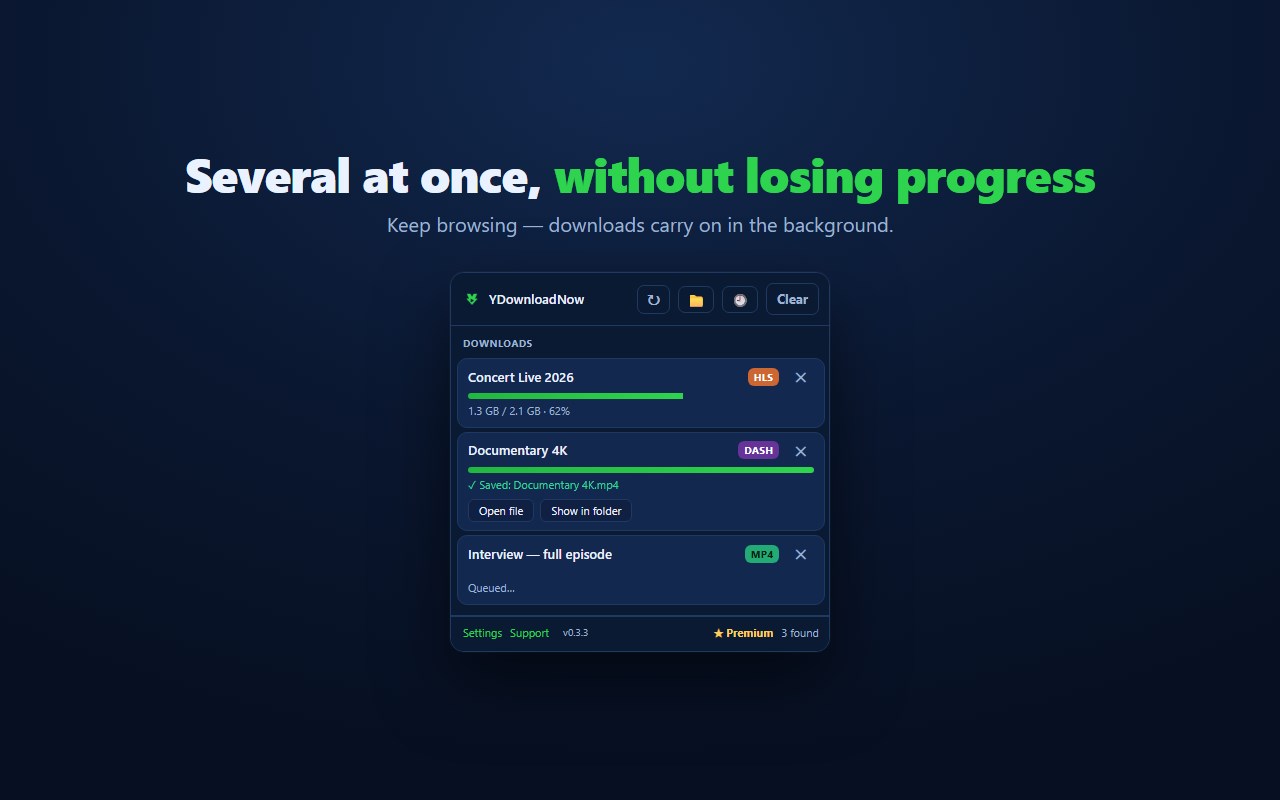
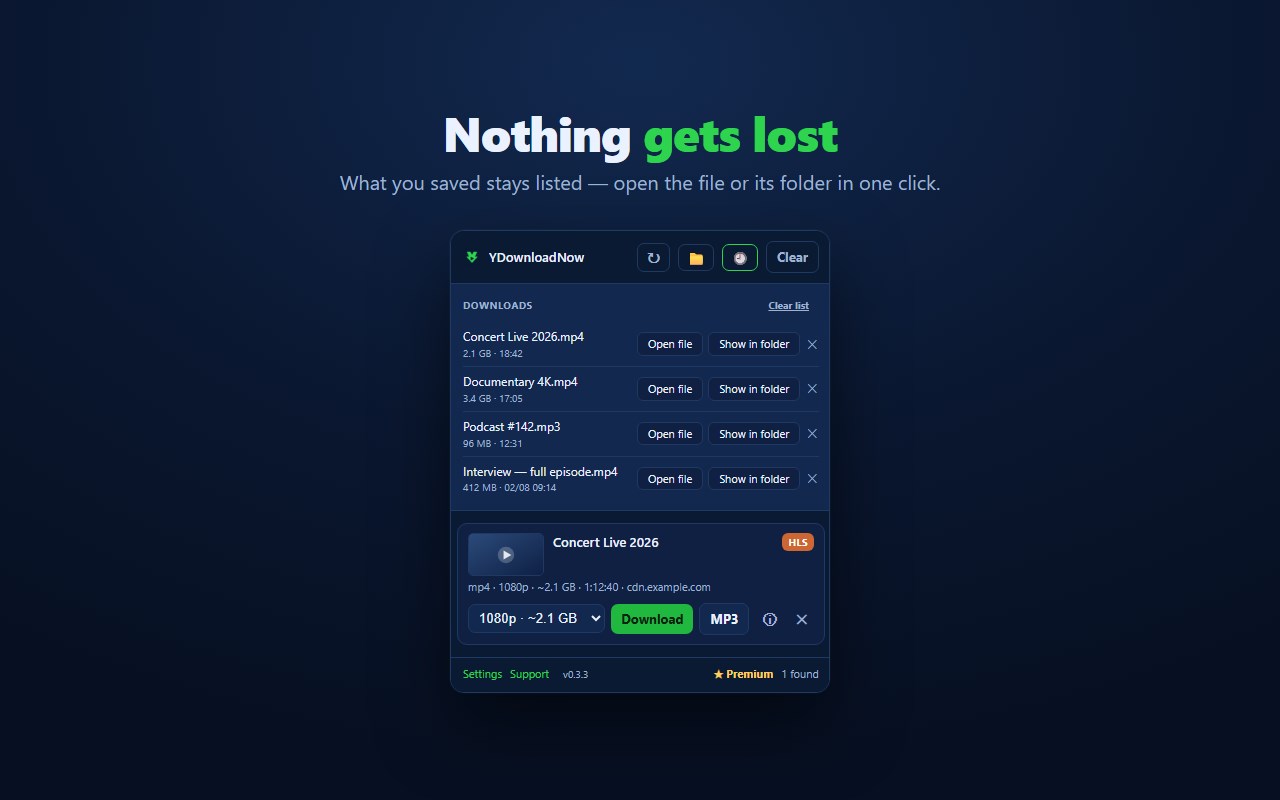
- Downloads tab: everything you saved stays listed, with buttons to open the file or show it in its folder.
- Choose a destination folder per file type (video, audio, images…).
- Runs as a popup, a side panel or its own window — your choice.
VERY LARGE FILES
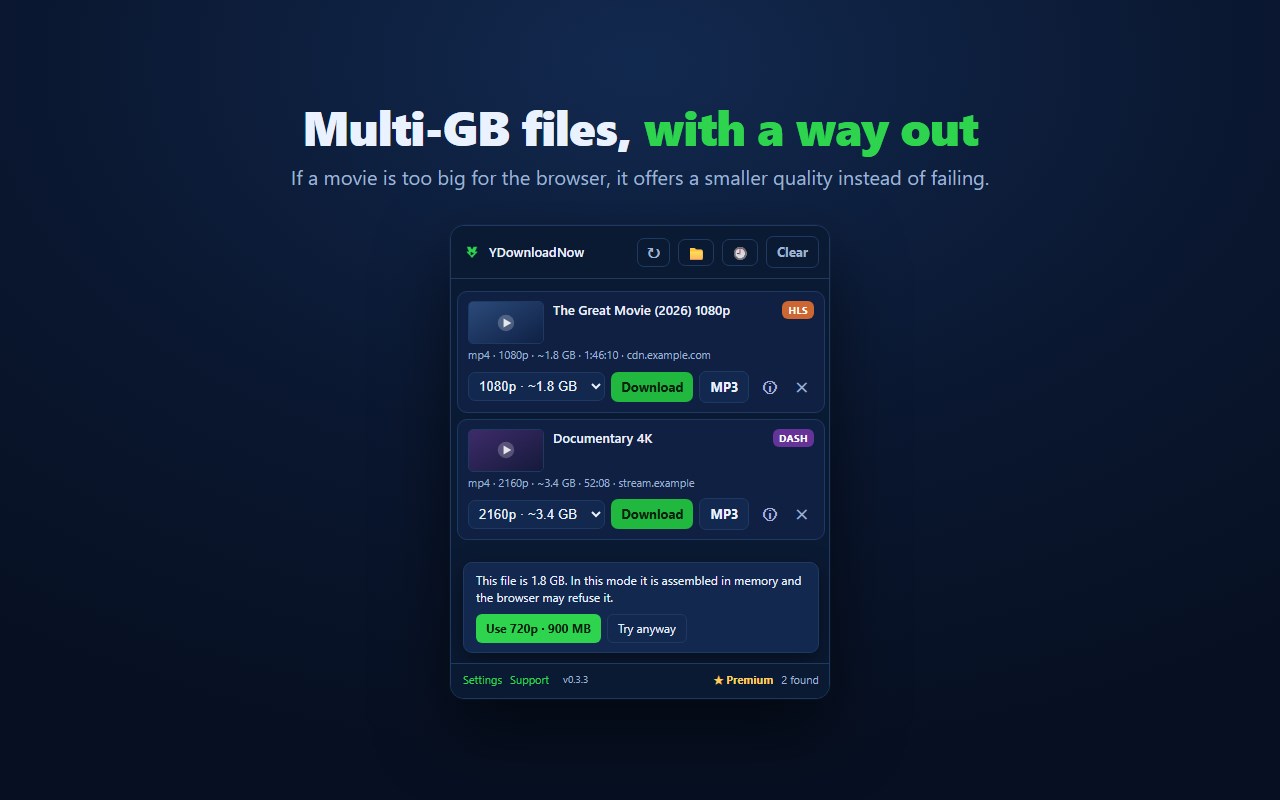
A file is built in memory before it is saved, and past roughly 1 GB the browser may refuse it. If that happens, YDownloadNow does not leave you stuck: it offers a lower quality that fits, with one click. Setting a destination folder (the folder button) removes that memory ceiling. On the free plan each file can be up to 2 GB; Premium has no size limit.
WHAT IT DOES NOT DO
It does not touch DRM-protected content. Widevine, PlayReady and SAMPLE-AES streams are refused by design, so it will not download from Netflix, Disney+, HBO or similar services — and it never will. Please only download content you have the right to, and respect each site's terms of service.
FREE AND PREMIUM
Free, every day (the counters reset daily):
- Any file by size: 15 up to 20 MB, 5 up to 200 MB, 1 larger (up to 2 GB each)
- 3 downloads from YouTube and social networks (up to 720p)
- 3 songs from Suno
- Video quality up to 1080p
- A download that fails does not count.
Premium removes every daily limit and adds files over 2 GB, 1440p, 4K and 8K quality, faster downloads, 320 kbps MP3 with speed and pitch control, downloading everything on a page in one click, an overnight queue that starts your downloads by itself, and a download history synced across your devices.
EUR 2.99 per month or EUR 19.99 per year, on up to 3 browsers, with a 7-day free trial — no card needed. Cancel any time from the website.
PRIVACY
Detection, downloading and assembly happen in your browser, and the file is saved straight to your disk. It does not pass through our server unless you choose a server-assisted download.
This is what the extension sends:
- A random install ID, to count the daily limit and validate Premium, together with your browser's user-agent (browser and system), language, extension version and country. The free plan needs no account, and we do not store your IP address. Premium is linked to the email you pay with.
- When a download fails: at which step it broke, an error code and a short technical description generated by the extension.
- The domain of the page where a download finished (for example example.com), stored without the install ID. You can turn this off in Settings.
- YouTube and social networks: the page address is sent to our conversion service, because that is how those downloads work.
- Server-assisted download and Premium history sync only if you turn them on; both are off by default.
Full privacy policy: https://ydownloadnow.com/en/privacy.html
WHY IT NEEDS ITS PERMISSIONS
- Access to the sites you visit: a stream can only be found by watching the requests made by the page you are on. The page's content is never sent anywhere.
- Downloads: to save the finished file.
- Opening the downloaded file is optional — it is only requested when you press "Open file", and you can say no.
Support: support@ydownloadnow.com · https://ydownloadnow.com
YDownloadNow – Video Downloader & MP3 是做什么的
YDownloadNow – Video Downloader & MP3 是一款面向 Edge 的效率工具类扩展,主要用来管住注意力、屏蔽干扰站点、记录时间。官方对它的介绍是:Save the video a page is playing as MP4 or MP3, even streamed video. See each quality's size first. No re-encoding.在微软 Edge 加载项商店上,它当前版本 0.9.120,约 145 名用户。
适合什么人用
从功能定位看,YDownloadNow – Video Downloader & MP3 更适合想专注工作学习、减少无效刷网页的用户。如果你平时只是偶尔遇到相关需求,用浏览器自带功能也能凑合;但如果这件事每天都发生,装一个专门处理它的扩展通常比手动操作省事得多。需要注意的是它作用于所有网站,装上后建议先观察一两天,确认不影响常用站点的正常使用。
怎么安装 YDownloadNow – Video Downloader & MP3
- 打开微软 Edge 加载项商店上的官方页面;
- 点「添加到浏览器」并确认权限提示;
- 装好后在扩展列表里固定图标,方便随时开关。
本站只做索引与介绍,安装包来自官方商店。如果商店页面提示当前地区不可用,说明该扩展未在你所在区域上架。
常见问题
YDownloadNow – Video Downloader & MP3 是免费的吗?
YDownloadNow – Video Downloader & MP3 在微软 Edge 加载项商店免费提供下载。它是浏览器扩展,装上就能直接用,不需要注册账号。
YDownloadNow – Video Downloader & MP3 安全吗?
它只申请了 0 项权限,范围比较克制,没有申请「读取所有网站数据」这种大权限。
YDownloadNow – Video Downloader & MP3 支持哪些浏览器?
当前收录的版本来自微软 Edge 加载项商店,适用于 Edge。同一个扩展在其他商店可能有对应版本,但功能与版本号不一定相同。
怎么卸载 YDownloadNow – Video Downloader & MP3?
在扩展管理页找到 YDownloadNow – Video Downloader & MP3,点移除即可。它在本地保存的设置会一起清掉,不会残留数据。
权限清单 来自 manifest.json 原文
站点访问(可选) 1
<all_urls>
接口权限 10
alarmscontextMenusdeclarativeNetRequestdownloadsnotificationsoffscreensidePanelstoragetabswebRequest
接口权限(可选) 1
downloads.open