
Xode — Script Manager EN
VRTX Coporation · EEdge MV3
Xode: Drag & Drop userscript manager with built-in code editor. Works on all sites.
<all_urls>),意味着它可以读取你在任意站点的页面内容,包括已登录的页面。这是许多扩展正常工作的必要条件,但也值得你确认来源可信。
截图
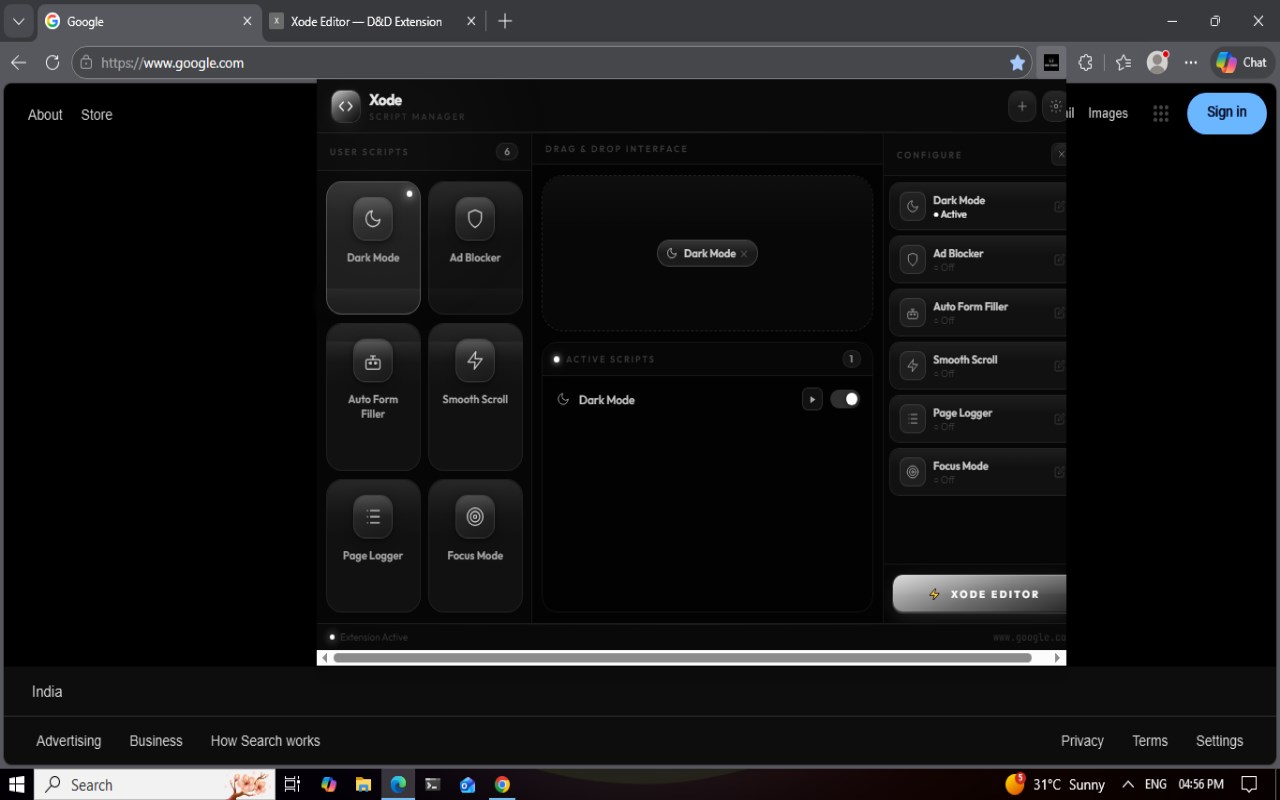
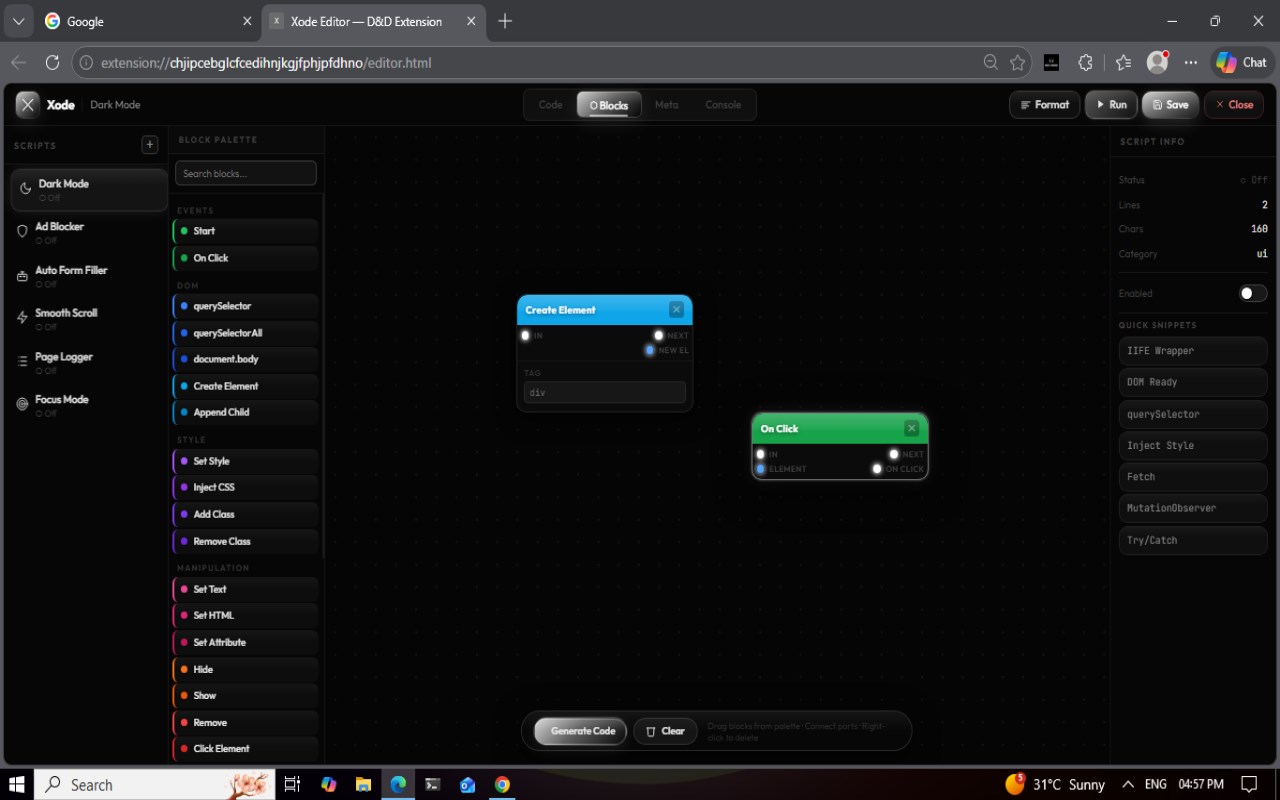
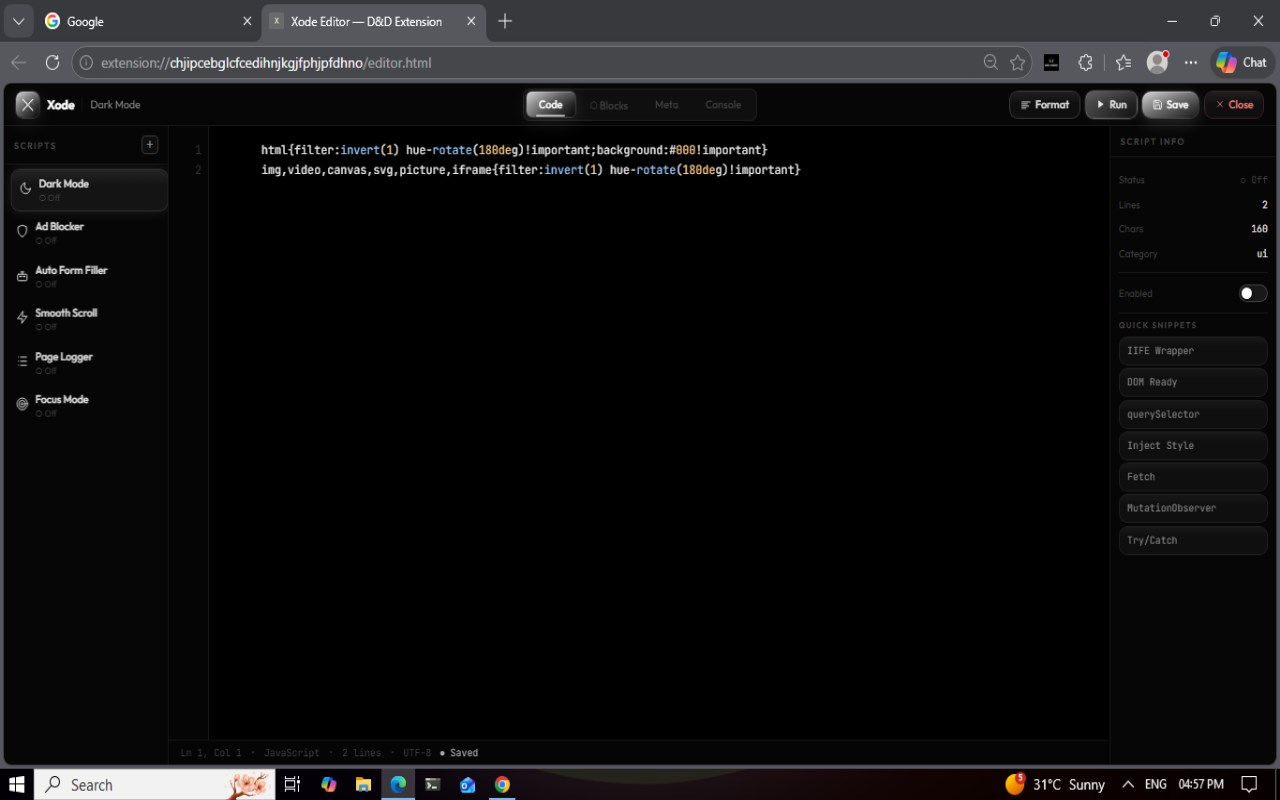
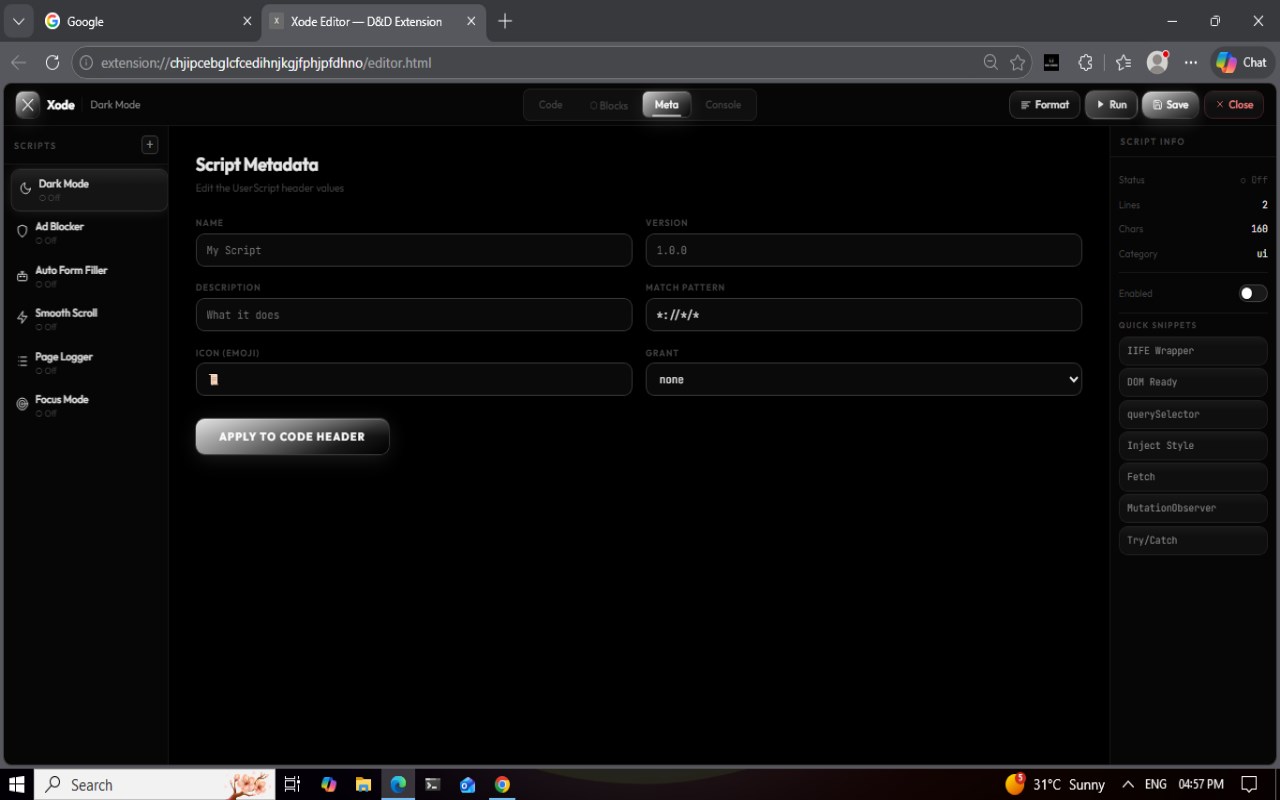
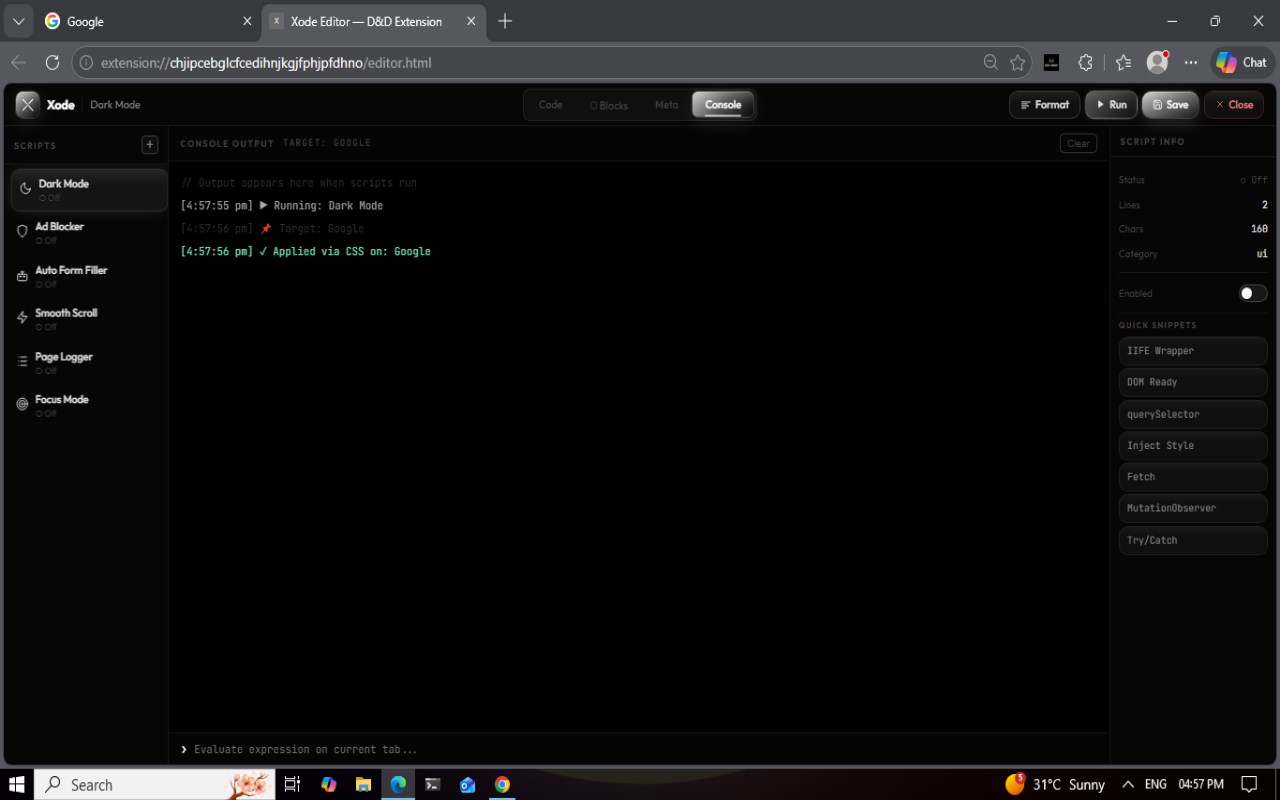
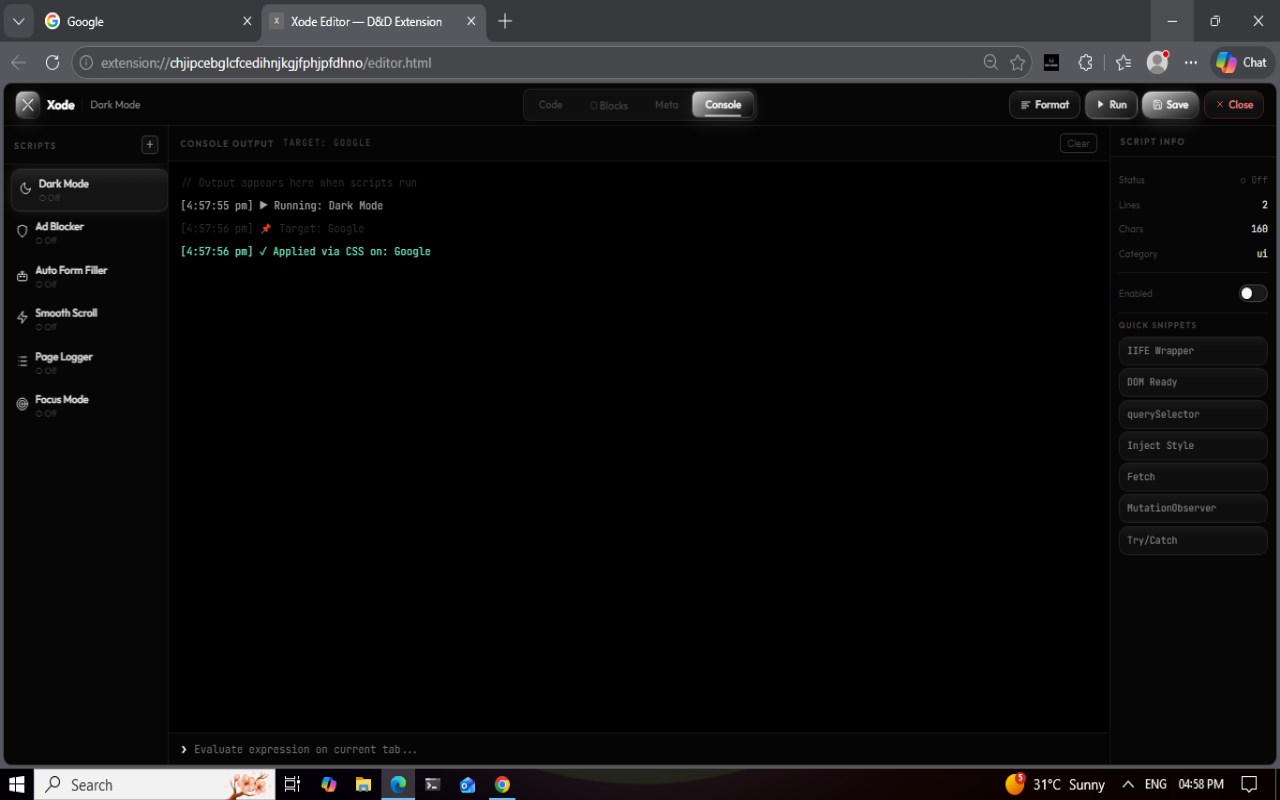
简介
Xode — Script Manager is a cutting-edge browser extension designed to empower users by providing sophisticated yet accessible tools for managing and creating userscripts that modify any webpage. Whether you are a casual user looking to tweak websites or a power user aiming to automate workflows and customize browser behavior, Xode delivers a seamless experience through a modern interface combining visual scripting and advanced code editing.
At the heart of Xode lies its innovative Drag & Drop visual block editor, allowing users to construct complex automation flows and interactions by connecting intuitive blocks representing events, triggers, UI manipulations, and other scripting elements. This visual approach resembles popular tools like Node-RED, making it accessible for non-programmers while retaining the power desired by developers. For those who prefer direct control, Xode features a full-fledged built-in code editor with syntax highlighting, undo/redo capabilities, organization options, and instant saving, enabling sophisticated JavaScript editing.
Xode supports unlimited userscripts that can be managed effortlessly. Its extension popup dashboard provides quick toggling, script addition, editing, and overall administration. To help users get started and boost productivity, the extension ships with a curated collection of default scripts such as global dark mode toggle, ad-blockers, form autofillers, and quick-access utilities. Users can customize, enable, or disable these out of the box or create their own personalized modifications.
The extension also shines in its organizational features: you can assign custom icons to scripts for easy visual identification and categorize them to maintain order. Xode’s powerful injection engine works smoothly on all websites, bypassing Content Security Policies (CSP) when needed, and supports injecting both JavaScript and CSS. All data—scripts, settings, icons—are securely persisted in the browser’s local storage, ensuring private and reliable access without any external data collection. Notifications keep you informed about script activity and status changes.
Designed to bridge ease of use with deep functionality, Xode is ideal for users wishing to enhance website appearance or behavior, automate repetitive tasks, inject new UI elements, or test browser automation ideas. It provides a sandbox that welcomes beginners through visual programming while satisfying experienced users with modular coding capabilities and full scripting freedom.
Key Features:
- Drag & Drop Visual Block Editor: Build userscripts visually with interconnected blocks covering events, automation triggers, UI changes, and logic flows, no programming required.
- Built-in Code Editor: Access a full-featured editor with syntax highlighting, undo/redo, organized script management, and instant script saving.
- Unlimited Script Management: Add, enable, disable, edit, and delete scripts for any webpage easily from the popup dashboard.
- Default Script Collection: Includes ready-to-use enhancements like global dark mode, ad-blocks, autofillers, and productivity utilities for immediate benefits.
- Icon & Category Organization: Assign custom icons and organize scripts into categories to streamline workflow and recognition.
- One-Click Toggling: Quickly enable or disable scripts directly from the extension interface.
- Robust Injection Engine: Effectively inject JavaScript and CSS on all websites, bypassing CSP restrictions for maximum compatibility.
- Persistent Local Storage: All scripts, configurations, and icons are saved locally on your browser, ensuring privacy and continuous access.
- User-Friendly for All: Visual block editor makes scripting accessible for novices, while direct code editing suits advanced users and developers.
How It Works:
1. Install the Xode extension and pin it on your browser toolbar for easy access.
2. Click the Xode icon to open the popup dashboard, where you can view existing scripts, toggle them on or off, or add new ones.
3. Use the Drag & Drop block editor to visually compose scripts by connecting event blocks, logic operators, UI actions, and inline code snippets.
4. If desired, switch to the code editor for more detailed script crafting, with syntax highlighting and advanced controls.
5. Organize your scripts by assigning custom icons and grouping them into categories, using drag-and-drop reordering for convenience.
6. Enable scripts globally or restrict them to specific webpages, allowing precise control over where your customizations apply.
7. All your scripts, settings, and icons are automatically saved and persisted in browser local storage, ensuring instant availability whenever you use the extension.
Privacy: - No personal data collected.
Xode — Script Manager 是做什么的
Xode — Script Manager 是一款面向 Edge 的实用工具类扩展,主要用来解决浏览器里某类具体的小问题。官方对它的介绍是:Xode: Drag & Drop userscript manager with built-in code editor. Works on all sites.在微软 Edge 加载项商店上,它当前版本 4.1.0,约 128 名用户。
适合什么人用
从功能定位看,Xode — Script Manager 更适合想补上浏览器原生缺失功能的用户。如果你平时只是偶尔遇到相关需求,用浏览器自带功能也能凑合;但如果这件事每天都发生,装一个专门处理它的扩展通常比手动操作省事得多。需要注意的是它作用于所有网站,装上后建议先观察一两天,确认不影响常用站点的正常使用。
怎么安装 Xode — Script Manager
- 打开微软 Edge 加载项商店上的官方页面;
- 点「添加到浏览器」并确认权限提示;
- 装好后在扩展列表里固定图标,方便随时开关。
本站只做索引与介绍,安装包来自官方商店。如果商店页面提示当前地区不可用,说明该扩展未在你所在区域上架。
常见问题
Xode — Script Manager 是免费的吗?
Xode — Script Manager 在微软 Edge 加载项商店免费提供下载。它是浏览器扩展,装上就能直接用,不需要注册账号。
Xode — Script Manager 安全吗?
它只申请了 0 项权限,范围比较克制,没有申请「读取所有网站数据」这种大权限。
Xode — Script Manager 支持哪些浏览器?
当前收录的版本来自微软 Edge 加载项商店,适用于 Edge。同一个扩展在其他商店可能有对应版本,但功能与版本号不一定相同。
怎么卸载 Xode — Script Manager?
在扩展管理页找到 Xode — Script Manager,点移除即可。它在本地保存的设置会一起清掉,不会残留数据。
权限清单 来自 manifest.json 原文
站点访问(可选) 1
<all_urls>
接口权限 5
activeTabscriptingstoragetabswebNavigation