
X Smart Reply AI EN
SocialX · EEdge MV3
This extension uses advanced AI to make responding on social networks quick and easy.
截图


简介
X Smart Reply AI – Revolutionize Your Messaging Experience with AI-Powered Responses
🖥️ Edge (PC) | 📱 Edge Canary (Celular)
New Feature: AI-Powered Image Generator! 🎨✨
Now you can create stunning AI-generated images with text in just a few clicks! Add powerful phrases to images effortlessly and enhance your content like never before. Perfect for social media, marketing, and inspiration! 🚀
Try it now and boost your creativity! 🔥
Transform the way you interact online with X Smart Reply AI, an advanced extension that brings artificial intelligence directly to your fingertips. With this tool, responding to messages, emails, and social media posts has never been quicker or easier. Whether you're replying to a message, an email, or a comment, X Smart Reply AI ensures you never waste time typing the same responses again.
How It Works:
X Smart Reply AI seamlessly integrates with all major social networks and email platforms. It’s simple:
Select Text: Choose any text you want to reply to, and the extension does the rest.
Define Keywords: In the extension panel, assign different keywords to specific types of responses. Each keyword corresponds to a unique AI-generated reply, based on the role or tone you want the AI to adopt.
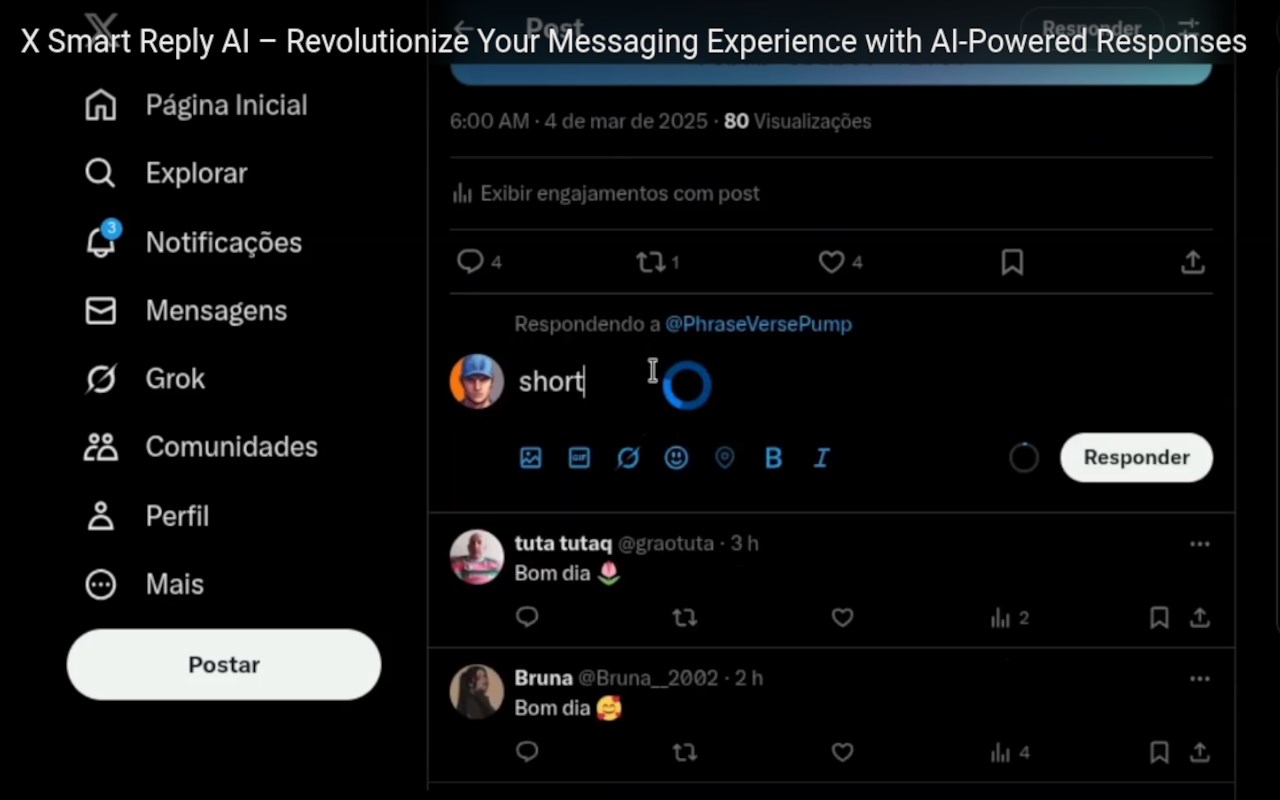
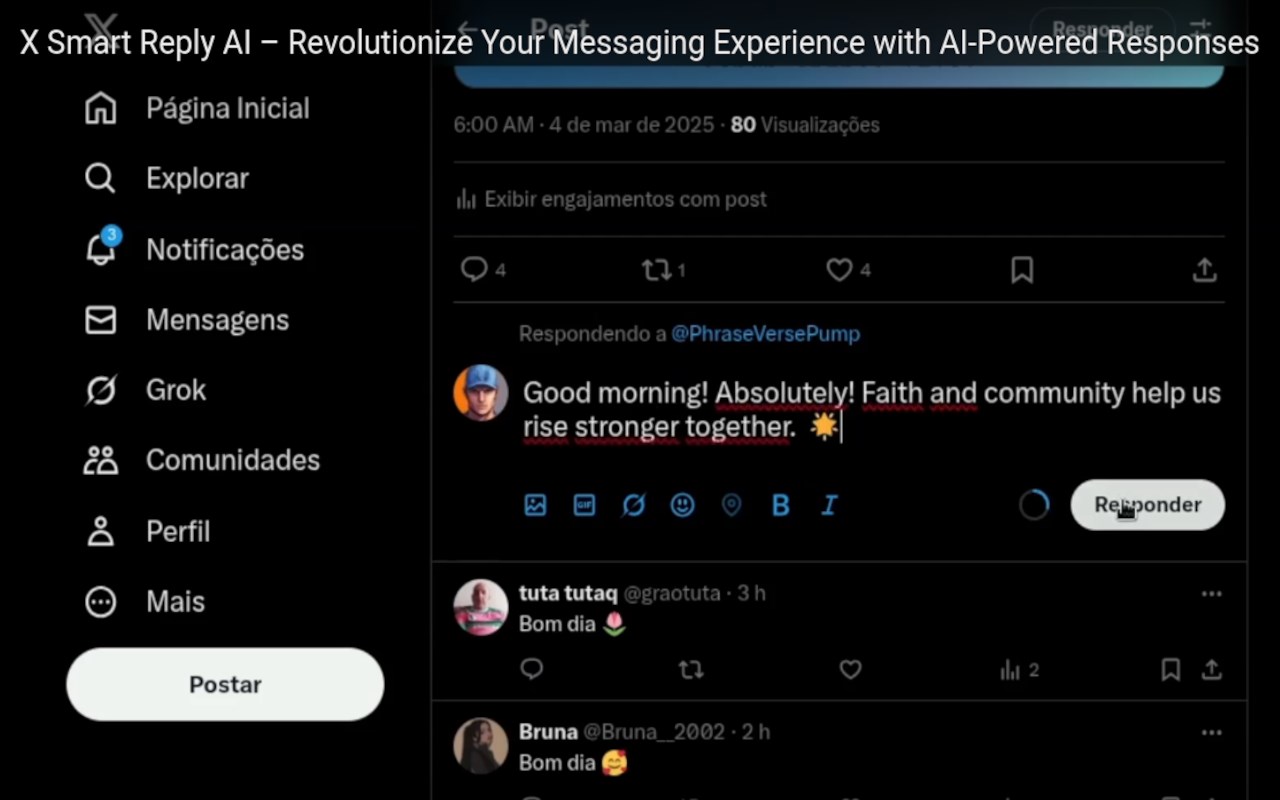
Instant Response: Type the keyword in the response box, click the mouse next to it, and watch the AI generate the perfect reply in seconds.
Why You Should Install It:
With X Smart Reply AI, you can automate your social media, email, and messaging responses, saving valuable time while maintaining personalization and impact. From formal emails to snappy social media posts, the extension adapts to any tone or style you need.
Customize Responses Like Never Before:
X Smart Reply AI offers complete flexibility with its customizable keywords and roles. You define the tone and style of your response by selecting a keyword. The AI then takes on the personality you’ve assigned, ensuring each response fits perfectly within the context of your conversation.
For example:
Keyword: “Sensation” | Role: “Attention-Grabbing Journalist”
Need a dramatic, high-impact response? The AI crafts a sensational reply that grabs attention and fuels conversation.
Keyword: “Friendly” | Role: “Bubbly Friend”
Looking for a casual, approachable response? Let the AI embody your best friend and reply with warmth and charm.
Keyword: “Professional” | Role: “Serious Executive”
When you need a polished, corporate-style reply, the AI steps in as a high-level executive to maintain professionalism.
Key Features:
Quick Response Generation: Simply select text, choose a keyword, and generate a response in seconds.
Highly Customizable: Define multiple keywords, each corresponding to a different tone or role for tailored replies.
Works Everywhere: Seamlessly integrates with all social media platforms, messaging apps, and email services.
AI-Powered Efficiency: Let advanced AI handle your replies, saving you time while ensuring quality responses.
Whether you're managing social media accounts, replying to customer service inquiries, or simply staying connected with friends and family, X Smart Reply AI adapts to your needs and empowers you to respond faster and smarter than ever before.
Install X Smart Reply AI today and elevate your digital communication to the next level with the power of artificial intelligence!
Observation: Simply wait for the loading spinner to disappear—it indicates when your response is ready. If typing doesn’t work, just paste the response directly using Ctrl + V from your clipboard.
Currently, typing works seamlessly on X, Instagram, emails, and more. The extension was designed with respect to X's guidelines, ensuring a smooth and worry-free experience. When you select text, you read it; when you type a word, it’s as if you wrote it yourself. This allows you to engage with X’s platform as intended while quickly crafting responses with the tone—be it sensational or otherwise—that you desire.
Additional description for financial transactions section:
This extension offers in-product purchases. Users can buy credits through Stripe payments. These credits are used to generate automated responses within the extension. Each response consumes a small amount of credits, and users can top up their balance at any time through the extension menu.
X Smart Reply AI 是做什么的
X Smart Reply AI 是一款面向 Edge 的效率工具类扩展,主要用来管住注意力、屏蔽干扰站点、记录时间。官方对它的介绍是:This extension uses advanced AI to make responding on social networks quick and easy.在微软 Edge 加载项商店上,它当前版本 1.8,约 14 名用户。
适合什么人用
从功能定位看,X Smart Reply AI 更适合想专注工作学习、减少无效刷网页的用户。如果你平时只是偶尔遇到相关需求,用浏览器自带功能也能凑合;但如果这件事每天都发生,装一个专门处理它的扩展通常比手动操作省事得多。
怎么安装 X Smart Reply AI
- 打开微软 Edge 加载项商店上的官方页面;
- 点「添加到浏览器」并确认权限提示;
- 装好后在扩展列表里固定图标,方便随时开关。
本站只做索引与介绍,安装包来自官方商店。如果商店页面提示当前地区不可用,说明该扩展未在你所在区域上架。
常见问题
X Smart Reply AI 是免费的吗?
X Smart Reply AI 在微软 Edge 加载项商店免费提供下载。它是浏览器扩展,装上就能直接用,不需要注册账号。
X Smart Reply AI 安全吗?
它只申请了 0 项权限,范围比较克制,没有申请「读取所有网站数据」这种大权限。
X Smart Reply AI 支持哪些浏览器?
当前收录的版本来自微软 Edge 加载项商店,适用于 Edge。同一个扩展在其他商店可能有对应版本,但功能与版本号不一定相同。
怎么卸载 X Smart Reply AI?
在扩展管理页找到 X Smart Reply AI,点移除即可。它在本地保存的设置会一起清掉,不会残留数据。
权限清单 来自 manifest.json 原文
接口权限 7
clipboardWritecookiesidentityidentity.emailnotificationsstoragetabs