
X Post Exporter - Download X / Twitter Posts EN
Browser Agents · EEdge MV3
Export X (Twitter) posts in bulk to CSV, JSON, or Excel with X Post Exporter. Fast, simple data backup and analysis.
截图



简介
🚀 X Post Exporter – Effortlessly Export X (Twitter) Posts in Bulk
Take control of your X (formerly Twitter) content with X Post Exporter, the ultimate extension for exporting public posts with just a few clicks. Whether you’re a researcher, social media manager, or casual user, this tool helps you save and analyze X data securely and efficiently.
🧩 What Is X Post Exporter?
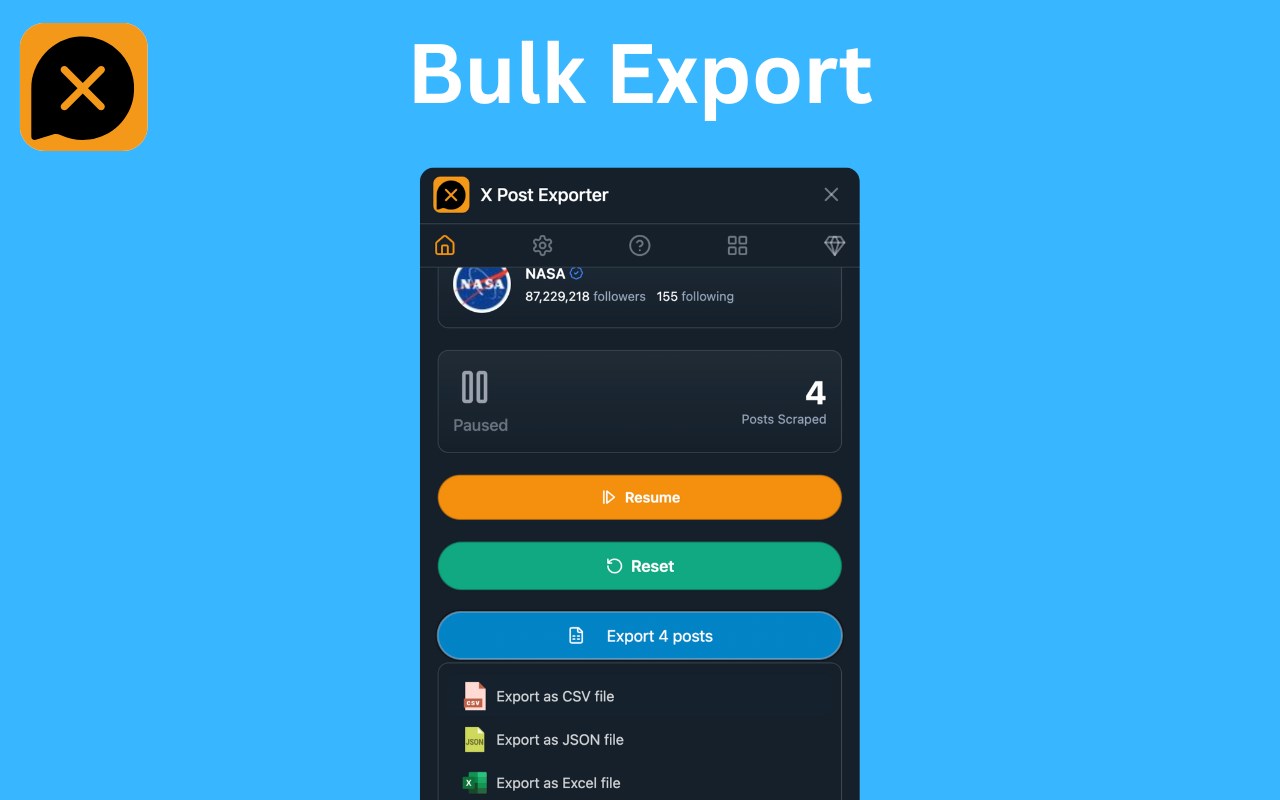
X Post Exporter is a powerful browser extension that lets you bulk export posts from any public X profile. Designed for privacy and ease-of-use, it allows you to download X data in structured formats like CSV, JSON, and XLSX, along with optional media (images and videos). Ideal for archiving, reporting, auditing, research, or simply backing up your favorite content.
✨ Why Choose X Post Exporter?
1. 📦 Bulk Export, Instantly
Export thousands of X posts in just a few clicks. Perfect for archiving large accounts, tracking trends, or creating content databases.
2. 🔐 Privacy-First Approach
We respect your data. Everything runs locally in your browser. No data is ever sent to our servers. Your privacy is our priority.
3. 📊 Flexible Export Formats
Choose from:
• CSV: Great for spreadsheets
• JSON: Ideal for developers and automation
• XLSX: For Excel users and analysts
4. 🖼️ Download Attached Media (Optional)
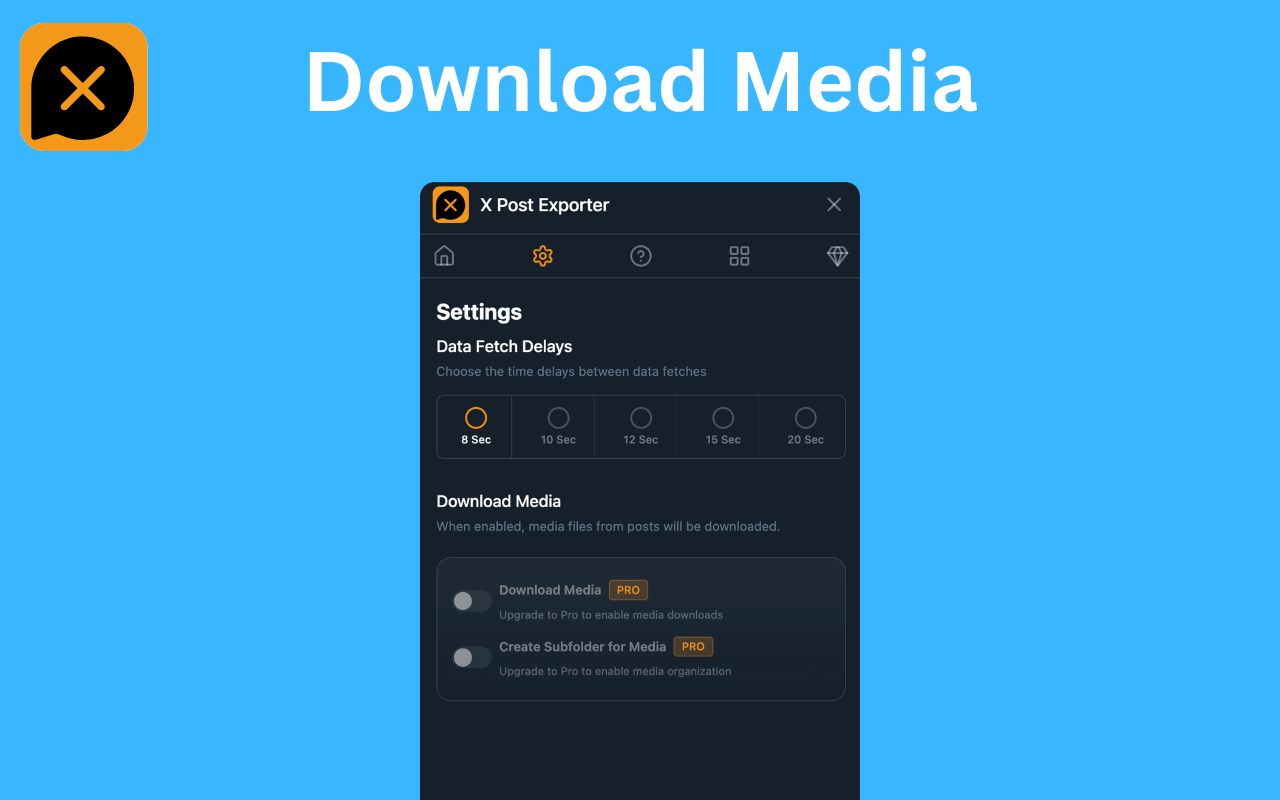
Want the images and videos too? Toggle “Download Media” to grab everything in one go.
5. 🧠 User-Friendly Interface
No coding or technical skills required. Clean UI designed for both beginners and pros.
6. ⚙️ Customizable Settings Panel
Set your export preferences: format, file naming, media inclusion, and more.
7. ⏸️ Real-Time Progress Tracking
Watch your export in real time, and pause/resume as needed.
8. 💻 Works on Any Public X Profile
Analyze any public account—no login required, no rate limits, no API keys.
🧑🏫 How to Use X Post Exporter
1. 🌐 Open x.com and visit any public profile.
2. 🖼️ (Optional) Enable “Download Media” in the extension interface.
3. 📥 Open the extension interface and click the download icon.
4. 💾 Download your posts—and media files, if selected—right to your device.
5. ⚙️ Choose your export format in the settings (CSV, JSON, XLSX).
It’s that simple!
🛡️ Data Security & Privacy
We built X Post Exporter with security in mind:
• 🔐 100% Local Processing – Your data never leaves your browser
• 🚫 No Server Logging – We don’t store or collect anything
• 🧩 No Account Required – Just install and use
Your content. Your device. Your control.
📌 Perfect For:
✅ Researchers: Gather X data for studies or sentiment analysis
✅ Journalists: Track and archive content from public figures
✅ Social Media Managers: Monitor brand mentions or influencer activity
✅ Data Analysts: Download structured datasets for custom reporting
✅ Developers: Use JSON output for building apps or bots
✅ Legal Teams: Export evidence for audits or case reviews
✅ Archivists: Preserve social content before it disappears
💎 Go Pro – Unlock Unlimited Media Downloads
Upgrade to Pro and enjoy:
• � Unlimited posts export
• 🖼️ Download post media
• 💬 Priority support
⚠️ Legal Disclaimer
X Post Exporter is an independent third-party extension. It is not affiliated with, endorsed, or approved by X Corp or Twitter in any way.
This tool operates via public-facing web content and does not bypass platform security or use unauthorized APIs.
🧠 Frequently Asked Questions (FAQs)
❓ Can I export posts from private accounts?
No — the extension works only on public X profiles.
❓ Are my login credentials required?
No — you don’t need to log in. Everything works anonymously.
❓ Can I schedule automatic exports?
Not yet! But we’re working on advanced features like scheduling and post filtering.
X Post Exporter - Download X / Twitter Posts 是做什么的
X Post Exporter - Download X / Twitter Posts 是一款面向 Edge 的效率工具类扩展,主要用来管住注意力、屏蔽干扰站点、记录时间。官方对它的介绍是:Export X (Twitter) posts in bulk to CSV, JSON, or Excel with X Post Exporter. Fast, simple data backup and analysis.在微软 Edge 加载项商店上,它当前版本 2.0.3,约 27 名用户。
适合什么人用
从功能定位看,X Post Exporter - Download X / Twitter Posts 更适合想专注工作学习、减少无效刷网页的用户。如果你平时只是偶尔遇到相关需求,用浏览器自带功能也能凑合;但如果这件事每天都发生,装一个专门处理它的扩展通常比手动操作省事得多。
怎么安装 X Post Exporter - Download X / Twitter Posts
- 打开微软 Edge 加载项商店上的官方页面;
- 点「添加到浏览器」并确认权限提示;
- 装好后在扩展列表里固定图标,方便随时开关。
本站只做索引与介绍,安装包来自官方商店。如果商店页面提示当前地区不可用,说明该扩展未在你所在区域上架。
常见问题
X Post Exporter - Download X / Twitter Posts 是免费的吗?
X Post Exporter - Download X / Twitter Posts 在微软 Edge 加载项商店免费提供下载。它是浏览器扩展,装上就能直接用,不需要注册账号。
X Post Exporter - Download X / Twitter Posts 安全吗?
它只申请了 0 项权限,范围比较克制,没有申请「读取所有网站数据」这种大权限。
X Post Exporter - Download X / Twitter Posts 支持哪些浏览器?
当前收录的版本来自微软 Edge 加载项商店,适用于 Edge。同一个扩展在其他商店可能有对应版本,但功能与版本号不一定相同。
怎么卸载 X Post Exporter - Download X / Twitter Posts?
在扩展管理页找到 X Post Exporter - Download X / Twitter Posts,点移除即可。它在本地保存的设置会一起清掉,不会残留数据。
权限清单 来自 manifest.json 原文
接口权限 5
activeTabdownloadsstoragetabswebRequest