
X Cleaner EN
Wahib Irawan · EEdge MV3
Clean up your X profile. Wipe your posts, reposts, and likes instantly.
截图
简介
X Cleaner: Effortless Bulk Management for Your X (Twitter) Account
X Cleaner is a powerful and user-friendly browser extension designed to simplify the way you manage and clean your X (formerly Twitter) account. Tailored for users who want to efficiently delete tweets, retweets, and likes in large quantities, X Cleaner offers a streamlined, mobile-inspired interface that makes bulk content removal straightforward and hassle-free. Whether you need to clear out old posts or undo accidental reposts (“retweets”), this extension automates the process, saving you from the tedious task of manually scrolling and deleting each item.
This extension operates seamlessly on both X/Twitter desktop browser, employing robust selectors to reliably interact with tweets, likes, and repost buttons even as the platform’s UI evolves. With intelligent batch processing, X Cleaner safely manages the deletion or unliking of posts in manageable groupings, reducing the risk of hitting rate limits that could temporarily restrict your account. Users can customize batch sizes and cooldown intervals to optimize performance and safety, balancing speed with caution. Additionally, an “Undo Reposts” toggle lets you revert retweets alongside deleting tweets, expanding your control over your timeline’s content.
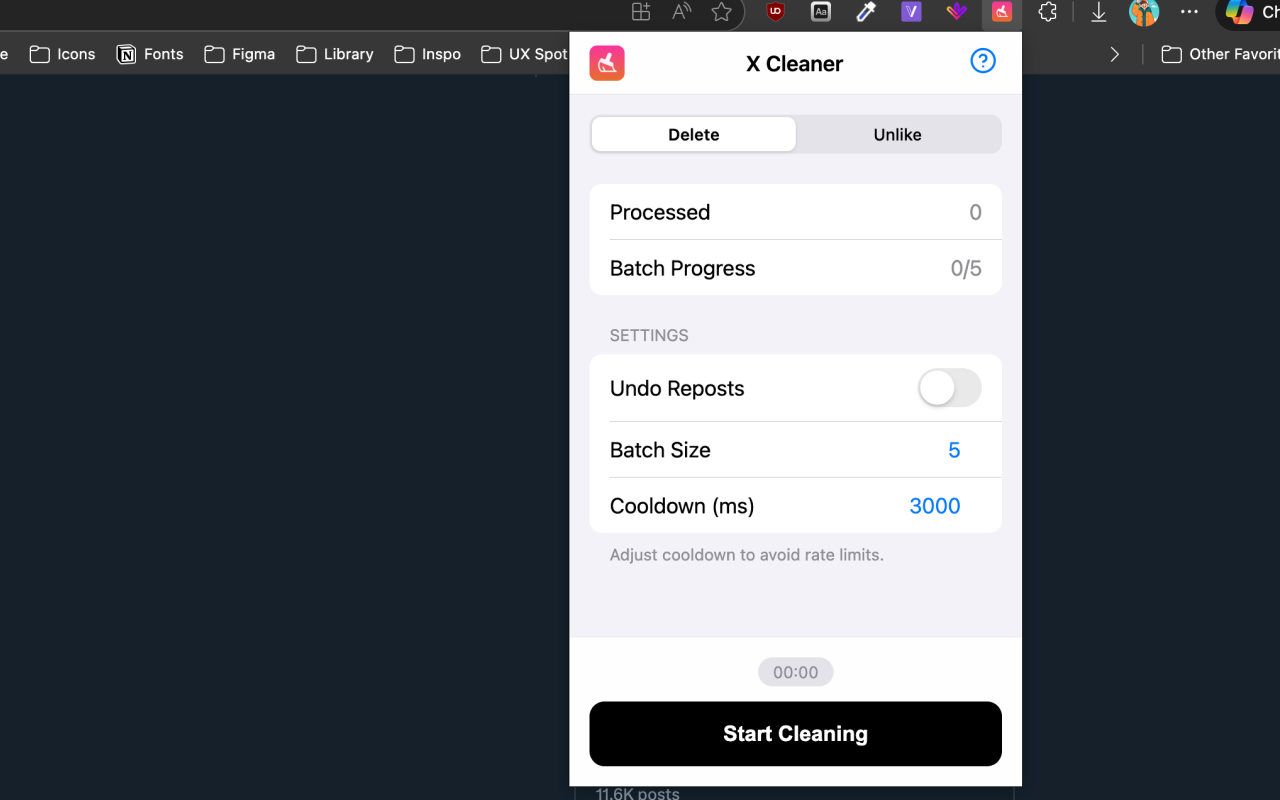
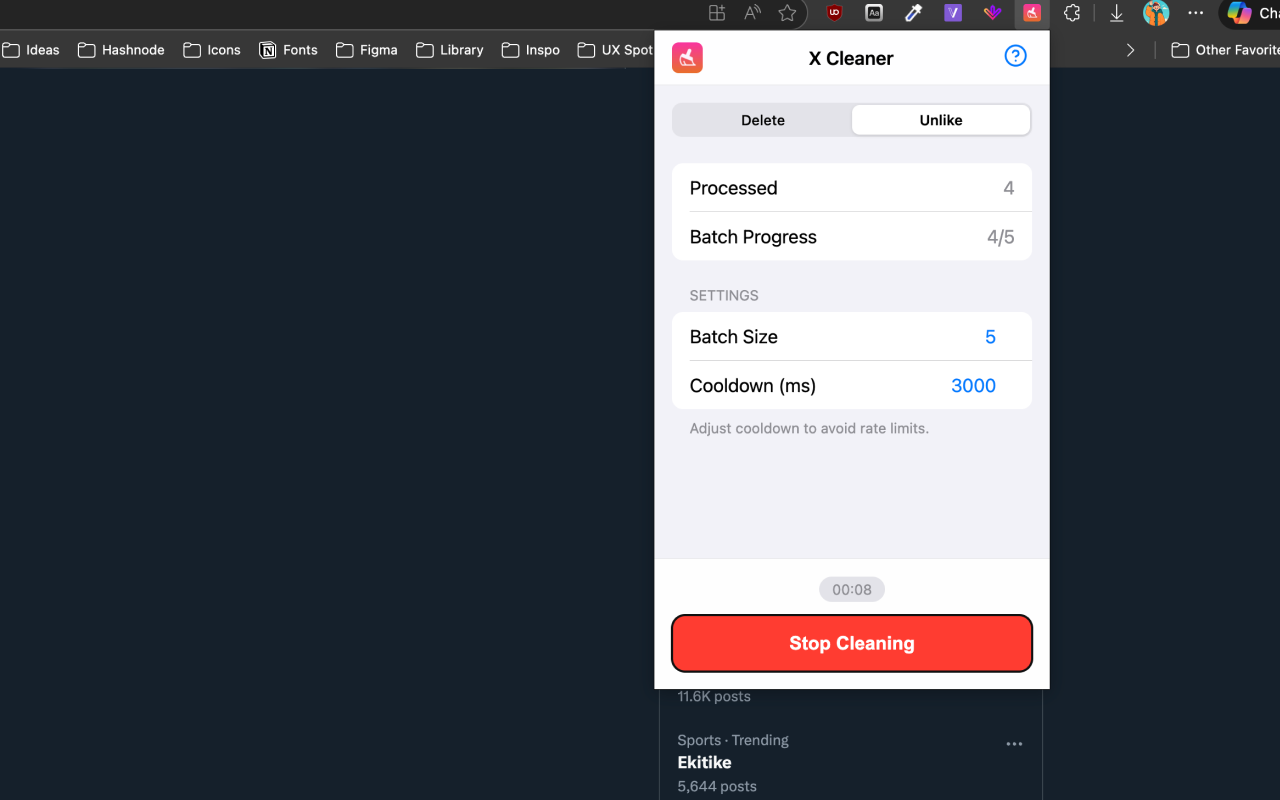
The user interface is inspired by modern mobile design aesthetics, featuring a sleek navigation bar, segmented controls to switch easily between Delete and Unlike modes, and grouped, accessible settings. Real-time progress indicators provide transparency, tracking the total number of processed items, progress within each batch, and elapsed time of the cleaning session. This ensures you always know how the process is advancing. For users new to such tools, X Cleaner includes a well-organized, icon-annotated help guide available within the popup, carefully explaining every feature and providing best practice recommendations.
Key Features:
- One-click bulk removal of tweets, likes, and retweets from your X/Twitter account.
- Intelligent batch processing with adjustable batch sizes and cooldown periods to prevent rate-limit issues.
- Easy switching between Delete and Unlike modes via segmented control.
- Optional “Undo Repost” toggle to revert retweets in addition to deleting tweets.
- Real-time progress statistics including total processed items, batch progress, and elapsed time.
- Clean, mobile-inspired UI designed for intuitive and accessible use.
- Comprehensive built-in help guide with detailed explanations and tips.
- Fully compatible with the latest web layouts of X and Twitter.
- Privacy-first approach: no login required, no personal data collected or transmitted.
How It Works:
1. Install X Cleaner and open the extension from your browser toolbar while on twitter.com or x.com.
2. Choose your desired operation: “Delete” to remove tweets, or “Unlike” to remove likes, using the segmented control for easy switching.
3. (Optional) Enable the “Undo Reposts” toggle if you want to revert retweets along with your regular deletion actions.
4. Set your preferred batch size and define the cooldown interval (in milliseconds) between batches to ensure efficient and safe cleaning.
5. Click the “Start Cleaning” button to begin processing. The extension will operate in batches, automatically updating progress indicators to keep you informed in real time.
6. Monitor the process as it runs; pause or stop at any time if desired. The user interface remains responsive, displaying full statistics and remaining transparent about the cleaning status.
7. Access the integrated help guide at any time for step-by-step instructions, explanations of features, and troubleshooting assistance.
Privacy: - No personal data collected.
X Cleaner 是做什么的
X Cleaner 是一款面向 Edge 的实用工具类扩展,主要用来解决浏览器里某类具体的小问题。官方对它的介绍是:Clean up your X profile. Wipe your posts, reposts, and likes instantly.在微软 Edge 加载项商店上,它当前版本 1.1.0,评分 5(1 人评价),约 63 名用户。
适合什么人用
从功能定位看,X Cleaner 更适合想补上浏览器原生缺失功能的用户。如果你平时只是偶尔遇到相关需求,用浏览器自带功能也能凑合;但如果这件事每天都发生,装一个专门处理它的扩展通常比手动操作省事得多。
怎么安装 X Cleaner
- 打开微软 Edge 加载项商店上的官方页面;
- 点「添加到浏览器」并确认权限提示;
- 装好后在扩展列表里固定图标,方便随时开关。
本站只做索引与介绍,安装包来自官方商店。如果商店页面提示当前地区不可用,说明该扩展未在你所在区域上架。
常见问题
X Cleaner 是免费的吗?
X Cleaner 在微软 Edge 加载项商店免费提供下载。它是浏览器扩展,装上就能直接用,不需要注册账号。
X Cleaner 安全吗?
它只申请了 0 项权限,范围比较克制,没有申请「读取所有网站数据」这种大权限。
X Cleaner 支持哪些浏览器?
当前收录的版本来自微软 Edge 加载项商店,适用于 Edge。同一个扩展在其他商店可能有对应版本,但功能与版本号不一定相同。
怎么卸载 X Cleaner?
在扩展管理页找到 X Cleaner,点移除即可。它在本地保存的设置会一起清掉,不会残留数据。
权限清单 来自 manifest.json 原文
接口权限 3
activeTabscriptingtabs