
WebCapture - Full Page Screenshot & Scrolling Screen Capture EN
AnhBui Dev · EEdge MV3
Take full-page scrolling screenshots of any webpage. Annotate, redact, and export to PNG, JPG or PDF. Fast, private, no signup.
截图
简介
WebCapture — Fast, Private & Powerful Full-Page Screenshots
Capture an entire scrolling webpage in seconds with WebCapture for Microsoft Edge. Take screenshots, select specific areas, annotate important details, redact sensitive information, and export your captures as images or PDFs.
No signup required. No daily screenshot limits. Your screenshots stay on your device.
Perfect for saving long articles, documenting bugs, researching websites, preparing reports, and capturing information you want to keep.
WHY CHOOSE WEBCAPTURE?
✓ Unlimited manual screenshots — completely Free
✓ Capture entire scrolling webpages
✓ Export screenshots to PDF for Free, without watermarks
✓ Annotate and redact sensitive information
✓ Try capturing up to 3 tabs in one introductory batch
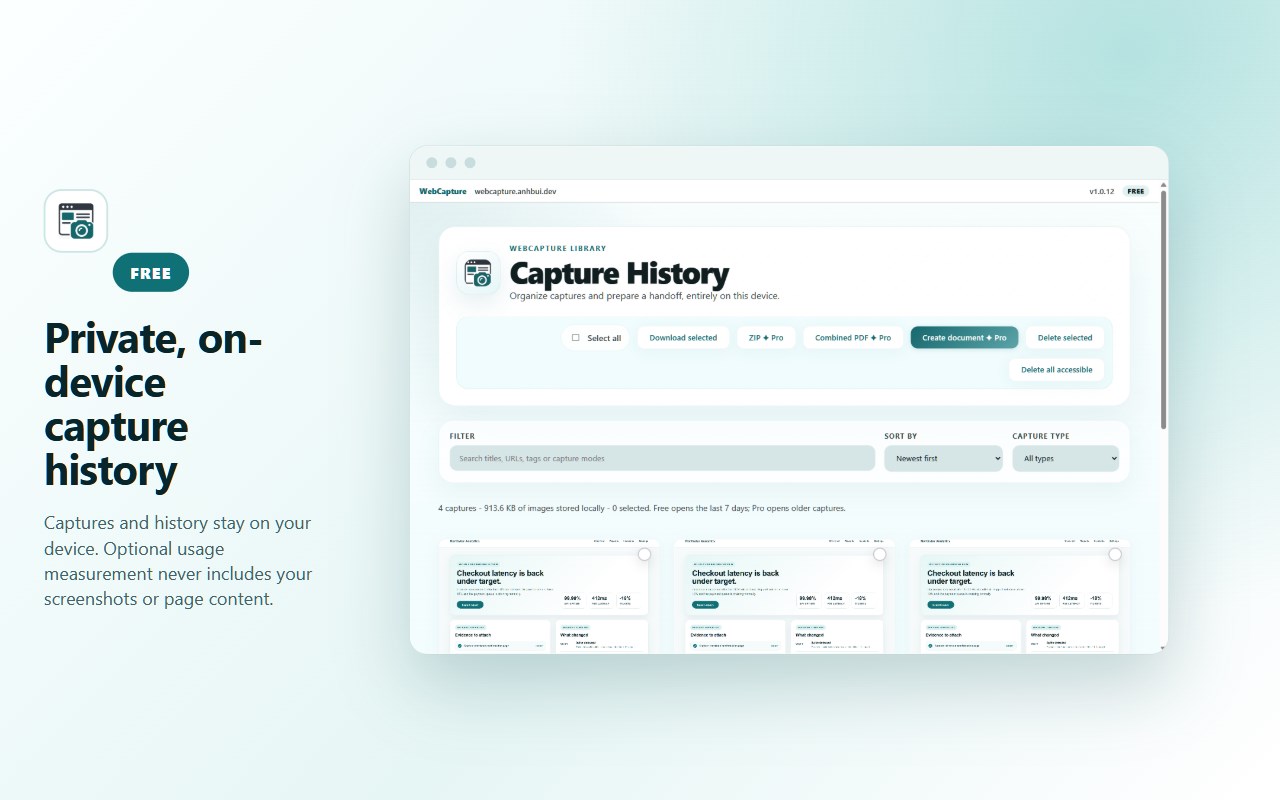
✓ Organize screenshots in private, local history
✓ No account or cloud upload required
✓ Designed for Microsoft Edge
FREE FEATURES
📸 SCREENSHOT CAPTURE
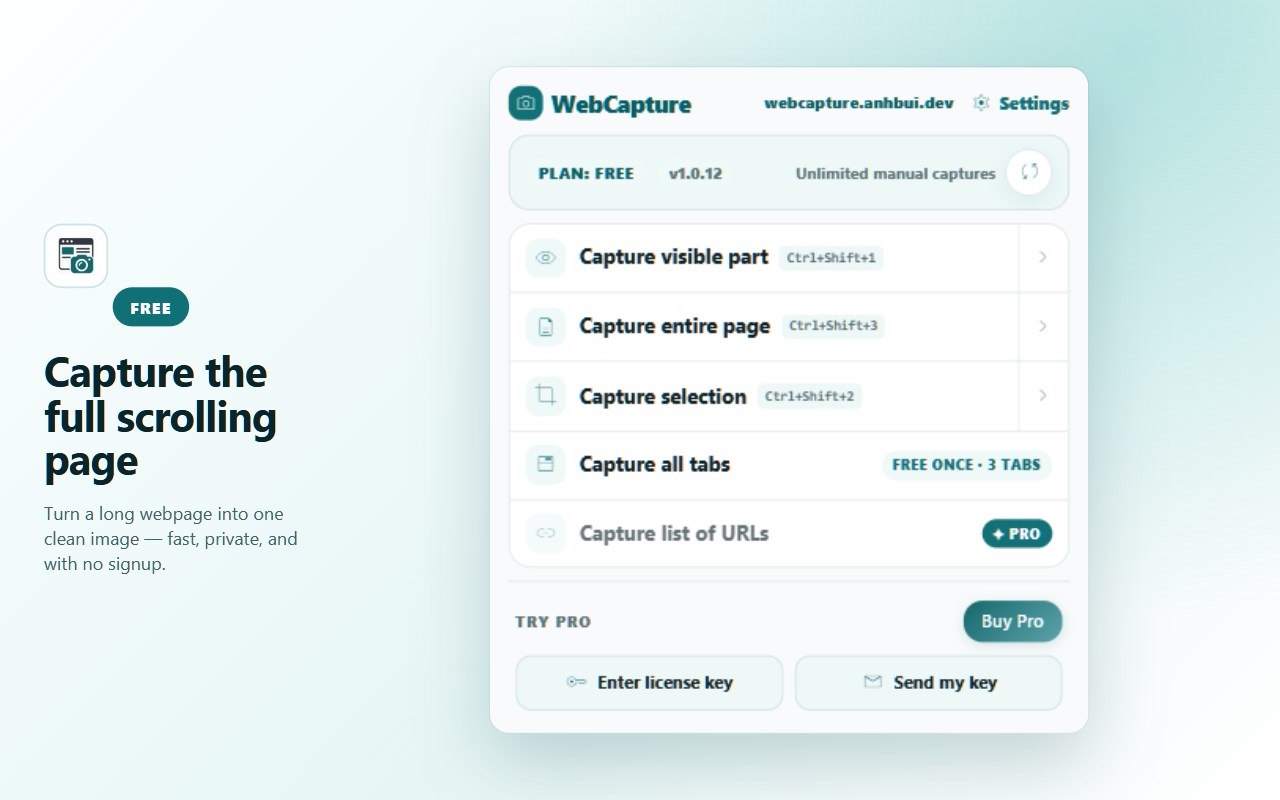
• Visible Area — Capture exactly what you see.
• Full Page — Capture an entire scrolling webpage.
• Selected Area — Capture a specific region.
• Unlimited manual screenshots with no daily quota.
✏️ ANNOTATE & REDACT
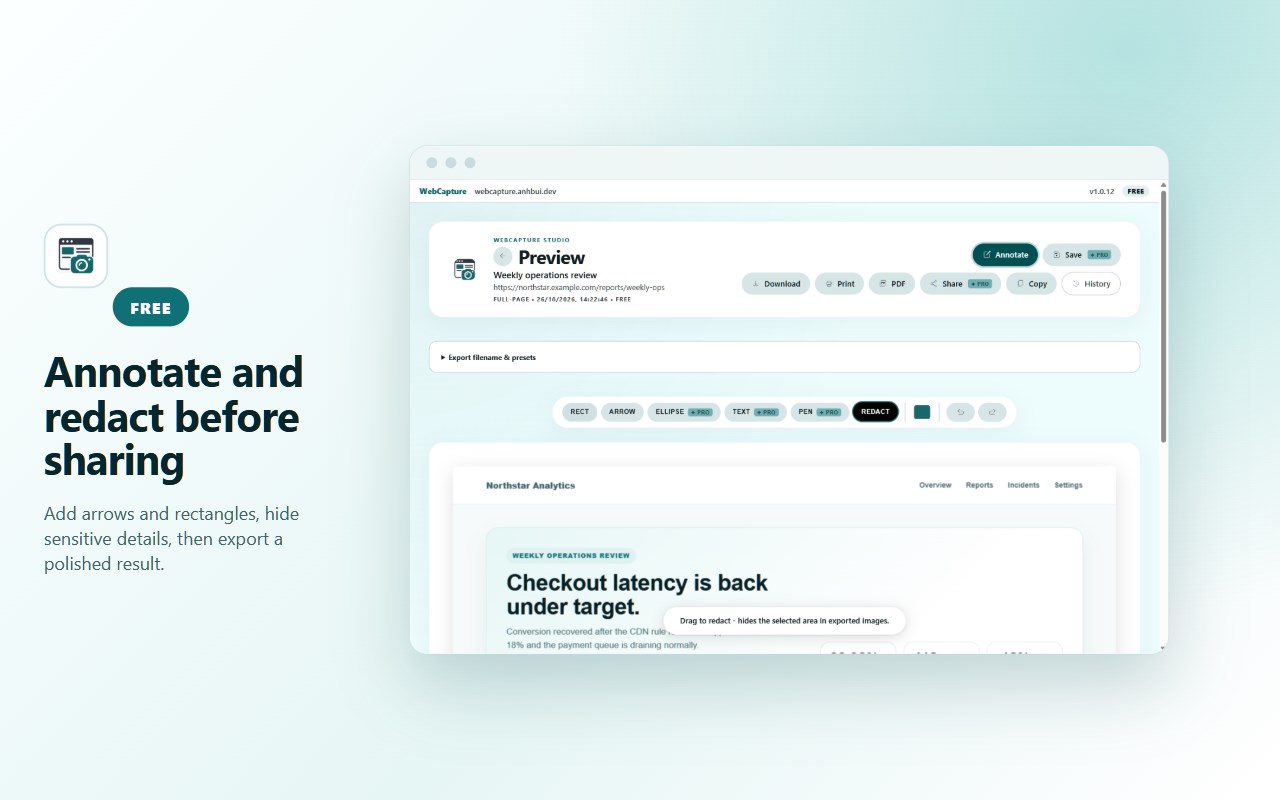
• Highlight information using rectangles and arrows.
• Redact sensitive details before sharing.
• Try advanced annotation tools in two free preview sessions.
📄 FREE PDF & IMAGE EXPORT
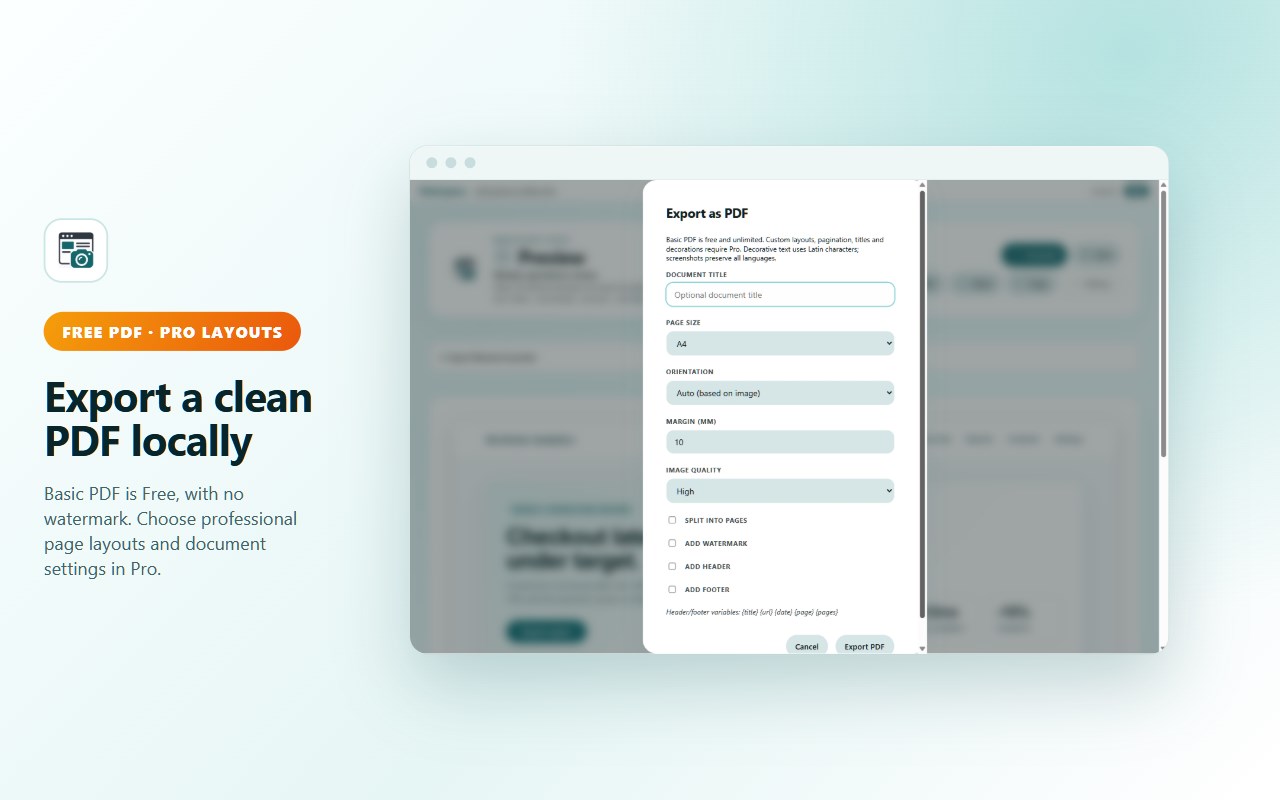
• Export individual screenshots as PDFs without watermarks.
• Download high-quality PNG and JPEG images.
• Copy screenshots to the clipboard or print.
• Process screenshot exports locally on your device.
📂 PRIVATE SCREENSHOT HISTORY
• Keep screenshots in local browser storage.
• Search, rename, tag, sort, and filter accessible captures.
• Access recent screenshots for up to 7 days on Free.
🗂️ TRY BATCH CAPTURE
• Capture up to 3 supported tabs in one introductory batch.
• Review and download saved images.
• An attempt that saves nothing does not consume the allowance.
• No payment card or Pro trial required.
WEBCAPTURE PRO
Upgrade to Pro for advanced screenshot, export, and documentation workflows.
🚀 BATCH CAPTURE
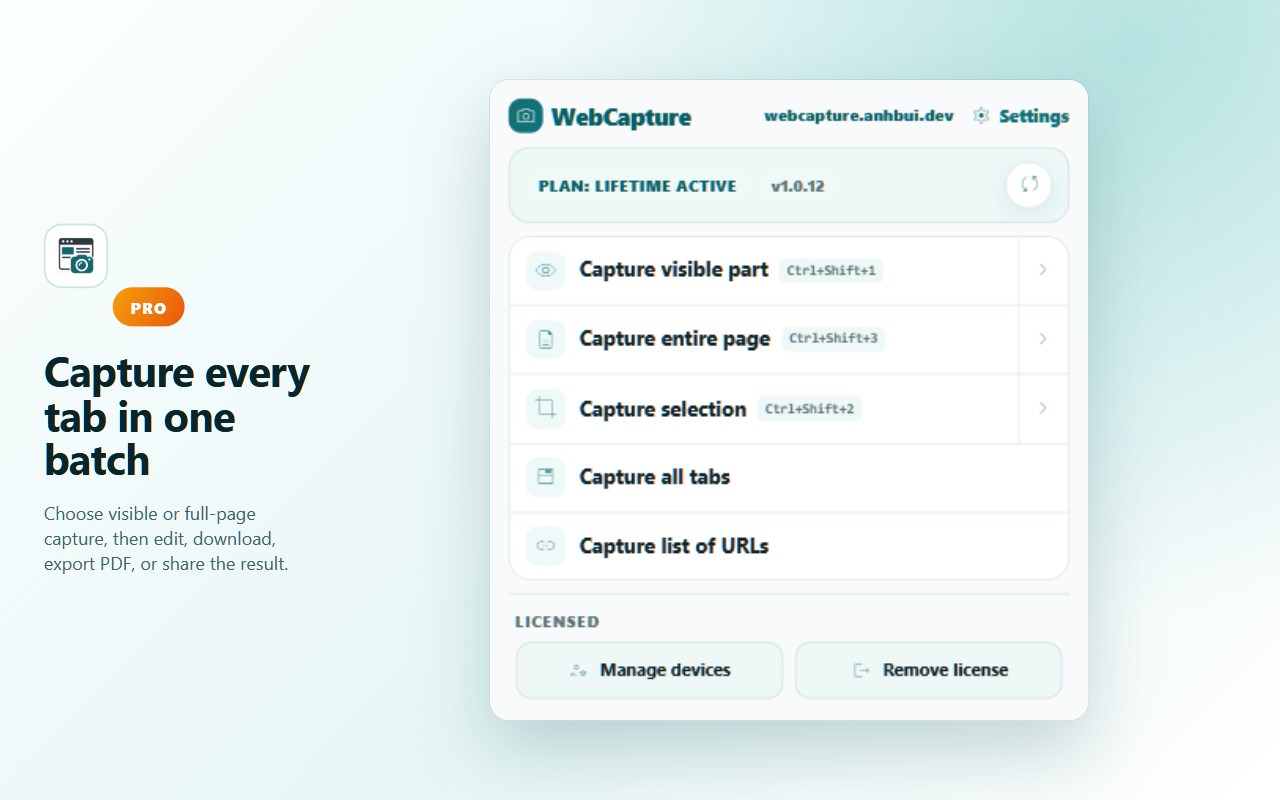
• Capture multiple supported tabs in a batch.
• Capture webpages from a list of URLs.
• Automate repetitive screenshot workflows.
📑 PROFESSIONAL PDF & EXPORT
• Choose PDF page sizes, orientation, and margins.
• Add headers, footers, titles, and page numbers.
• Split long screenshots across PDF pages.
• Combine multiple screenshots into one PDF.
• Add optional watermarks.
• Export selected screenshots as ZIP archives.
• Export additional GIF and BMP formats.
• Save reusable export presets and filename templates.
🎨 ADVANCED ANNOTATIONS
• Add text, ellipses, and freehand drawings.
• Save and reopen editable annotations.
• Refine existing captures without starting again.
📋 QA & RESEARCH DOCUMENTS
• Create bug reports with screenshots and reproduction steps.
• Record expected and actual results.
• Organize research screenshots with captions.
• Save local drafts and export professional PDF documents.
🕘 COMPLETE HISTORY
• Access older screenshots beyond the Free 7-day limit.
• Organize and reuse captures in professional workflows.
📤 NATIVE SHARING
• Share captures using supported operating-system sharing features.
• Drag and share images where supported.
TRY PRO FREE FOR 7 DAYS
• No payment card required.
• Full access to Pro features during the trial.
• No automatic charge when the trial expires.
• Continue using WebCapture Free afterwards.
• One trial per browser profile.
PRO PRICING
• Monthly — US$5/month
• Yearly — US$30/year
• Lifetime — US$70 one-time
Monthly and yearly subscriptions renew until cancelled. Final pricing and applicable taxes are shown at checkout.
Pro activates automatically in the browser used for checkout. An emailed backup license key supports recovery and activation on up to 3 browsers.
IDEAL FOR
• Developers and QA engineers
• Students and researchers
• Office professionals
• Designers and marketers
• Teachers and content creators
• Anyone saving webpages, receipts, or visual references
KEYBOARD SHORTCUTS
Suggested defaults:
• Ctrl+Shift+1 — Capture visible area
• Ctrl+Shift+2 — Capture selected area
• Ctrl+Shift+3 — Capture full page
On macOS, use Command instead of Ctrl. Shortcuts can be customized in Microsoft Edge extension settings.
PRIVACY FIRST
• Screenshot images and captured page content stay on your device.
• Local history, annotations, and document drafts are not uploaded to our servers.
• No account required for Free features.
• Optional anonymous usage analytics can be disabled in Options.
• Analytics does not include captured webpage content, page URLs, page titles, or email addresses.
• Stripe securely handles payments for Pro plans.
Some browser-internal pages, extension stores, and protected pages restrict capture functionality. WebCapture explains when a capture mode is unavailable.
WHAT'S NEW IN VERSION 1.0.12
★ Unlimited Free Screenshots
Capture visible areas, selected regions, and full scrolling pages without a daily quota.
★ Free PDF Export
Export individual screenshots as clean PDFs without watermarks.
★ Introductory Batch Capture
Try capturing up to 3 supported tabs in one free batch.
★ Improved Full-Page Capture
Better support for scrolling workspaces, nested panels, long conversations, and supported editors. More reliable stitching, cancellation, and restoration.
★ Enhanced Screenshot History
Rename, search, filter, tag, and organize saved captures.
★ New Professional Workflows
Advanced PDF layouts, combined PDFs, ZIP exports, editable annotations, and QA/research documents.
★ Better First-Time Experience
New welcome guide, clearer capture controls, customizable shortcuts, and improved Free/Pro explanations.
★ Reliability & Privacy Improvements
Improved capture reporting, optional analytics delivery, and removal of unavailable cloud-upload actions.
GET STARTED
Install WebCapture from Microsoft Edge Add-ons, open a regular webpage, and click the extension icon to take your first screenshot.
…
WebCapture - Full Page Screenshot & Scrolling Screen Capture 是做什么的
WebCapture - Full Page Screenshot & Scrolling Screen Capture 是一款面向 Edge 的效率工具类扩展,主要用来管住注意力、屏蔽干扰站点、记录时间。官方对它的介绍是:Take full-page scrolling screenshots of any webpage. Annotate, redact, and export to PNG, JPG or PDF. Fast, private, no signup.在微软 Edge 加载项商店上,它当前版本 1.0.12,约 53 名用户。
适合什么人用
从功能定位看,WebCapture - Full Page Screenshot & Scrolling Screen Capture 更适合想专注工作学习、减少无效刷网页的用户。如果你平时只是偶尔遇到相关需求,用浏览器自带功能也能凑合;但如果这件事每天都发生,装一个专门处理它的扩展通常比手动操作省事得多。
怎么安装 WebCapture - Full Page Screenshot & Scrolling Screen Capture
- 打开微软 Edge 加载项商店上的官方页面;
- 点「添加到浏览器」并确认权限提示;
- 装好后在扩展列表里固定图标,方便随时开关。
本站只做索引与介绍,安装包来自官方商店。如果商店页面提示当前地区不可用,说明该扩展未在你所在区域上架。
常见问题
WebCapture - Full Page Screenshot & Scrolling Screen Capture 是免费的吗?
WebCapture - Full Page Screenshot & Scrolling Screen Capture 在微软 Edge 加载项商店免费提供下载。它是浏览器扩展,装上就能直接用,不需要注册账号。
WebCapture - Full Page Screenshot & Scrolling Screen Capture 安全吗?
它只申请了 0 项权限,范围比较克制,没有申请「读取所有网站数据」这种大权限。
WebCapture - Full Page Screenshot & Scrolling Screen Capture 支持哪些浏览器?
当前收录的版本来自微软 Edge 加载项商店,适用于 Edge。同一个扩展在其他商店可能有对应版本,但功能与版本号不一定相同。
怎么卸载 WebCapture - Full Page Screenshot & Scrolling Screen Capture?
在扩展管理页找到 WebCapture - Full Page Screenshot & Scrolling Screen Capture,点移除即可。它在本地保存的设置会一起清掉,不会残留数据。
权限清单 来自 manifest.json 原文
接口权限 9
activeTabalarmsclipboardWritedownloadsnotificationsoffscreenscriptingstoragetabs