
WeaSocial VPN EN
.weasocial.com · EEdge MV3
Free beta browser proxy connection.
<all_urls>),意味着它可以读取你在任意站点的页面内容,包括已登录的页面。这是许多扩展正常工作的必要条件,但也值得你确认来源可信。
截图
简介
WeaSocial VPN — Free Beta Browser VPN & Proxy Management for Microsoft Edge
Choose an available country, manage your browser proxy connection and check your public IP from one straightforward interface. WeaSocial VPN connects its Microsoft Edge extension with vpn.weasocial.com, bringing country selection, connection controls, account access and illustrated setup instructions together.
Whether you are looking for a Microsoft Edge VPN extension, a browser proxy manager or a convenient way to compare your connection’s public IP, WeaSocial VPN provides clear controls without requiring you to configure proxy addresses manually.
COUNTRY SELECTION AND CONNECTION CONTROL
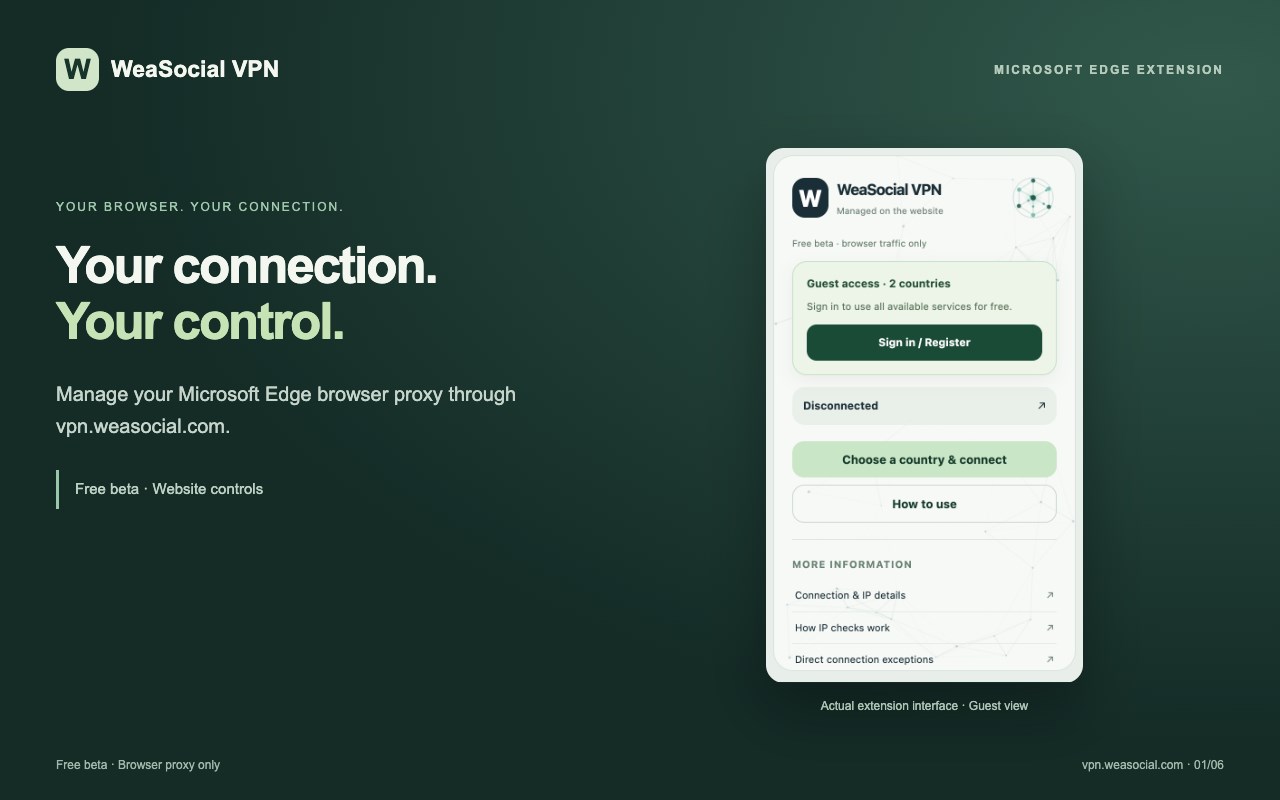
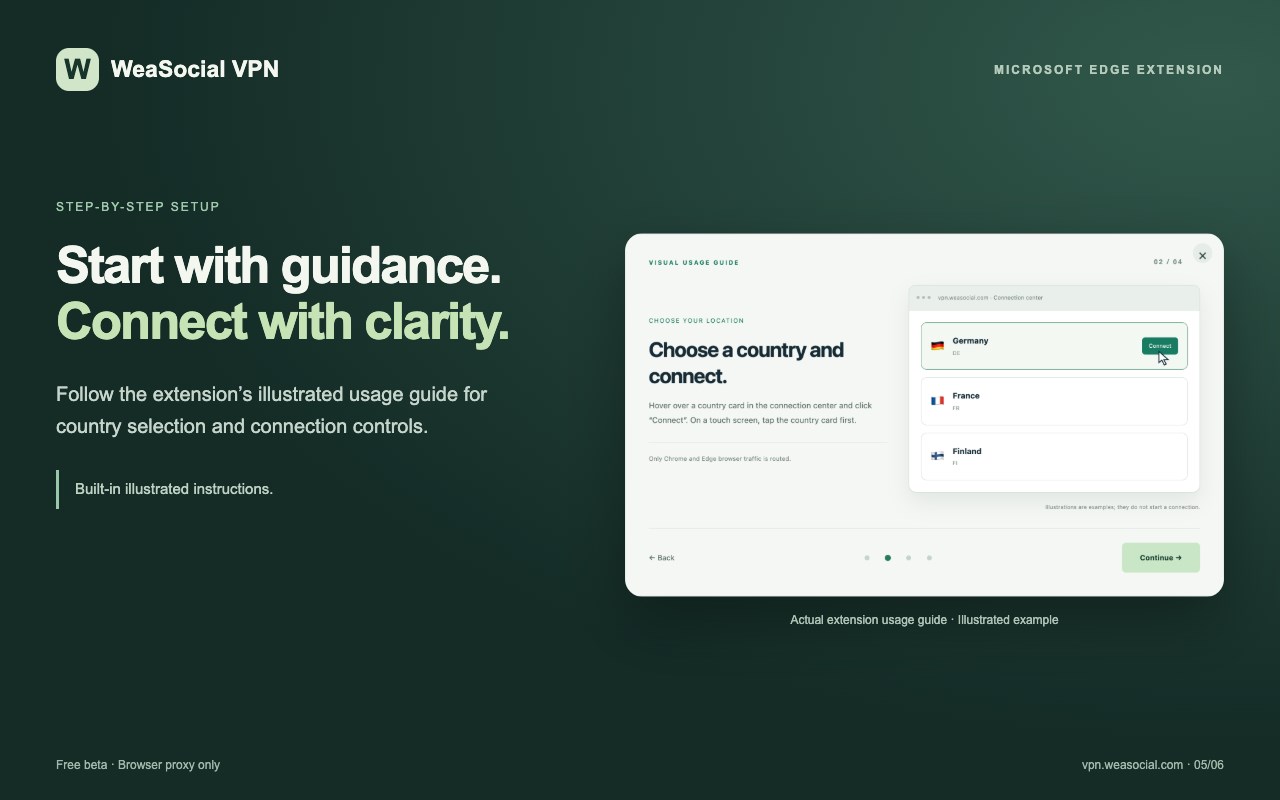
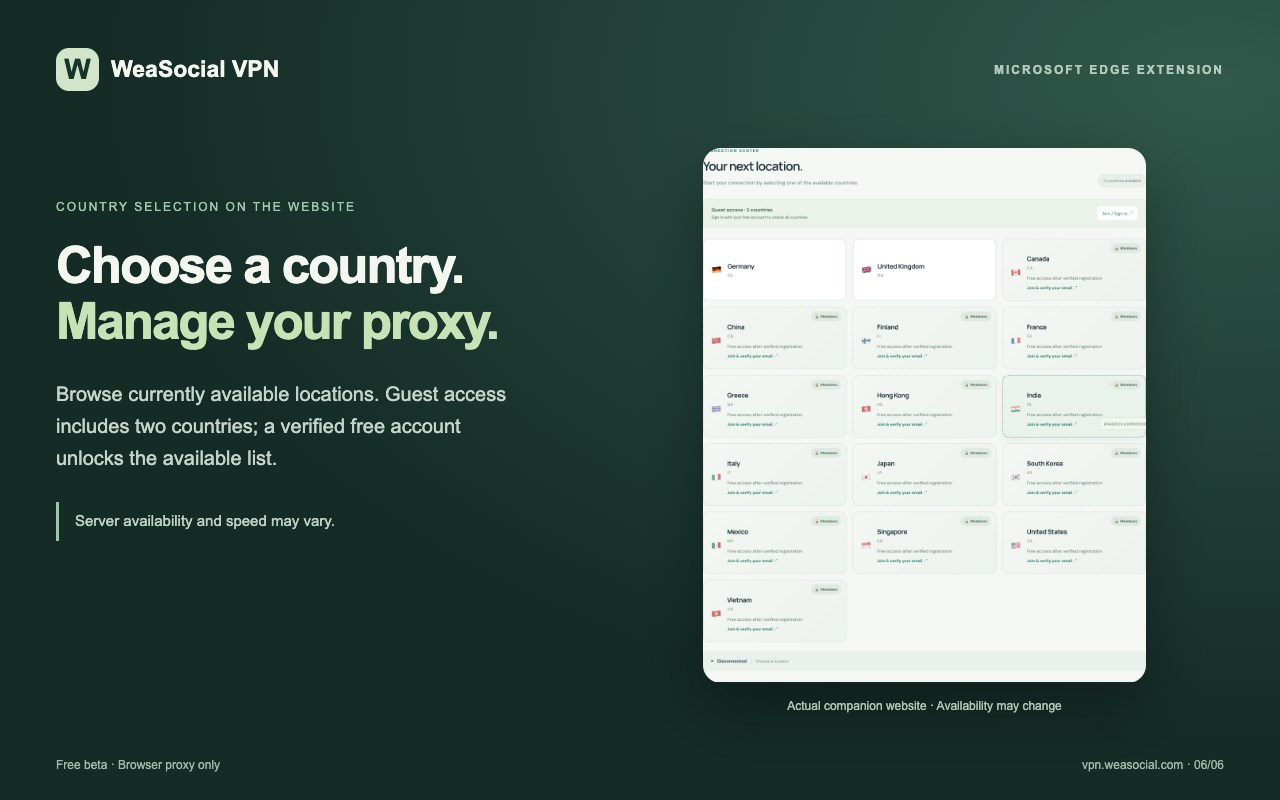
Browse the currently available proxy locations on vpn.weasocial.com and select a country to start a browser connection. Disconnect whenever you choose using the service’s connection controls.
Guest access includes two country options. Creating a free account and verifying your email unlocks the full list of currently available locations. Locations are provided dynamically, so the country list can change as servers become available or unavailable.
CONNECTION STATUS AND PUBLIC IP CHECKS
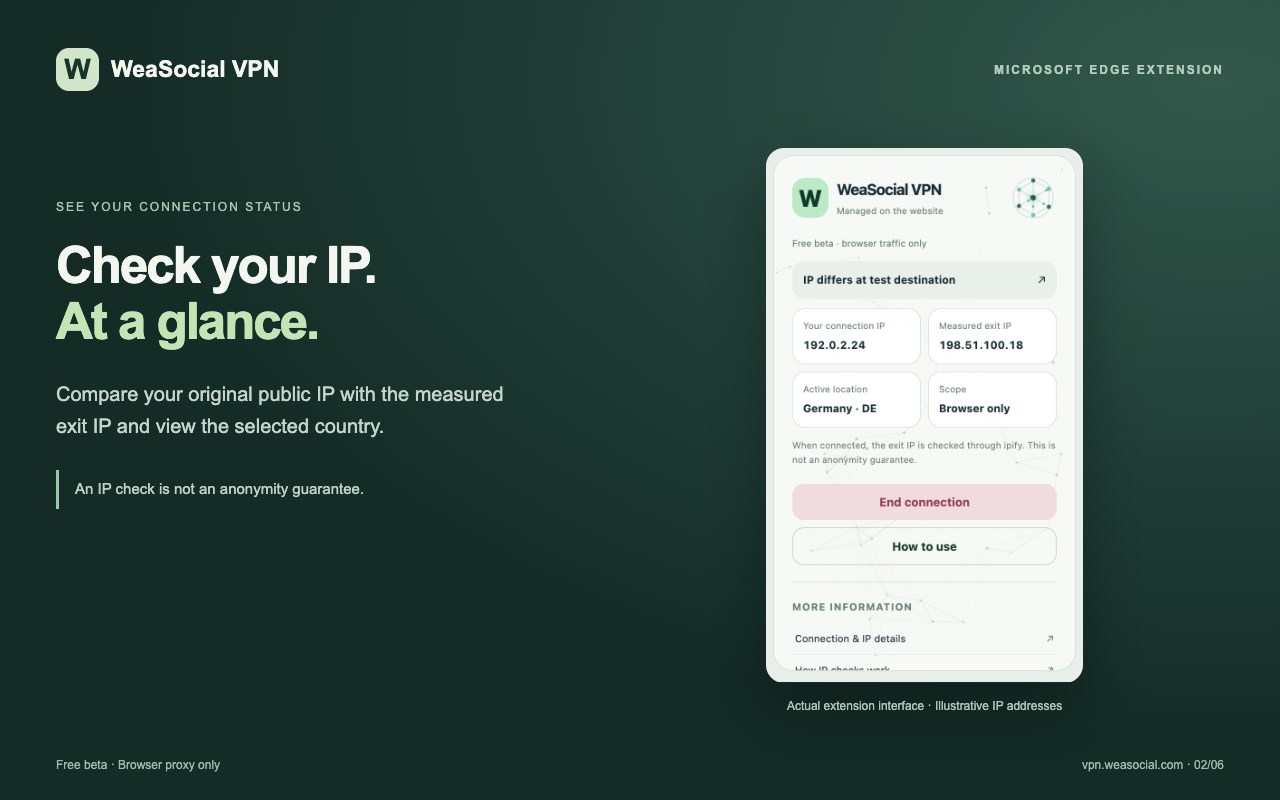
View whether the extension reports an active proxy connection and check the selected country. Use the IP comparison feature to compare the public IP reported by the control service with the IP used by a test request through the selected connection.
This comparison helps you inspect connection behavior. It is not a guarantee that every browser request is proxied, that your physical location is hidden or that you are completely anonymous.
WEBSITE CONTROLS WITH A COMPANION EXTENSION
Manage country selection and connection actions through vpn.weasocial.com. The extension applies the required Microsoft Edge proxy settings and removes its proxy configuration when you disconnect.
If the website cannot detect the extension when you attempt a connection-related action, it displays an illustrated installation guide. Account management, support and informational pages remain accessible without installing the extension.
10 LANGUAGES WITH AUTOMATIC LANGUAGE DETECTION
The extension supports English, Turkish, German, French, Spanish, Portuguese, Italian, Dutch, Russian and Japanese.
It automatically selects a supported language based on your browser’s interface language. If your browser language is not supported, English is used by default. The companion website also provides these ten languages.
GUIDED SETUP AND SUPPORT
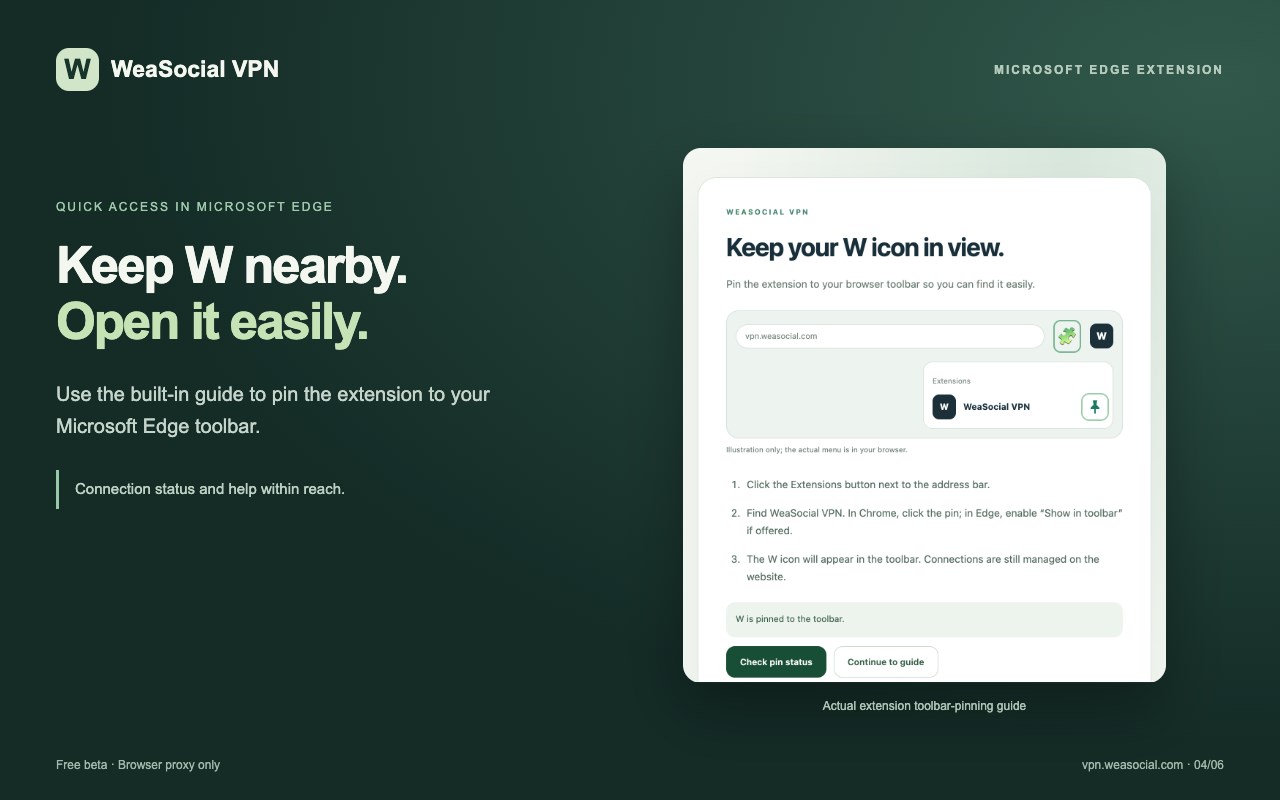
Access installation instructions, toolbar-pinning guidance, connection explanations and public IP information. A detailed support form on the website lets you describe a problem and provide relevant browser, device and extension-version information.
LIGHTWEIGHT INTERFACE
The compact extension window provides quick access to connection status, account access, country selection and help. Network-inspired visual effects complement the interface, with reduced-motion support for users who prefer less animation.
HOW TO START
1. Install WeaSocial VPN from Microsoft Edge Add-ons.
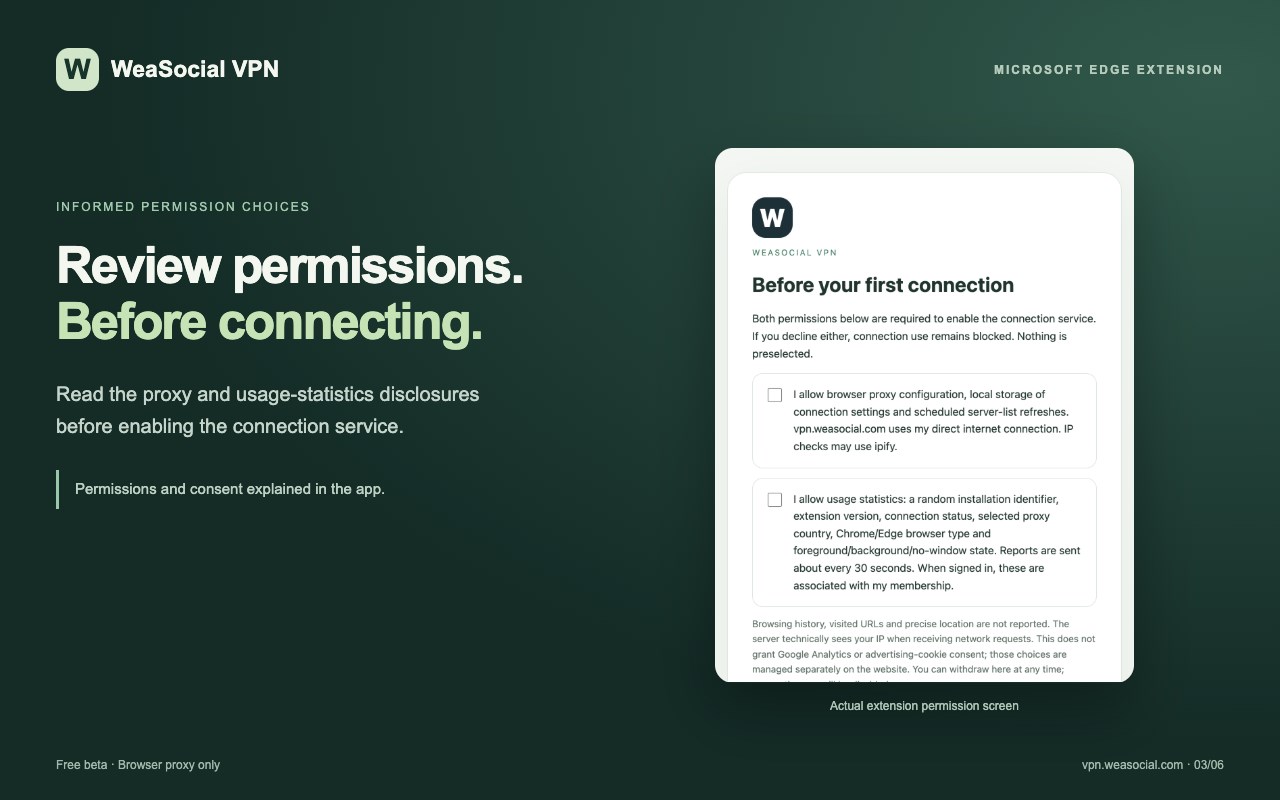
2. Open the extension and review the required permissions and usage-statistics disclosure.
3. Visit vpn.weasocial.com.
4. Use guest access or create a free account and verify your email.
5. Select an available country and start your connection.
6. Check connection status and compare public IP results.
7. Disconnect when you no longer need the browser proxy.
DATA USE AND TRANSPARENCY
The extension stores connection preferences, proxy configuration, permission choices and temporary membership access tokens. It does not store your account password.
With your explicit approval, it reports limited operational information to WeaSocial: a unique installation identifier, connection state, selected country, extension version, browser type and whether browser windows are in the foreground or background.
The extension does not collect browsing history, page content, keyboard input or mouse movements. Public IP checks use the WeaSocial service and ipify; account credentials are not sent to ipify.
IMPORTANT SERVICE LIMITATIONS
WeaSocial VPN is currently a free beta service. Server availability, connection speed and reliability may vary. A selected country does not guarantee access to a particular website or streaming service.
The extension manages Microsoft Edge browser proxy settings only. It is not a device-wide VPN and does not route traffic from other applications. Some service requests and configured destinations may bypass the proxy.
WeaSocial VPN does not promise complete anonymity, universal traffic encryption or protection against every form of tracking. Continue using HTTPS for sensitive activities and review the privacy policy before use.
Website: https://vpn.weasocial.com
Support: https://vpn.weasocial.com/support.html
Privacy policy: https://vpn.weasocial.com/privacy.html
WeaSocial VPN 是做什么的
WeaSocial VPN 是一款面向 Edge 的效率工具类扩展,主要用来管住注意力、屏蔽干扰站点、记录时间。官方对它的介绍是:Free beta browser proxy connection.在微软 Edge 加载项商店上,它当前版本 0.1.14,评分 5(1 人评价),约 33 名用户。
适合什么人用
从功能定位看,WeaSocial VPN 更适合想专注工作学习、减少无效刷网页的用户。如果你平时只是偶尔遇到相关需求,用浏览器自带功能也能凑合;但如果这件事每天都发生,装一个专门处理它的扩展通常比手动操作省事得多。需要注意的是它作用于所有网站,装上后建议先观察一两天,确认不影响常用站点的正常使用。
怎么安装 WeaSocial VPN
- 打开微软 Edge 加载项商店上的官方页面;
- 点「添加到浏览器」并确认权限提示;
- 装好后在扩展列表里固定图标,方便随时开关。
本站只做索引与介绍,安装包来自官方商店。如果商店页面提示当前地区不可用,说明该扩展未在你所在区域上架。
常见问题
WeaSocial VPN 是免费的吗?
WeaSocial VPN 在微软 Edge 加载项商店免费提供下载。它是浏览器扩展,装上就能直接用,不需要注册账号。
WeaSocial VPN 安全吗?
它只申请了 0 项权限,范围比较克制,没有申请「读取所有网站数据」这种大权限。
WeaSocial VPN 支持哪些浏览器?
当前收录的版本来自微软 Edge 加载项商店,适用于 Edge。同一个扩展在其他商店可能有对应版本,但功能与版本号不一定相同。
怎么卸载 WeaSocial VPN?
在扩展管理页找到 WeaSocial VPN,点移除即可。它在本地保存的设置会一起清掉,不会残留数据。
权限清单 来自 manifest.json 原文
站点访问(可选) 2
http://*/*https://*/*
接口权限 4
alarmsproxystoragewebRequest