
Watchword: Search Filter EN
Watchword Project · EEdge MV3
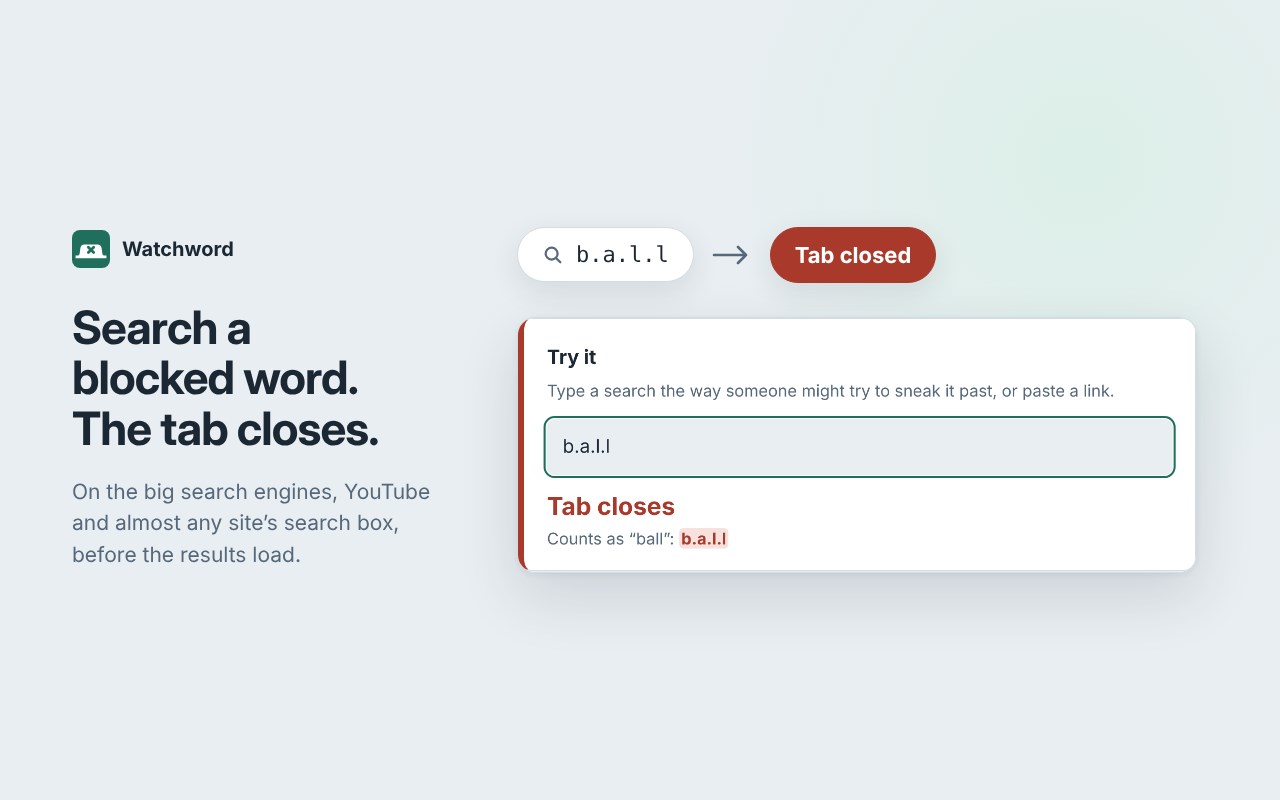
Blocks porn searches and any word you choose. Closes the tab the moment it's searched, even disguised as b.a.l.l or b_all.
<all_urls>),意味着它可以读取你在任意站点的页面内容,包括已登录的页面。这是许多扩展正常工作的必要条件,但也值得你确认来源可信。
截图
简介
The tab closes before the results load, even when the word is disguised.
Watchword closes the tab the moment you search for a word you've blocked, on the big search engines, YouTube and the search box of almost any site. It's built for the weak moment: the late-night search you'd regret by morning.
WHAT IT DOES
• Closes the tab, not just the page. Search for a blocked word and the tab is gone before the results show, so there isn't a single thumbnail to glance at. In a search box, it closes while you're still typing, before you press Enter.
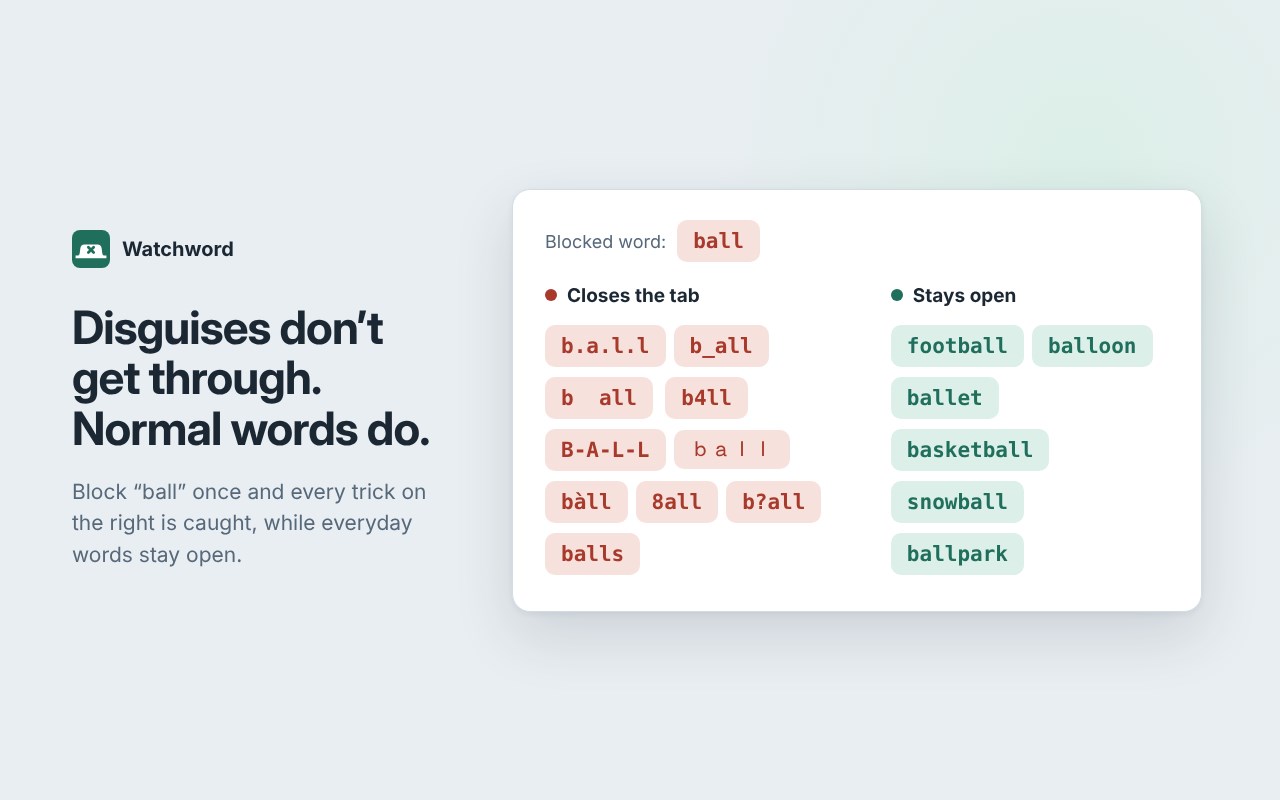
• Catches disguises. b.a.l.l, b_all, b all, b4ll, B-A-L-L, ball and letters swapped for look-alikes from other alphabets all count as "ball". So do words broken into pieces, and for most words in the packs, misspellings too. The tricks that slip past other filters don't work here.
• Whole words only. Blocking "ball" never touches "football", "balloon" or a link that happens to contain those letters. Only what you searched for is checked, never the rest of the address. Every word in the packs was tested against hundreds of thousands of everyday searches, so normal searching keeps working and you're never tempted to switch it off.
• Ready-made word packs. One click adds over 500 words and phrases, so you never have to type out a list of things you'd rather not think about: porn and explicit terms, erotic stories and audio, porn site names and the sites themselves, plus the slang people use to slip past filters. Softer packs for suggestive content are there if you want them.
• Help still gets through. Searches like "how to quit porn" and "porn addiction help" stay open. The list is fixed and can't be added to, so it never becomes a back door.
A LOCK YOU CAN'T TALK YOURSELF OUT OF
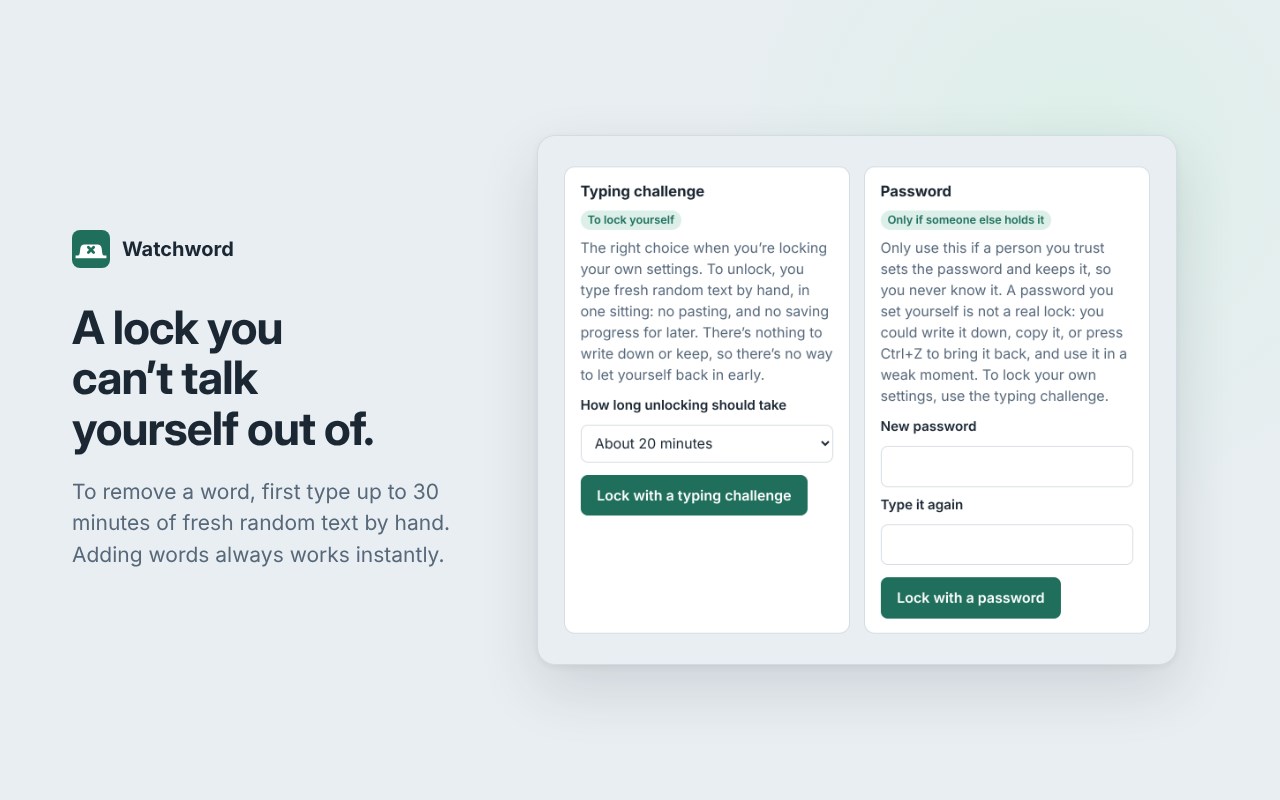
Your calm self sets the rules, and your weak moment can't undo them. Lock your settings with a typing challenge. To remove a word or switch a protection off, you first type 10, 20 or 30 minutes of fresh random text by hand, in one sitting. Pasting doesn't work and the text is new every time, so there's nothing to write down and no shortcut back in. Adding words always works instantly. If someone you trust can hold it, you can use a password instead.
MORE PROTECTION, BUILT IN
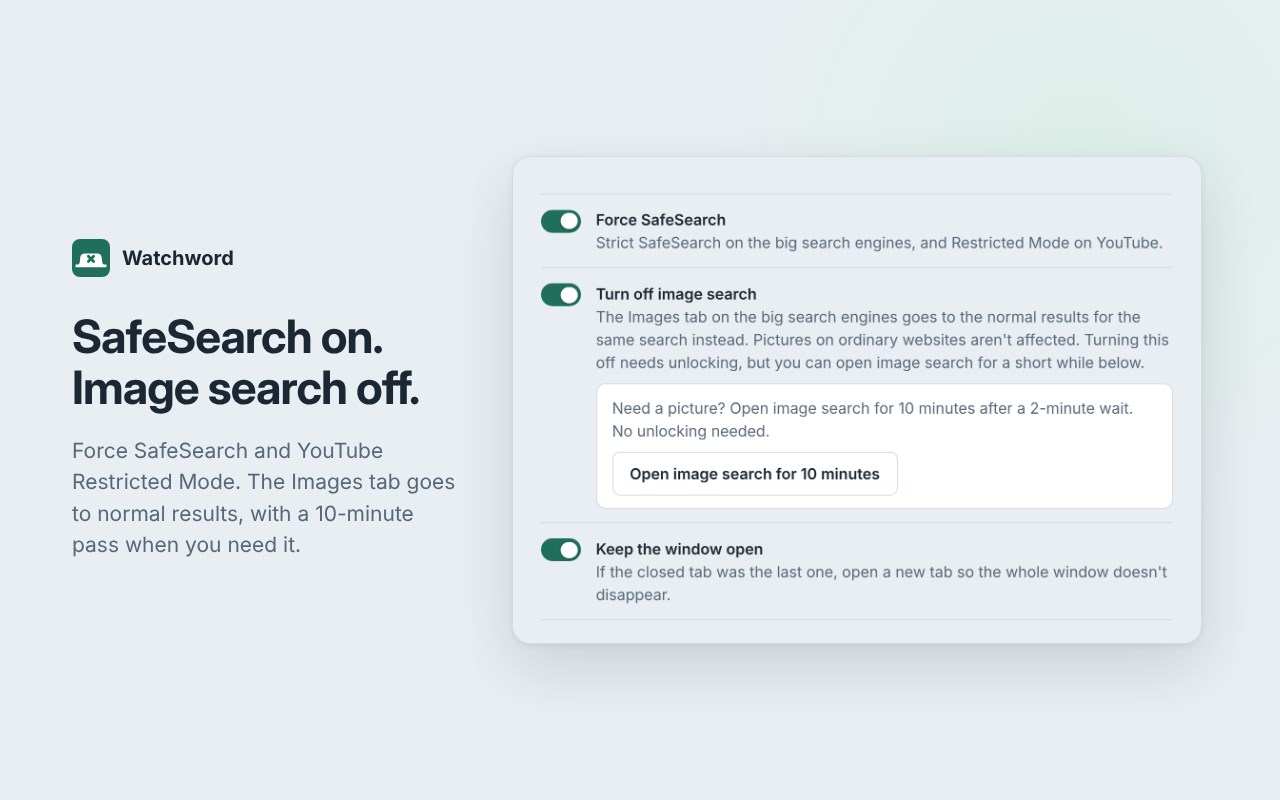
• Forces SafeSearch on the big search engines, and Restricted Mode on YouTube.
• Optional: turn off image search. The Images tab takes you to the normal results instead, with a 10-minute pass behind a 2-minute wait for when you need it.
• Block whole sites, not just words.
• A note to yourself. Write down why you set Watchword up, and when it closes a search, a calm page shows your own words instead of a blank tab.
• Something slipped through? Report it from the Try it box. It opens your own email with the search filled in, and nothing is sent unless you send it.
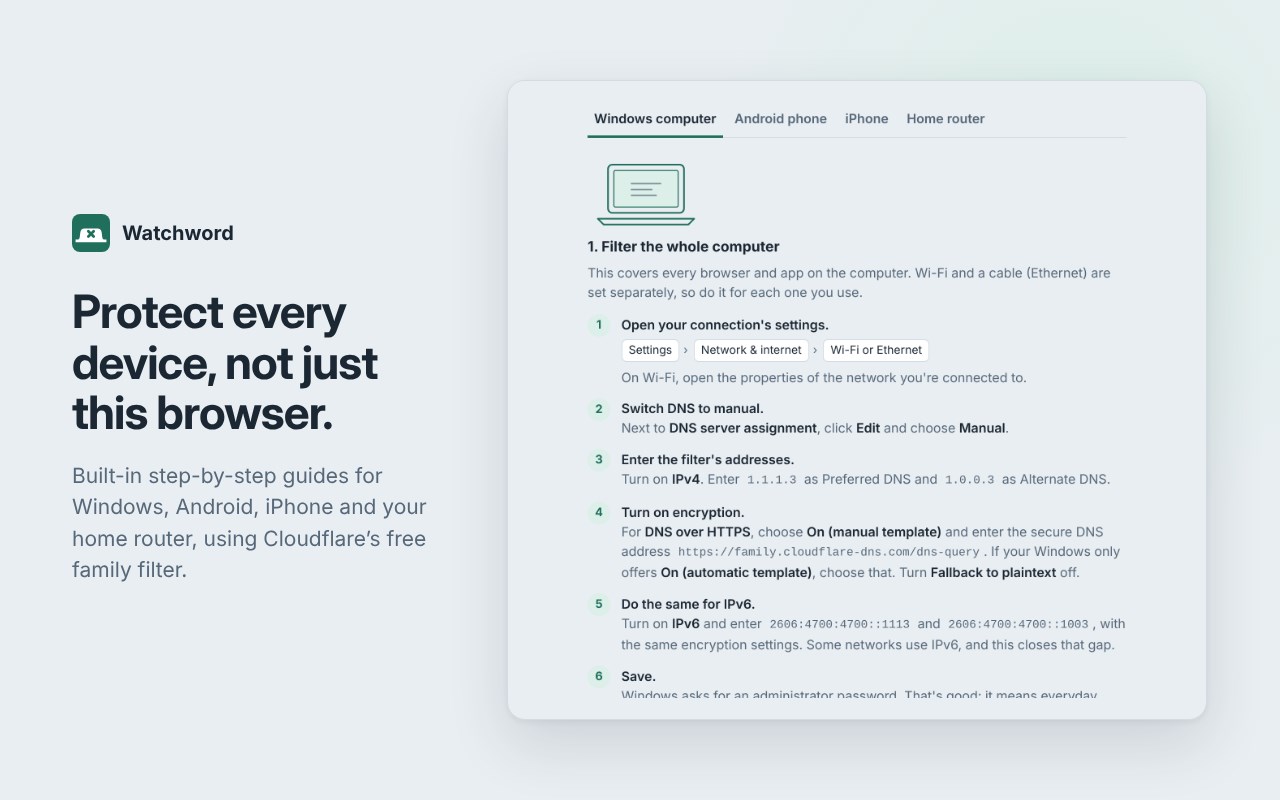
• Step-by-step guides for the rest of your devices: Windows, Android, iPhone and your home router, using Cloudflare's free family filter.
PRIVATE BY DESIGN
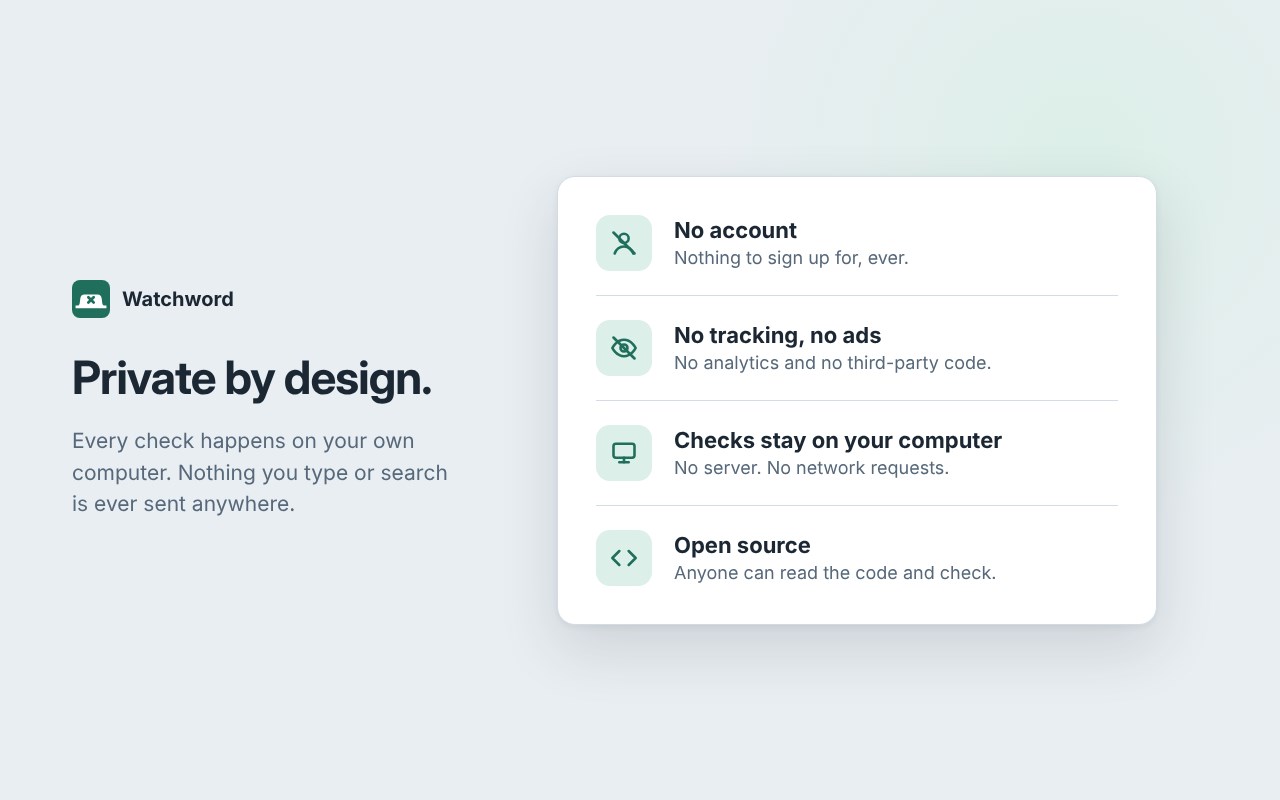
No accounts need to be created, there are no ads and also no tracking. Every check happens on your own computer, and nothing you type or search is ever sent anywhere. Watchword is open source, so anyone can confirm it.
HONEST ABOUT LIMITS
Any browser extension can be removed in two clicks, and no extension can stop that on its own. So the top of Watchword's settings tells you plainly whether it can be removed right now, and walks you through locking it in place on Windows by making the Remove button disappear, and the key goes to someone you trust. For phones and other browsers, pair it with the device guides on the settings page.
It's free, with no paid version, and made for anyone who wants to guard their eyes.
Watchword: Search Filter 是做什么的
Watchword: Search Filter 是一款面向 Edge 的搜索增强类扩展,主要用来补充搜索结果、切换搜索引擎、过滤无效结果。官方对它的介绍是:Blocks porn searches and any word you choose. Closes the tab the moment it's searched, even disguised as b.a.l.l or b_all.在微软 Edge 加载项商店上,它当前版本 1.14.1,约 1 名用户。
适合什么人用
从功能定位看,Watchword: Search Filter 更适合每天大量搜索、希望结果更干净准确的用户。如果你平时只是偶尔遇到相关需求,用浏览器自带功能也能凑合;但如果这件事每天都发生,装一个专门处理它的扩展通常比手动操作省事得多。需要注意的是它作用于所有网站,装上后建议先观察一两天,确认不影响常用站点的正常使用。
怎么安装 Watchword: Search Filter
- 打开微软 Edge 加载项商店上的官方页面;
- 点「添加到浏览器」并确认权限提示;
- 装好后在扩展列表里固定图标,方便随时开关。
本站只做索引与介绍,安装包来自官方商店。如果商店页面提示当前地区不可用,说明该扩展未在你所在区域上架。
常见问题
Watchword: Search Filter 是免费的吗?
Watchword: Search Filter 在微软 Edge 加载项商店免费提供下载。它是浏览器扩展,装上就能直接用,不需要注册账号。
Watchword: Search Filter 安全吗?
它只申请了 0 项权限,范围比较克制,没有申请「读取所有网站数据」这种大权限。
Watchword: Search Filter 支持哪些浏览器?
当前收录的版本来自微软 Edge 加载项商店,适用于 Edge。同一个扩展在其他商店可能有对应版本,但功能与版本号不一定相同。
怎么卸载 Watchword: Search Filter?
在扩展管理页找到 Watchword: Search Filter,点移除即可。它在本地保存的设置会一起清掉,不会残留数据。
权限清单 来自 manifest.json 原文
站点访问(可选) 1
<all_urls>
接口权限 3
declarativeNetRequeststoragewebNavigation