Watch Later Tidy for YouTube™ & YouTube Music EN
TidyWL · EEdge MV3
Bulk delete or unlike on YouTube and YouTube Music. Search Watch Later, playlists, Liked videos and songs, escape the 5,000 limit.
截图
简介
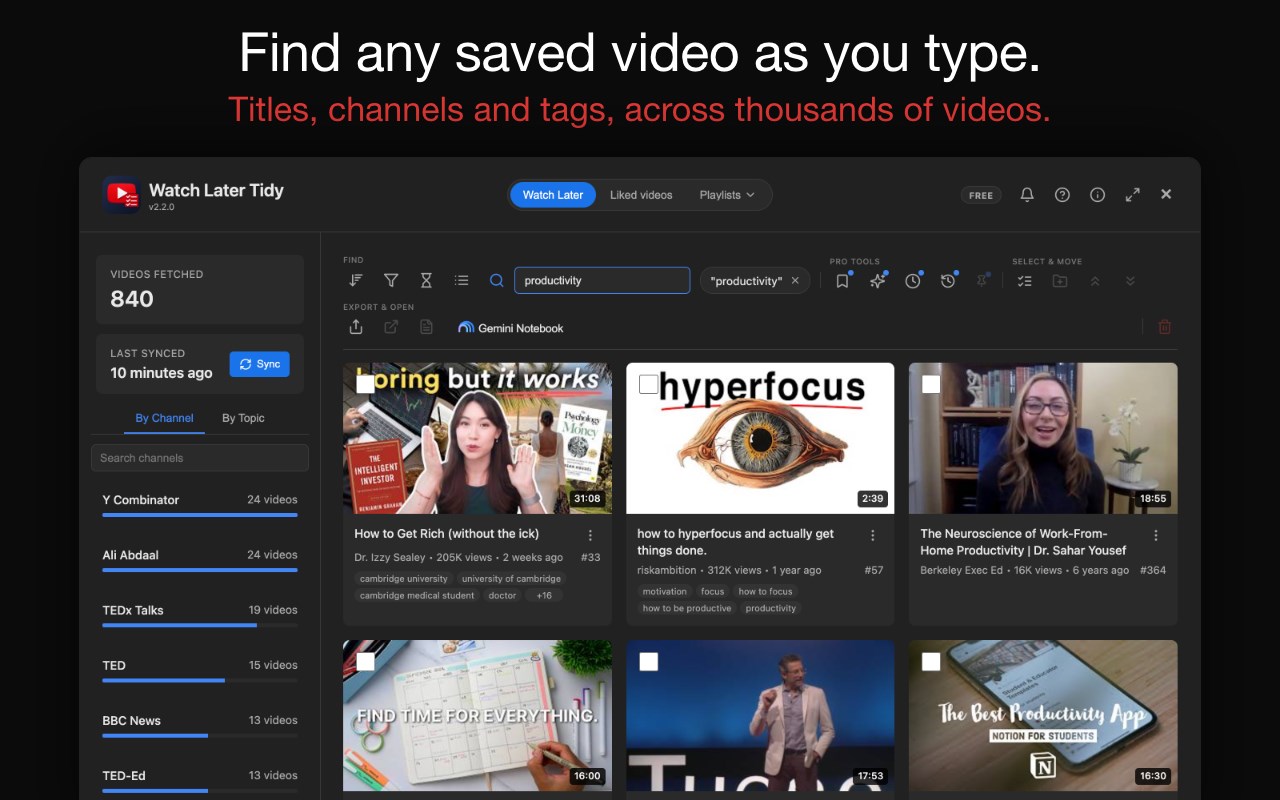
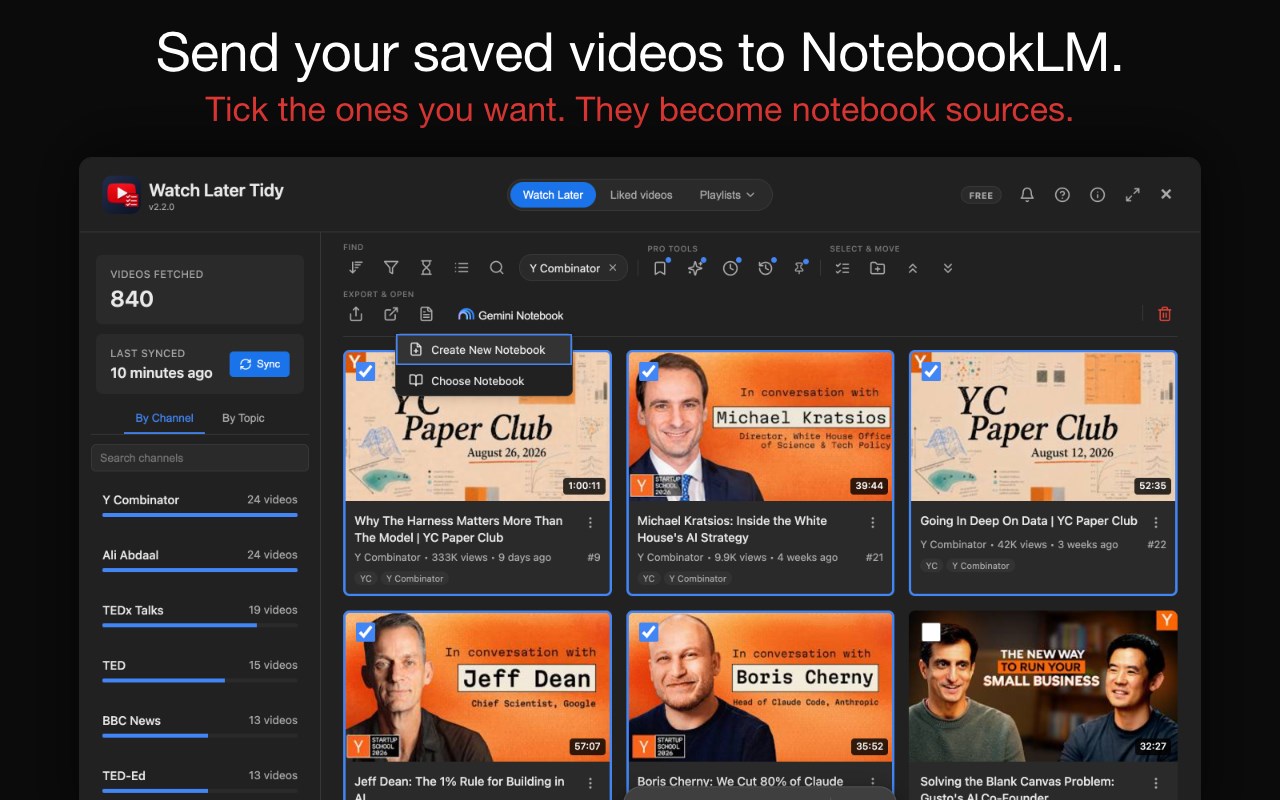
Watch Later Tidy for YouTube™ & YouTube Music searches your Watch Later, your Liked videos and every playlist in your library as you type, by title, channel or tag. Send what you find to NotebookLM (now called Gemini Notebook) as sources, or bulk delete, unlike, move and copy it, and escape the 5,000-video limit.
📋 Your YouTube Watch Later playlist is a graveyard. Videos saved years ago, a queue so long you stopped trusting it, and scrolling is the only tool you have. Then you hit the 5,000-video limit and YouTube freezes you out: nothing new until you dig through the pile and delete. One. Video. At. A. Time.
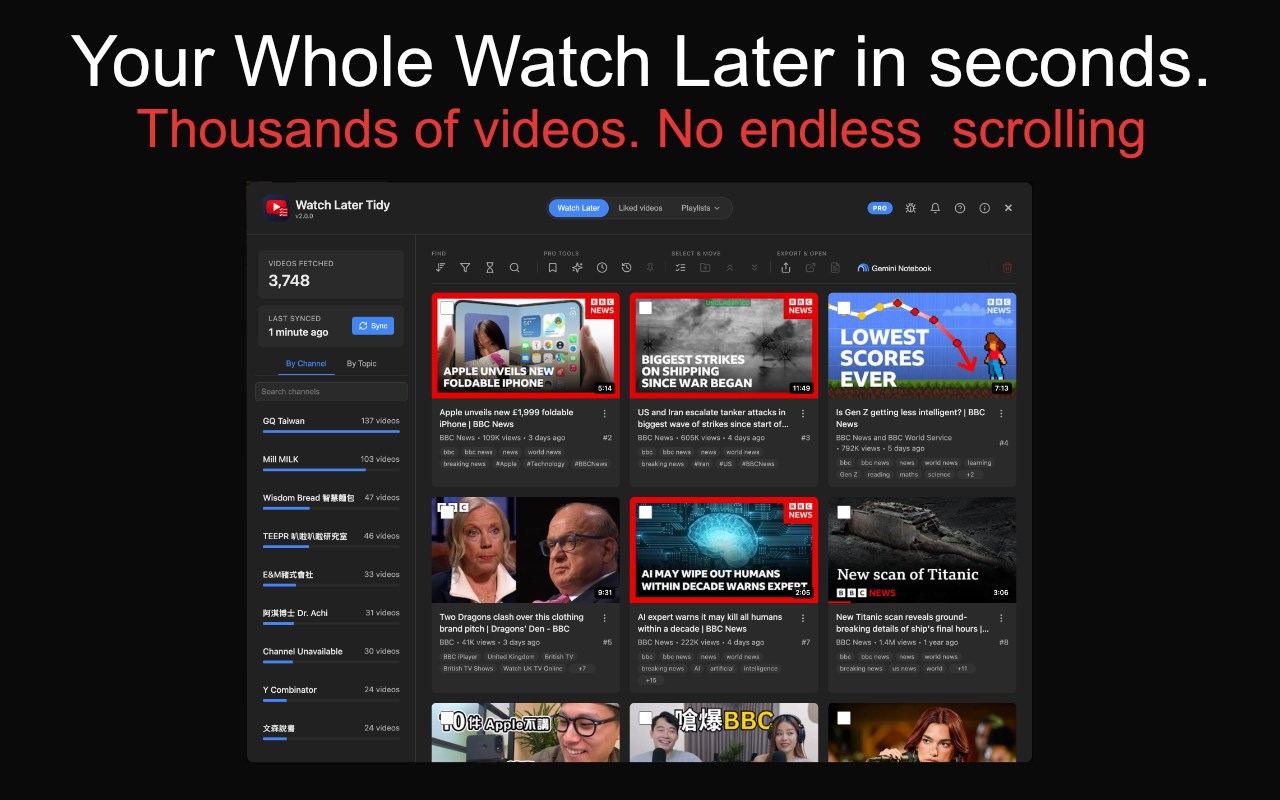
Watch Later Tidy fixes all of it: a dashboard over your YouTube page that breaks the playlist down by channel or topic (a storage manager for your queue), then filters, sorts, reorders and bulk-deletes. Minutes instead of hours.
The feature list below is free, with one limit for new installs, set out under it. An optional paid tier, TidyWL Pro, lifts that limit and adds clean-up rules, undo and a watch-list builder.
🚀 HOW IT WORKS
1. Install the extension, then open your Watch Later page (youtube.com/playlist?list=WL), your Liked videos, or any playlist in your library.
2. Click the Watch Later Tidy icon in the browser toolbar — pin it from the extensions menu if you don't see it — then "Open Dashboard".
3. Hit Sync and wait for the progress counter to finish.
4. Search by title, channel or tag, or browse by channel or topic, then filter, sort, select, bulk-delete, reorder or export.
No account. No sign-in. No setup. No permissions beyond your current YouTube session.
✨ NEW IN v2.8
🔎 Search all videos from the sidebar search. ▶️ Play the videos you tick as one queue, in one tab. ⚡ A big sync opens the list at once and fills in the details behind it, about 8 minutes for 4,000 videos; until then, Music only and No music leave out videos not read yet. 🖥️ A dashboard sized to your screen, from 1080p to 4K. 🛠️ Fixed: the sort menu's count no longer slips onto the line below.
🛠️ FULL FEATURE LIST (free, with the one limit below)
🔍 Search by title, channel or tag as you type, across thousands of videos.
🏷️ The uploader's own tags on every card, clickable as filters — stack several to narrow.
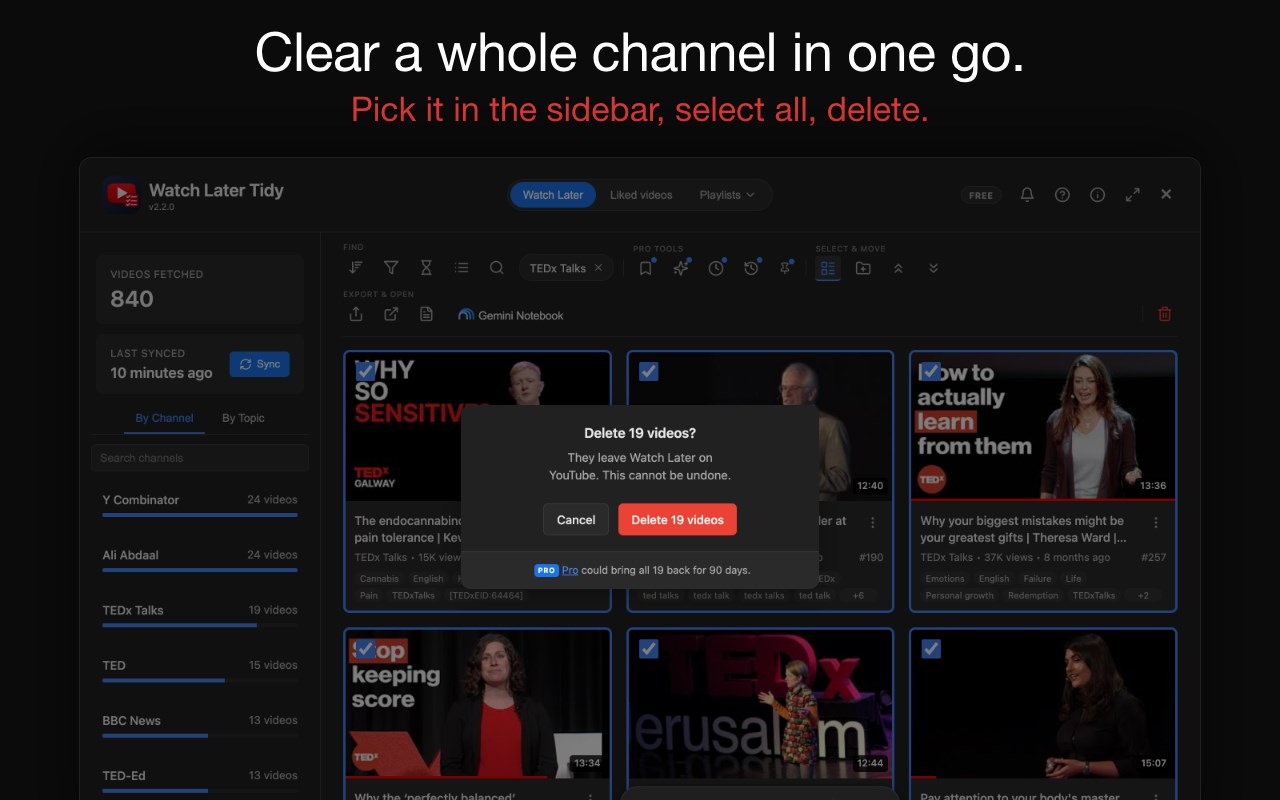
🗑️ Bulk delete selected videos, with live progress, a stop button and Retry for any that fail.
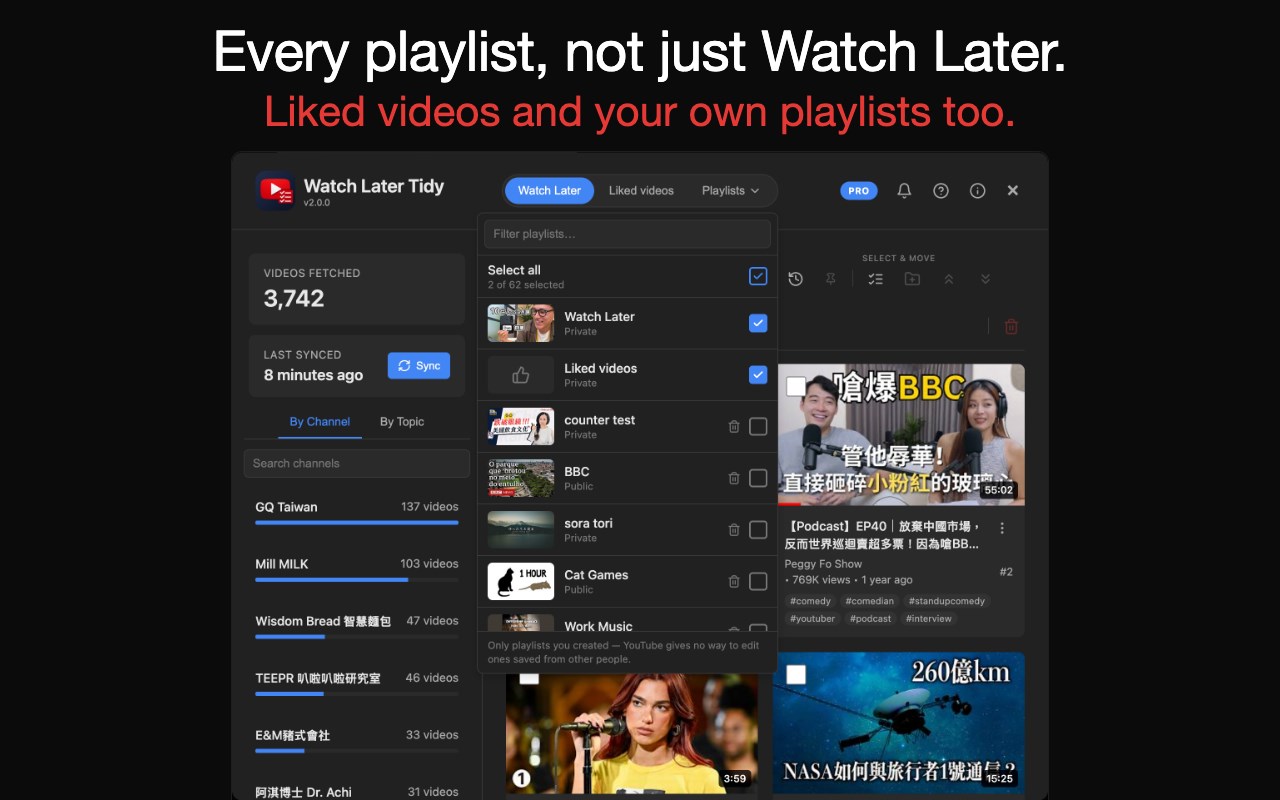
❤️ Watch Later, Liked videos and every playlist in your library in one dashboard, in All / Videos / Music tabs — pick one, or tick several to see them merged: one card per video, a chip for each playlist it's in, and Copy, Move and Delete across them.
🔄 Sync every ticked playlist in one run or one at a time, and delete a playlist you own, or take a saved one off your library.
💔 Remove likes in bulk, through the same flow as deletion.
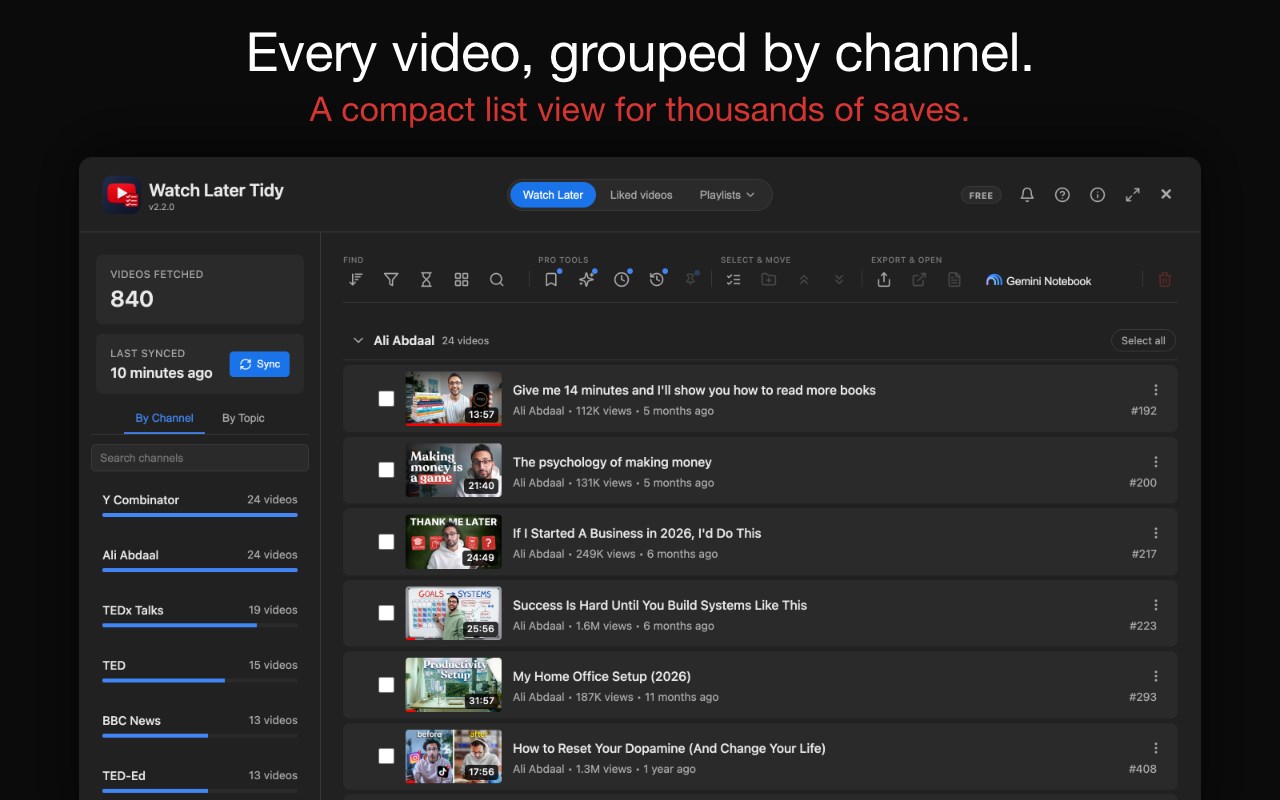
📊 A sidebar with channel breakdown bars, sorted by count, that collapses out of the way.
🏷️ By Topic view: local keyword clustering, no API calls. Filter to a topic or hide it.
🎚️ One Filter menu: watched status (with a progress threshold you set), duration (presets or a custom range), music, and availability, in any combination.
🔃 Sort by playlist order, duration, published date, views or title A–Z, or group the grid by channel under foldable headings.
📝 Download transcripts for one video or hundreds, as timestamped text files named after each video.
📓 Send selected videos to Gemini Notebook (formerly NotebookLM) as sources.
📁 Move or copy videos to another playlist, or create one inline (Private / Unlisted / Public).
↕️ Reorder by Move to Top, Move to Bottom or drag-and-drop, one video or many.
💾 Export to JSON or CSV (UTF-8 BOM, non-Latin titles intact).
👤 Multi-account aware, brand channels included.
🌗 Light and dark theme, WCAG-AA contrast, keyboard navigation and ARIA labels.
🆓 THE ONE FREE LIMIT
Installed from v2.5.0 on? Removing part of a list, where you pick which videos go, counts against 1,000 free removals every 30 days, starting with the first one; the dashboard shows when they come back. Emptying a whole list, deleting one video from its menu, removing likes and copying never count. Installed earlier? Removals stay unlimited. Pro has no limit.
💎 WHAT TIDYWL PRO ADDS
Pro is an optional subscription: US$4.99 per month or US$47.88 per year, bought at https://tidywl.com/pro/ through Paddle, our merchant of record, so the extension never sees your card details. Any Pro charge can be refunded in full within 14 days. One key covers three devices; the About panel shows them and cancels any time.
♾️ No limit on removing videos.
🧹 Three clean-up rules — remove dead entries, archive videos watched past 95% to a private "TidyWL Archive" playlist, and a monthly rule that moves the oldest slice there. Each shows the list and asks first.
📌 Pin a video "keep forever" and nothing removes it — not a rule, not a bulk or single delete, not an unlike. A Move becomes a Copy.
👁️ Operations preview — before a bulk delete or unlike, see the exact videos it will touch and untick any.
↩️ Undo — every video you delete is kept on that device for 90 days, 10,000 records by default and raisable.
☑️ Tick several sidebar channels or topics and see all their videos.
🔎 Search video descriptions too, and find a saved playlist by its creator.
🔖 Saved views — name a filter combination ("unwatched lectures over 20 minutes") and get back to it in one click.
🕒 Lineup — say how much time you have and it builds a ranked watch list from your own saved videos.
💬 Feature requests and support answered first.
❓ FAQ
Does it need a YouTube API key or OAuth login?
No. It uses the same internal endpoints your browser already calls. No API key, no OAuth, no account setup. Pro is unlocked by a licence key you paste in, not by signing in.
Does it work on YouTube Music?
In part. There is no dashboard on music.youtube.com itself: "Open Dashboard" on a playlist there takes you to the same playlist on youtube.com, where the dashboard manages it. Liked music opens Liked videos, which holds the songs you lik…
Watch Later Tidy for YouTube™ & YouTube Music 是做什么的
Watch Later Tidy for YouTube™ & YouTube Music 是一款面向 Edge 的效率工具类扩展,主要用来管住注意力、屏蔽干扰站点、记录时间。官方对它的介绍是:Bulk delete or unlike on YouTube and YouTube Music. Search Watch Later, playlists, Liked videos and songs, escape the 5,000 limit.在微软 Edge 加载项商店上,它当前版本 2.8.2,评分 5(2 人评价),约 62 名用户。
适合什么人用
从功能定位看,Watch Later Tidy for YouTube™ & YouTube Music 更适合想专注工作学习、减少无效刷网页的用户。如果你平时只是偶尔遇到相关需求,用浏览器自带功能也能凑合;但如果这件事每天都发生,装一个专门处理它的扩展通常比手动操作省事得多。
怎么安装 Watch Later Tidy for YouTube™ & YouTube Music
- 打开微软 Edge 加载项商店上的官方页面;
- 点「添加到浏览器」并确认权限提示;
- 装好后在扩展列表里固定图标,方便随时开关。
本站只做索引与介绍,安装包来自官方商店。如果商店页面提示当前地区不可用,说明该扩展未在你所在区域上架。
常见问题
Watch Later Tidy for YouTube™ & YouTube Music 是免费的吗?
Watch Later Tidy for YouTube™ & YouTube Music 在微软 Edge 加载项商店免费提供下载。它是浏览器扩展,装上就能直接用,不需要注册账号。
Watch Later Tidy for YouTube™ & YouTube Music 安全吗?
它只申请了 0 项权限,范围比较克制,没有申请「读取所有网站数据」这种大权限。
Watch Later Tidy for YouTube™ & YouTube Music 支持哪些浏览器?
当前收录的版本来自微软 Edge 加载项商店,适用于 Edge。同一个扩展在其他商店可能有对应版本,但功能与版本号不一定相同。
怎么卸载 Watch Later Tidy for YouTube™ & YouTube Music?
在扩展管理页找到 Watch Later Tidy for YouTube™ & YouTube Music,点移除即可。它在本地保存的设置会一起清掉,不会残留数据。
权限清单 来自 manifest.json 原文
接口权限 4
activeTabscriptingstorageunlimitedStorage
接口权限(可选) 1
downloads
其他商店也有这款
同一款扩展在不同浏览器下的版本,权限与更新节奏可能不同
