
VNCNT Voice Type: Voice Typing & Speech to Text with AI Polish EN
VNCNT Labs · EEdge MV3
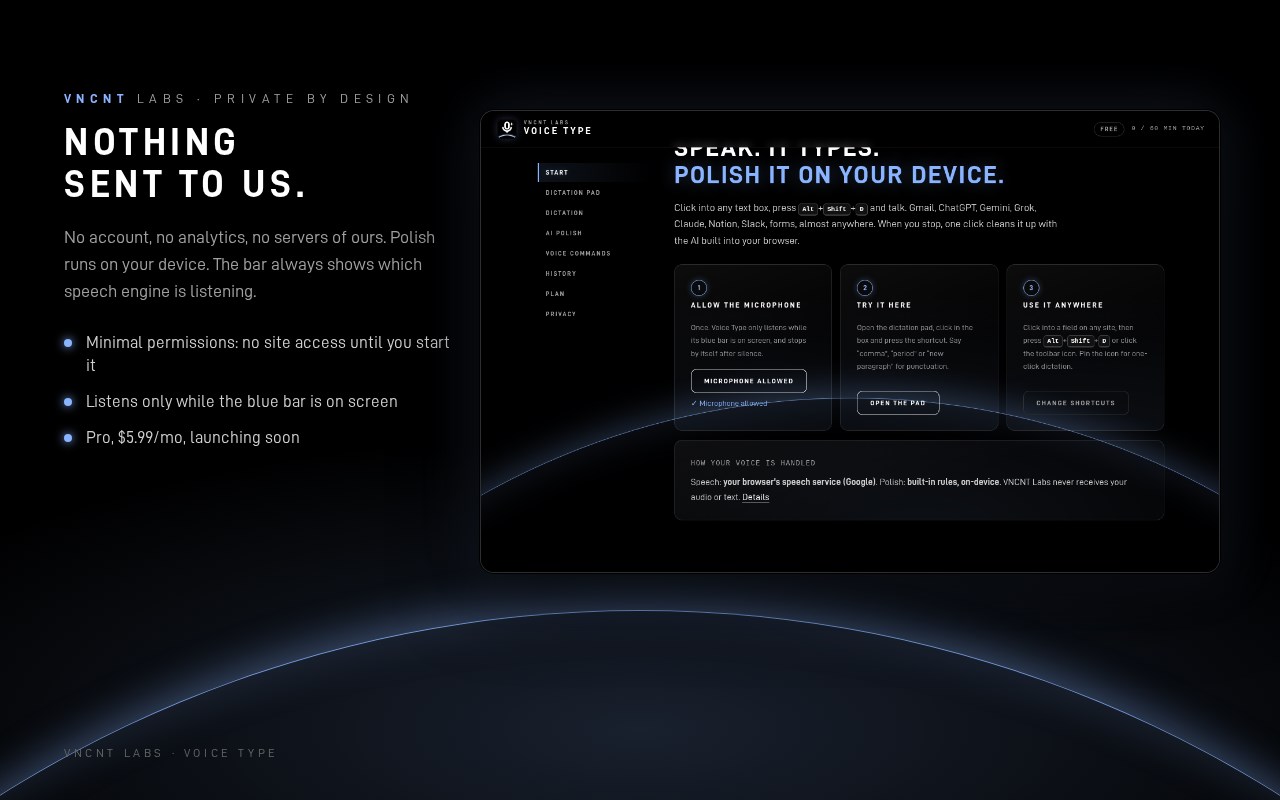
Dictate into any text field with one shortcut, then polish it with on-device AI. No account. Nothing sent to us.
截图
简介
Talk instead of type. VNCNT Voice Type puts dictation into almost any text box (email, chat, AI prompts, docs, forms, CRMs) with one shortcut. One click then turns rambling speech into clean, ready-to-send text, using the AI built into your browser on your own device.
HOW IT WORKS
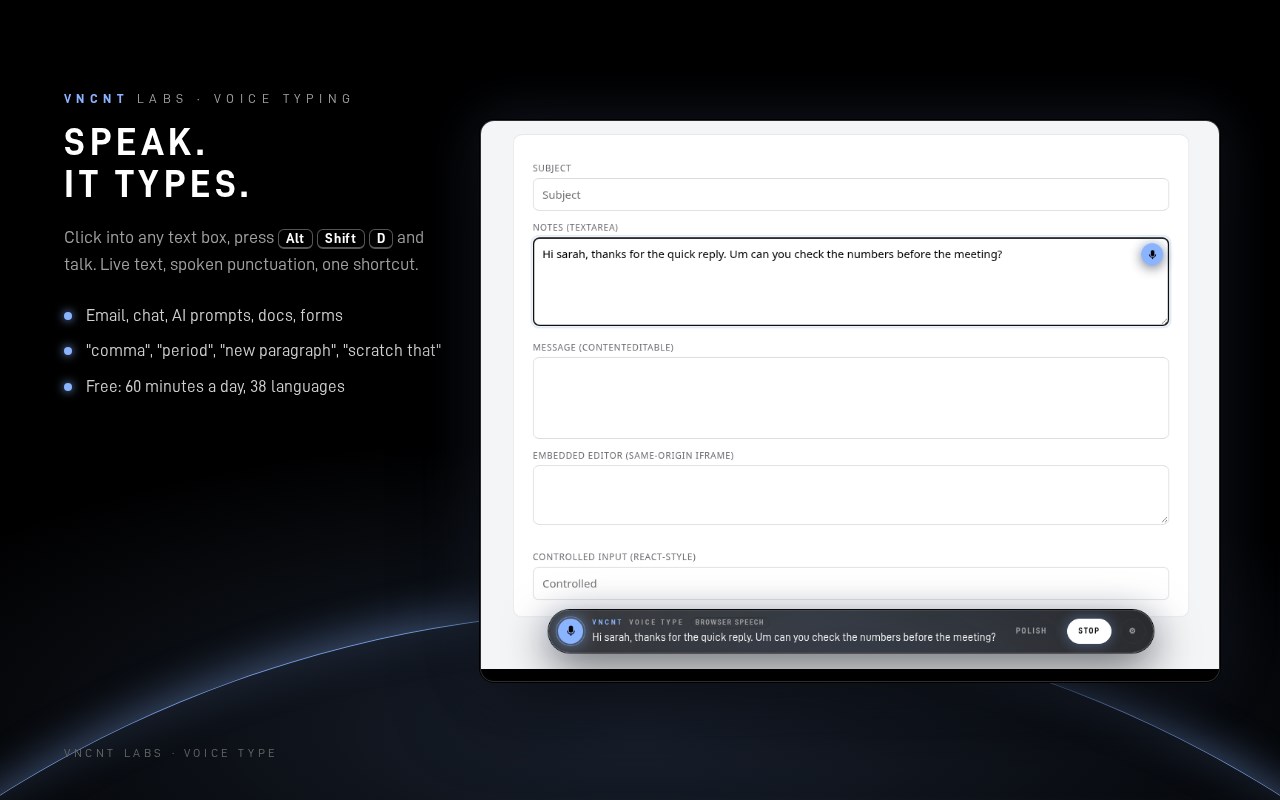
1. Click into a text field and press Alt+Shift+D (or click the toolbar icon or the small mic beside the field).
2. Talk. Your words appear live in a sleek bar at the bottom and are typed into the field as you finish each phrase.
3. Say "comma", "period", "question mark" or "new paragraph" for punctuation, and "scratch that" to remove the last phrase.
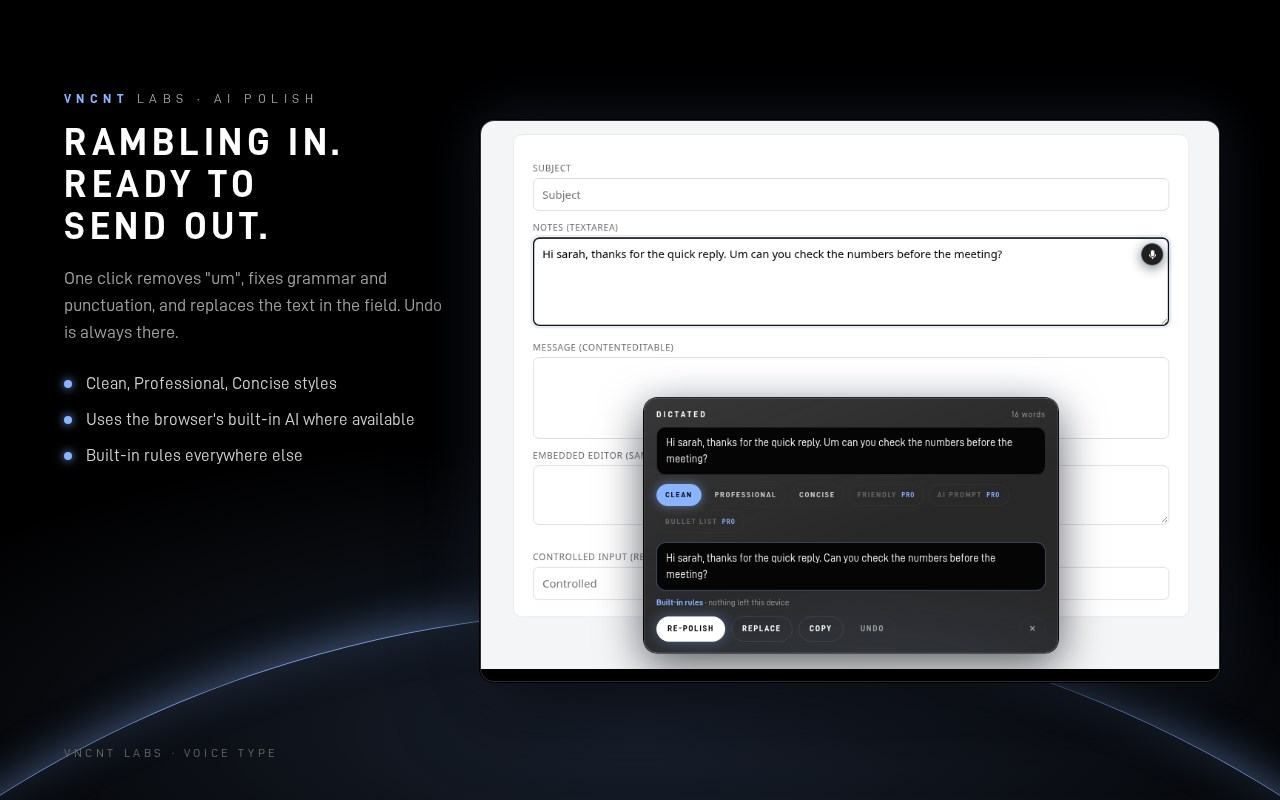
4. Press Stop (or say "stop listening"). Pick a style and press Polish: fillers like "um" and "you know" go, grammar and punctuation get fixed, and you can Replace the text in the field in one click. Undo is always there.
POLISH STYLES
• Clean: removes fillers, stutters and repeats; fixes capitals and punctuation; keeps your words
• Professional: turns casual phrasing into workplace-ready text
• Concise: cuts wordiness
• Pro (coming soon): Friendly, AI prompt (turns a spoken idea into a structured prompt for ChatGPT, Gemini, Claude or Grok) and Bullet list
PRIVATE BY DESIGN
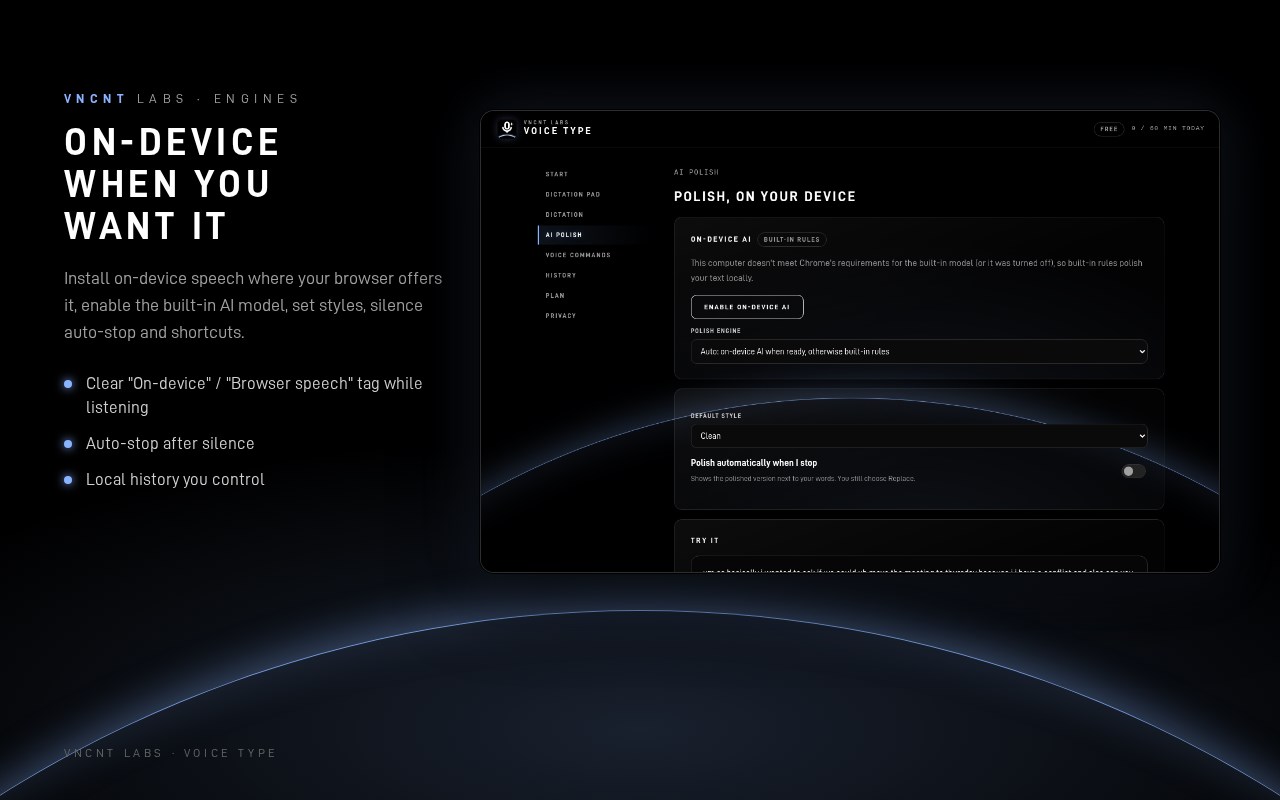
• Polish runs on your device, with your browser's built-in AI model where available (Chrome with Gemini Nano on supported computers) or the extension's built-in rules everywhere else. Your text is never sent to us or to an AI service.
• Speech recognition: by default, your browser's own speech service turns audio into text. In Chrome that is Google's online speech service, and in Edge it is Microsoft's. Where your browser offers on-device speech, Voice Type uses it automatically once the language pack is installed, and the bar shows "On-device". We say this plainly because you deserve to know.
• Listens only while the blue bar is showing. It stops after silence, when you switch tabs, or when you leave the page.
• No account, no analytics, no ads, no tracking. Voice Type makes no network requests of its own.
• Minimal permissions: no access to any website until you start it on that tab.
ALSO
• 38 languages for dictation (voice commands are English)
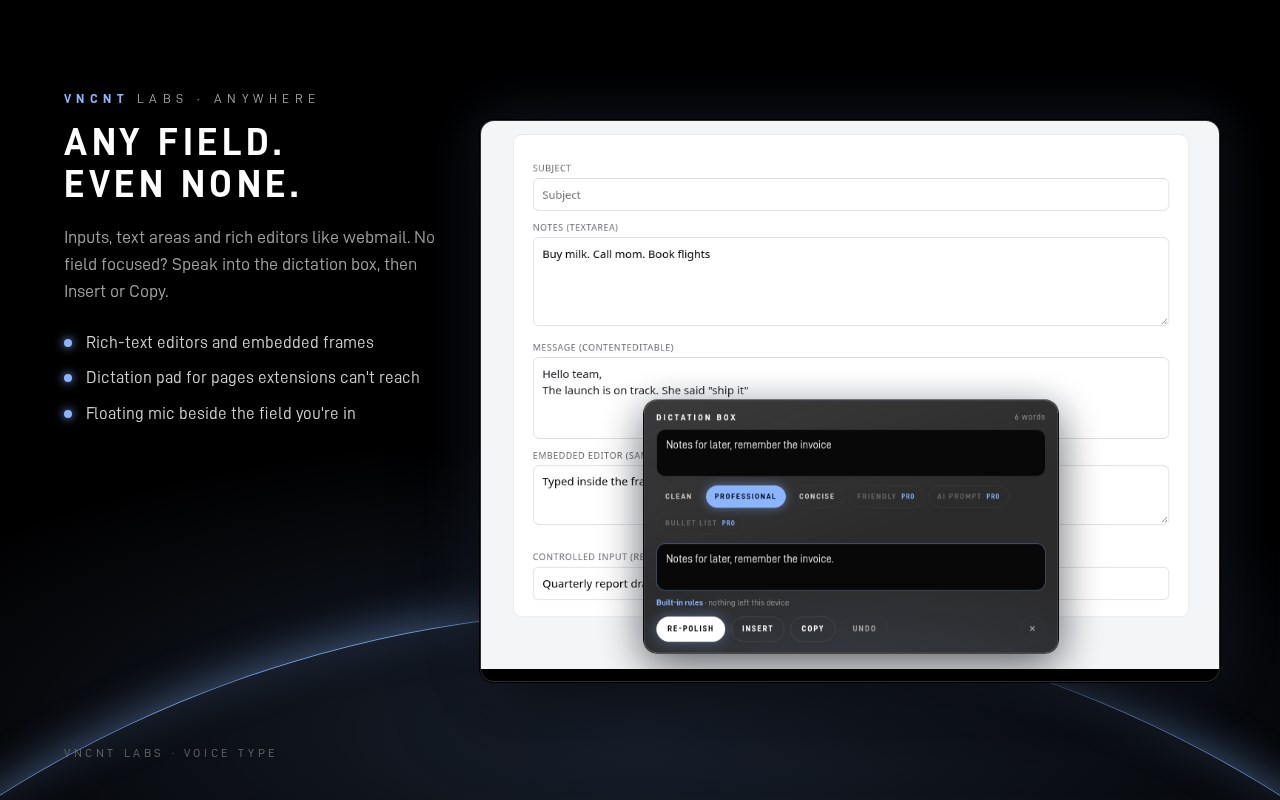
• A dictation box when no field is focused, plus a dictation pad page for places extensions can't reach
• Optional local history of your last dictations
• Keyboard-first: Alt+Shift+D start/stop, Alt+Shift+P stop and polish (change both in your browser's shortcut settings)
• Works in Microsoft Edge and Google Chrome
PLANS
Free: 60 minutes of dictation a day, all languages, voice commands, Clean / Professional / Concise polish.
Pro (launching soon): unlimited dictation, all six polish styles (adds Friendly, AI prompt and Bullet list) and longer history.
KNOWN LIMITS
Google Docs support is beta: if the text doesn't appear, Voice Type keeps it in the dictation box for one-click copy. Some sites (browser pages, extension stores, PDFs) don't allow extensions, and the dictation pad covers those.
Built by VNCNT Labs. Chrome, Gemini and Google Docs are trademarks of Google LLC; Edge is a trademark of Microsoft Corporation. Not affiliated with or endorsed by either.
VNCNT Voice Type: Voice Typing & Speech to Text with AI Polish 是做什么的
VNCNT Voice Type: Voice Typing & Speech to Text with AI Polish 是一款面向 Edge 的效率工具类扩展,主要用来管住注意力、屏蔽干扰站点、记录时间。官方对它的介绍是:Dictate into any text field with one shortcut, then polish it with on-device AI. No account. Nothing sent to us.在微软 Edge 加载项商店上,它当前版本 1.0.2,约 1 名用户。
适合什么人用
从功能定位看,VNCNT Voice Type: Voice Typing & Speech to Text with AI Polish 更适合想专注工作学习、减少无效刷网页的用户。如果你平时只是偶尔遇到相关需求,用浏览器自带功能也能凑合;但如果这件事每天都发生,装一个专门处理它的扩展通常比手动操作省事得多。
怎么安装 VNCNT Voice Type: Voice Typing & Speech to Text with AI Polish
- 打开微软 Edge 加载项商店上的官方页面;
- 点「添加到浏览器」并确认权限提示;
- 装好后在扩展列表里固定图标,方便随时开关。
本站只做索引与介绍,安装包来自官方商店。如果商店页面提示当前地区不可用,说明该扩展未在你所在区域上架。
常见问题
VNCNT Voice Type: Voice Typing & Speech to Text with AI Polish 是免费的吗?
VNCNT Voice Type: Voice Typing & Speech to Text with AI Polish 在微软 Edge 加载项商店免费提供下载。它是浏览器扩展,装上就能直接用,不需要注册账号。
VNCNT Voice Type: Voice Typing & Speech to Text with AI Polish 安全吗?
它只申请了 0 项权限,范围比较克制,没有申请「读取所有网站数据」这种大权限。
VNCNT Voice Type: Voice Typing & Speech to Text with AI Polish 支持哪些浏览器?
当前收录的版本来自微软 Edge 加载项商店,适用于 Edge。同一个扩展在其他商店可能有对应版本,但功能与版本号不一定相同。
怎么卸载 VNCNT Voice Type: Voice Typing & Speech to Text with AI Polish?
在扩展管理页找到 VNCNT Voice Type: Voice Typing & Speech to Text with AI Polish,点移除即可。它在本地保存的设置会一起清掉,不会残留数据。
权限清单 来自 manifest.json 原文
接口权限 4
activeTaboffscreenscriptingstorage