VNCNT Showreel: Tab Screen Recorder with Auto-Zoom & Privacy Blur EN
VNCNT Labs · EEdge MV3
Record a tab, get auto-zoom on clicks and a smooth cursor, blur emails and API keys, export MP4 for YouTube and Shorts.
截图
简介
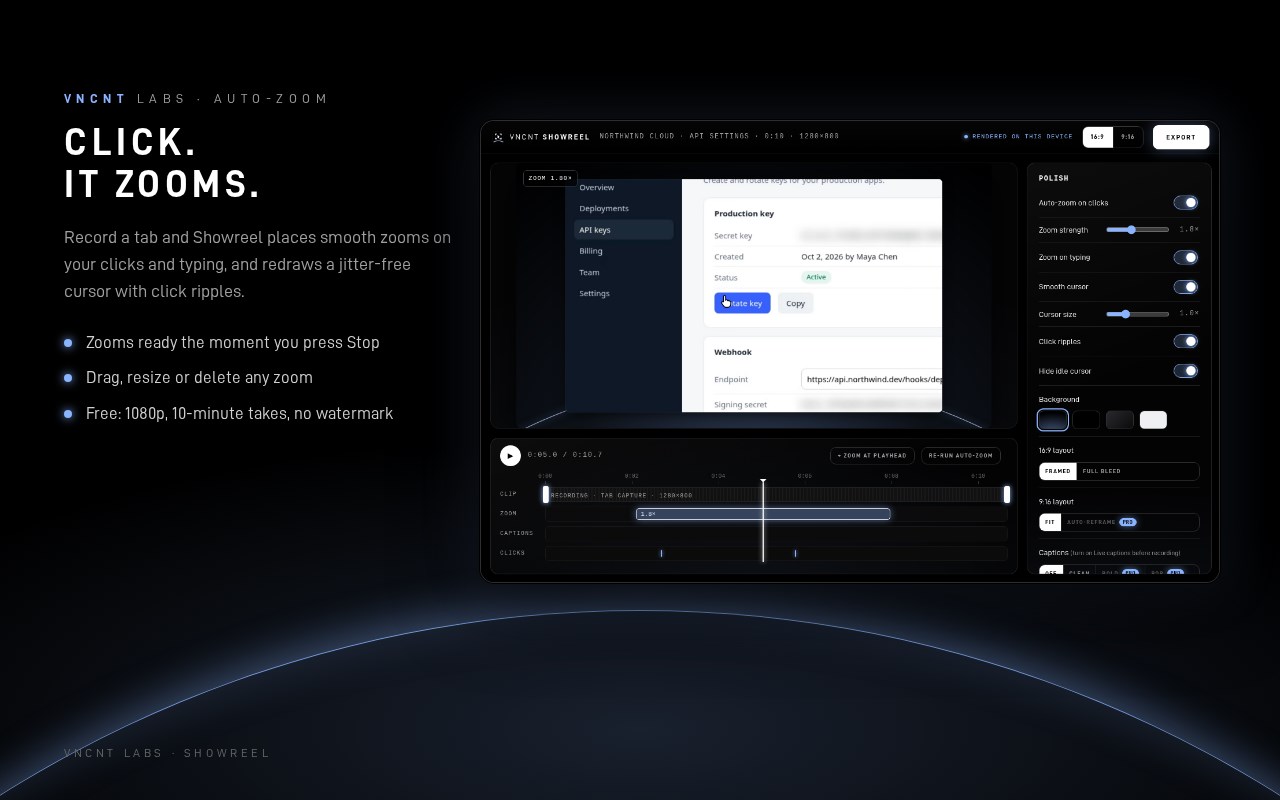
Record a polished tutorial of any browser tab in one click. No editing skills needed. VNCNT Showreel watches where you click and type, then zooms in for you, redraws a smooth cursor with click ripples, and exports a ready-to-post MP4 for YouTube, docs or Shorts. Everything happens on your computer.
HOW IT WORKS
1. Open the tab you want to show and click the Showreel icon (or press Alt+Shift+O). Choose narration (your microphone) and live captions if you like.
2. Press Record. A short countdown, then use the page as you normally would. The toolbar badge shows the timer.
3. Press Stop. The editor opens with zooms already placed on your clicks and typing.
4. Adjust: drag or resize zooms on the timeline, change zoom strength, trim the start and end, edit captions, pick a background.
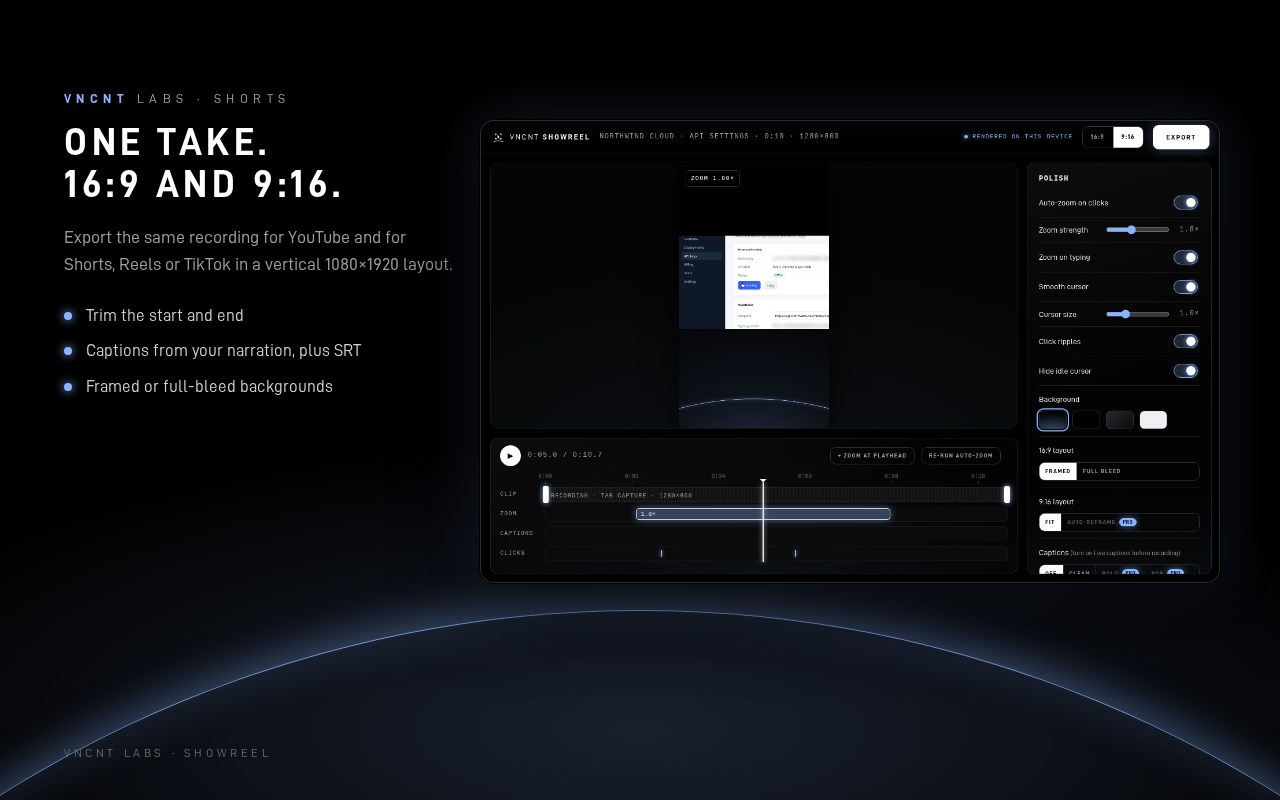
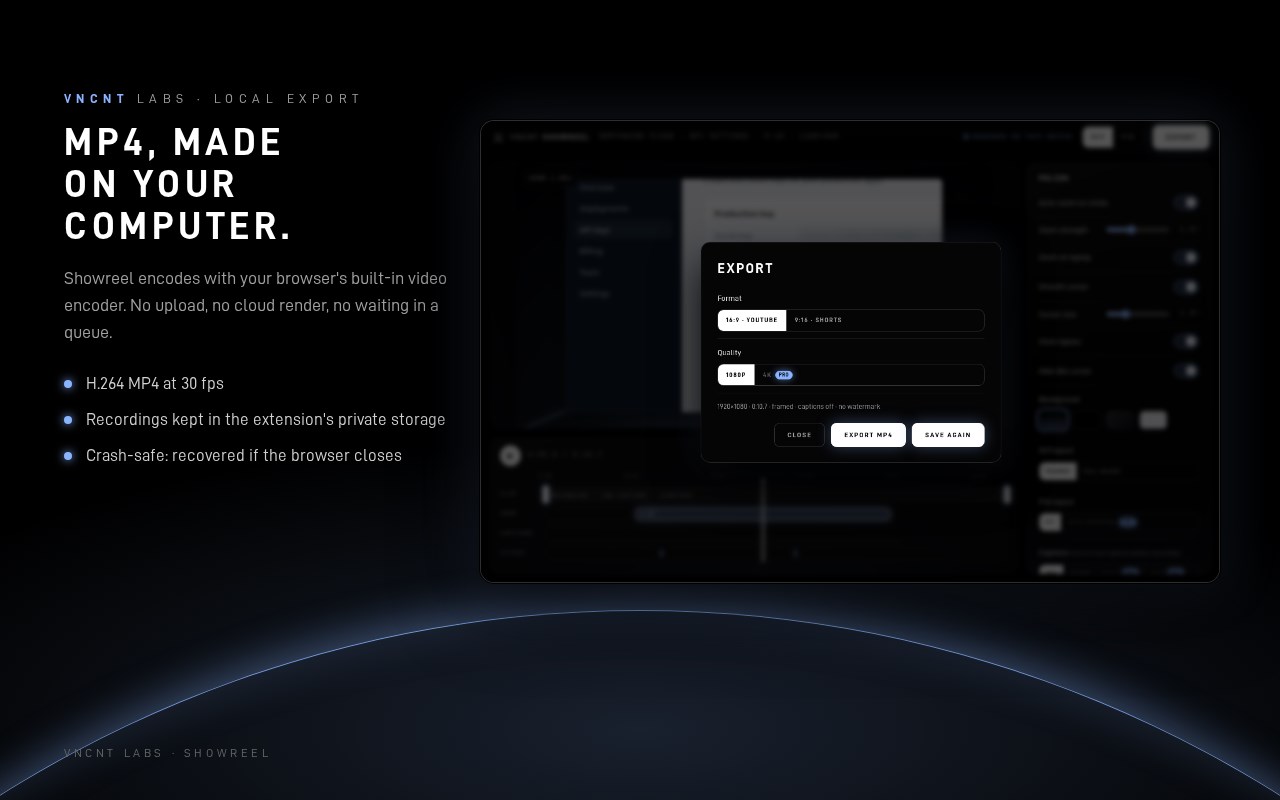
5. Export MP4 in 16:9 (1080p) or 9:16 for Shorts. The file is made on your device and saved to your downloads.
POLISH, AUTOMATICALLY
• Auto-zoom on clicks and typing, with smooth eased camera moves that follow your cursor
• A redrawn, smooth cursor (no jitter) with click ripples; idle cursor fades out
• Framed layout on a clean background, or full bleed
• Captions from your narration, editable, plus SRT export
PRIVACY SHIELD
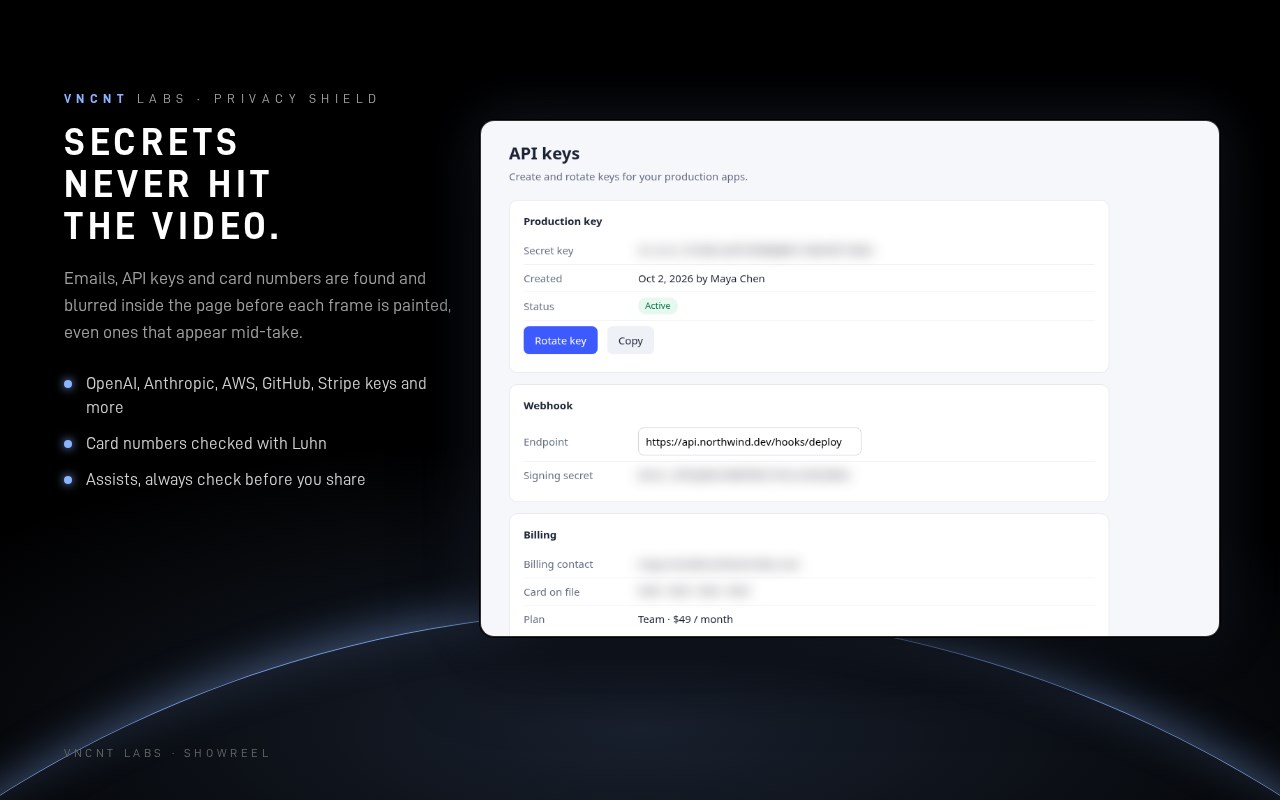
• Automatically detects and blurs email addresses, API keys and tokens (OpenAI, Anthropic, AWS, GitHub, Stripe and more), and card numbers (checked with the Luhn algorithm), including ones that appear while you record
• The blur is applied inside the page before each frame is painted, so it's in the video itself, not added afterwards
• Review what was found and unblur anything you want to show; click any other element to hide it too, remembered per site
• Assists, always check: no detector is perfect, so preview your video before you share it
PRIVATE BY DESIGN
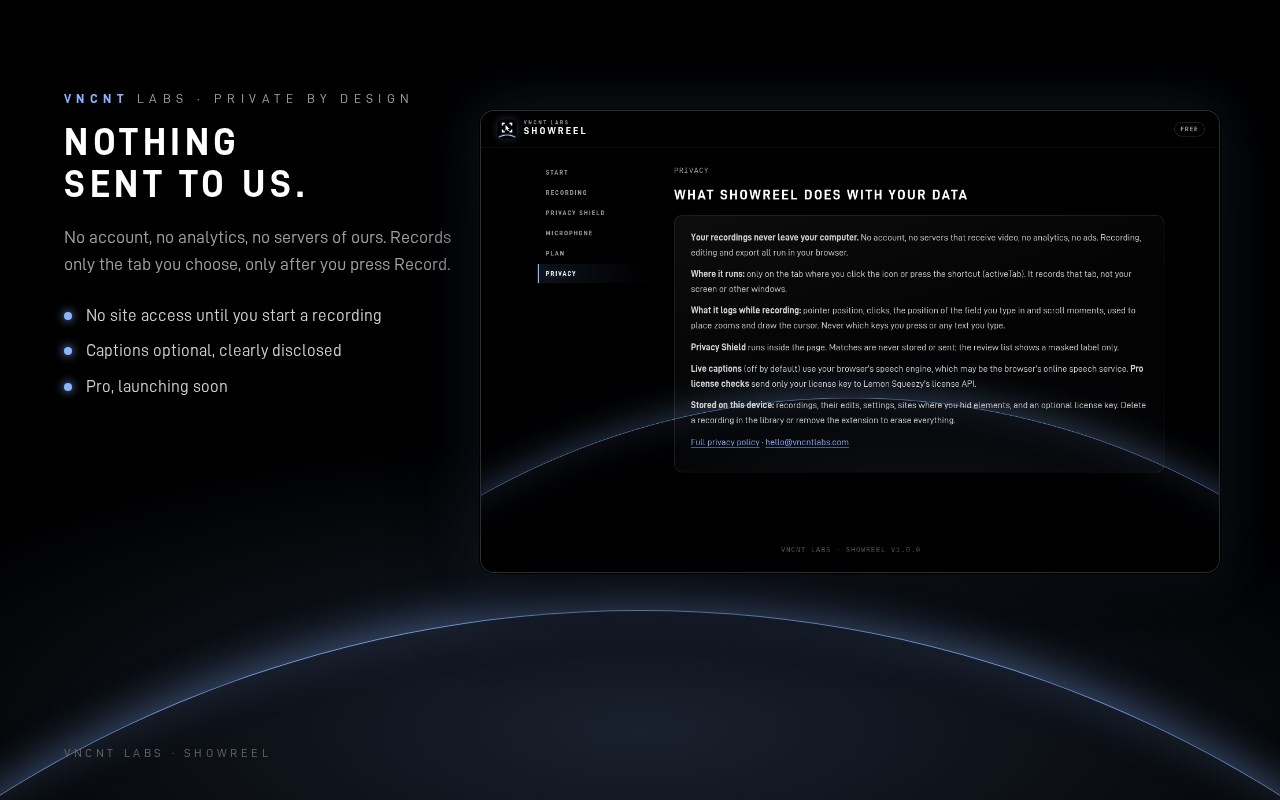
• Recordings never leave your computer. They're stored in the extension's private storage and exported locally with your browser's built-in video encoder. No upload, no account, no cloud.
• The extension makes no network requests of its own. No analytics, no ads, no tracking.
• Captions use your browser's built-in speech recognition, so your narration audio is processed by the browser's own speech service (Google in Chrome, Microsoft in Edge). We say this plainly because you deserve to know. Captions are off unless you turn them on.
• Records only the tab you choose, only after you press Record. No access to any website before that.
• Crash-safe: if the browser closes mid-recording, the recording is recovered next time.
PLANS
Free: tab recordings up to 10 minutes, 1080p export, auto-zoom, smooth cursor, Privacy Shield (auto-detect + click-to-hide), captions, 9:16 export (fit layout). No watermark.
Pro (launching soon): unlimited length, 4K export, Shorts auto-reframe that follows your cursor, bold caption styles and a brand kit.
KNOWN LIMITS
Records one tab (not your whole screen or other apps). Browser pages and extension stores can't be recorded. On Linux, exported MP4 audio is Opus (the browser has no AAC encoder there); it plays in browsers, VLC and on YouTube, but some older players may not support it.
Built by VNCNT Labs. Chrome and YouTube are trademarks of Google LLC; Edge is a trademark of Microsoft Corporation. Not affiliated with or endorsed by either.
VNCNT Showreel: Tab Screen Recorder with Auto-Zoom & Privacy Blur 是做什么的
VNCNT Showreel: Tab Screen Recorder with Auto-Zoom & Privacy Blur 是一款面向 Edge 的效率工具类扩展,主要用来管住注意力、屏蔽干扰站点、记录时间。官方对它的介绍是:Record a tab, get auto-zoom on clicks and a smooth cursor, blur emails and API keys, export MP4 for YouTube and Shorts.在微软 Edge 加载项商店上,它当前版本 1.0.2。
适合什么人用
从功能定位看,VNCNT Showreel: Tab Screen Recorder with Auto-Zoom & Privacy Blur 更适合想专注工作学习、减少无效刷网页的用户。如果你平时只是偶尔遇到相关需求,用浏览器自带功能也能凑合;但如果这件事每天都发生,装一个专门处理它的扩展通常比手动操作省事得多。
怎么安装 VNCNT Showreel: Tab Screen Recorder with Auto-Zoom & Privacy Blur
- 打开微软 Edge 加载项商店上的官方页面;
- 点「添加到浏览器」并确认权限提示;
- 装好后在扩展列表里固定图标,方便随时开关。
本站只做索引与介绍,安装包来自官方商店。如果商店页面提示当前地区不可用,说明该扩展未在你所在区域上架。
常见问题
VNCNT Showreel: Tab Screen Recorder with Auto-Zoom & Privacy Blur 是免费的吗?
VNCNT Showreel: Tab Screen Recorder with Auto-Zoom & Privacy Blur 在微软 Edge 加载项商店免费提供下载。它是浏览器扩展,装上就能直接用,不需要注册账号。
VNCNT Showreel: Tab Screen Recorder with Auto-Zoom & Privacy Blur 安全吗?
它只申请了 0 项权限,范围比较克制,没有申请「读取所有网站数据」这种大权限。
VNCNT Showreel: Tab Screen Recorder with Auto-Zoom & Privacy Blur 支持哪些浏览器?
当前收录的版本来自微软 Edge 加载项商店,适用于 Edge。同一个扩展在其他商店可能有对应版本,但功能与版本号不一定相同。
怎么卸载 VNCNT Showreel: Tab Screen Recorder with Auto-Zoom & Privacy Blur?
在扩展管理页找到 VNCNT Showreel: Tab Screen Recorder with Auto-Zoom & Privacy Blur,点移除即可。它在本地保存的设置会一起清掉,不会残留数据。
权限清单 来自 manifest.json 原文
接口权限 6
activeTaboffscreenscriptingstoragetabCaptureunlimitedStorage