
Vishwa AI - AI Shopping Co-Pilot EN
Vishwa AI Tech · EEdge MV3
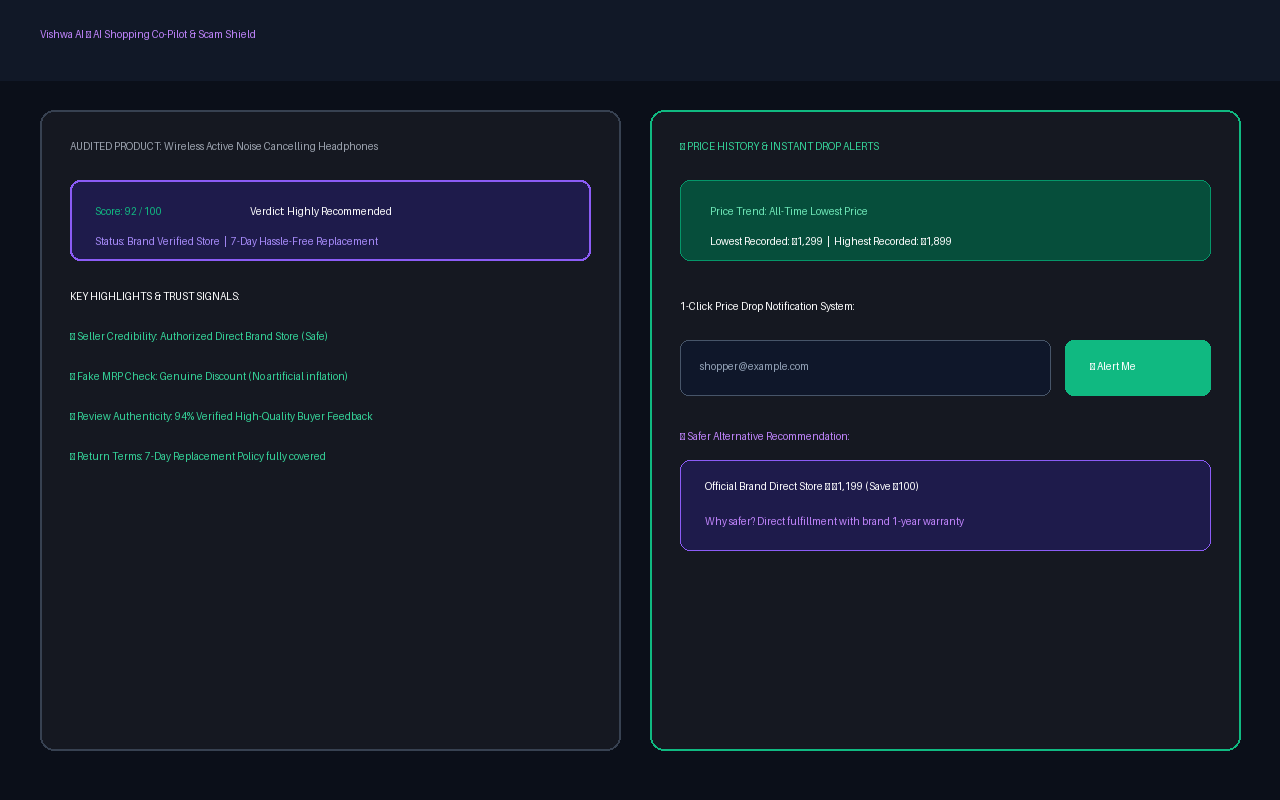
AI shopping co-pilot that evaluates seller legitimacy, review authenticity, and price fairness across e-commerce stores.
截图
简介
Vishwa AI is an intelligent AI Shopping Co-Pilot & Scam Shield designed to give consumers complete confidence when shopping online across Amazon, Flipkart, and leading e-commerce platforms.
🛡️ KEY FEATURES:
• Seller Legitimacy Forensics: Identifies verified brand stores, platform-fulfilled logistics, and flags high-risk unverified 3rd-party sellers.
• Artificial MRP & Fake Discount Buster: Detects deceptive 80%+ discount markups where original list prices are artificially inflated.
• Review Authenticity Analysis: Detects automated bot review bursts and generic one-liner spam.
• Return Policy Watchdog: Highlights "Replacement Only" and non-returnable listings before checkout.
• Persistent Price History & 1-Click Price Drop Alerts: Track product prices over time and get notified whenever prices drop.
• 1-Click Community Scam Reporting: Warn fellow shoppers and flag suspicious counterfeit listings.
Vishwa AI operates with zero data tracking of personal browsing history and requires no login.
Vishwa AI - AI Shopping Co-Pilot 是做什么的
Vishwa AI - AI Shopping Co-Pilot 是一款面向 Edge 的购物比价类扩展,主要用来比价、查历史价格、自动套用优惠券、返现。官方对它的介绍是:AI shopping co-pilot that evaluates seller legitimacy, review authenticity, and price fairness across e-commerce stores.在微软 Edge 加载项商店上,它当前版本 1.0.2,约 5 名用户。
适合什么人用
从功能定位看,Vishwa AI - AI Shopping Co-Pilot 更适合经常网购、想在下单前确认是否真便宜的用户。如果你平时只是偶尔遇到相关需求,用浏览器自带功能也能凑合;但如果这件事每天都发生,装一个专门处理它的扩展通常比手动操作省事得多。
怎么安装 Vishwa AI - AI Shopping Co-Pilot
- 打开微软 Edge 加载项商店上的官方页面;
- 点「添加到浏览器」并确认权限提示;
- 装好后在扩展列表里固定图标,方便随时开关。
本站只做索引与介绍,安装包来自官方商店。如果商店页面提示当前地区不可用,说明该扩展未在你所在区域上架。
常见问题
Vishwa AI - AI Shopping Co-Pilot 是免费的吗?
Vishwa AI - AI Shopping Co-Pilot 在微软 Edge 加载项商店免费提供下载。它是浏览器扩展,装上就能直接用,不需要注册账号。
Vishwa AI - AI Shopping Co-Pilot 安全吗?
它只申请了 0 项权限,范围比较克制,没有申请「读取所有网站数据」这种大权限。
Vishwa AI - AI Shopping Co-Pilot 支持哪些浏览器?
当前收录的版本来自微软 Edge 加载项商店,适用于 Edge。同一个扩展在其他商店可能有对应版本,但功能与版本号不一定相同。
怎么卸载 Vishwa AI - AI Shopping Co-Pilot?
在扩展管理页找到 Vishwa AI - AI Shopping Co-Pilot,点移除即可。它在本地保存的设置会一起清掉,不会残留数据。
权限清单 来自 manifest.json 原文
接口权限 4
activeTabalarmsscriptingstorage