
VideoTextCopy EN
VideoTextCopy · EEdge MV3
VideoTextCopy lets you pause any video and copy the text on screen.
截图
简介
🚀 VideoTextCopy — Stop Retyping What You See On Screen
Ever paused a video just to copy a subtitle, a line of code, or a slide of text — only to end up typing it out by hand? VideoTextCopy turns any text inside a video frame into real, selectable, copyable text in one shortcut.
✨ WHY YOU'LL LOVE IT
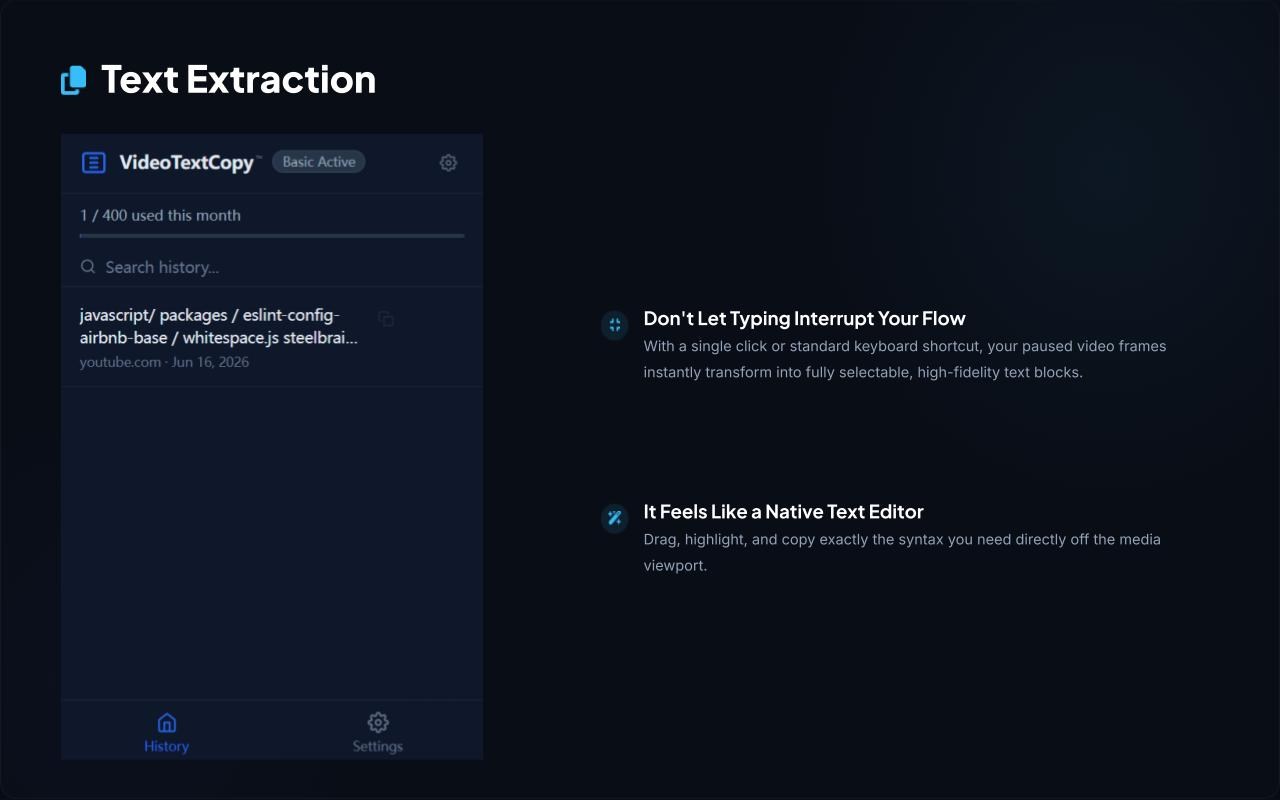
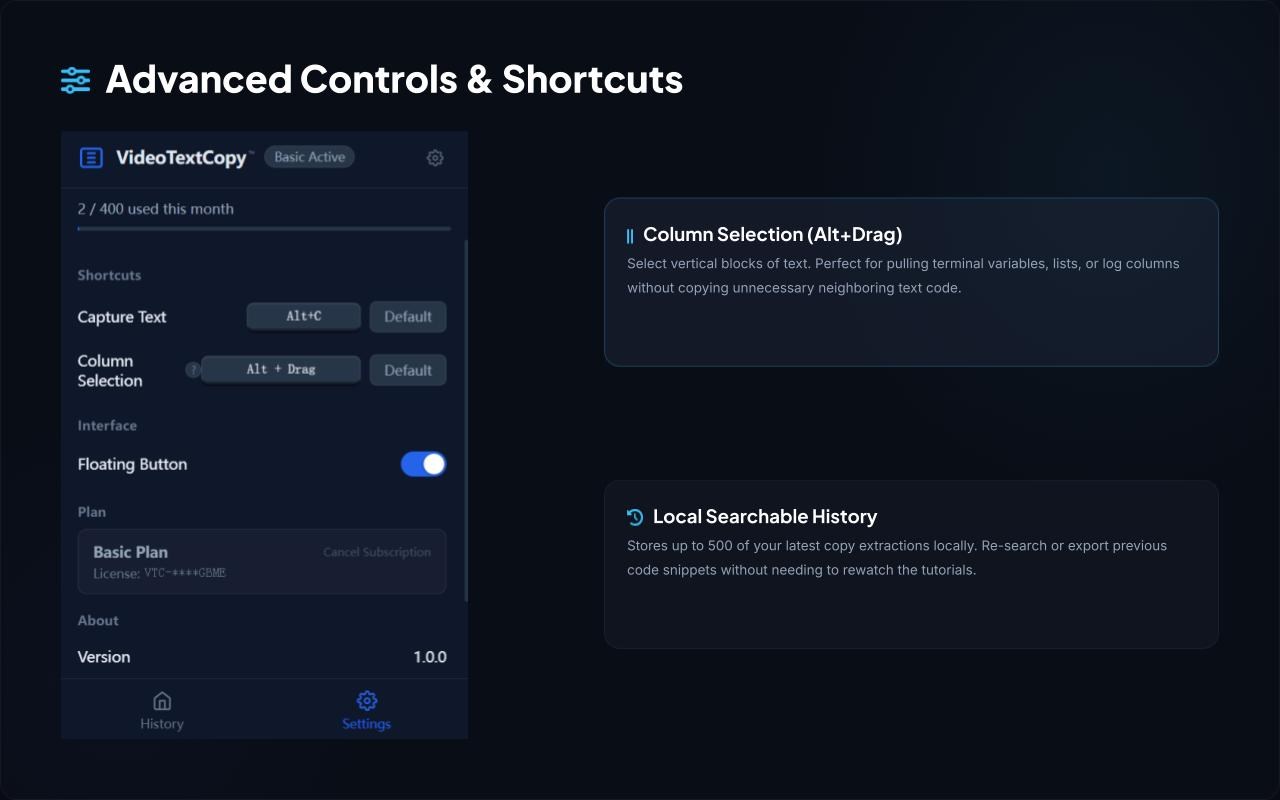
1. One shortcut (Alt+C) — text appears as a clean overlay right on the video, instantly.
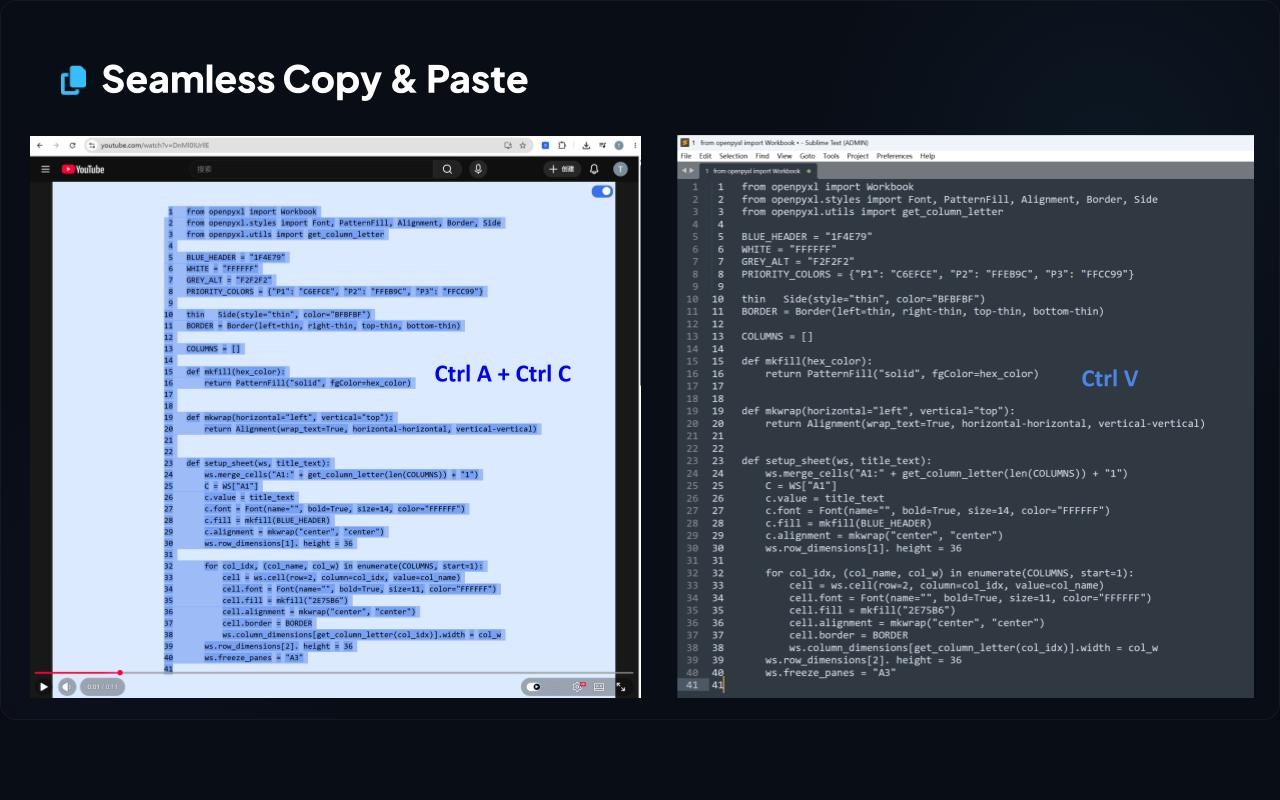
2. Select like a pro: drag-select, column-select (Alt+Drag), Ctrl+A / Ctrl+C — just like your favorite text editor.
3. Built-in recognition history so you never lose a snippet you've already extracted.
4. Works on the sites you're already on: YouTube, Netflix, Bilibili, TikTok, Coursera, Udemy, Zoom, Google Meet, Teams, and 50+ more — or activate it manually on any page.
📖 HOW TO USE IT
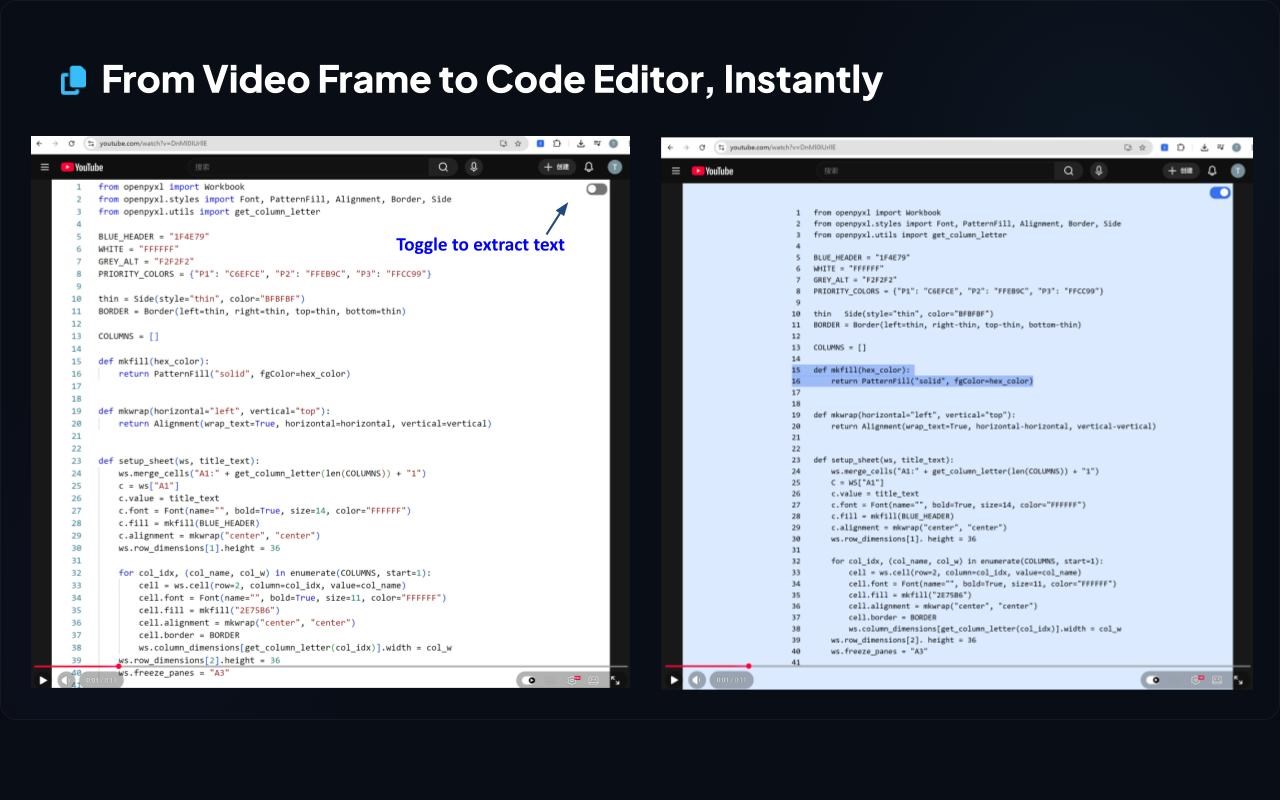
1. Pause the video at the moment you need.
2. Press Alt+C, or click the floating button on the player.
3. Select the recognized text and copy it — done.
🎬 PERFECT FOR
1. Students capturing slides and subtitles from online courses
2. Professionals grabbing key lines from meeting recordings
3. Anyone who needs text from a video — fast, accurate, no typing
🔒 PRIVACY & SECURITY
VideoTextCopy only reads the current frame the moment you trigger it — no background tracking, no recording, no silent data collection. Full details at videotextcopy.com/privacy.
💬 GET STARTED FREE
Includes a free trial — no credit card required. Need more? Upgrade to Pro anytime at videotextcopy.com.
Questions or feedback? We're listening: support@videotextcopy.com
VideoTextCopy 是做什么的
VideoTextCopy 是一款面向 Edge 的效率工具类扩展,主要用来管住注意力、屏蔽干扰站点、记录时间。官方对它的介绍是:VideoTextCopy lets you pause any video and copy the text on screen.在微软 Edge 加载项商店上,它当前版本 1.0.0,约 6 名用户。
适合什么人用
从功能定位看,VideoTextCopy 更适合想专注工作学习、减少无效刷网页的用户。如果你平时只是偶尔遇到相关需求,用浏览器自带功能也能凑合;但如果这件事每天都发生,装一个专门处理它的扩展通常比手动操作省事得多。
怎么安装 VideoTextCopy
- 打开微软 Edge 加载项商店上的官方页面;
- 点「添加到浏览器」并确认权限提示;
- 装好后在扩展列表里固定图标,方便随时开关。
本站只做索引与介绍,安装包来自官方商店。如果商店页面提示当前地区不可用,说明该扩展未在你所在区域上架。
常见问题
VideoTextCopy 是免费的吗?
VideoTextCopy 在微软 Edge 加载项商店免费提供下载。它是浏览器扩展,装上就能直接用,不需要注册账号。
VideoTextCopy 安全吗?
它只申请了 0 项权限,范围比较克制,没有申请「读取所有网站数据」这种大权限。
VideoTextCopy 支持哪些浏览器?
当前收录的版本来自微软 Edge 加载项商店,适用于 Edge。同一个扩展在其他商店可能有对应版本,但功能与版本号不一定相同。
怎么卸载 VideoTextCopy?
在扩展管理页找到 VideoTextCopy,点移除即可。它在本地保存的设置会一起清掉,不会残留数据。
权限清单 来自 manifest.json 原文
接口权限 4
activeTaboffscreenscriptingstorage