
Video downloader for Facebook EN
StNapps · EEdge MV3
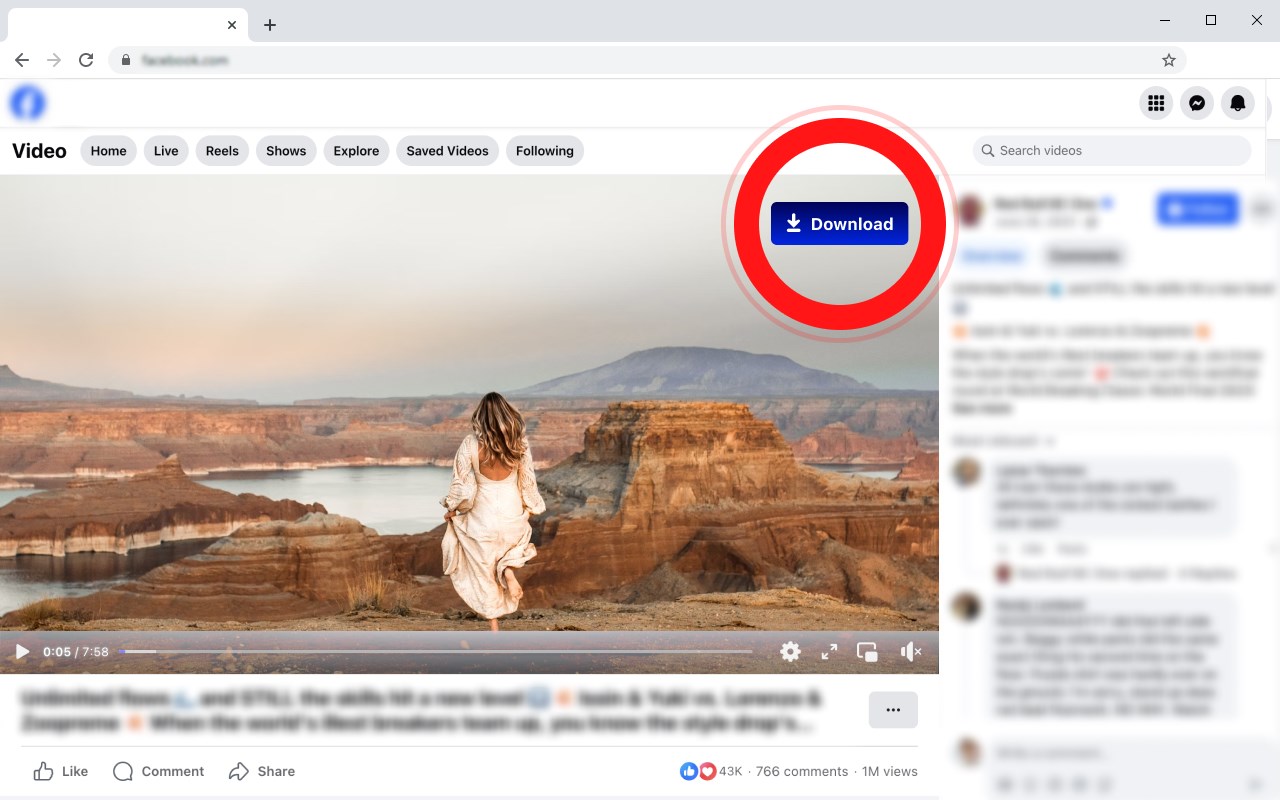
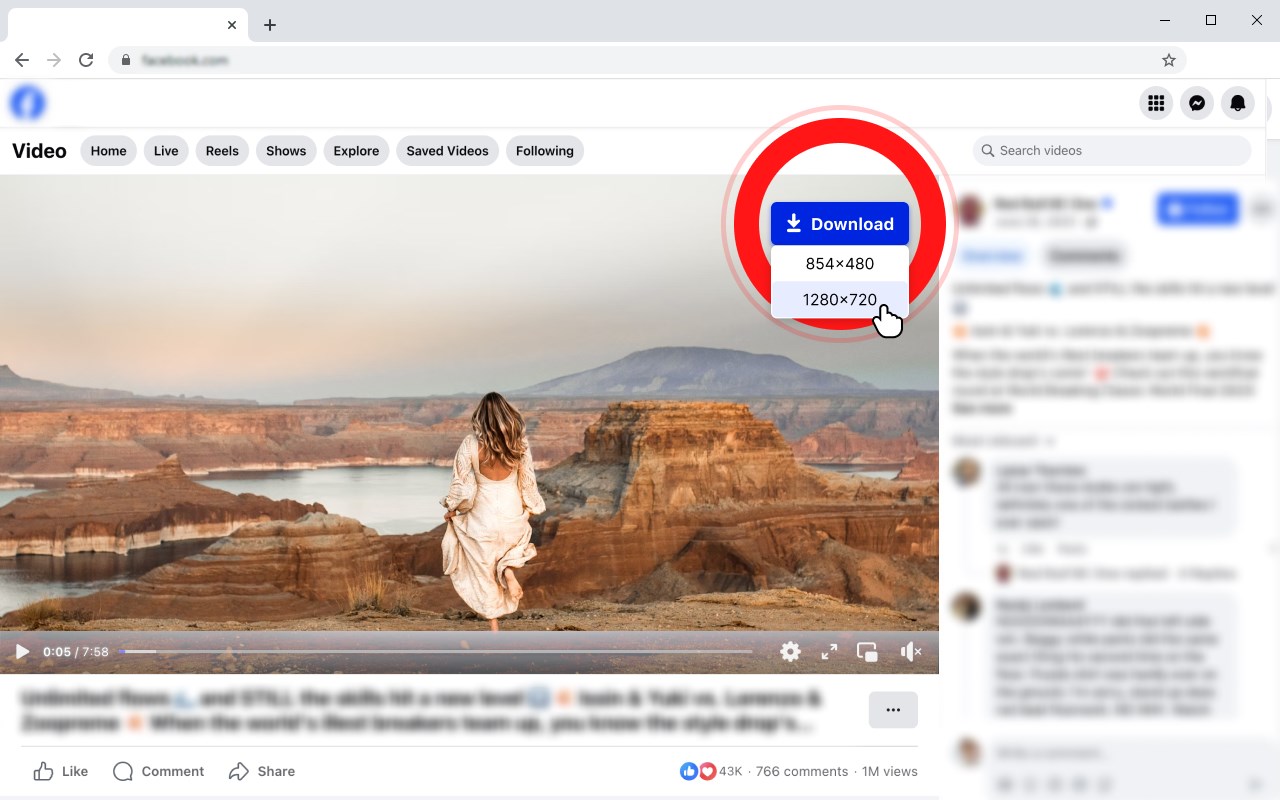
Download Video from Facebook. You can also download any Embedded Facebook Video from any website. Save Facebook Videos in one click
截图
简介
FVD Video Downloader for Facebook: The Easiest Way to Save Facebook Videos
Save Facebook Videos Quickly and Easily with FVD Video Downloader
If you're tired of searching for a reliable tool to download Facebook videos, your search ends here. FVD Video Downloader for Facebook is your ultimate solution for saving any video from Facebook directly to your device. Whether it's a video on your feed, a clip in a group, or even an embedded Facebook video on an external website, this downloader simplifies the entire process into just a few clicks.
Why Choose FVD Video Downloader for Facebook?
FVD Video Downloader is built with simplicity and reliability in mind. Its sole purpose is to help you save Facebook videos without unnecessary features or complications.
The tool is lightweight, easy to use, and never fails to deliver. Here's why users love it:
• Download Any Facebook Video: Easily download videos from facebook.com, whether they're on your feed, in a group, or on a page.
• Support for Embedded Facebook Videos: FVD also allows you to save Facebook videos that are embedded on external websites, making it incredibly versatile.
• Quick and Hassle-Free: The downloader is designed to work seamlessly, ensuring you get the videos you want without delays or errors.
How to Use FVD Video Downloader for Facebook
Using FVD Video Downloader is as simple as it gets. Follow these steps, and you'll have your favorite Facebook videos saved in no time:
1. Install the Extension: Add FVD Video Downloader for Facebook to your Edge browser in a few clicks.
2. Reload Your Facebook Page: After installation, refresh your current Facebook page to activate the extension.
3. Download Videos: When you see a video you'd like to save, click the "Download" button, and the tool will do the rest.
That's it! Your downloaded videos will be saved directly to your browser's default download folder, ready for offline viewing.
Bonus Shortcuts for Enhanced Navigation
To make your video browsing and downloading experience even smoother, FVD Video Downloader includes handy keyboard shortcuts:
• Shift + F + Arrow Left: Skip to the next video on the page.
• Shift + F + Arrow Right: Go back to the previous video.
These shortcuts are perfect for quickly navigating through multiple videos without losing time.
Key Benefits of FVD Video Downloader for Facebook
• Works Anywhere on Facebook: Whether it's your feed, stories, or a group, FVD ensures you can download any video you encounter.
• Supports Videos on External Sites: Encounter a Facebook video embedded on another website? FVD has you covered! Download embedded Facebook videos directly from the page.
• Reliable and User-Friendly: The tool is built for efficiency, with a simple interface that anyone can use. No unnecessary steps or confusing menus—just straightforward functionality.
Why Users Love FVD Video Downloader
FVD Video Downloader for Facebook has earned the trust of thousands of users thanks to its reliability and simplicity. Whether you're saving videos for offline viewing, sharing them with friends, or archiving important content, this tool gets the job done perfectly every time.
💙 Enjoy FVD Video Downloader for Facebook Today!
Install the extension, start downloading your favorite Facebook videos, and take control of your content. Don't forget to leave us a review on the Edge add-ons to share your experience!
Video downloader for Facebook 是做什么的
Video downloader for Facebook 是一款面向 Edge 的实用工具类扩展,主要用来解决浏览器里某类具体的小问题。官方对它的介绍是:Download Video from Facebook. You can also download any Embedded Facebook Video from any website. Save Facebook Videos in one click在微软 Edge 加载项商店上,它当前版本 1.0.4,约 608 名用户。
适合什么人用
从功能定位看,Video downloader for Facebook 更适合想补上浏览器原生缺失功能的用户。如果你平时只是偶尔遇到相关需求,用浏览器自带功能也能凑合;但如果这件事每天都发生,装一个专门处理它的扩展通常比手动操作省事得多。
怎么安装 Video downloader for Facebook
- 打开微软 Edge 加载项商店上的官方页面;
- 点「添加到浏览器」并确认权限提示;
- 装好后在扩展列表里固定图标,方便随时开关。
本站只做索引与介绍,安装包来自官方商店。如果商店页面提示当前地区不可用,说明该扩展未在你所在区域上架。
常见问题
Video downloader for Facebook 是免费的吗?
Video downloader for Facebook 在微软 Edge 加载项商店免费提供下载。它是浏览器扩展,装上就能直接用,不需要注册账号。
Video downloader for Facebook 安全吗?
它只申请了 0 项权限,范围比较克制,没有申请「读取所有网站数据」这种大权限。
Video downloader for Facebook 支持哪些浏览器?
当前收录的版本来自微软 Edge 加载项商店,适用于 Edge。同一个扩展在其他商店可能有对应版本,但功能与版本号不一定相同。
怎么卸载 Video downloader for Facebook?
在扩展管理页找到 Video downloader for Facebook,点移除即可。它在本地保存的设置会一起清掉,不会残留数据。
权限清单 来自 manifest.json 原文
接口权限 4
downloadsoffscreenstoragetabs