
Vhumo - Bookmark Sidebar EN
SolutionApp · EEdge MV3
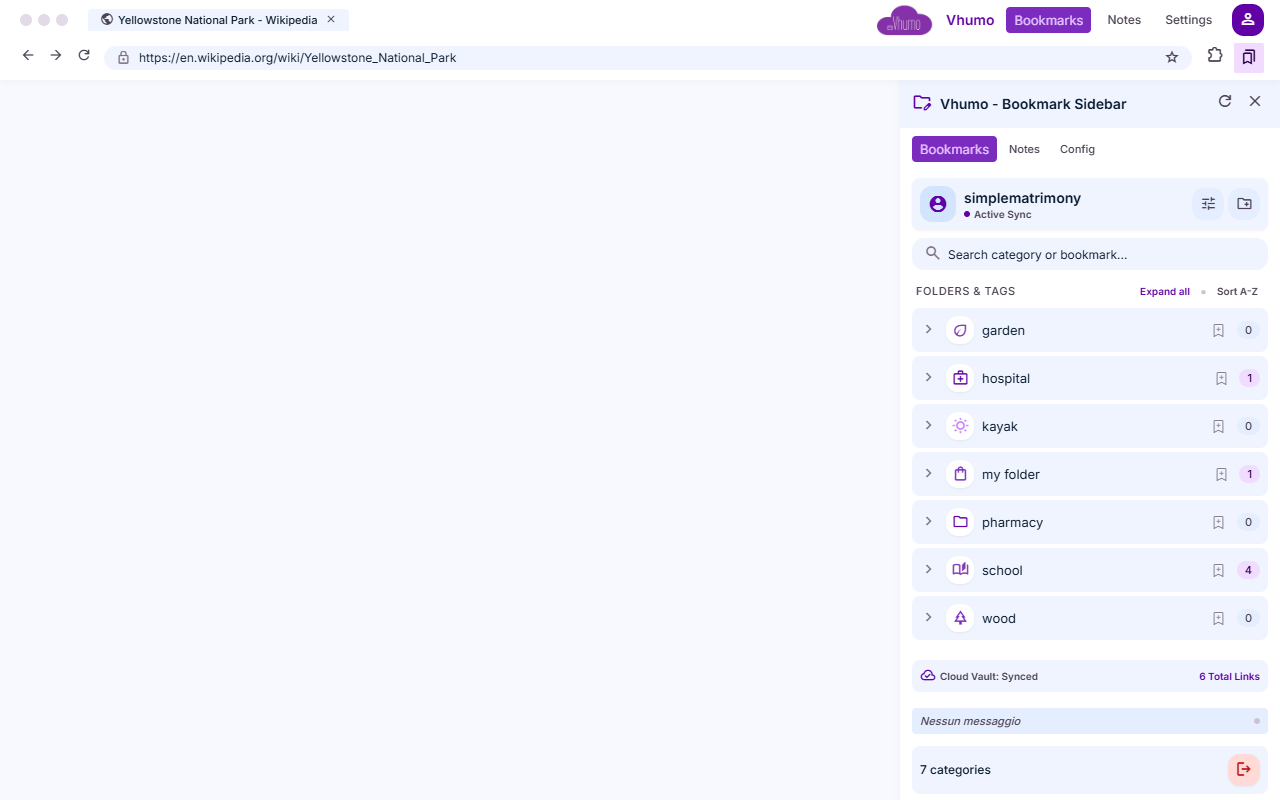
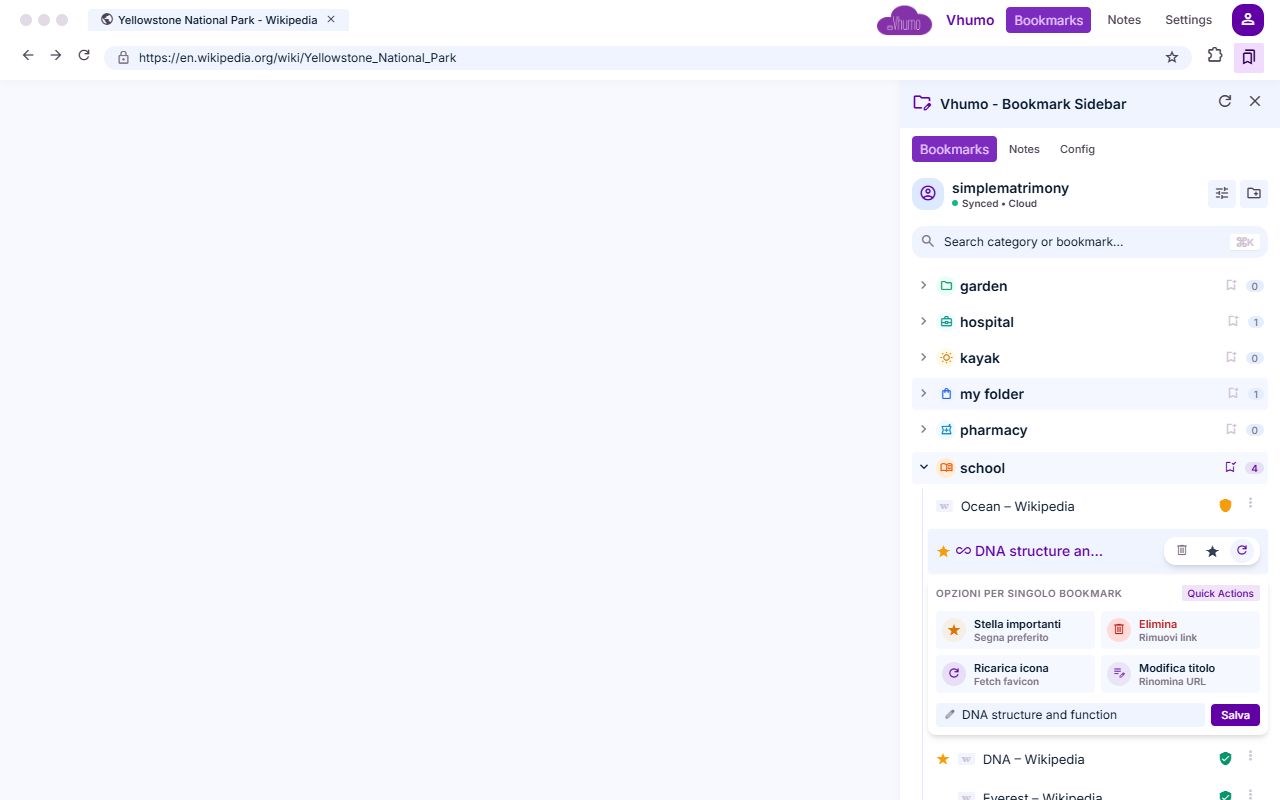
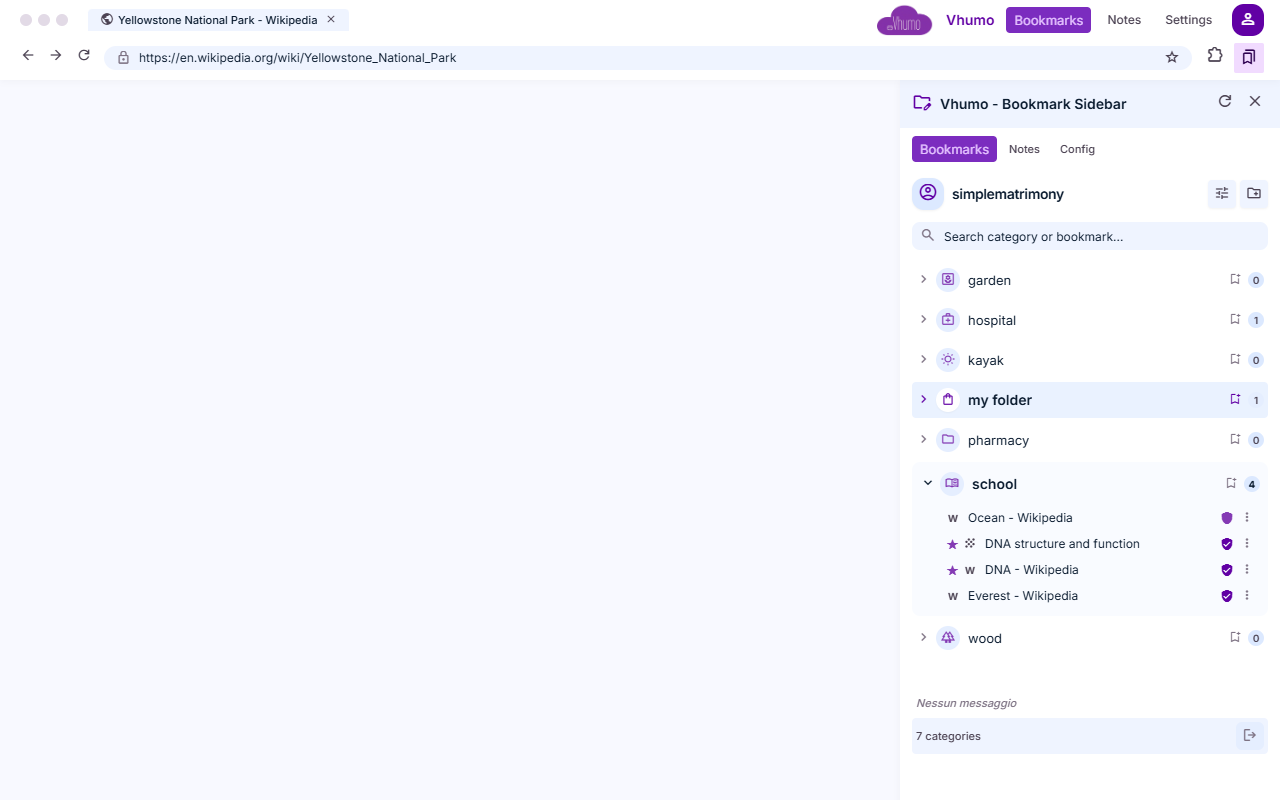
Side panel to manage Vhumo categories and bookmarks directly from the browser.
截图
简介
Vhumo is an online service that allows you to collect and organize all your favorite websites in one place. Essentially, instead of having dozens or hundreds of sites saved in your browser's bookmarks, you can use Vhumo to create a personal collection of links—accessible online and organized exactly how you prefer.
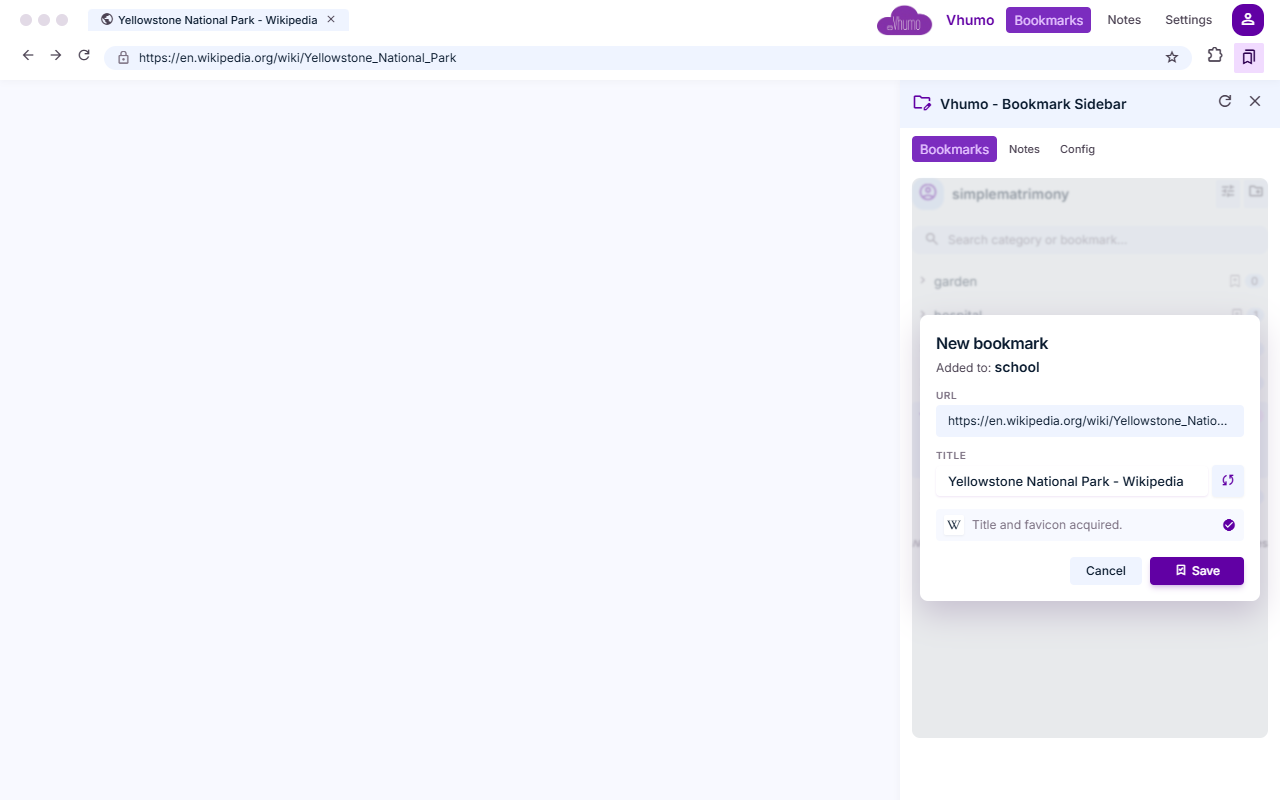
When you save a site, Vhumo can automatically identify its name and icon, ensuring each bookmark is presented clearly and is easily recognizable. Before a link is added, the system can also verify its safety, helping to flag potentially dangerous sites, malware, or phishing attempts.
You can organize your links into categories, which you can create and customize by choosing a name, color, and icon. For instance, you could set up categories for work, social media, news, online shopping, and so on. These categories can be further refined using tags, making it easy to quickly find what you’re looking for—even as your collection grows quite large.
Vhumo also lets you share your categories with others. You can generate a public link to send to a colleague, friend, or client, for example. You can even set an expiration date for shared links, so they don’t necessarily remain accessible indefinitely.
Security is another key feature. Saved links can undergo periodic checks for potential threats, and the system performs a security scan whenever you add a new site. Additionally, there are protective measures in place to guard against automated or repeated unauthorized access attempts.
Vhumo also incorporates artificial intelligence features; when relevant, the system can suggest alternative links or resources similar to what you are looking for. Suggested links are clearly identified as such and can be verified before use.
The application is designed to work seamlessly on computers, smartphones, and tablets. The interface automatically adapts to the screen size and provides tools for quick access to key features. These include, for example, a side menu that can be opened or hidden, buttons for rapidly adding new items, and informational windows that guide the user while using the service.
Vhumo is available in both Italian and English, and users can select their preferred interface language. Interactive tutorials are also provided, explaining the application's main functions step-by-step, alongside informational messages used to convey important alerts or details about the service.
To access Vhumo’s personal features, users must log in. User data and settings are managed via an online database, while specialized security systems protect access to the application and its communications.
Vhumo - Bookmark Sidebar 是做什么的
Vhumo - Bookmark Sidebar 是一款面向 Edge 的效率工具类扩展,主要用来管住注意力、屏蔽干扰站点、记录时间。官方对它的介绍是:Side panel to manage Vhumo categories and bookmarks directly from the browser.在微软 Edge 加载项商店上,它当前版本 1.0.0。
适合什么人用
从功能定位看,Vhumo - Bookmark Sidebar 更适合想专注工作学习、减少无效刷网页的用户。如果你平时只是偶尔遇到相关需求,用浏览器自带功能也能凑合;但如果这件事每天都发生,装一个专门处理它的扩展通常比手动操作省事得多。
怎么安装 Vhumo - Bookmark Sidebar
- 打开微软 Edge 加载项商店上的官方页面;
- 点「添加到浏览器」并确认权限提示;
- 装好后在扩展列表里固定图标,方便随时开关。
本站只做索引与介绍,安装包来自官方商店。如果商店页面提示当前地区不可用,说明该扩展未在你所在区域上架。
常见问题
Vhumo - Bookmark Sidebar 是免费的吗?
Vhumo - Bookmark Sidebar 在微软 Edge 加载项商店免费提供下载。它是浏览器扩展,装上就能直接用,不需要注册账号。
Vhumo - Bookmark Sidebar 安全吗?
它只申请了 0 项权限,范围比较克制,没有申请「读取所有网站数据」这种大权限。
Vhumo - Bookmark Sidebar 支持哪些浏览器?
当前收录的版本来自微软 Edge 加载项商店,适用于 Edge。同一个扩展在其他商店可能有对应版本,但功能与版本号不一定相同。
怎么卸载 Vhumo - Bookmark Sidebar?
在扩展管理页找到 Vhumo - Bookmark Sidebar,点移除即可。它在本地保存的设置会一起清掉,不会残留数据。
权限清单 来自 manifest.json 原文
接口权限 3
sidePanelstoragetabs