
Ultra Dark Mode EN
Harry Ng · EEdge MV3
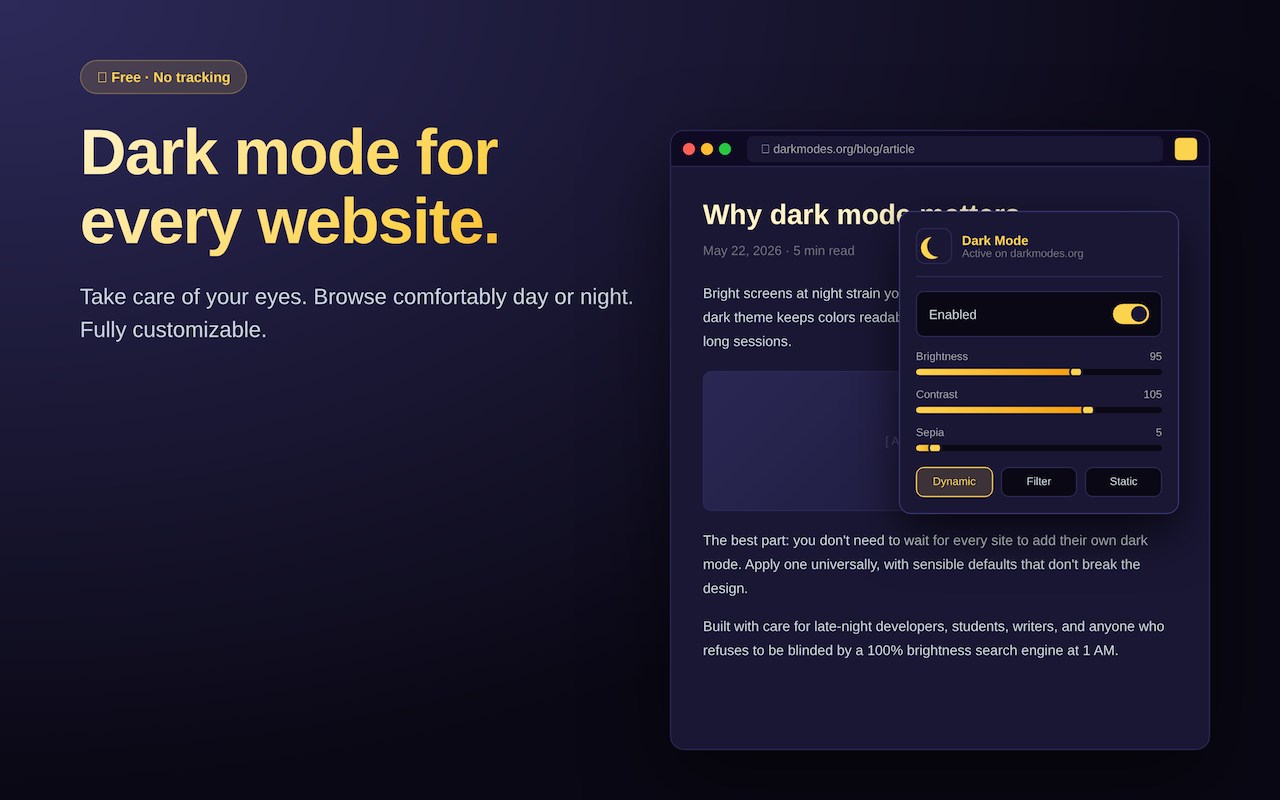
Dark mode for every website. Take care of your eyes, use dark theme for night and daily browsing.
<all_urls>),意味着它可以读取你在任意站点的页面内容,包括已登录的页面。这是许多扩展正常工作的必要条件,但也值得你确认来源可信。
截图
简介
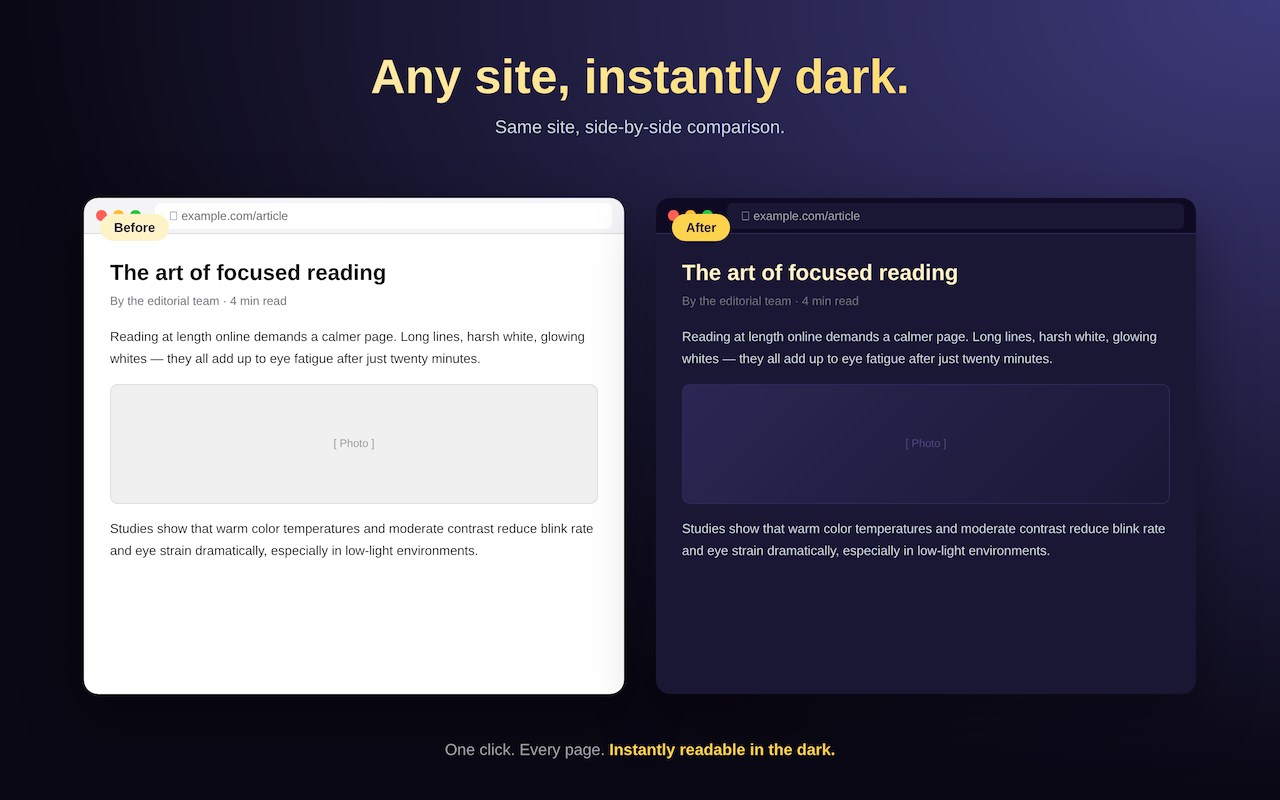
Ultra Dark Mode turns every website into a comfortable, eye-friendly dark theme — instantly. No more squinting at glowing white pages at midnight, no more battery-drain on OLED screens, no more waiting for sites to add their own dark mode.
━━━━━━━━━━━━━━━━━━━━━━━━━
WHAT IT DOES
━━━━━━━━━━━━━━━━━━━━━━━━━
• Generates a high-quality dark theme for any website on the fly
• Works on the messy pages other dark-mode tools give up on
• Preserves images, videos, and intentional brand colors
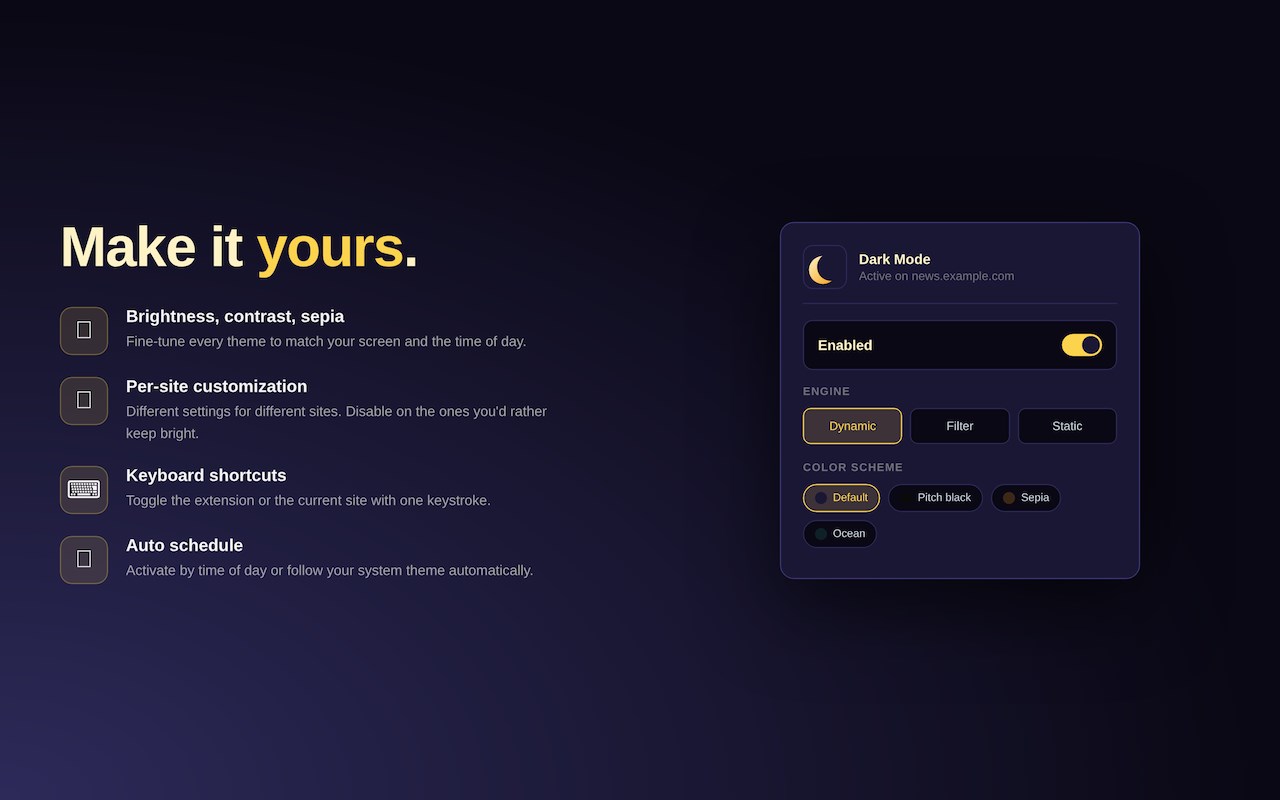
• Lets you fine-tune brightness, contrast, sepia, and grayscale
• Saves per-site preferences so each site looks exactly the way you want
• Schedules dark mode by time of day or follows your system theme
• One keyboard shortcut to toggle on or off (Alt+Shift+D)
━━━━━━━━━━━━━━━━━━━━━━━━━
DESIGNED FOR LATE NIGHTS
━━━━━━━━━━━━━━━━━━━━━━━━━
We built Dark Mode for the writer wrapping up a draft at 1 AM, the developer reading docs in bed, the student researching at the kitchen table after the lights go out, and anyone whose eyes deserve a break from default bright-white screens.
Default settings ship with a slightly warmer balance (95 brightness, 105 contrast, 5 sepia) — just enough sepia to take the harsh edge off whites without making everything feel like an old paperback.
━━━━━━━━━━━━━━━━━━━━━━━━━
THREE THEME ENGINES
━━━━━━━━━━━━━━━━━━━━━━━━━
• Dynamic — analyzes each page and crafts a custom dark theme (best quality, recommended default)
• Filter — fast CSS filter inversion (best on slower machines)
• Static — applies a minimal stylesheet (most predictable)
Switch between them with one click in the popup. Each site can use a different engine.
━━━━━━━━━━━━━━━━━━━━━━━━━
PRIVACY FIRST
━━━━━━━━━━━━━━━━━━━━━━━━━
We don't collect anything. No analytics. No telemetry. No accounts. No "anonymous" tracking. No data leaves your browser, period.
The extension runs entirely on your device, using bundled configuration files for theme generation. There are no remote servers to phone home to, because we don't have any.
Your settings stay on your machine, optionally syncing through your browser's built-in sync (which we cannot see). Read the full policy at https://darkmodes.org/privacy.html.
━━━━━━━━━━━━━━━━━━━━━━━━━
FEATURES
━━━━━━━━━━━━━━━━━━━━━━━━━
• Brightness, contrast, sepia, grayscale sliders
• Custom font and stroke options
• Per-site theme overrides
• Allow-list and block-list for sites
• Time-based or system-theme automation
• Keyboard shortcuts (Alt+Shift+D toggle, Alt+Shift+A per-site)
• Multiple color schemes (Default, Pitch Black, Sepia, Ocean, more)
• Detection of sites that already provide dark mode (won't double-apply)
• PDF reader dark mode
━━━━━━━━━━━━━━━━━━━━━━━━━
PERMISSIONS, EXPLAINED
━━━━━━━━━━━━━━━━━━━━━━━━━
• Read and change all data on websites — required to inject the dark theme CSS into the pages you visit
• Storage — saves your preferences locally on your device
• Alarms — runs the time-based schedule, if you enable it
• Tabs — knows which tab you're on so per-site settings apply correctly
• Context menu (optional) — lets you toggle from the right-click menu
• Font settings (optional) — only used if you choose to override site fonts
━━━━━━━━━━━━━━━━━━━━━━━━━
FREE FOREVER
━━━━━━━━━━━━━━━━━━━━━━━━━
No paywall. No "Pro" tier. No nag screens. No "support our work" pop-ups. Just a tool that does one thing well, and stays out of your way.
━━━━━━━━━━━━━━━━━━━━━━━━━
SUPPORT
━━━━━━━━━━━━━━━━━━━━━━━━━
Questions, bug reports, or feature requests? Email harryngh@gmail.com.
Website: https://darkmodes.org
Privacy: https://darkmodes.org/privacy.html
Terms: https://darkmodes.org/terms.html
Ultra Dark Mode 是做什么的
Ultra Dark Mode 是一款面向 Edge 的效率工具类扩展,主要用来管住注意力、屏蔽干扰站点、记录时间。官方对它的介绍是:Dark mode for every website. Take care of your eyes, use dark theme for night and daily browsing.在微软 Edge 加载项商店上,它当前版本 1.2.1,约 137 名用户。
适合什么人用
从功能定位看,Ultra Dark Mode 更适合想专注工作学习、减少无效刷网页的用户。如果你平时只是偶尔遇到相关需求,用浏览器自带功能也能凑合;但如果这件事每天都发生,装一个专门处理它的扩展通常比手动操作省事得多。需要注意的是它作用于所有网站,装上后建议先观察一两天,确认不影响常用站点的正常使用。
怎么安装 Ultra Dark Mode
- 打开微软 Edge 加载项商店上的官方页面;
- 点「添加到浏览器」并确认权限提示;
- 装好后在扩展列表里固定图标,方便随时开关。
本站只做索引与介绍,安装包来自官方商店。如果商店页面提示当前地区不可用,说明该扩展未在你所在区域上架。
常见问题
Ultra Dark Mode 是免费的吗?
Ultra Dark Mode 在微软 Edge 加载项商店免费提供下载。它是浏览器扩展,装上就能直接用,不需要注册账号。
Ultra Dark Mode 安全吗?
它只申请了 0 项权限,范围比较克制,没有申请「读取所有网站数据」这种大权限。
Ultra Dark Mode 支持哪些浏览器?
当前收录的版本来自微软 Edge 加载项商店,适用于 Edge。同一个扩展在其他商店可能有对应版本,但功能与版本号不一定相同。
怎么卸载 Ultra Dark Mode?
在扩展管理页找到 Ultra Dark Mode,点移除即可。它在本地保存的设置会一起清掉,不会残留数据。
权限清单 来自 manifest.json 原文
站点访问(可选) 1
*://*/*
接口权限 4
alarmsfontSettingsscriptingstorage
接口权限(可选) 1
contextMenus