
Twitter & X Bookmarks on New Tab — Totem EN
nnnkit · EEdge MV3
Your Twitter & X bookmarks, waiting on every new tab — finally read what you saved. Search, highlight, export. Local-first.
截图
简介
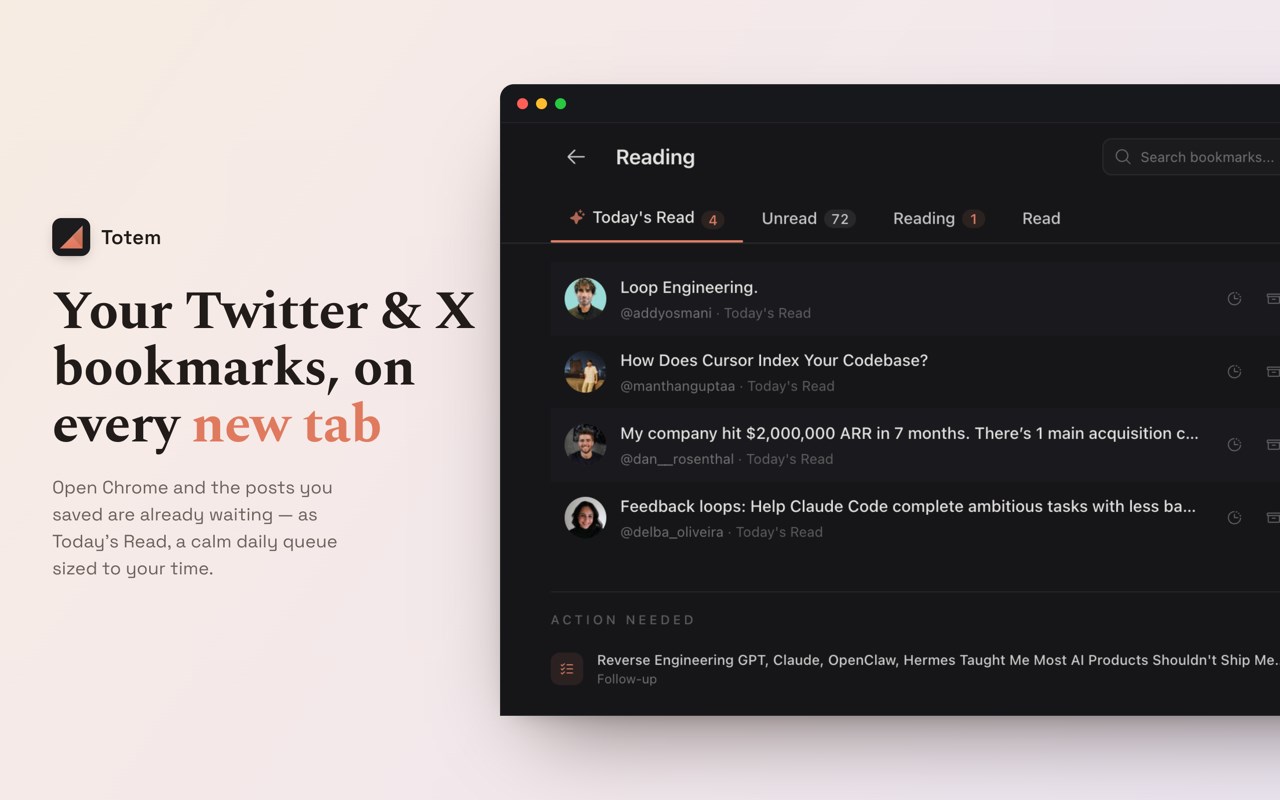
Totem is a local-first bookmark manager for Twitter and X, built around the one thing the others skip: actually reading what you save. It turns your browser's new tab into a calm reading queue for your Twitter/X bookmarks — a read-it-later for tweets, threads, and X articles — so the posts you save come back to you instead of vanishing.
Most people bookmark tweets and never return. And opening X to "check your bookmarks" turns into twenty minutes of doom-scrolling. Totem fixes both: your saved posts wait for you on every new tab. No feed, no algorithm, no noise.
EVERY NEW TAB IS YOUR READING QUEUE
• Your Twitter/X bookmarks appear automatically each time you open a tab
• Today's Read — a small, finite set of saved posts sized to your time (5, 15, or 30 minutes a day) so you make progress instead of drowning
• Clear reading states — Unread, Reading, and Read — with your scroll position saved and restored, right where you left off
• Snooze a post for later, file one as a reference, flag one as "action needed," or pull in "two more" when you're on a roll
• Pin up to 6 favorites; sort by recent, oldest, or annotated
• Keyboard-friendly throughout (j/k to move, / to search, Space to open)
A CLEAN READER FOR TWEETS & THREADS
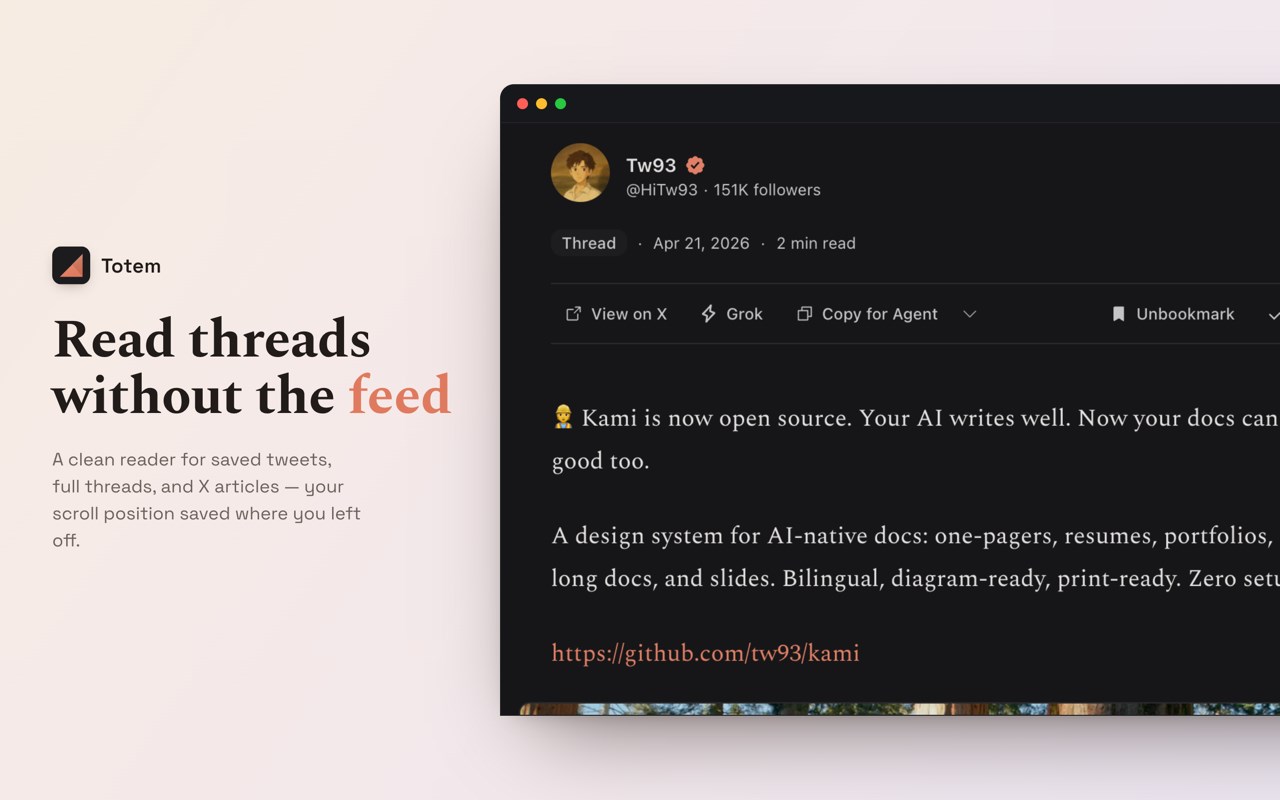
• Distraction-free reader for single tweets and full Twitter threads, rebuilt in order so you read the whole thing in one place
• Reads X long-form Articles in full — headings, lists, images, and video
• Rich link previews, quoted tweets, reposts, images, and video
• Jump to the next or previous bookmark, or hit "Surprise me" for a random unread
• Add an "Open in Totem" button right on X to send any tweet straight to the reader
SEARCH EVERY TWITTER BOOKMARK YOU'VE SAVED
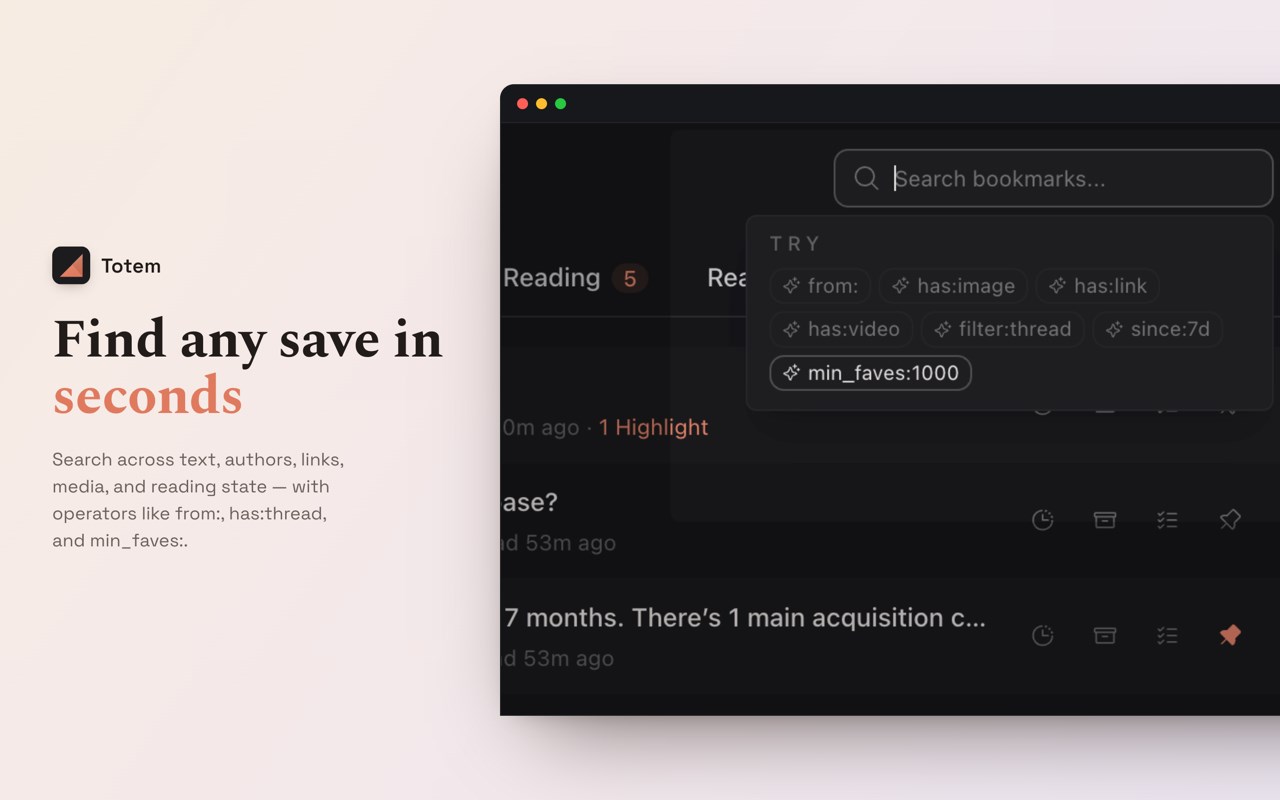
Full-text search across your entire library, with fuzzy matching and did-you-mean. Narrow it with real operators:
• from: / to: — by author
• since: / until: / within: — by date
• has:image, has:video, has:link, has:thread, has:article — by content type
• min_faves:, min_retweets:, min_replies: — by engagement
• Combine with AND / OR / NOT, "quoted phrases," and ( ) groups
HIGHLIGHT & ANNOTATE
• Highlight any passage in a tweet or article, in four colors
• Add private notes to anything you save
• Send a highlight to Grok with one click
• Highlights and notes stay on your device
EXPORT TWITTER BOOKMARKS & OWN YOUR LIBRARY
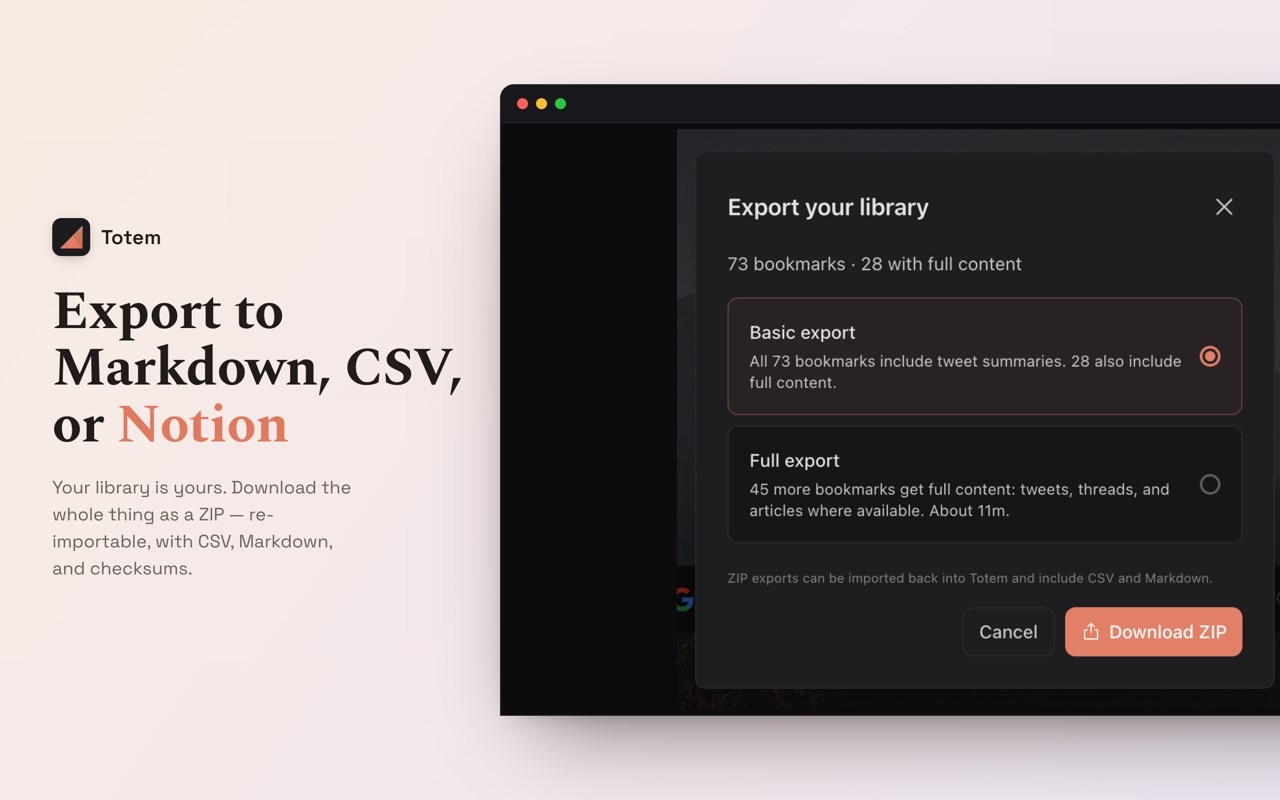
Your bookmarks are yours to take. Export the whole library to a single ZIP with:
• Markdown — one clean file per bookmark, threads included
• CSV — opens in Excel, Google Sheets, and Notion
• JSON (JSONL) — complete, re-importable data
• A manifest with SHA-256 checksums so you can verify the archive
You can also copy any post as Markdown, copy it for an AI assistant, or Print to PDF — and back up and restore your full library anytime.
WORKS OFFLINE
Totem prefetches your saved posts so you can keep reading on a plane or a weak connection. Your library lives in your browser, not on a server.
A CALMER NEW TAB
• A quiet clock and an optional web-search box
• Optional Quick Links to your most-visited sites
• Curated wallpapers or generated gradients
• Light, dark, and system themes
• A focus mode that dims everything but what you're reading
PRIVATE BY DESIGN
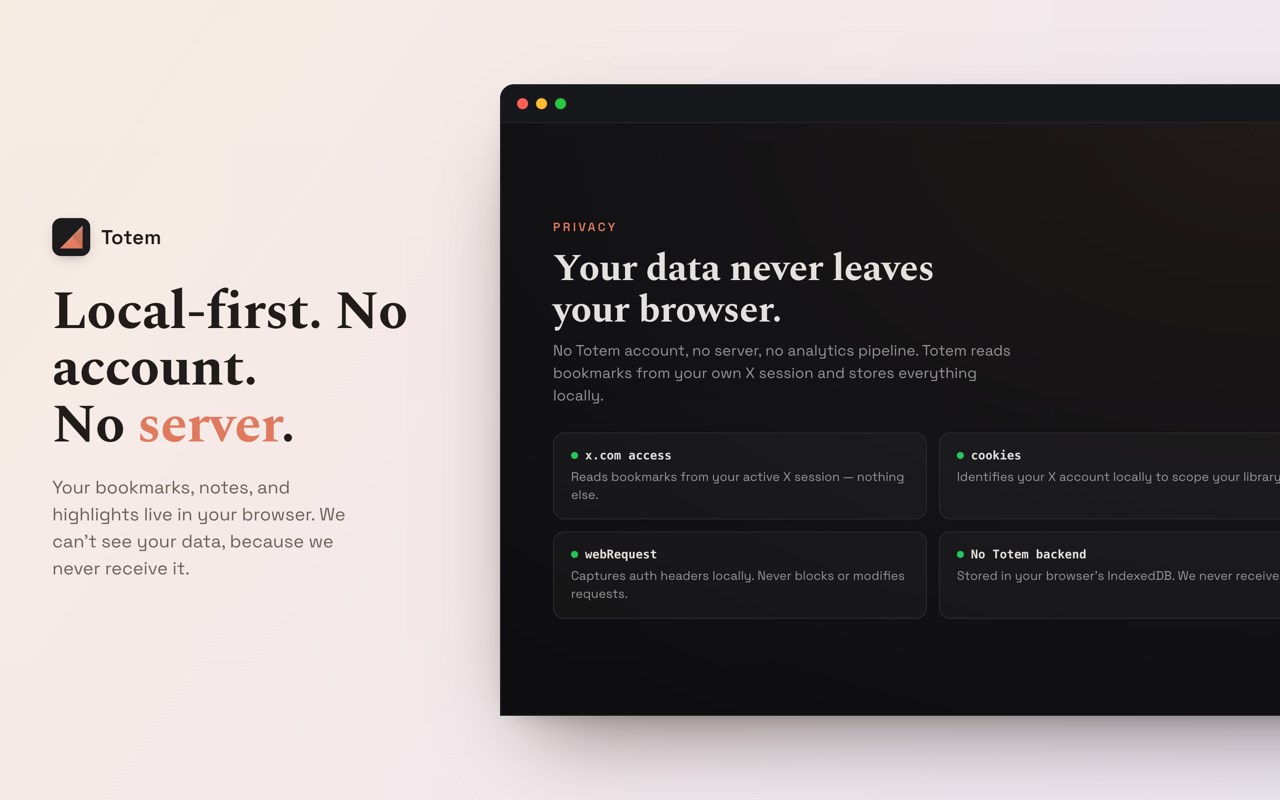
• Local-first: no Totem account, no login, no server
• Your bookmarks, highlights, and notes are stored in your browser's IndexedDB
• We can't see your data, because we never receive it
• Signed into more than one X account? Each gets its own separate local library
• Totem uses your existing X session only to sync your own bookmarks — no X Premium required
WHY TOTEM vs other Twitter bookmark managers
• It lives on your new tab. Other bookmark managers are websites you have to remember to open — Totem shows up on its own, every time you start browsing.
• It's built for reading, not just filing. Most tools help you store and export; Totem helps you actually finish what you saved.
• No bookmark limit, and no subscription to search your own saves.
• Local-first and private by default.
WHO IT'S FOR
• Heavy Twitter/X readers who save threads and never get back to them
• Anyone who wants a read-it-later for the posts they save on X
• People who want a calmer, more intentional new tab
• Privacy-conscious users who don't want a third-party server holding their saves
Open a new tab and start reading what you saved. That's Totem.
Twitter & X Bookmarks on New Tab — Totem 是做什么的
Twitter & X Bookmarks on New Tab — Totem 是一款面向 Edge 的效率工具类扩展,主要用来管住注意力、屏蔽干扰站点、记录时间。官方对它的介绍是:Your Twitter & X bookmarks, waiting on every new tab — finally read what you saved. Search, highlight, export. Local-first.在微软 Edge 加载项商店上,它当前版本 1.2.8。
适合什么人用
从功能定位看,Twitter & X Bookmarks on New Tab — Totem 更适合想专注工作学习、减少无效刷网页的用户。如果你平时只是偶尔遇到相关需求,用浏览器自带功能也能凑合;但如果这件事每天都发生,装一个专门处理它的扩展通常比手动操作省事得多。
怎么安装 Twitter & X Bookmarks on New Tab — Totem
- 打开微软 Edge 加载项商店上的官方页面;
- 点「添加到浏览器」并确认权限提示;
- 装好后在扩展列表里固定图标,方便随时开关。
本站只做索引与介绍,安装包来自官方商店。如果商店页面提示当前地区不可用,说明该扩展未在你所在区域上架。
常见问题
Twitter & X Bookmarks on New Tab — Totem 是免费的吗?
Twitter & X Bookmarks on New Tab — Totem 在微软 Edge 加载项商店免费提供下载。它是浏览器扩展,装上就能直接用,不需要注册账号。
Twitter & X Bookmarks on New Tab — Totem 安全吗?
它只申请了 0 项权限,范围比较克制,没有申请「读取所有网站数据」这种大权限。
Twitter & X Bookmarks on New Tab — Totem 支持哪些浏览器?
当前收录的版本来自微软 Edge 加载项商店,适用于 Edge。同一个扩展在其他商店可能有对应版本,但功能与版本号不一定相同。
怎么卸载 Twitter & X Bookmarks on New Tab — Totem?
在扩展管理页找到 Twitter & X Bookmarks on New Tab — Totem,点移除即可。它在本地保存的设置会一起清掉,不会残留数据。
权限清单 来自 manifest.json 原文
接口权限 5
cookiesdeclarativeNetRequestscriptingstoragewebRequest
接口权限(可选) 3
faviconsearchtopSites