TrustDownload — Lightweight Download Manager EN
TrustTools · EEdge MV3
Privacy-first, open-source download manager. No ads, no tracking, zero network requests. Lightweight, accurate badge, dark mode.
截图
简介
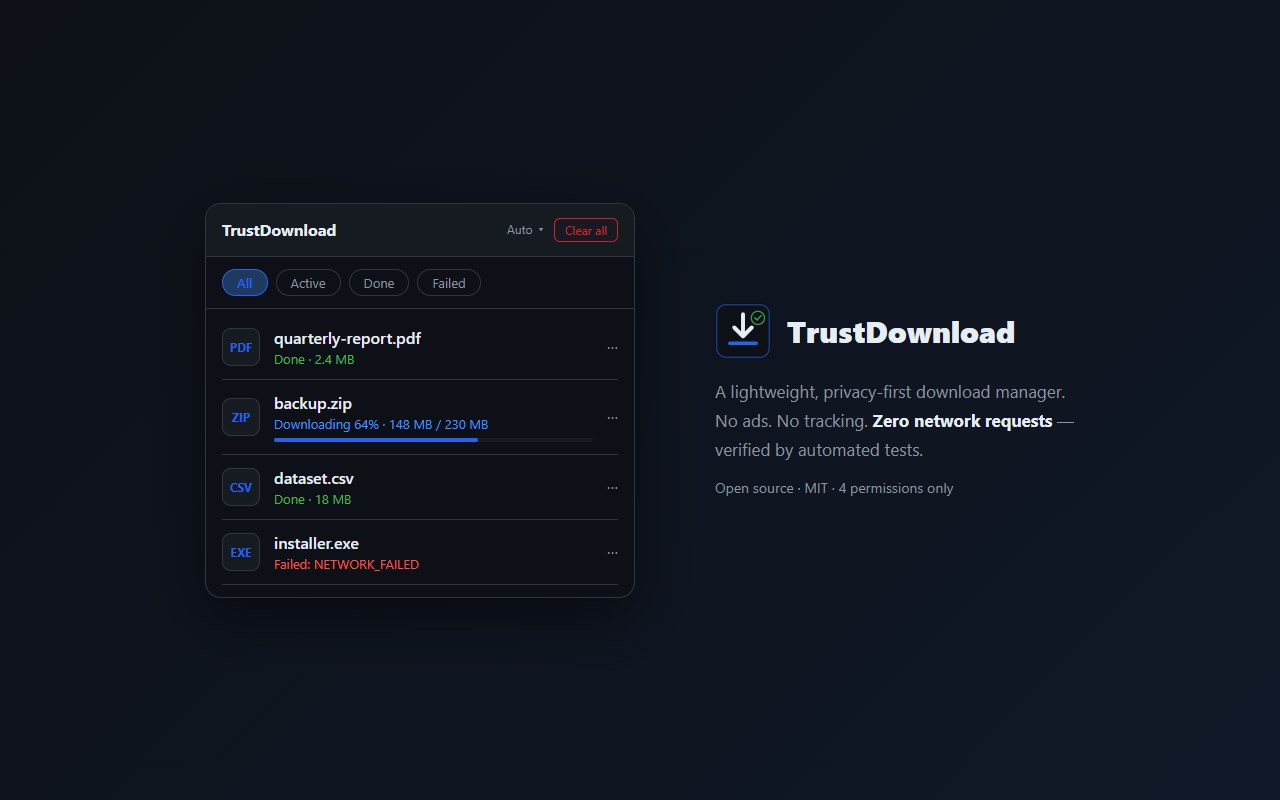
TrustDownload puts your download history in one clean, lightweight list — pause, resume, cancel, reopen, or erase downloads with accurate badge counts. Entirely local, zero network requests.
WHY IT EXISTS
Popular download managers haven't been updated in years, ask for 13-14 permissions, and users report freezes, high memory use, and broken history limits. TrustDownload does one job with the minimum permissions possible — and its source code is public and verified by automated tests.
FEATURES
- Full download history (no arbitrary 10-item limits), grouped by date
- Pause / resume / cancel / retry / open / show in folder
- One-click "Clear all" and delete — both ask for confirmation first
- Accurate badge: always the count of active downloads, computed fresh from the downloads API
- Human-friendly failure messages instead of raw browser error codes
- Light / dark / auto theme
PRO (optional)
Activate a license key to unlock automatic folder organization: file downloads into Images, Documents, Archives, and more — by type, by month, or both. License verification is 100% offline (ECDSA signature checked on-device); the extension never phones home.
OPEN SOURCE
https://github.com/mundentracie/trustdownload
PERMISSIONS
Only four download-related permissions (downloads, downloads.open, downloads.shelf, storage). No host permissions, no content scripts, no remote code.
TrustDownload — Lightweight Download Manager 是做什么的
TrustDownload — Lightweight Download Manager 是一款面向 Edge 的实用工具类扩展,主要用来解决浏览器里某类具体的小问题。官方对它的介绍是:Privacy-first, open-source download manager. No ads, no tracking, zero network requests. Lightweight, accurate badge, dark mode.在微软 Edge 加载项商店上,它当前版本 0.2.1,约 18 名用户。
适合什么人用
从功能定位看,TrustDownload — Lightweight Download Manager 更适合想补上浏览器原生缺失功能的用户。如果你平时只是偶尔遇到相关需求,用浏览器自带功能也能凑合;但如果这件事每天都发生,装一个专门处理它的扩展通常比手动操作省事得多。
怎么安装 TrustDownload — Lightweight Download Manager
- 打开微软 Edge 加载项商店上的官方页面;
- 点「添加到浏览器」并确认权限提示;
- 装好后在扩展列表里固定图标,方便随时开关。
本站只做索引与介绍,安装包来自官方商店。如果商店页面提示当前地区不可用,说明该扩展未在你所在区域上架。
常见问题
TrustDownload — Lightweight Download Manager 是免费的吗?
TrustDownload — Lightweight Download Manager 在微软 Edge 加载项商店免费提供下载。它是浏览器扩展,装上就能直接用,不需要注册账号。
TrustDownload — Lightweight Download Manager 安全吗?
它只申请了 0 项权限,范围比较克制,没有申请「读取所有网站数据」这种大权限。
TrustDownload — Lightweight Download Manager 支持哪些浏览器?
当前收录的版本来自微软 Edge 加载项商店,适用于 Edge。同一个扩展在其他商店可能有对应版本,但功能与版本号不一定相同。
怎么卸载 TrustDownload — Lightweight Download Manager?
在扩展管理页找到 TrustDownload — Lightweight Download Manager,点移除即可。它在本地保存的设置会一起清掉,不会残留数据。
权限清单 来自 manifest.json 原文
接口权限 4
downloadsdownloads.opendownloads.shelfstorage