True Dark Mode: Google Docs, Sheets & Slides EN
Arkay Software · EEdge MV3
A real dark mode for Google Docs, Sheets and Slides: dark pages, grids and slides, readable colored text. One click, 7 palettes.
截图
简介
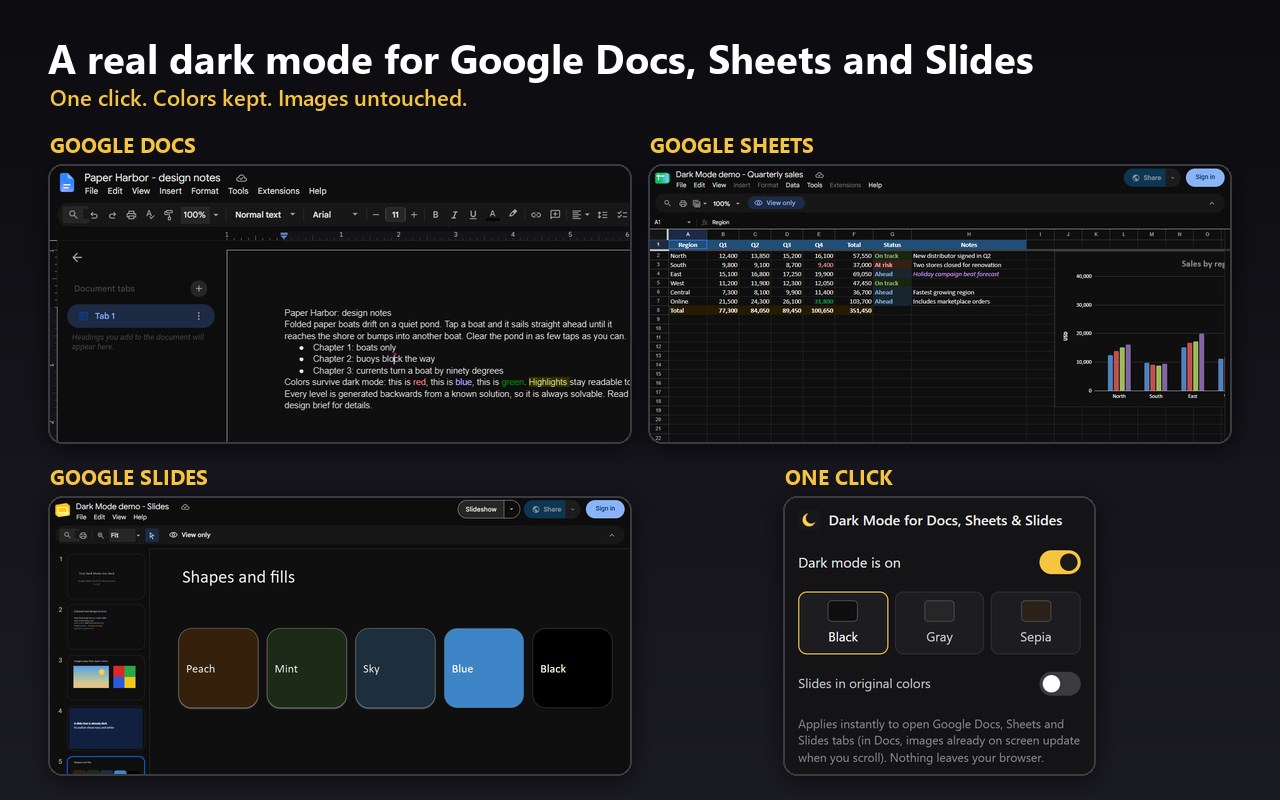
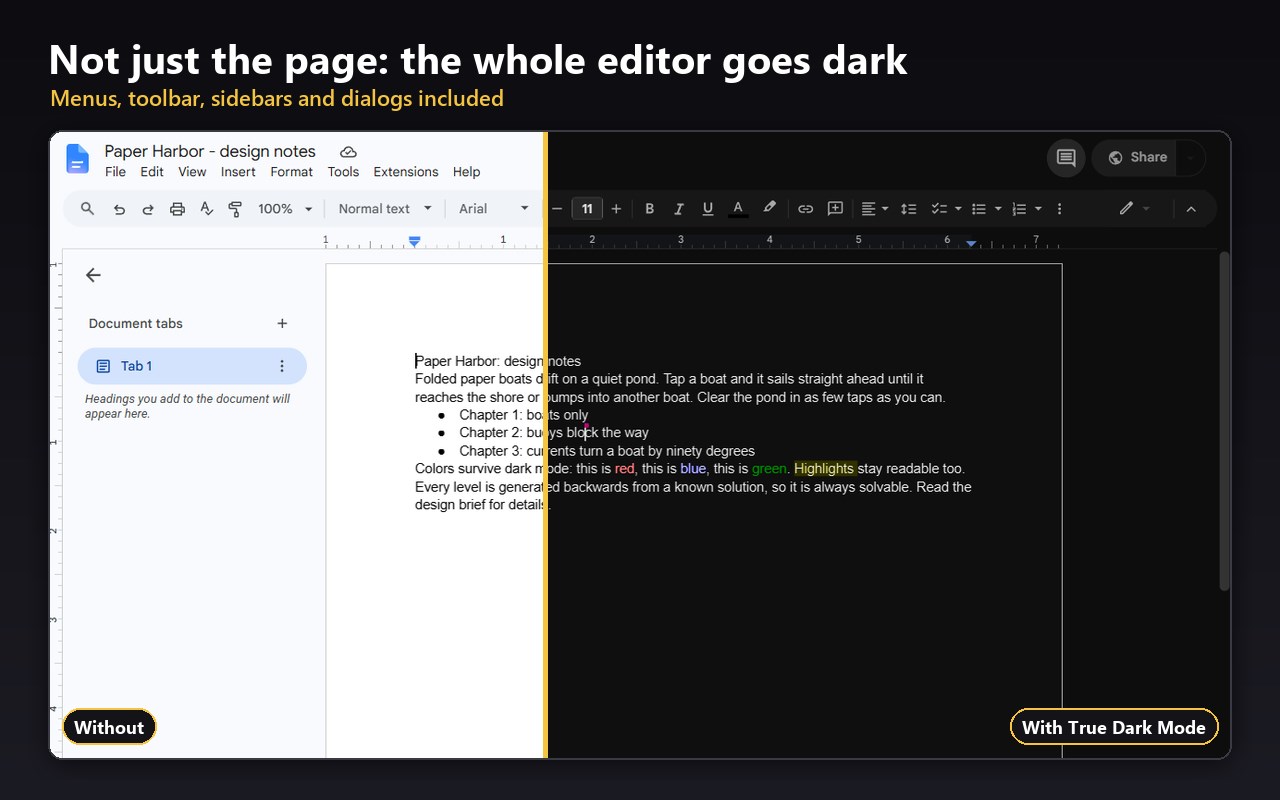
True Dark Mode turns the whole Google Docs, Sheets and Slides editor dark — not just the page.
Most "dark mode" extensions for Google Docs leave you with a gray sidebar, a glaring page, and colored text that becomes unreadable. This one is built for how Google Docs, Sheets and Slides actually render today, so the result is a real dark theme:
GOOGLE DOCS
• Near-black page and app interface, light body text with proper contrast
• Colored text, links and highlights keep their color instead of turning into mud
• Inline images and photos keep their original colors — no negatives
• Menus, toolbar, right-click menus, dialogs, the comments sidebar and the outline panel are all dark
GOOGLE SHEETS
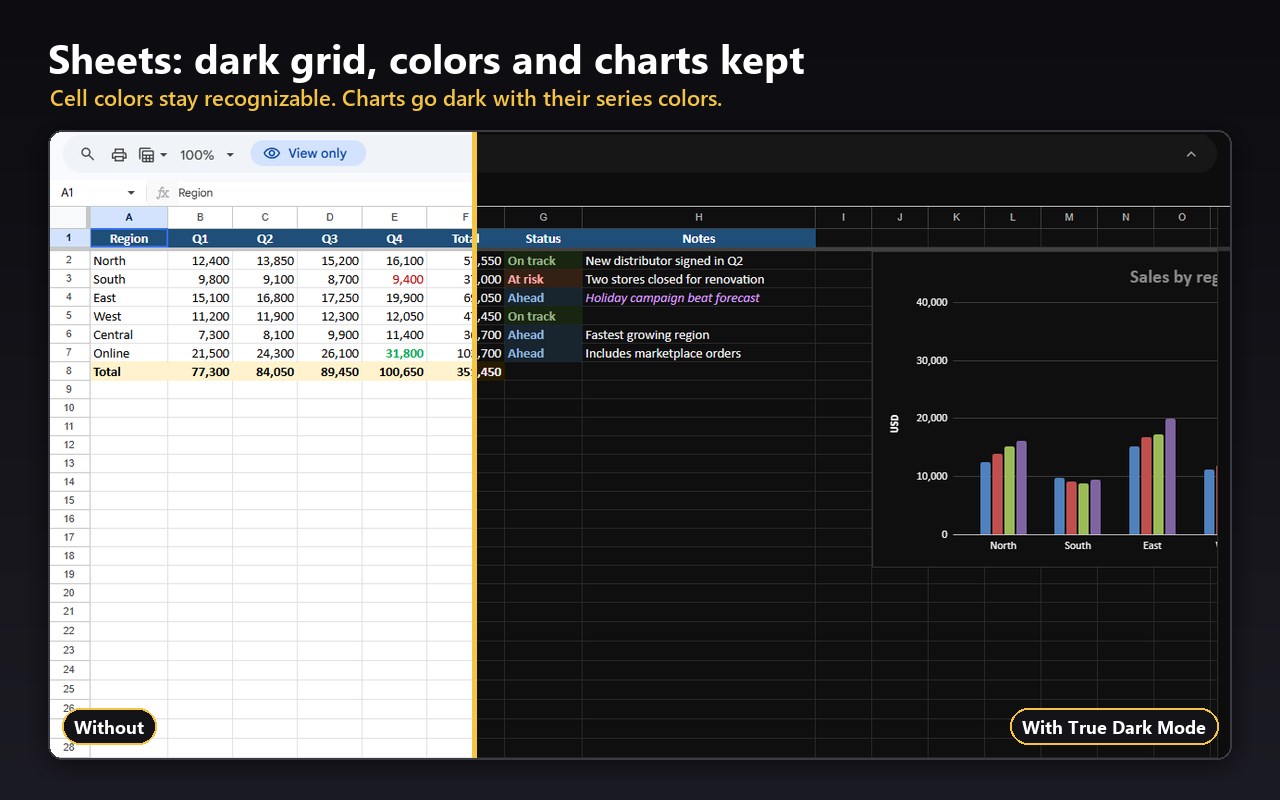
• Dark grid with light text; cell colors and colored text stay recognizable
• Charts go dark too, with their series colors kept; pictures keep their real colors
• Formula bar, toolbar, menus, sheet tabs and dialogs are all dark
GOOGLE SLIDES
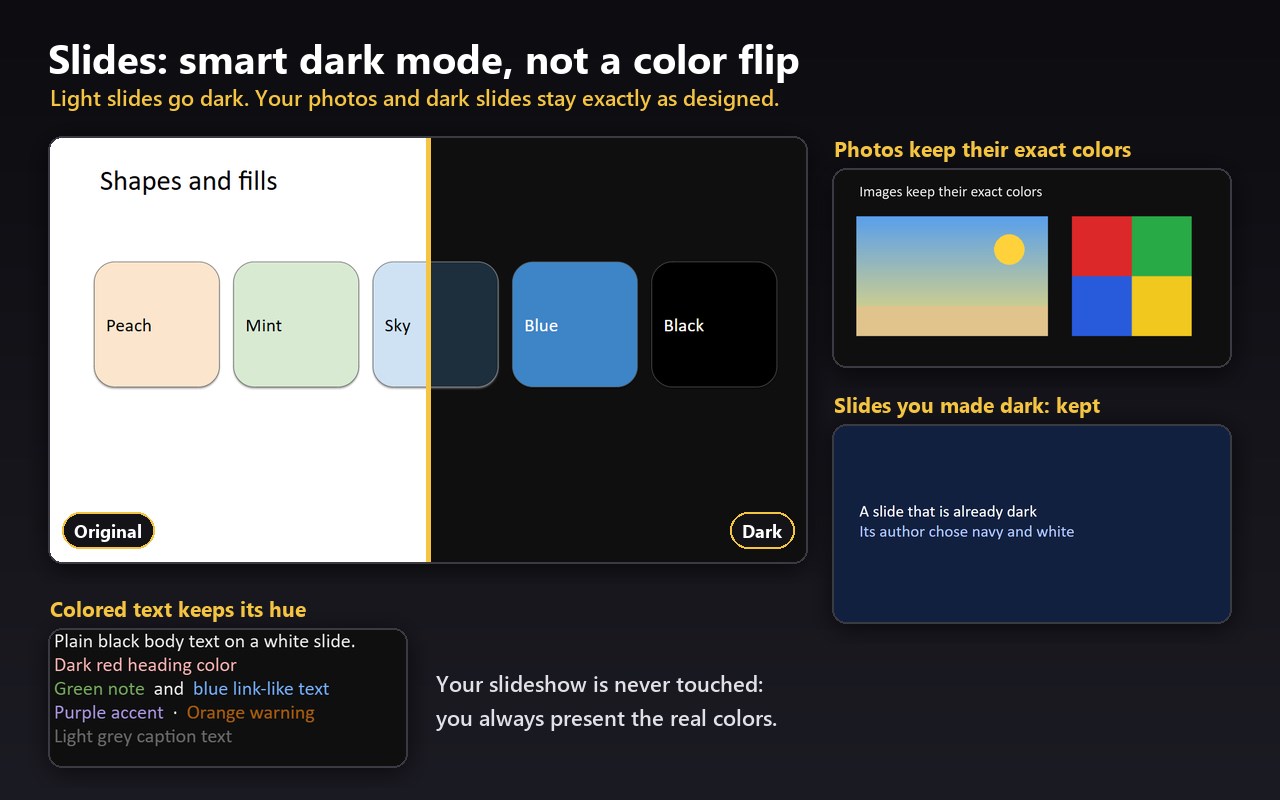
• Light slides go dark with readable text; colored text keeps its color
• Photos and images keep their exact colors, and slides you designed dark stay exactly as they are
• Pastel shapes and table rows become dark versions of their color; strong colors stay as you chose them
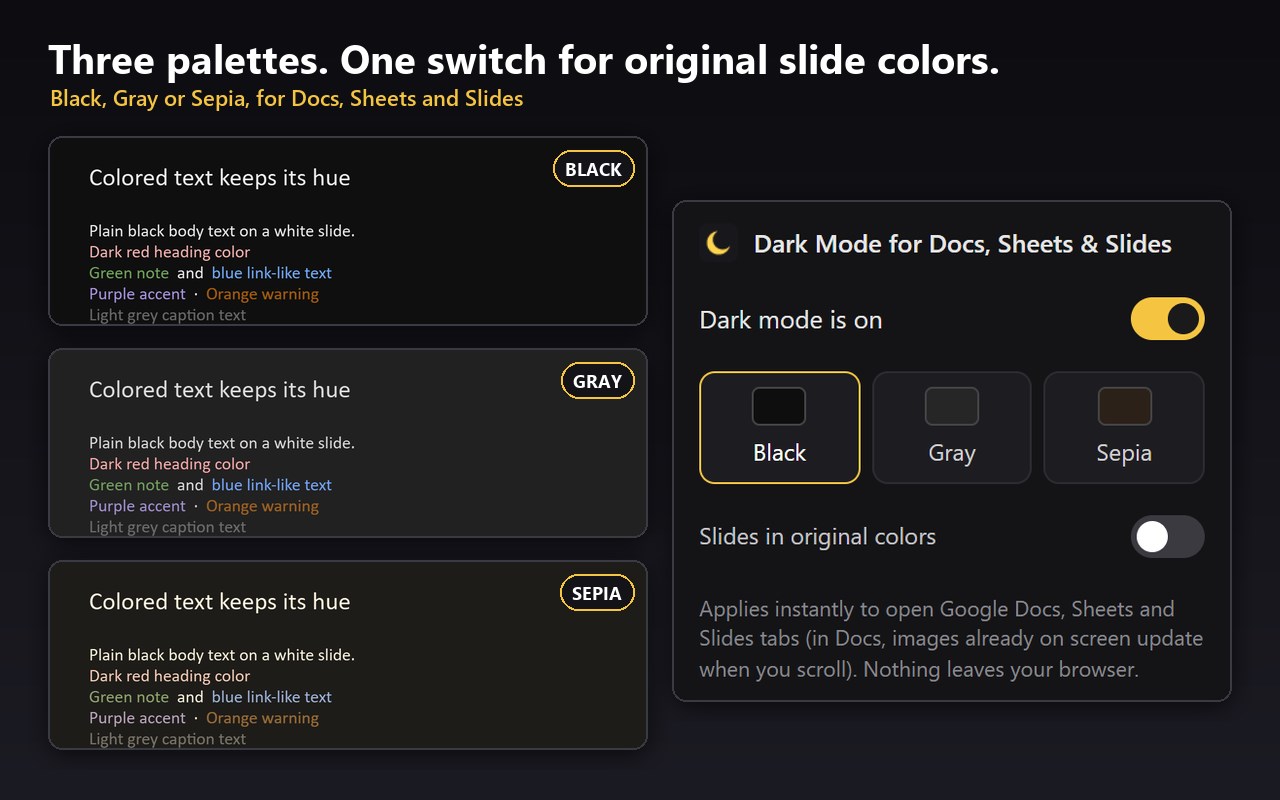
• Prefer to see your design as is? One switch keeps the slides in their original colors and darkens only the app around them
• Your slideshow is never touched: you always present the real colors
EVERYWHERE
• The Docs, Sheets and Slides home screens and file lists are dark as well
• Text stays crisp — no blur, no zoom tricks
• One click on the toolbar icon to turn it on or off; your choice is remembered
• Three palettes: Black, Gray and Sepia
Lightweight by design:
• Works only on docs.google.com Docs, Sheets and Slides pages — it asks for nothing else
• No account, no sign-in, no settings to configure
• No data collection, no analytics, no network requests. Ever.
• No remote code. Everything ships inside the extension.
How to use: install, open any Google Doc, Sheet or Slides deck, and it is dark. Click the moon icon to toggle or pick a palette.
Not affiliated with Google. Google Docs, Google Sheets and Google Slides are trademarks of Google LLC.
True Dark Mode: Google Docs, Sheets & Slides 是做什么的
True Dark Mode: Google Docs, Sheets & Slides 是一款面向 Edge 的效率工具类扩展,主要用来管住注意力、屏蔽干扰站点、记录时间。官方对它的介绍是:A real dark mode for Google Docs, Sheets and Slides: dark pages, grids and slides, readable colored text. One click, 7 palettes.在微软 Edge 加载项商店上,它当前版本 1.3.1,约 19 名用户。
适合什么人用
从功能定位看,True Dark Mode: Google Docs, Sheets & Slides 更适合想专注工作学习、减少无效刷网页的用户。如果你平时只是偶尔遇到相关需求,用浏览器自带功能也能凑合;但如果这件事每天都发生,装一个专门处理它的扩展通常比手动操作省事得多。
怎么安装 True Dark Mode: Google Docs, Sheets & Slides
- 打开微软 Edge 加载项商店上的官方页面;
- 点「添加到浏览器」并确认权限提示;
- 装好后在扩展列表里固定图标,方便随时开关。
本站只做索引与介绍,安装包来自官方商店。如果商店页面提示当前地区不可用,说明该扩展未在你所在区域上架。
常见问题
True Dark Mode: Google Docs, Sheets & Slides 是免费的吗?
True Dark Mode: Google Docs, Sheets & Slides 在微软 Edge 加载项商店免费提供下载。它是浏览器扩展,装上就能直接用,不需要注册账号。
True Dark Mode: Google Docs, Sheets & Slides 安全吗?
它只申请了 0 项权限,范围比较克制,没有申请「读取所有网站数据」这种大权限。
True Dark Mode: Google Docs, Sheets & Slides 支持哪些浏览器?
当前收录的版本来自微软 Edge 加载项商店,适用于 Edge。同一个扩展在其他商店可能有对应版本,但功能与版本号不一定相同。
怎么卸载 True Dark Mode: Google Docs, Sheets & Slides?
在扩展管理页找到 True Dark Mode: Google Docs, Sheets & Slides,点移除即可。它在本地保存的设置会一起清掉,不会残留数据。
权限清单 来自 manifest.json 原文
接口权限 1
storage