
Trending for GitHub EN
cplog · EEdge MV3
Replace your new tab with GitHub Trending repositories and top Hacker News stories, filterable by period and language.
截图
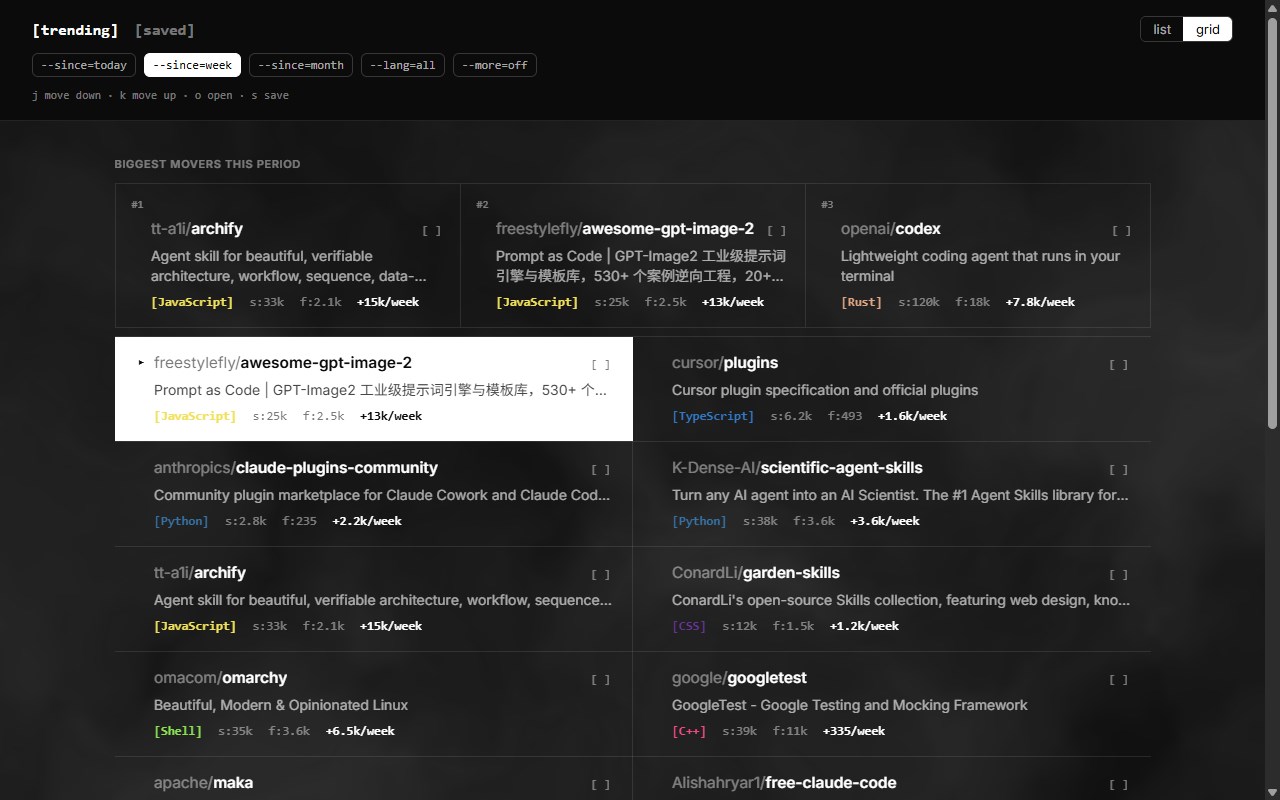
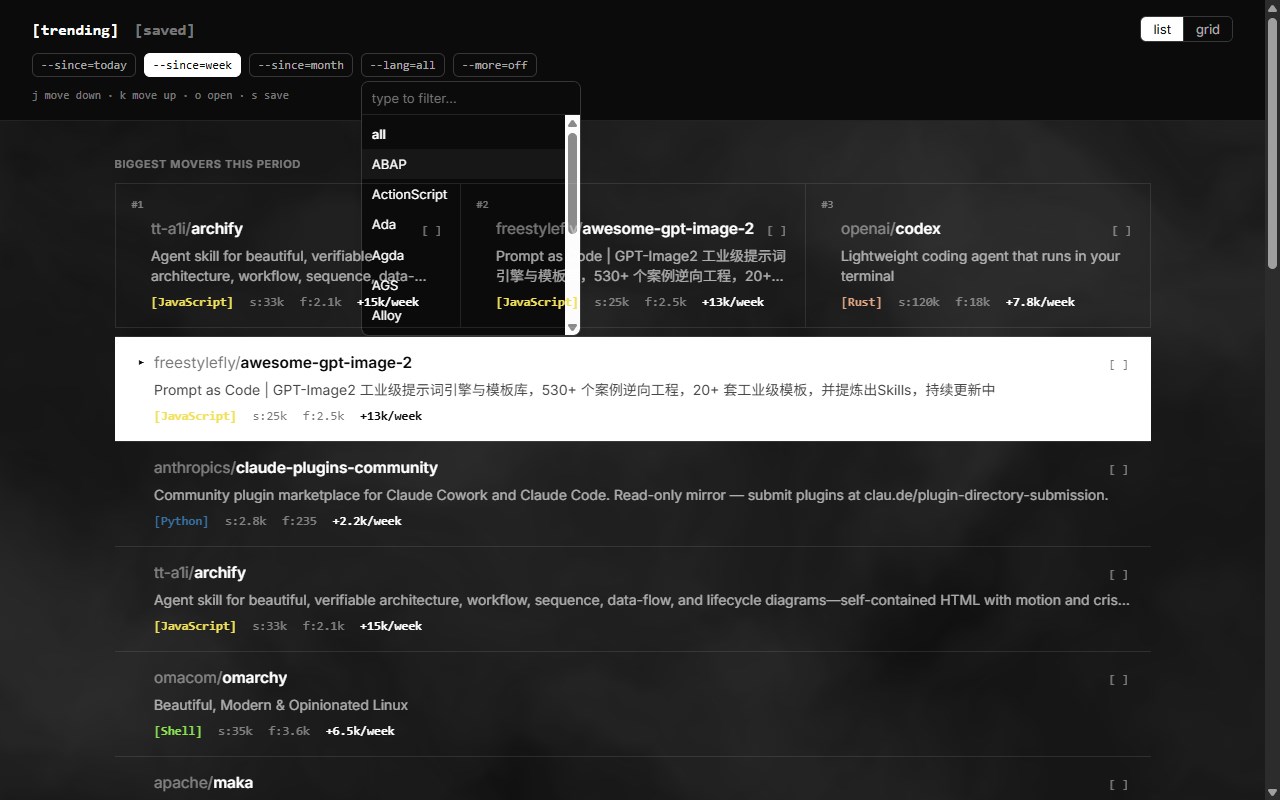
简介
Trending turns every new tab into a practical GitHub discovery dashboard for developers and GitHub users who want to keep up with what is gaining momentum right now. Instead of opening a blank page, the extension replaces the browser’s new tab with an interactive view of GitHub’s trending repositories and helps you explore the most-starred projects across different time ranges. Its purpose is focused and clear: make it faster to discover notable repositories, narrow results by programming language, and keep a personal shortlist of projects you want to revisit later.
The extension is built around GitHub’s trending pages and presents repository results in a clean, app-like interface. You can browse what is popular today, this week, or this month, and switch between the main trending view and a dedicated saved view. For users who want broader discovery, the extension also includes a “more” mode that expands the result set by merging in other time periods and, when no language filter is applied, other languages as well. This gives you a wider view than a single snapshot and makes the extension useful for both quick check-ins and longer exploration sessions.
Browsing is flexible and efficient. Results can be displayed in either a list view or a grid view, so you can choose the layout that best fits the way you scan repositories. The interface is also designed with keyboard-friendly navigation in mind. You can move through repository results with j and k, open the selected repository with o or Enter, and save items with s. This keyboard-first workflow makes the extension especially convenient for users who prefer fast navigation without constantly reaching for the mouse, while standard clickable controls keep it easy to use for everyone.
Each repository entry includes practical details taken from GitHub’s trending content, including the repository owner and name, description, programming language, total stars, total forks, and the number of stars gained during the selected period. The extension also highlights “Biggest movers this period,” helping especially active repositories stand out at a glance. Altogether, Trending turns unused new-tab space into a lightweight productivity tool for open-source discovery, helping you find, review, and save projects worth following over time.
Key Features:
- Replaces the browser’s new tab page with a GitHub trending dashboard.
- Shows the most-starred repositories for today, this week, or this month.
- Supports expanded browsing with a “more” mode that can merge in additional time periods and, in some cases, other languages.
- Lets you filter trending repositories by programming language.
- Offers both list and grid layouts for different browsing styles.
- Includes a saved repositories section for keeping projects to revisit later.
- Provides keyboard shortcuts for moving, opening, and saving repositories quickly.
- Highlights “Biggest movers this period” to surface especially active repositories.
How It Works:
1. After installation, the extension replaces your browser’s new tab page with its custom GitHub trending interface.
2. When you open the trending view, it requests GitHub trending pages based on the selected time range and optional language filter.
3. The returned page content is parsed to extract repository details such as owner, name, description, language, stars, forks, and stars gained in the selected period.
4. Results are shown in your preferred list or grid layout, along with a section for major movers during the current period.
5. You can refine discovery by switching between daily, weekly, or monthly results, choosing a language, or enabling the expanded “more” mode.
6. Repositories can be opened directly or saved for later, and saved items appear in a dedicated saved view.
7. Preferences, cached results, and saved repositories are stored locally so the extension can remember your settings and reduce repeated fetching.
Privacy: - This extension stores preferences, cached repository results, and saved repositories locally using browser storage. It also requests data from GitHub trending pages to display repository information. No explicit personal data collection is indicated in the package contents.
Trending for GitHub 是做什么的
Trending for GitHub 是一款面向 Edge 的实用工具类扩展,主要用来解决浏览器里某类具体的小问题。官方对它的介绍是:Replace your new tab with GitHub Trending repositories and top Hacker News stories, filterable by period and language.在微软 Edge 加载项商店上,它当前版本 1.0.7,约 1 名用户。
适合什么人用
从功能定位看,Trending for GitHub 更适合想补上浏览器原生缺失功能的用户。如果你平时只是偶尔遇到相关需求,用浏览器自带功能也能凑合;但如果这件事每天都发生,装一个专门处理它的扩展通常比手动操作省事得多。
怎么安装 Trending for GitHub
- 打开微软 Edge 加载项商店上的官方页面;
- 点「添加到浏览器」并确认权限提示;
- 装好后在扩展列表里固定图标,方便随时开关。
本站只做索引与介绍,安装包来自官方商店。如果商店页面提示当前地区不可用,说明该扩展未在你所在区域上架。
常见问题
Trending for GitHub 是免费的吗?
Trending for GitHub 在微软 Edge 加载项商店免费提供下载。它是浏览器扩展,装上就能直接用,不需要注册账号。
Trending for GitHub 安全吗?
它只申请了 0 项权限,范围比较克制,没有申请「读取所有网站数据」这种大权限。
Trending for GitHub 支持哪些浏览器?
当前收录的版本来自微软 Edge 加载项商店,适用于 Edge。同一个扩展在其他商店可能有对应版本,但功能与版本号不一定相同。
怎么卸载 Trending for GitHub?
在扩展管理页找到 Trending for GitHub,点移除即可。它在本地保存的设置会一起清掉,不会残留数据。
权限清单 来自 manifest.json 原文
接口权限 1
storage