
Torq AI: ChatGPT Powered AI Assistant EN
Torq Inc · EEdge MV3
Harnessing the prowess of ChatGPT to revolutionize your productivity through advanced AI assistance.
截图


简介
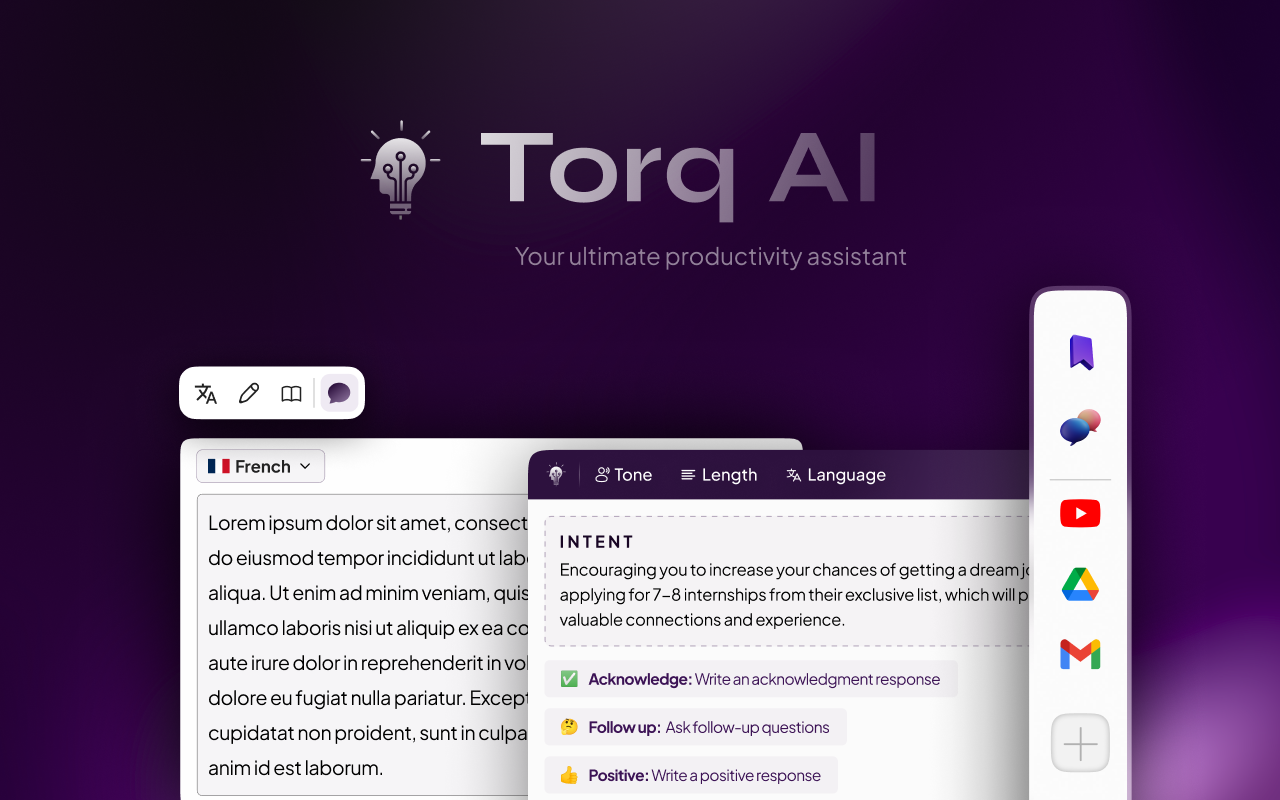
Introducing Torq AI, your advanced browsing assistant powered by state-of-the-art AI capabilities. This innovative Chrome Extension is built to elevate your browsing experience, bolster productivity, and offer a suite of new features including our brand-new "Sidebar". No matter the browsing context, be it engaging with your Gmail or needing smarter, AI-integrated responses, Torq AI is your solution to streamline workflow.
With Torq AI, you don't just have instant access to the data you need; you have an intelligent assistant enhancing your browsing experience at every step. From generating smart responses to assisting with real-time Gmail suggestions, Torq AI is your go-to for effective and engaging web navigation.
⭐️ Key Features ⭐️
1️⃣ AI Smart Reply and Response Generation
- Engage in dynamic conversations about any topic on the web with your personal AI assistant, Torq AI.
- Benefit from smart response generation, quick answer provision, and simplification of complex texts you're reading.
- How to use it? ⬇️
- Interact with Torq AI by selecting text and clicking on the Torq AI icon for inquiries about your selected reading.
2️⃣ Gmail Smart Reply Feature
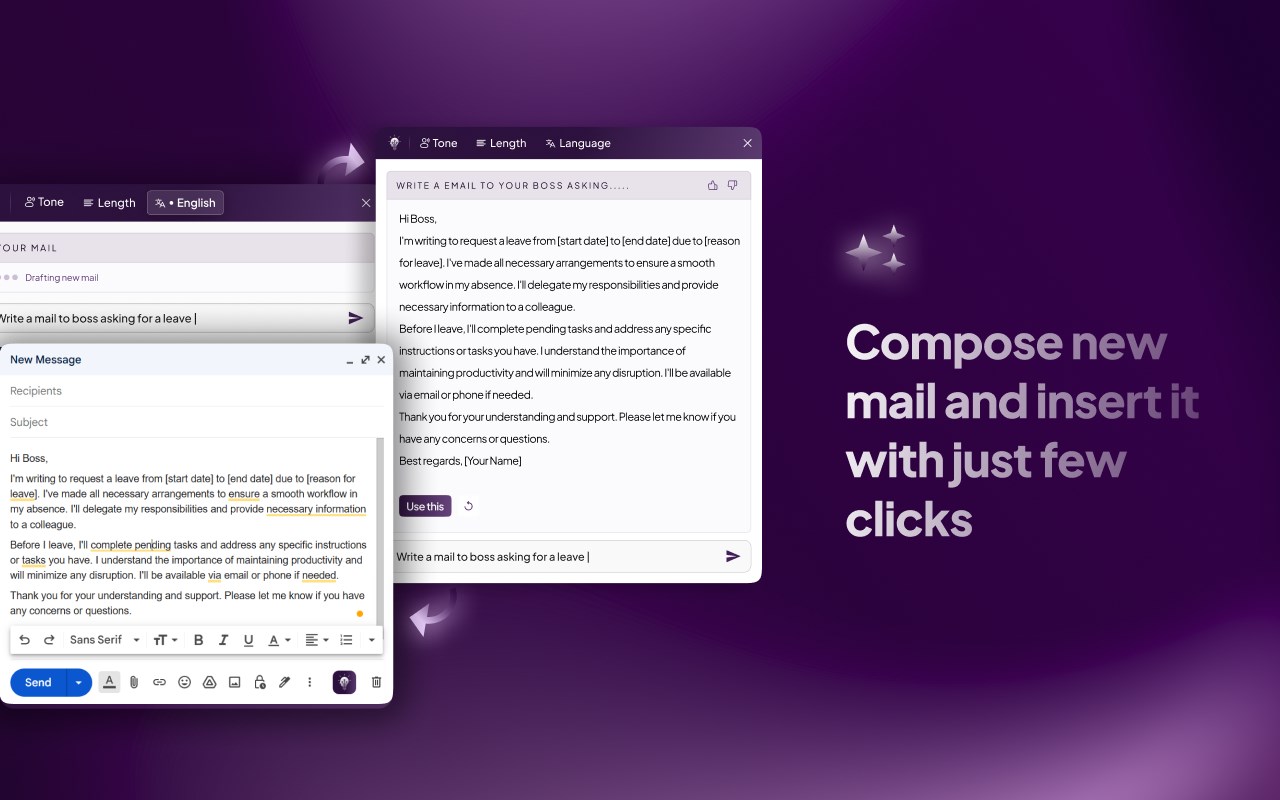
- Smoothly navigate your Gmail communications with the aid of Torq AI's Smart Reply feature, offering real-time suggestions for responses.
3️⃣ Efficient Data Access
- Leverage Torq AI for quick access to essential information, thus streamlining your workflow and saving precious time.
4️⃣ Seamless Browsing Experience
- Experience a highly responsive and stable user interface, guaranteeing smoother transitions and superior usability.
5️⃣ Newly Introduced Sidebar
- Engage in an interactive AI chat, manage bookmarks and folders, access quick links, and customise the sidebar according to your needs.
Torq AI is FREE and does not require any CREDIT CARD.
🧑🏫 Introduction to Torq AI:
Torq AI is here to transform your browsing experience. With our cutting-edge AI technology, you can generate smart responses, receive real-time Gmail suggestions, and have immediate access to required data. Torq AI offers you a seamless, efficient browsing journey, saving time and making web navigation intuitive and easy.
Experience the power of an AI assistant that enhances your browsing experience wherever you go. Simply install the Torq AI Chrome Extension and click on the Torq AI icon on the right side of the browser to start a smart and efficient interaction with the AI.
➕ What is Torq AI?
Torq AI is an intelligent browsing assistant empowered with advanced AI technology. It's designed to facilitate smart responses to inquiries, improve Gmail communications, and offer an efficient web navigation experience. Torq AI is here to boost your productivity by offering an enhanced browsing experience.
➕ How to utilise Sidebar in Torq AI?
Access Torq AI's Side Bar by using the Alt + T shortcut, and utilise the AI chat with the Alt + C shortcut or the trigger on the right of the page for a seamlessly interactive and customisable browsing experience.
➕ How do I utilise AI and Torq AI in Chrome?
To use Torq AI on Chrome, install the Torq AI Chrome extension from the Chrome Web Store. After installation, you can start interacting with Torq AI on any website, enjoying smart AI responses and improved Gmail communication.
➕ Subscribe to us for more!
https://www.torq.live
Stay updated with Torq AI, your advanced Chrome Extension for an engaging browsing experience. Enjoy the power of AI in your browsing journey with Torq AI!
Release Notes:
v4.0.2
🐛 Bug Fixes:
Chat Issue Resolved: 🛠 We've addressed an issue where some chats created by Torq were not opening on ChatGPT. Users should now experience a seamless chat experience without any hiccups.
✨ New Features & Enhancements:
Event Tracking for Torq Interactions: 📊 To better understand user interactions and improve the overall experience, we've introduced event tracking for interactions with Torq components. 🛡 We prioritise your privacy, and we want to assure you that events are sent only when you interact with Torq components. Importantly, no personally identifiable information (PII) is being used or collected. Your data remains confidential, and we're committed to maintaining the highest privacy standards.
v4.0.3
🐛 Bug Fixes:
Minor bug fixes done
Torq AI: ChatGPT Powered AI Assistant 是做什么的
Torq AI: ChatGPT Powered AI Assistant 是一款面向 Edge 的效率工具类扩展,主要用来管住注意力、屏蔽干扰站点、记录时间。官方对它的介绍是:Harnessing the prowess of ChatGPT to revolutionize your productivity through advanced AI assistance.在微软 Edge 加载项商店上,它当前版本 4.0.3,评分 4.8(5 人评价),约 152 名用户。
适合什么人用
从功能定位看,Torq AI: ChatGPT Powered AI Assistant 更适合想专注工作学习、减少无效刷网页的用户。如果你平时只是偶尔遇到相关需求,用浏览器自带功能也能凑合;但如果这件事每天都发生,装一个专门处理它的扩展通常比手动操作省事得多。
怎么安装 Torq AI: ChatGPT Powered AI Assistant
- 打开微软 Edge 加载项商店上的官方页面;
- 点「添加到浏览器」并确认权限提示;
- 装好后在扩展列表里固定图标,方便随时开关。
本站只做索引与介绍,安装包来自官方商店。如果商店页面提示当前地区不可用,说明该扩展未在你所在区域上架。
常见问题
Torq AI: ChatGPT Powered AI Assistant 是免费的吗?
Torq AI: ChatGPT Powered AI Assistant 在微软 Edge 加载项商店免费提供下载。它是浏览器扩展,装上就能直接用,不需要注册账号。
Torq AI: ChatGPT Powered AI Assistant 安全吗?
它只申请了 0 项权限,范围比较克制,没有申请「读取所有网站数据」这种大权限。
Torq AI: ChatGPT Powered AI Assistant 支持哪些浏览器?
当前收录的版本来自微软 Edge 加载项商店,适用于 Edge。同一个扩展在其他商店可能有对应版本,但功能与版本号不一定相同。
怎么卸载 Torq AI: ChatGPT Powered AI Assistant?
在扩展管理页找到 Torq AI: ChatGPT Powered AI Assistant,点移除即可。它在本地保存的设置会一起清掉,不会残留数据。
权限清单 来自 manifest.json 原文
接口权限 5
activeTabbookmarksfaviconstoragetopSites