Toonlight: Dark Mode for WEBTOON EN
hervad · EEdge MV3
A hand-made dark theme for WEBTOON that never touches the comic art, from reader to comments. Not affiliated with NAVER WEBTOON.
截图
简介
Toonlight is a dark theme made for WEBTOON, and only WEBTOON. The comics stay exactly as the artist drew them.
General-purpose dark-mode tools have to work on every website, so they guess: they invert or recolour whatever they find. On WEBTOON that can catch cover art and stickers, let white pop-ups slip through and leave buttons grey on grey. Toonlight was made by hand for WEBTOON's own pages instead, and it never puts a filter or a colour change on a comic panel.
What you get:
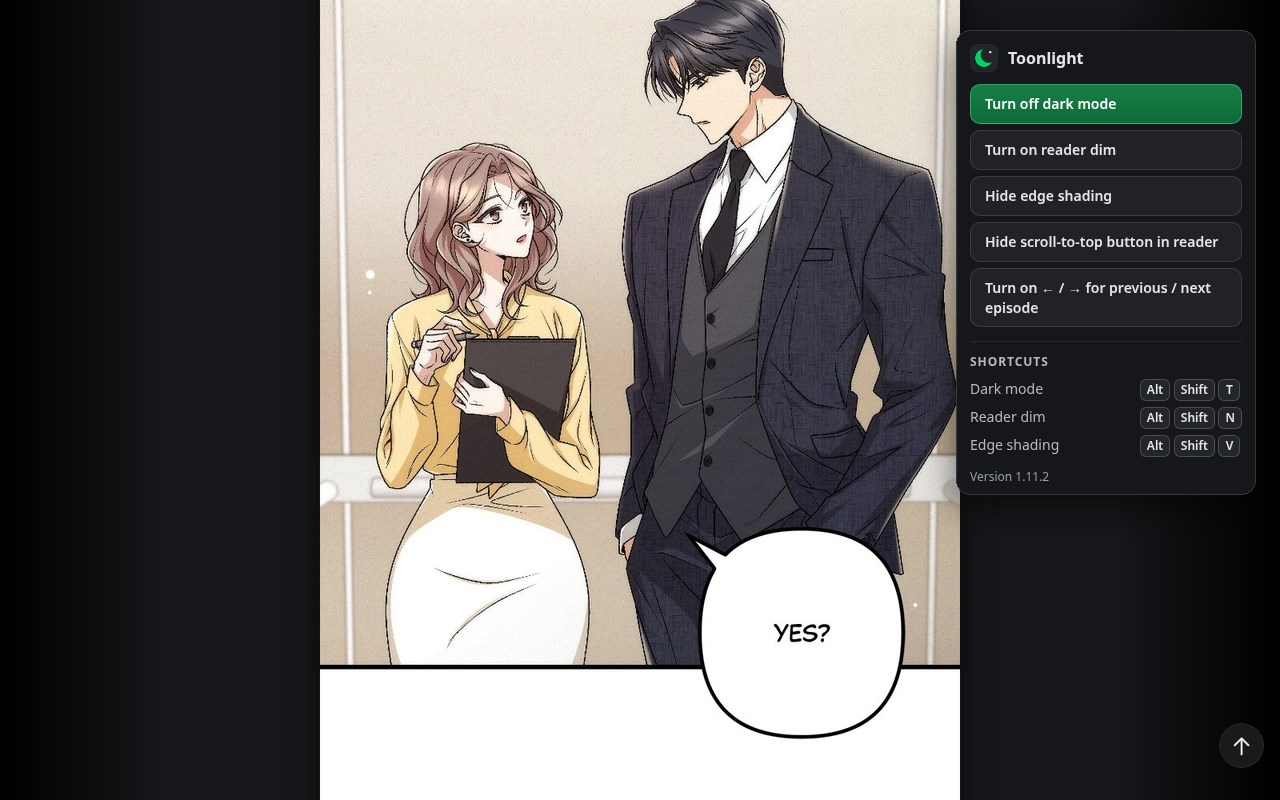
• Reading: the panels sit on a dark page as one long card, with no seams or white gaps. An optional night dim (Alt+Shift+N) lowers only the panels' brightness.
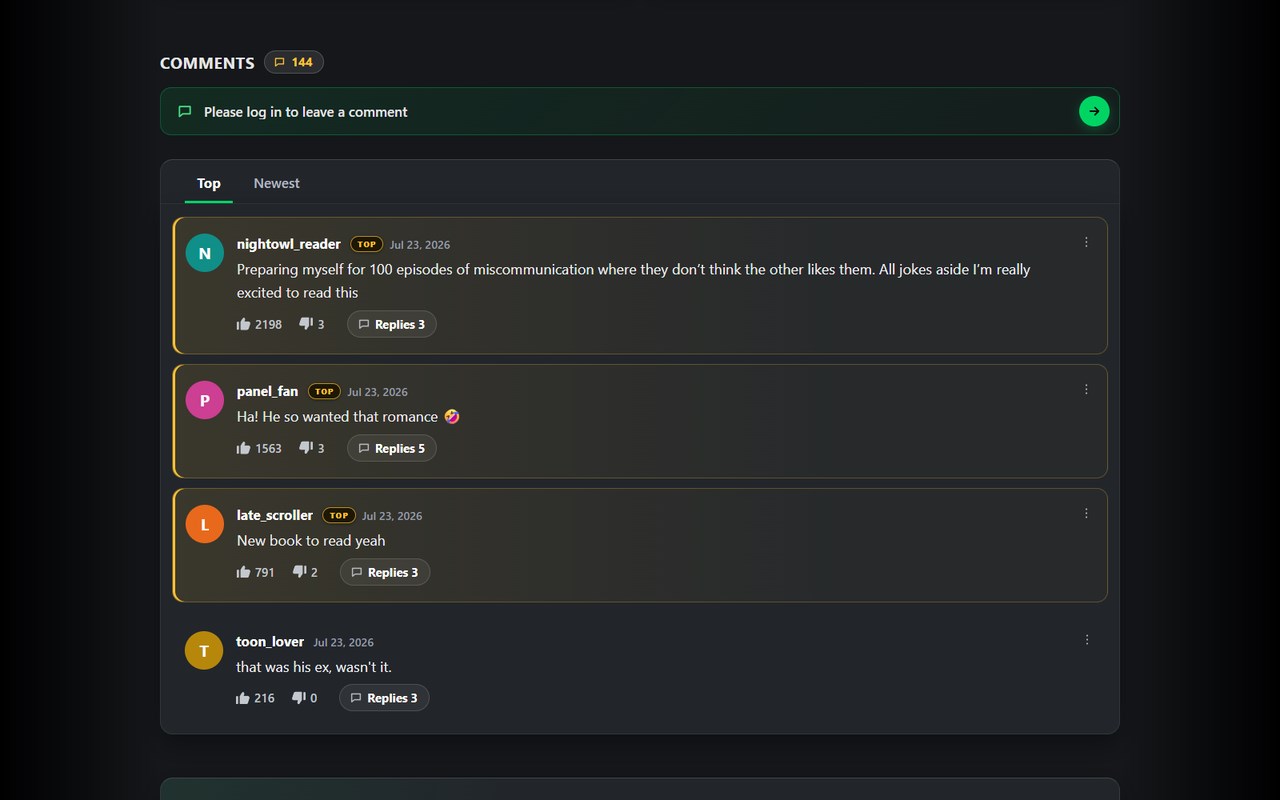
• Comments: WEBTOON's comment section has a dark colour set that the site never switches on. Toonlight turns it on and finishes the job: one calm panel, coloured letter avatars, amber TOP comments, clear reply threads, and dark emoji and GIF pickers.
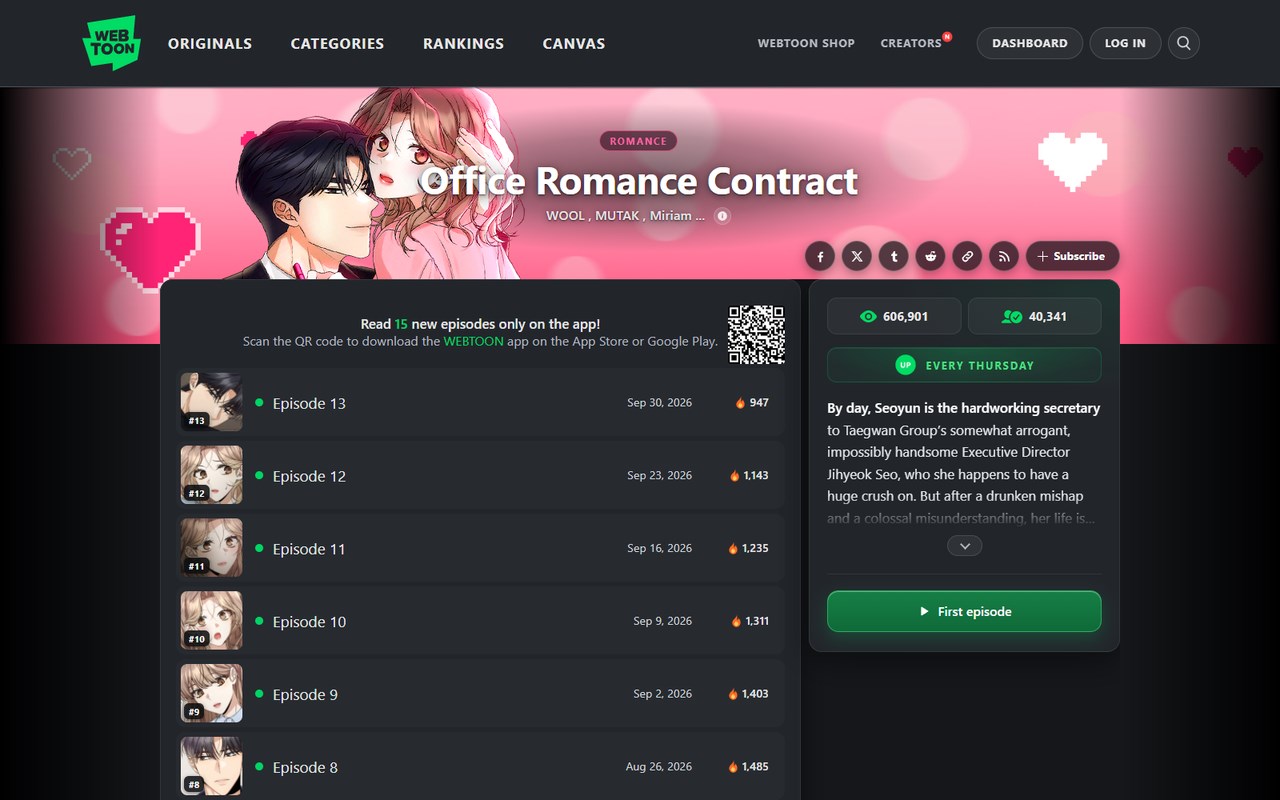
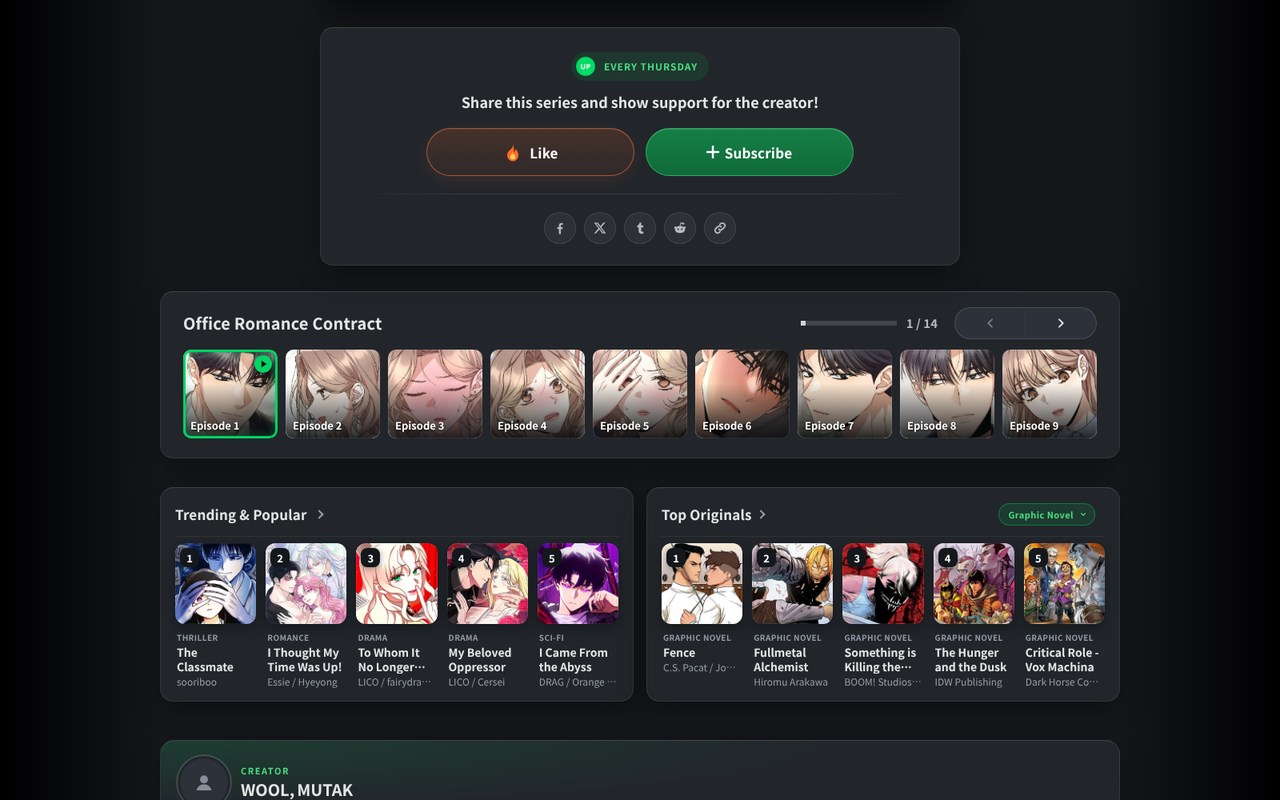
• Series pages: the title sits on the cover art. Unread episodes have a green dot and read ones are muted, so you can see where you stopped at a glance.
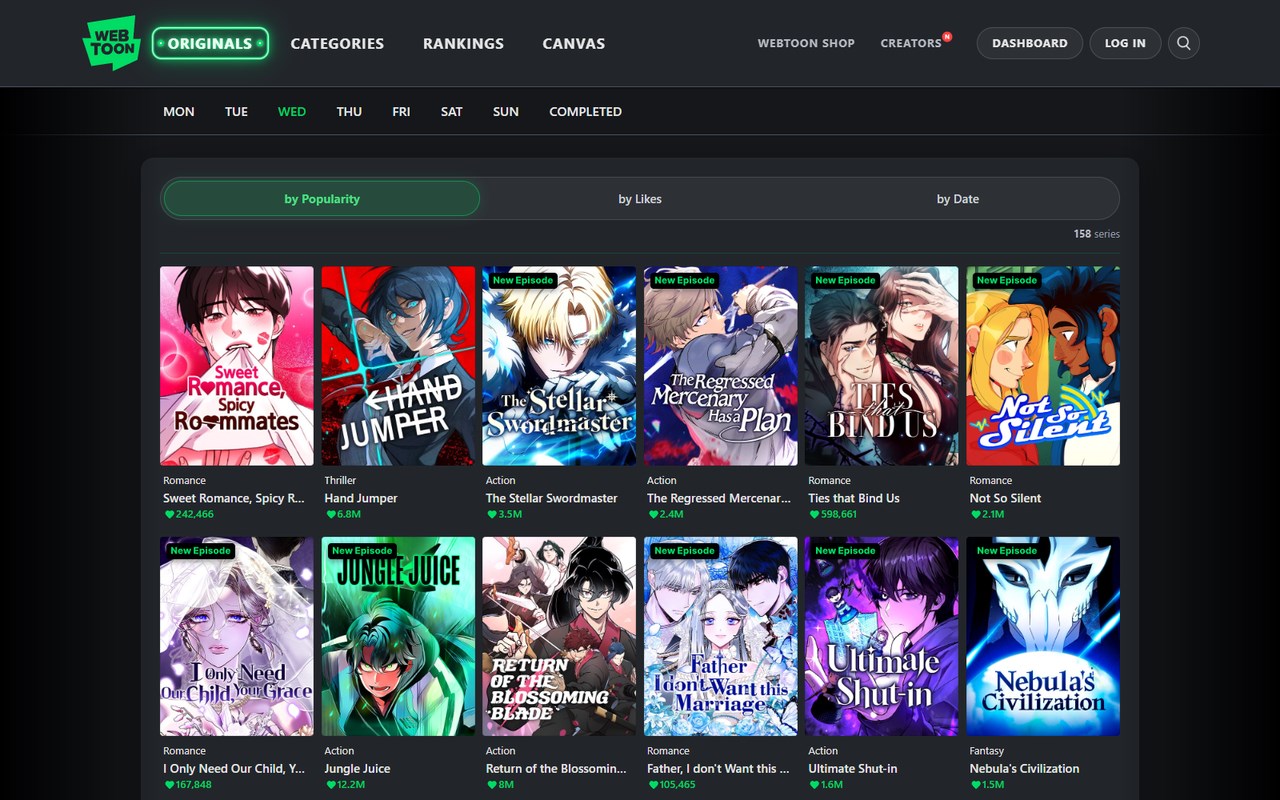
• Browsing: dark cards for Home, Originals, Rankings and CANVAS, readable genre colours, and the page you're on lit up in the menu like a neon sign.
• Everywhere else: login, account settings, creator profiles, community feeds, search, pop-ups and the cookie banner.
• No white flash while pages load. Text meets WCAG AA contrast, keyboard focus is visible, and "reduce motion" is respected.
• Turn it on or off with Alt+Shift+T or the toolbar button. Optional: the ← / → keys for the previous / next episode (off until you switch it on in the toolbar popup).
• Private and light: no tracking, no data collection, no requests of its own.
Toonlight is an independent project and is not affiliated with, endorsed by or sponsored by NAVER WEBTOON. WEBTOON is a trademark of NAVER WEBTOON.
Source code and changelog: https://github.com/hervad/webtoons-dark-mode
Toonlight: Dark Mode for WEBTOON 是做什么的
Toonlight: Dark Mode for WEBTOON 是一款面向 Edge 的实用工具类扩展,主要用来解决浏览器里某类具体的小问题。官方对它的介绍是:A hand-made dark theme for WEBTOON that never touches the comic art, from reader to comments. Not affiliated with NAVER WEBTOON.在微软 Edge 加载项商店上,它当前版本 1.11.2,约 13 名用户。
适合什么人用
从功能定位看,Toonlight: Dark Mode for WEBTOON 更适合想补上浏览器原生缺失功能的用户。如果你平时只是偶尔遇到相关需求,用浏览器自带功能也能凑合;但如果这件事每天都发生,装一个专门处理它的扩展通常比手动操作省事得多。
怎么安装 Toonlight: Dark Mode for WEBTOON
- 打开微软 Edge 加载项商店上的官方页面;
- 点「添加到浏览器」并确认权限提示;
- 装好后在扩展列表里固定图标,方便随时开关。
本站只做索引与介绍,安装包来自官方商店。如果商店页面提示当前地区不可用,说明该扩展未在你所在区域上架。
常见问题
Toonlight: Dark Mode for WEBTOON 是免费的吗?
Toonlight: Dark Mode for WEBTOON 在微软 Edge 加载项商店免费提供下载。它是浏览器扩展,装上就能直接用,不需要注册账号。
Toonlight: Dark Mode for WEBTOON 安全吗?
它只申请了 0 项权限,范围比较克制,没有申请「读取所有网站数据」这种大权限。
Toonlight: Dark Mode for WEBTOON 支持哪些浏览器?
当前收录的版本来自微软 Edge 加载项商店,适用于 Edge。同一个扩展在其他商店可能有对应版本,但功能与版本号不一定相同。
怎么卸载 Toonlight: Dark Mode for WEBTOON?
在扩展管理页找到 Toonlight: Dark Mode for WEBTOON,点移除即可。它在本地保存的设置会一起清掉,不会残留数据。
权限清单 来自 manifest.json 原文
接口权限 1
storage