
TikTok去水印视频下载和摘要生成器-ChatGPT
Video Downloader · EEdge MV3
最好用的TikTok无水印视频下载器,提供Chat GPT Open ChatGPT生成的tiktok视频总结。
截图
简介
Download TikTok videos without watermark. Best TikTok video downloader summary with ChatGPT.
Download non-watermark tiktok videos in high quality from tiktok to your computer or laptop!This Extension can help you download videos on TikTok, so that you can save your favorite videos anytime and anywhere.In addition,you can also get the summary of the TikTok video, save time and learn quicker. ❤️
Features:
● Easy to use: Save videos from TikTok with one click.
● Powerful functions:Download the highest definition video resources to your machine, so that you have the best viewing experience.
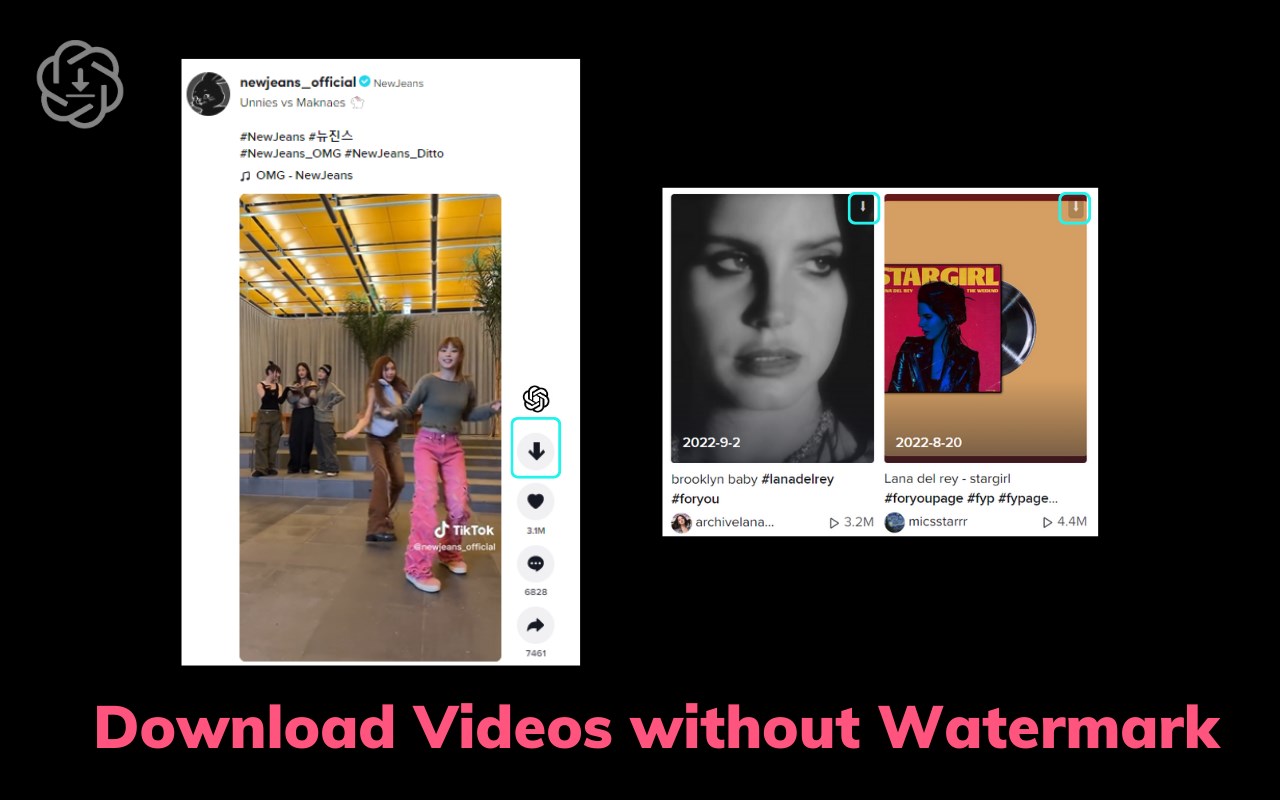
● Non-watermark:Download TikTok videos without watermark.
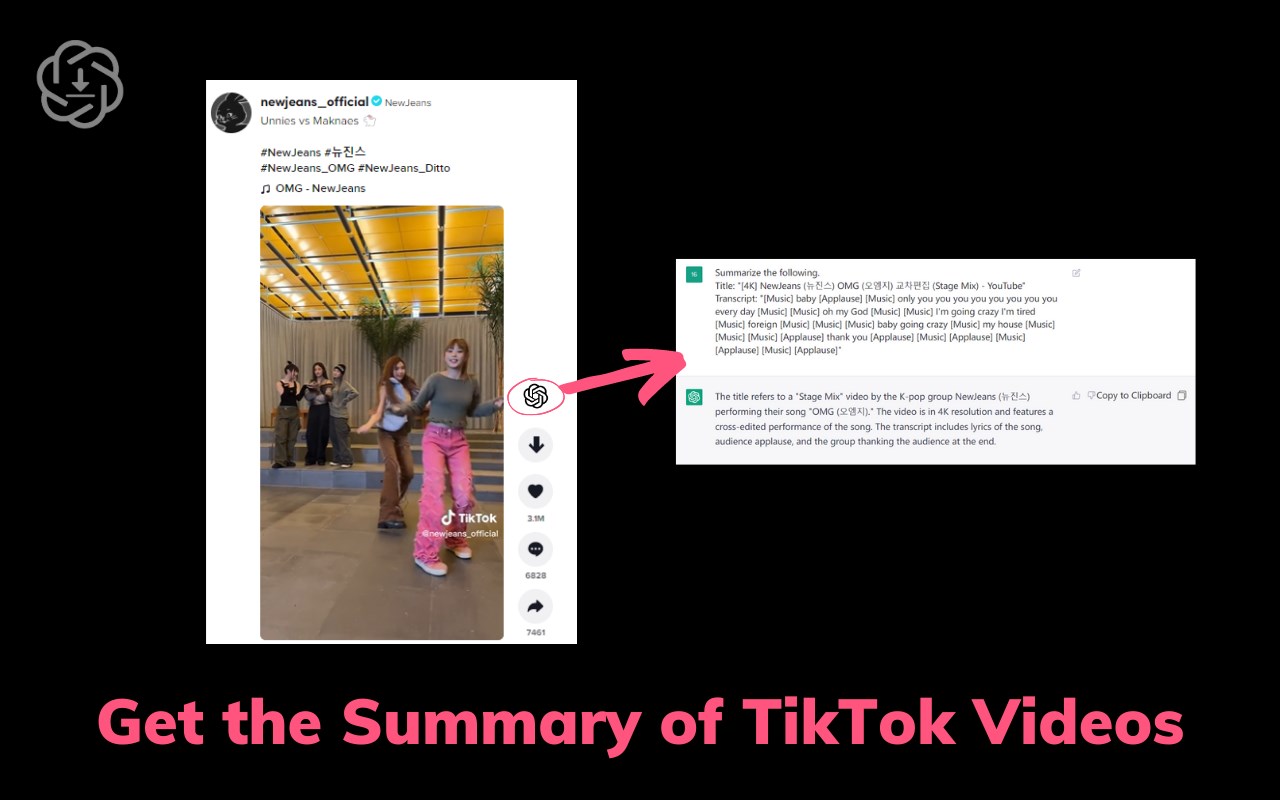
● Get the summaries of TikTok videos without watching the videos.
● Super Safe: We only provide you with convenient and efficient download functions, you can rest assured to save any video.Quickly understand the content of the TikTok videos.
How to use:
● Just go to TikTok.com.
● Find the Video you want to save.
● Click the download button at the top right of the video.
● Your favorite videos are automatically downloaded to your computer.
● Click the View AI Summary Icon, If you already logged in chat.openai.com, we will get the video summary.
Q&A
Q1:What is ChatGPT?
A1:ChatGPT is an OpenAI-developed language model that utilizes a large pre-trained Transformer-based neural network to generate human-like text in response to user prompts. With its diverse range of training on internet text, ChatGPT can provide responses on various topics, such as general knowledge, conversations, and creative writing.
Q2:What is TikTok video summary?
A2:TikTok video summary is a written overview of the content in a video on the TikTok platform. The summary provides a quick way to understand the video's topic and important information.
Q3:Why i choose this TT videos downloader?
A3:TikTok is one of the largest and most popular video communities in the world, where you can share exciting moments from your life and watch talented creators share their amazing short videos. Many people collect and create videos from TikTok for further editing. So how do you quickly download what you want? This is definitely an extension you are looking for. A non-watermark version of TikTok downloader helps you download TikTok videos from your network and allows you to remove the watermark from the video. This can quickly download non-watermark tt videos and lay the foundation for further editing. The non-watermark tt video downloader is the best and easiest way to download videos from the TikTok.com.
Q4:Is this extension free?
A4:Although our extension is currently free, we are exploring the possibility of introducing a small paywall to sustain the service in the future. By upgrading to the paid service, you will enjoy faster response times, unrestricted access, and high-priority customer support. Our ultimate goal is to provide you with the best possible service in a way that is affordable and accessible to everyone.
Q5:Do I need to create a ChatGPT/OpenAI account to use this extension?
A5:Yes, you must have a ChatGPT account to use this extension. You can create a free account at chat.openai.com.
TikTok去水印视频下载和摘要生成器-ChatGPT 是做什么的
TikTok去水印视频下载和摘要生成器-ChatGPT 是一款面向 Edge 的效率工具类扩展,主要用来管住注意力、屏蔽干扰站点、记录时间。官方对它的介绍是:最好用的TikTok无水印视频下载器,提供Chat GPT Open ChatGPT生成的tiktok视频总结。在微软 Edge 加载项商店上,它当前版本 1.0.8,评分 4(3 人评价),约 2,359 名用户。
适合什么人用
从功能定位看,TikTok去水印视频下载和摘要生成器-ChatGPT 更适合想专注工作学习、减少无效刷网页的用户。如果你平时只是偶尔遇到相关需求,用浏览器自带功能也能凑合;但如果这件事每天都发生,装一个专门处理它的扩展通常比手动操作省事得多。
怎么安装 TikTok去水印视频下载和摘要生成器-ChatGPT
- 打开微软 Edge 加载项商店上的官方页面;
- 点「添加到浏览器」并确认权限提示;
- 装好后在扩展列表里固定图标,方便随时开关。
本站只做索引与介绍,安装包来自官方商店。如果商店页面提示当前地区不可用,说明该扩展未在你所在区域上架。
常见问题
TikTok去水印视频下载和摘要生成器-ChatGPT 是免费的吗?
TikTok去水印视频下载和摘要生成器-ChatGPT 在微软 Edge 加载项商店免费提供下载。它是浏览器扩展,装上就能直接用,不需要注册账号。
TikTok去水印视频下载和摘要生成器-ChatGPT 安全吗?
它只申请了 0 项权限,范围比较克制,没有申请「读取所有网站数据」这种大权限。
TikTok去水印视频下载和摘要生成器-ChatGPT 支持哪些浏览器?
当前收录的版本来自微软 Edge 加载项商店,适用于 Edge。同一个扩展在其他商店可能有对应版本,但功能与版本号不一定相同。
怎么卸载 TikTok去水印视频下载和摘要生成器-ChatGPT?
在扩展管理页找到 TikTok去水印视频下载和摘要生成器-ChatGPT,点移除即可。它在本地保存的设置会一起清掉,不会残留数据。
权限清单 来自 manifest.json 原文
接口权限 5
declarativeNetRequestdownloadsstoragetabswebRequest