
Threads 视频下载器 - 批量下载与排序
Wed1345 · EEdge MV3
排序和筛选 Threads 动态、主页、搜索结果及已保存帖子,将帖子数据导出到 Excel,或批量下载视频和图片。
截图
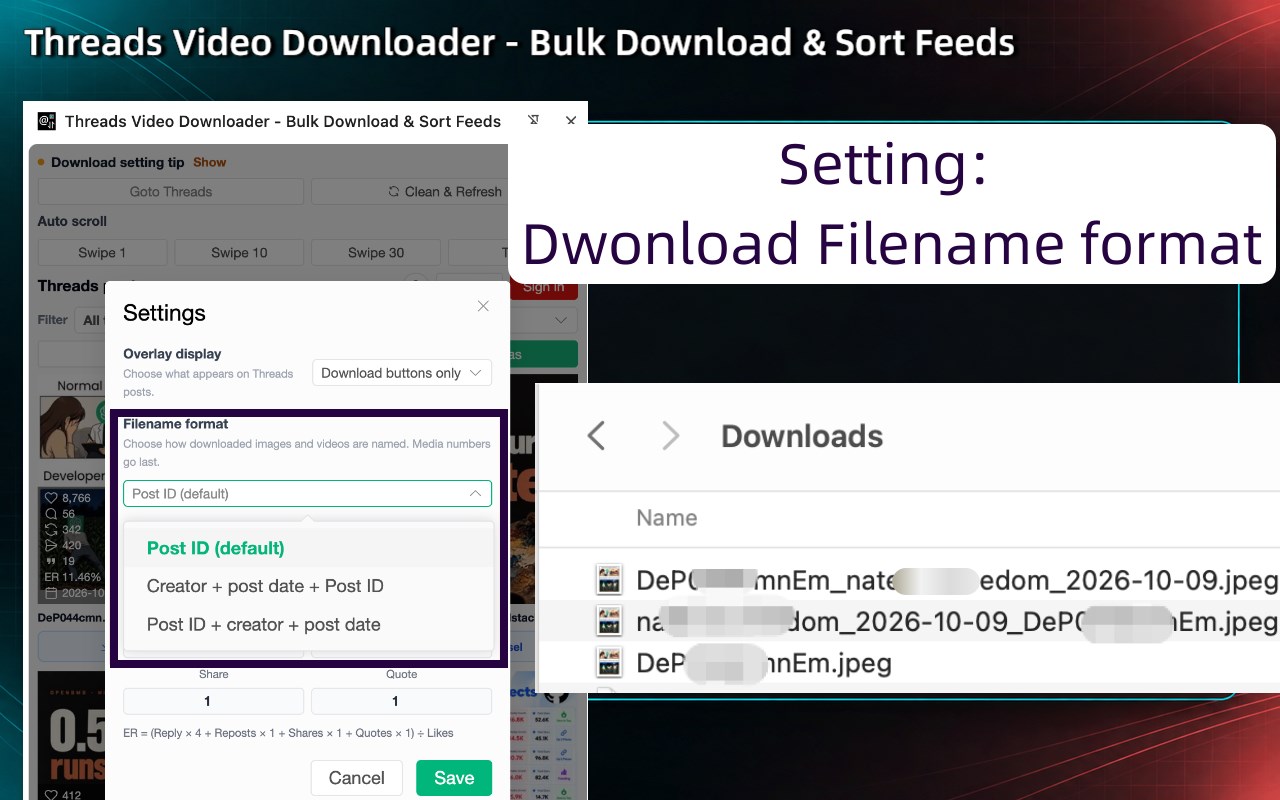
简介
Overview
Threads Video Downloader is an all-in-one browser extension for creators, marketers, researchers, and anyone who wants to save Threads media and understand post performance. It brings media downloads, post filtering, sorting, engagement analysis, and Excel exports together in one streamlined workflow.
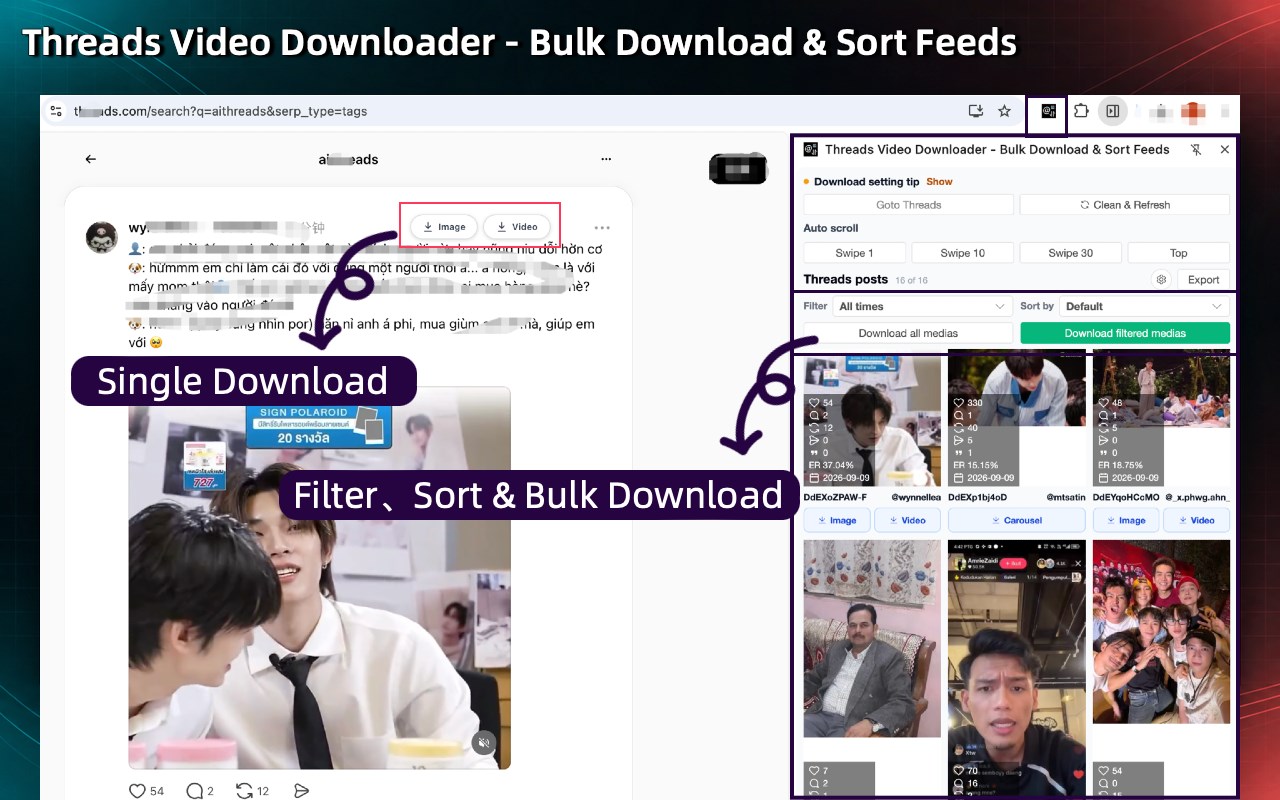
Browse Threads as usual, then review posts from feeds, profile pages, search results, and saved content in the side panel. Find relevant posts, export structured data, or download videos, images, and carousel media without opening every post individually.
✨ Key Features
▪️ 📥 Bulk Media Downloads (PRO)
Download HD images, HD videos, and complete carousel media from Threads in bulk, including posts that mix multiple images and videos.
Note: Single-post downloads are free and unlimited. Bulk downloads and Excel exports include 3 shared free uses; continued access requires Pro. This feature helps creators and marketing teams archive content faster.
▪️ 🔍 Smart Content Filtering & Sorting
Dynamically sort posts by Likes, Comments, Reposts, Shares, Quotes, publish date, or Engagement Rate. Combine sorting with date filters to find the posts most relevant to your research.
▪️ 📊 Side Panel Post Metrics
Review available Likes, Comments, Reposts, Shares, Quotes, publish dates, and Engagement Rate (ER) in the side panel while browsing Threads. Compare posts without opening each one individually.
▪️ 📤 Structured Excel Reports (PRO)
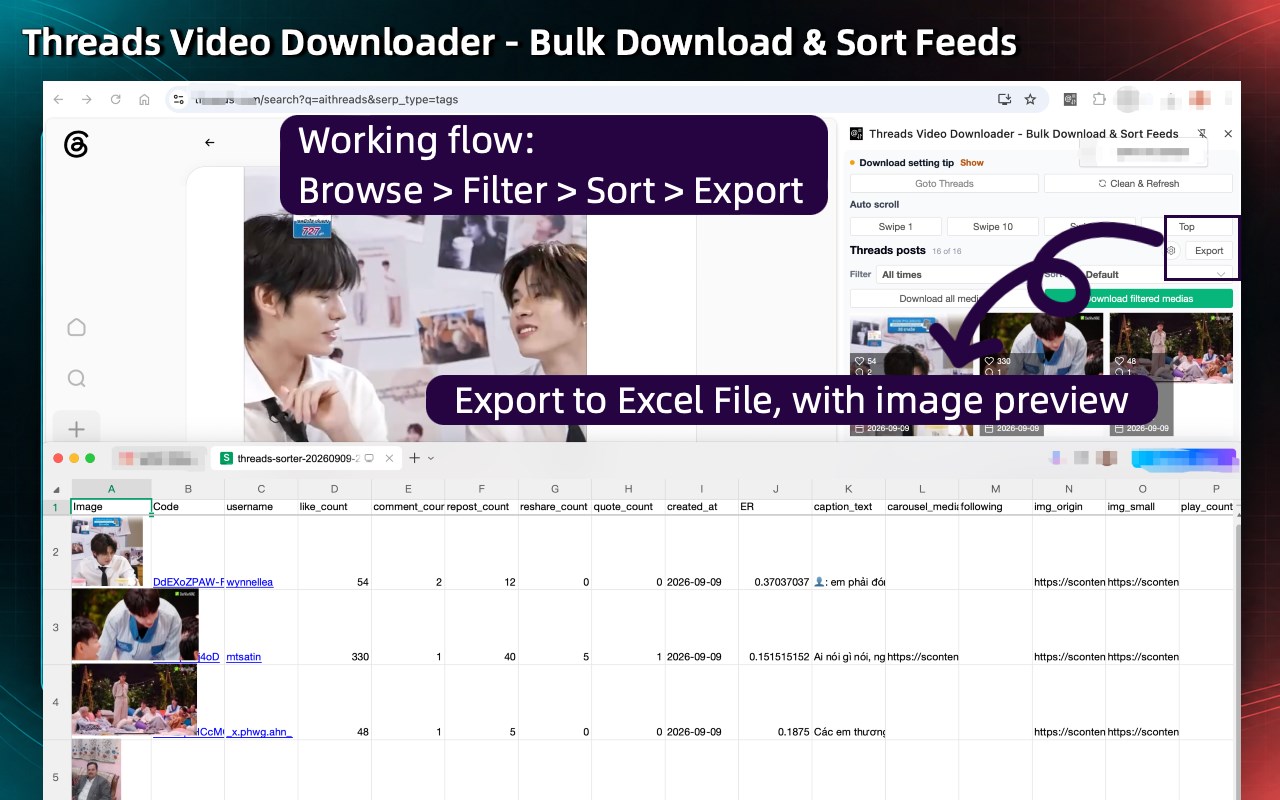
Export your filtered and sorted results to an XLSX workbook with thumbnails, post and profile links, captions, dates, engagement metrics, media URLs, and other available post details.
▪️ 🧮 Custom Engagement Rate Overlay
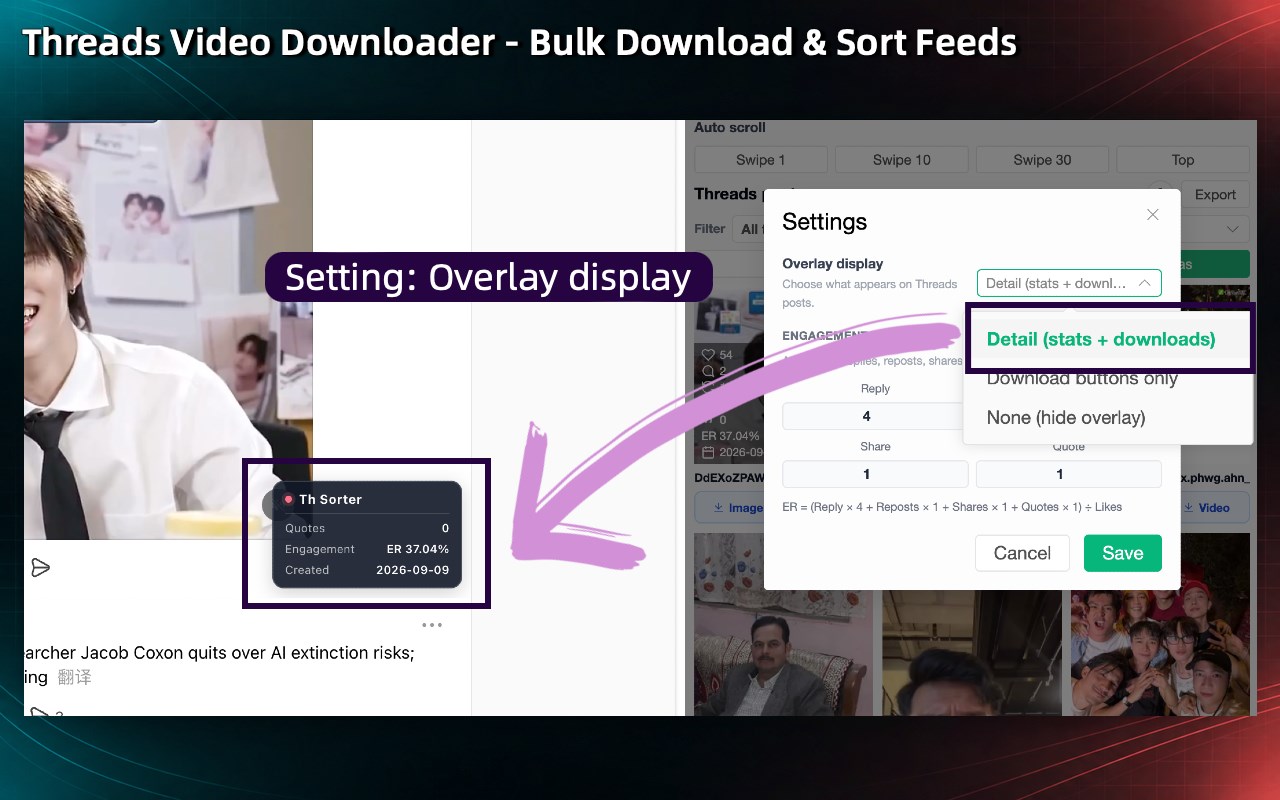
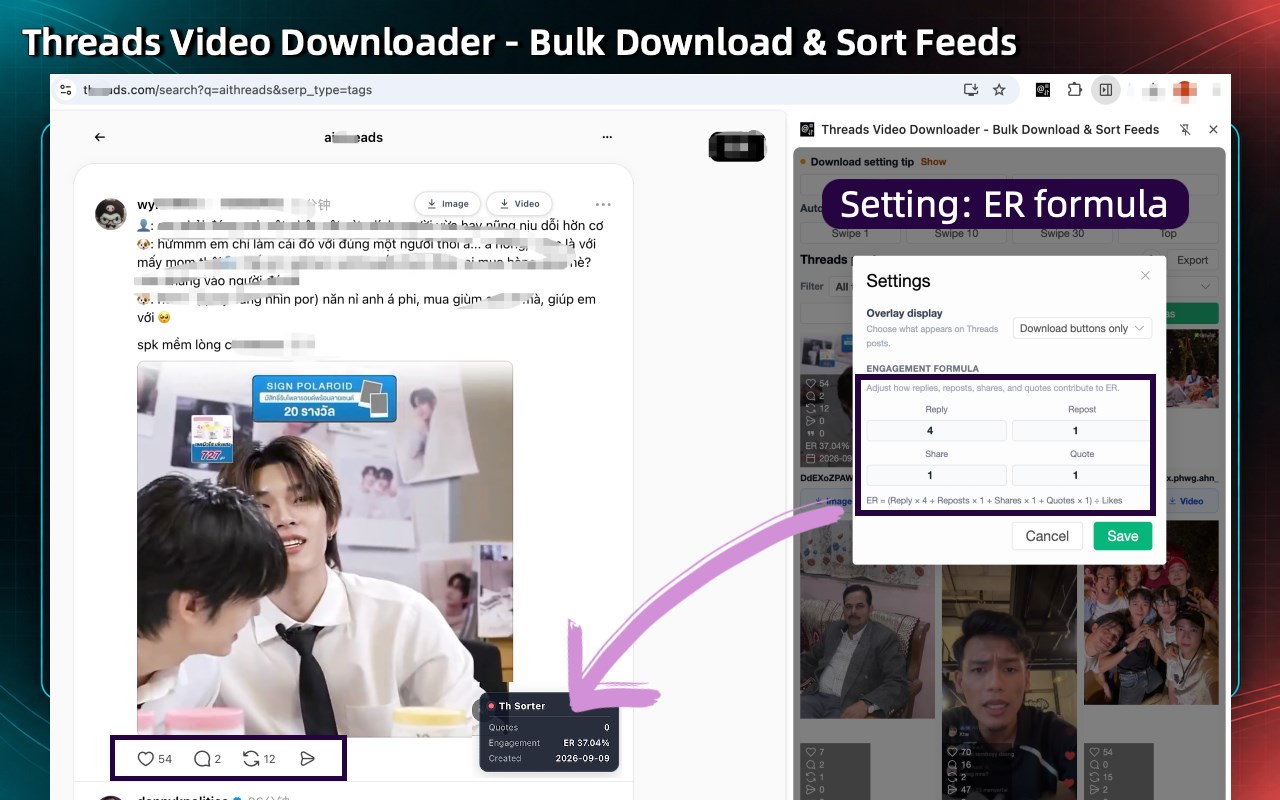
Display Likes, Comments, and Engagement Rate directly on the native Threads interface. Customize the metric weights to match your business model. The default formula is:
Engagement Rate = (Comments × 4 + Reposts × 1 + Shares × 1 + Quotes × 1) ÷ Likes
ER is calculated only when a post has at least one Like.
▪️ ⏬ Auto-Scroll & Post Loading
Use the auto-scroll controls to move through the current Threads page. As more posts load, the extension adds them to the side panel for review, sorting, filtering, export, or download.
▪️ 🧭 Support Across Threads Pages
Works across Home, Search results, For You, Following, profiles, Saved content, and other supported Threads views as you browse.
How to Use:
1. Install the Threads Video Downloader extension.
2. Open Threads and browse a feed, profile, search result, or saved posts.
3. Open the extension to review posts from the current Threads tab.
4. Use Auto Scroll when you want to load more posts.
5. Filter or sort the posts, or export the current results to Excel.
6. Download individual media files, media from all posts, or media from filtered posts.
Good to Know
- Threads may require you to sign in, limit visible content, or change page behavior over time. If posts stop appearing in the side panel, refresh the page and confirm that they are visible in your browser.
- You are responsible for complying with Threads' Terms of Use, applicable laws, and any agreements that govern your access to content and media.
Is it free?
Yes, it's free! You can access the basic features or upgrade to get more features.
Feedback
We’re here to help! Reach out to us at help@extensionsgod.com for any inquiries or feedback.
Data Privacy
- Post processing, sorting, exporting, and media download actions run in your browser. Downloaded files are saved through your browser's normal download flow.
Disclaimer
- Threads and all related marks are trademarks of their respective owners. This extension is independently developed and is not affiliated with or endorsed by Threads or Meta.
In-App Purchases
- Threads Video Downloader is a freemium extension with an optional Pro subscription. Free includes 3 shared uses for bulk downloads and Excel exports; Pro unlocks unlimited bulk downloads and Excel exports, plus premium support. Current plan pricing is displayed in the extension.
Threads 视频下载器 - 批量下载与排序 是做什么的
Threads 视频下载器 - 批量下载与排序 是一款面向 Edge 的效率工具类扩展,主要用来管住注意力、屏蔽干扰站点、记录时间。官方对它的介绍是:排序和筛选 Threads 动态、主页、搜索结果及已保存帖子,将帖子数据导出到 Excel,或批量下载视频和图片。在微软 Edge 加载项商店上,它当前版本 1.0.1,约 52 名用户。
适合什么人用
从功能定位看,Threads 视频下载器 - 批量下载与排序 更适合想专注工作学习、减少无效刷网页的用户。如果你平时只是偶尔遇到相关需求,用浏览器自带功能也能凑合;但如果这件事每天都发生,装一个专门处理它的扩展通常比手动操作省事得多。
怎么安装 Threads 视频下载器 - 批量下载与排序
- 打开微软 Edge 加载项商店上的官方页面;
- 点「添加到浏览器」并确认权限提示;
- 装好后在扩展列表里固定图标,方便随时开关。
本站只做索引与介绍,安装包来自官方商店。如果商店页面提示当前地区不可用,说明该扩展未在你所在区域上架。
常见问题
Threads 视频下载器 - 批量下载与排序 是免费的吗?
Threads 视频下载器 - 批量下载与排序 在微软 Edge 加载项商店免费提供下载。它是浏览器扩展,装上就能直接用,不需要注册账号。
Threads 视频下载器 - 批量下载与排序 安全吗?
它只申请了 0 项权限,范围比较克制,没有申请「读取所有网站数据」这种大权限。
Threads 视频下载器 - 批量下载与排序 支持哪些浏览器?
当前收录的版本来自微软 Edge 加载项商店,适用于 Edge。同一个扩展在其他商店可能有对应版本,但功能与版本号不一定相同。
怎么卸载 Threads 视频下载器 - 批量下载与排序?
在扩展管理页找到 Threads 视频下载器 - 批量下载与排序,点移除即可。它在本地保存的设置会一起清掉,不会残留数据。
权限清单 来自 manifest.json 原文
接口权限 4
activeTabidentitysidePanelstorage