TextSwift: Rich Text Templates EN
Deemite · EEdge MV3
Boost productivity with rich-text email templates, auto-expanding text shortcuts, and real-time usage & time-saving analytics.
截图
简介
TextSwift: Rich Text Templates & Productivity Booster
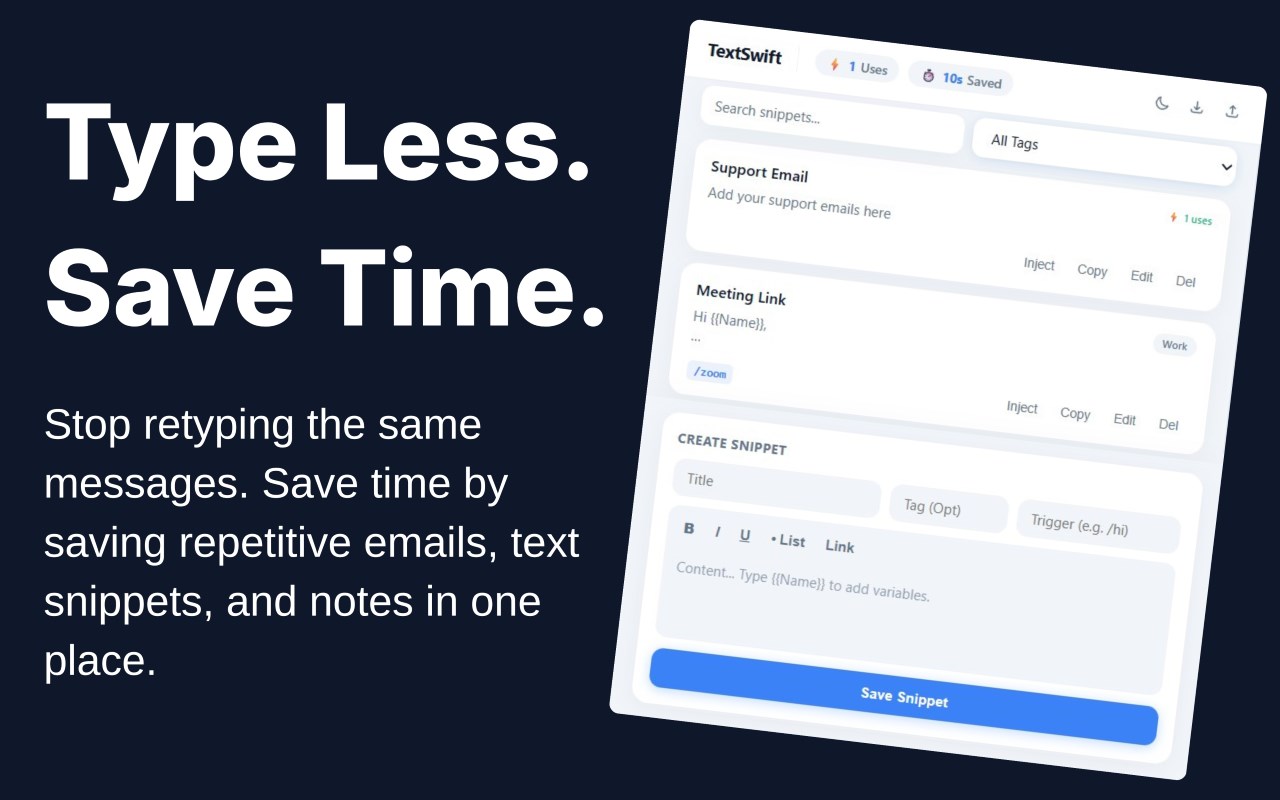
TextSwift is a sophisticated browser extension designed to significantly enhance your typing productivity throughout the web. Featuring a clean, modern interface, this tool empowers users to create, manage, and deploy rich-text snippets, auto-expanding shortcuts, and reusable email templates. By simplifying repetitive typing tasks, TextSwift saves precious time with every sentence you compose. Whether you are a professional frequently handling recurring communications, a support agent managing numerous tickets, or someone seeking to automate everyday typing, TextSwift provides a seamless and efficient experience that elevates your workflow.
The extension enables you to craft rich-text templates utilizing formatting options such as bold, italics, underline, bullet lists, and clickable hyperlinks through an intuitive rich-text editor. Users can assign unique shortcut triggers—like “/intro” or “/thanks”—which automatically expand into the predefined snippets inside any input field, textarea, or content-editable area across the internet, preserving all formatting choices. A robust organizational system allows you to tag snippets, perform instant searches and filters, and efficiently retrieve your templates exactly when you need them. Additionally, TextSwift tracks usage statistics and calculates estimated time saved, helping you visualize your productivity improvements in real-time.
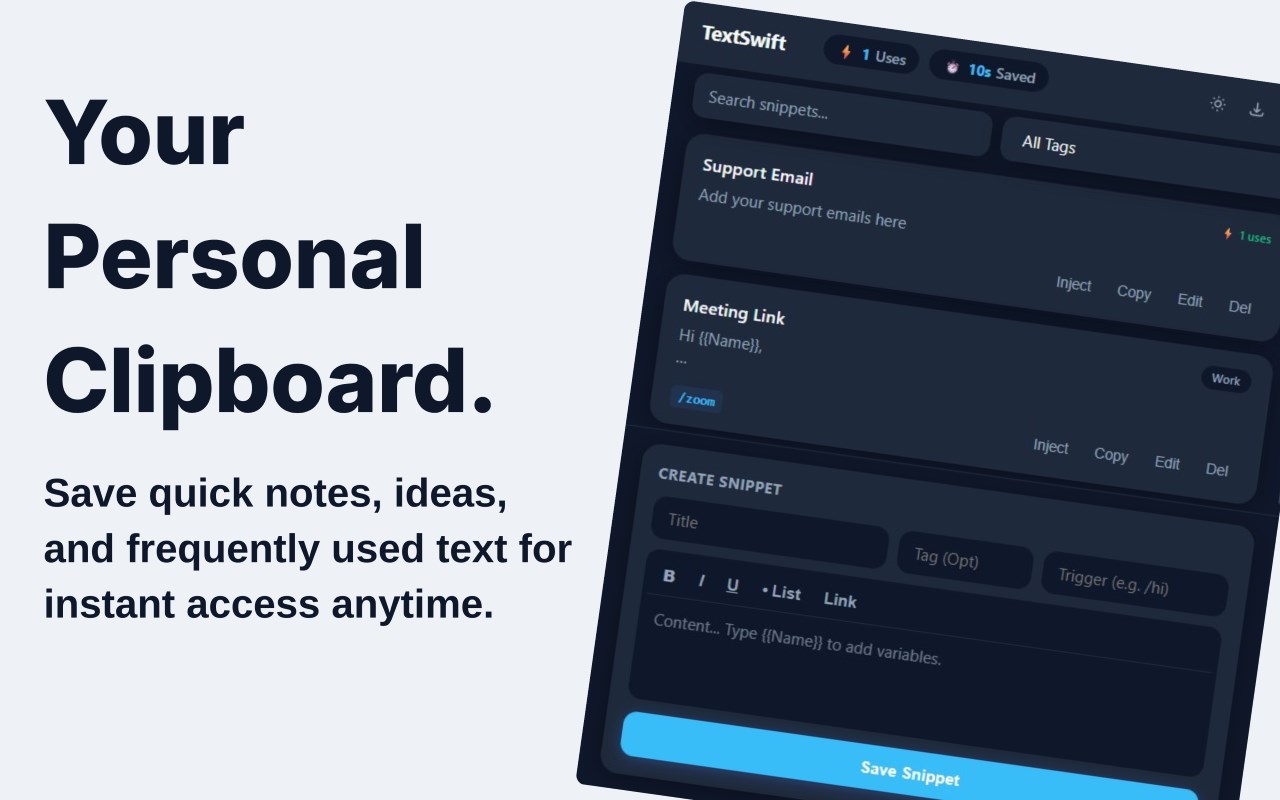
TextSwift’s popup interface consolidates snippet management into one centralized space, where you can effortlessly add, update, or delete templates through user-friendly controls. Data synchronization via Chrome’s secure storage ensures your collection of snippets and settings remains consistent across multiple devices. The extension supports JSON import/export, facilitating easy backups and sharing of template libraries among teammates or for personal archival purposes. Users can customize appearance preferences by toggling between light and dark themes, enhancing comfort during extended use. Usage metrics displayed within the popup detail how many times each snippet has been utilized and the cumulative time saved by employing TextSwift’s automation.
Designed to blend naturally into your daily digital routine, TextSwift actively monitors your typing without disrupting the performance or responsiveness of web pages. The extension’s content script activates only upon detecting predefined triggers, ensuring minimal resource consumption and unobtrusive operation. Importantly, TextSwift respects user privacy by storing all snippets and usage information locally or within Chrome’s synchronization infrastructure; no personal data leaves your browser environment unless explicitly exported by you.
Ideal for reducing repetitive email typing, sending frequently shared links, or delivering rich, consistent responses, TextSwift revolutionizes your writing efficiency. By automating standard content creation, it minimizes effort and maximizes productivity, making it an essential tool for anyone aiming to enhance their communication workflows on the web.
Key Features:
- Rich-text (WYSIWYG) snippet and template editor with support for bold, italic, underline, bullet lists, and hyperlinks.
- Text shortcuts allowing instant expansion of custom triggers (e.g., /greet or /faq) in any web input or rich text field.
- Usage and time-saving analytics that track the number of snippet uses and estimate total typing time saved.
- Efficient organization through searchable tags and filters for easy template retrieval.
- Robust import/export functionality using JSON files for backup and sharing purposes.
- Quick toggle between light and dark themes to suit different lighting conditions and preferences.
- Secure data handling with local storage and Chrome sync—no external servers or third-party tracking involved.
How It Works:
1. Install TextSwift and open the extension popup from the browser toolbar or via keyboard shortcuts (Ctrl+Shift+E on Windows/Linux or Command+Shift+E on Mac).
2. Use the WYSIWYG editor within the popup to create new rich-text templates. Assign a clear title, optional tags for organization, and designate a unique shortcut trigger for each snippet.
3. Organize and filter your snippets using tags and search functionality to quickly locate any template.
4. While typing in any web input, textarea, or content-editable field, enter your chosen shortcut trigger (like “/intro”) followed by space or enter; TextSwift detects this and automatically expands it with your formatted template.
5. Keep track of your snippet usage and view real-time estimates of time saved right inside the popup interface.
6. Update, rearrange, or remove snippets whenever needed, with all changes automatically synced across your devices through Edge storage.
7. Export your snippet collection to a JSON file for secure backup or to share with colleagues, or import existing snippet libraries to expand your template repertoire.
**Privacy:** - No personal data collected. All snippets and analytics remain stored locally or within Edge’s sync infrastructure, ensuring your data privacy and security. For more information, please refer to our privacy policy.
TextSwift: Rich Text Templates 是做什么的
TextSwift: Rich Text Templates 是一款面向 Edge 的效率工具类扩展,主要用来管住注意力、屏蔽干扰站点、记录时间。官方对它的介绍是:Boost productivity with rich-text email templates, auto-expanding text shortcuts, and real-time usage & time-saving analytics.在微软 Edge 加载项商店上,它当前版本 1.0,约 2 名用户。
适合什么人用
从功能定位看,TextSwift: Rich Text Templates 更适合想专注工作学习、减少无效刷网页的用户。如果你平时只是偶尔遇到相关需求,用浏览器自带功能也能凑合;但如果这件事每天都发生,装一个专门处理它的扩展通常比手动操作省事得多。
怎么安装 TextSwift: Rich Text Templates
- 打开微软 Edge 加载项商店上的官方页面;
- 点「添加到浏览器」并确认权限提示;
- 装好后在扩展列表里固定图标,方便随时开关。
本站只做索引与介绍,安装包来自官方商店。如果商店页面提示当前地区不可用,说明该扩展未在你所在区域上架。
常见问题
TextSwift: Rich Text Templates 是免费的吗?
TextSwift: Rich Text Templates 在微软 Edge 加载项商店免费提供下载。它是浏览器扩展,装上就能直接用,不需要注册账号。
TextSwift: Rich Text Templates 安全吗?
它只申请了 0 项权限,范围比较克制,没有申请「读取所有网站数据」这种大权限。
TextSwift: Rich Text Templates 支持哪些浏览器?
当前收录的版本来自微软 Edge 加载项商店,适用于 Edge。同一个扩展在其他商店可能有对应版本,但功能与版本号不一定相同。
怎么卸载 TextSwift: Rich Text Templates?
在扩展管理页找到 TextSwift: Rich Text Templates,点移除即可。它在本地保存的设置会一起清掉,不会残留数据。
权限清单 来自 manifest.json 原文
接口权限 2
activeTabstorage