
TextDiff
Xuming · EEdge MV3
Compare and highlight differences between two texts / 对比两个文本之间的差异并高亮显示
截图
简介
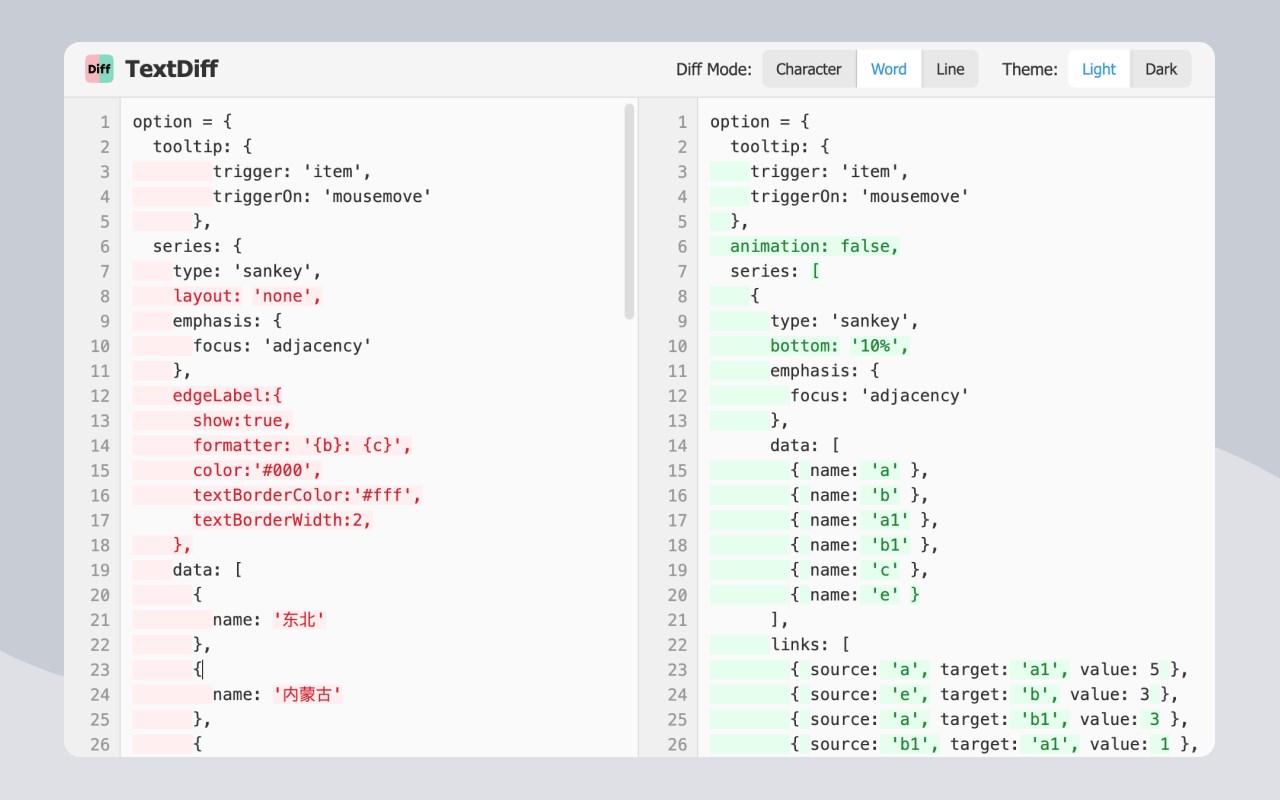
Compare and highlight differences between two texts
对比两个文本之间的差异并高亮显示
## Features
- It supports character - level, word - level, and line - level difference comparisons.
- Real - time comparison is available, with differences directly highlighted in the input area.
- There is a code editor area with line numbers, which is suitable for code comparison.
- The text has an auto - wrap function, making it convenient to view long texts.
- It fully supports Tab characters, ideal for comparing indented code.
- Light and dark themes can be switched.
- It automatically saves the last compared texts and settings.
- It offers a stand - alone page mode, providing a larger working area.
## Technical Implementation
- The difference comparison algorithm is based on the Longest Common Subsequence (LCS) algorithm.
## 功能特性
- 可进行字符级、单词级和行级的差异比较
- 能实时对比,直接在输入区域高亮显示不同之处
- 设有带行号的代码编辑区,便于代码对比
- 文本具备自动换行功能,查看长文本更便利
- 完全支持 Tab 字符,适合对比有缩进的代码
- 提供亮色与暗色主题切换
- 会自动保存上一次对比的文本和设置
- 拥有独立页面模式,提供更大的工作空间
## 技术实现
- 差异对比算法采用的是最长公共子序列(LCS)算法
TextDiff 是做什么的
TextDiff 是一款面向 Edge 的效率工具类扩展,主要用来管住注意力、屏蔽干扰站点、记录时间。官方对它的介绍是:Compare and highlight differences between two texts / 对比两个文本之间的差异并高亮显示在微软 Edge 加载项商店上,它当前版本 1.0,评分 5(1 人评价),约 189 名用户。
适合什么人用
从功能定位看,TextDiff 更适合想专注工作学习、减少无效刷网页的用户。如果你平时只是偶尔遇到相关需求,用浏览器自带功能也能凑合;但如果这件事每天都发生,装一个专门处理它的扩展通常比手动操作省事得多。
怎么安装 TextDiff
- 打开微软 Edge 加载项商店上的官方页面;
- 点「添加到浏览器」并确认权限提示;
- 装好后在扩展列表里固定图标,方便随时开关。
本站只做索引与介绍,安装包来自官方商店。如果商店页面提示当前地区不可用,说明该扩展未在你所在区域上架。
常见问题
TextDiff 是免费的吗?
TextDiff 在微软 Edge 加载项商店免费提供下载。它是浏览器扩展,装上就能直接用,不需要注册账号。
TextDiff 安全吗?
它只申请了 0 项权限,范围比较克制,没有申请「读取所有网站数据」这种大权限。
TextDiff 支持哪些浏览器?
当前收录的版本来自微软 Edge 加载项商店,适用于 Edge。同一个扩展在其他商店可能有对应版本,但功能与版本号不一定相同。
怎么卸载 TextDiff?
在扩展管理页找到 TextDiff,点移除即可。它在本地保存的设置会一起清掉,不会残留数据。
权限清单 来自 manifest.json 原文
接口权限 1
storage