TextAdjust Neurodiversity Tool EN
Text Adjust · EEdge MV3
Enhance readability with customizable text spacing and font options for users.
<all_urls>),意味着它可以读取你在任意站点的页面内容,包括已登录的页面。这是许多扩展正常工作的必要条件,但也值得你确认来源可信。
截图
简介
Text Adjust Neurodiversity Tool is a lightweight browser extension designed to improve readability and accessibility across the web. It gives users real-time control over how text appears on any webpage, helping reduce cognitive load and enhance focus.
This tool is especially helpful for individuals with dyslexia, ADHD, autism, and other neurodivergent conditions, but it can benefit anyone looking for a more comfortable reading experience.
• Font Replacement
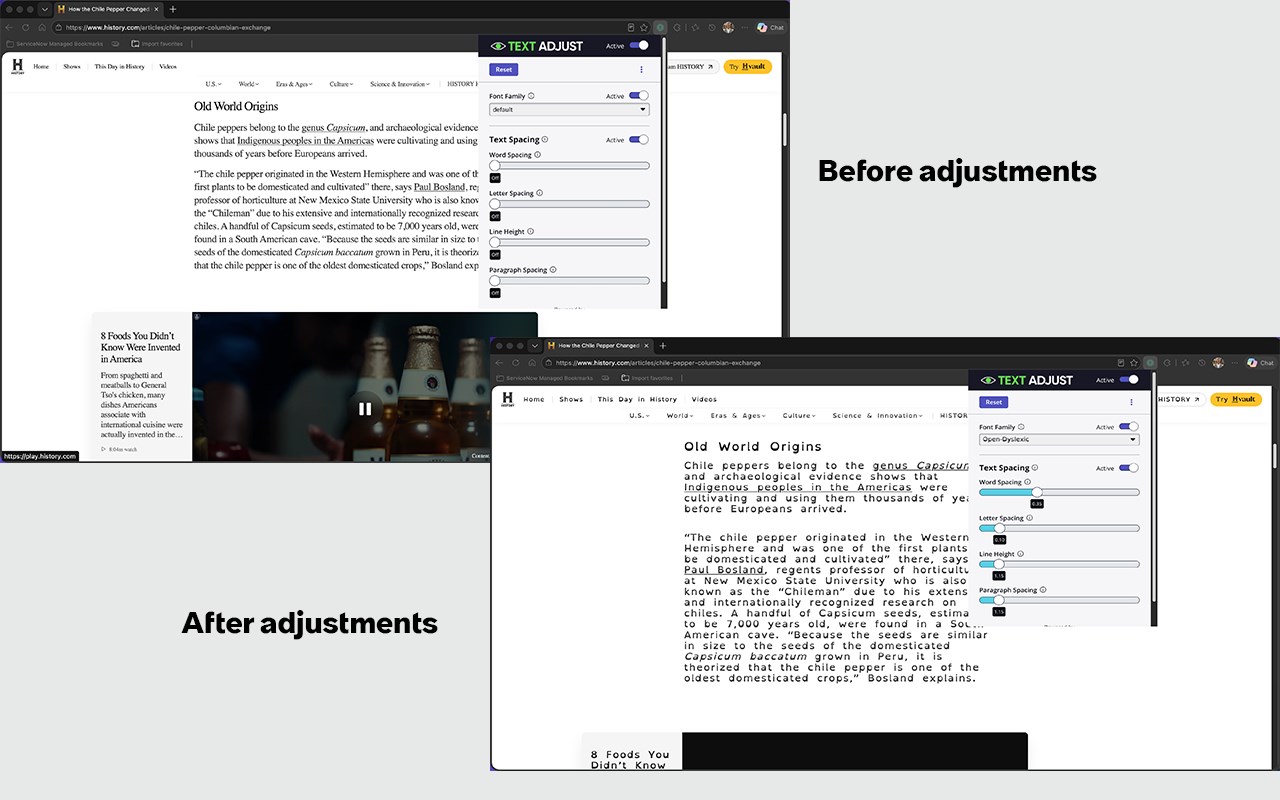
Replace default website fonts with a curated set of dyslexia-friendly font families that improve readability and reduce visual strain.
• Text Spacing Controls
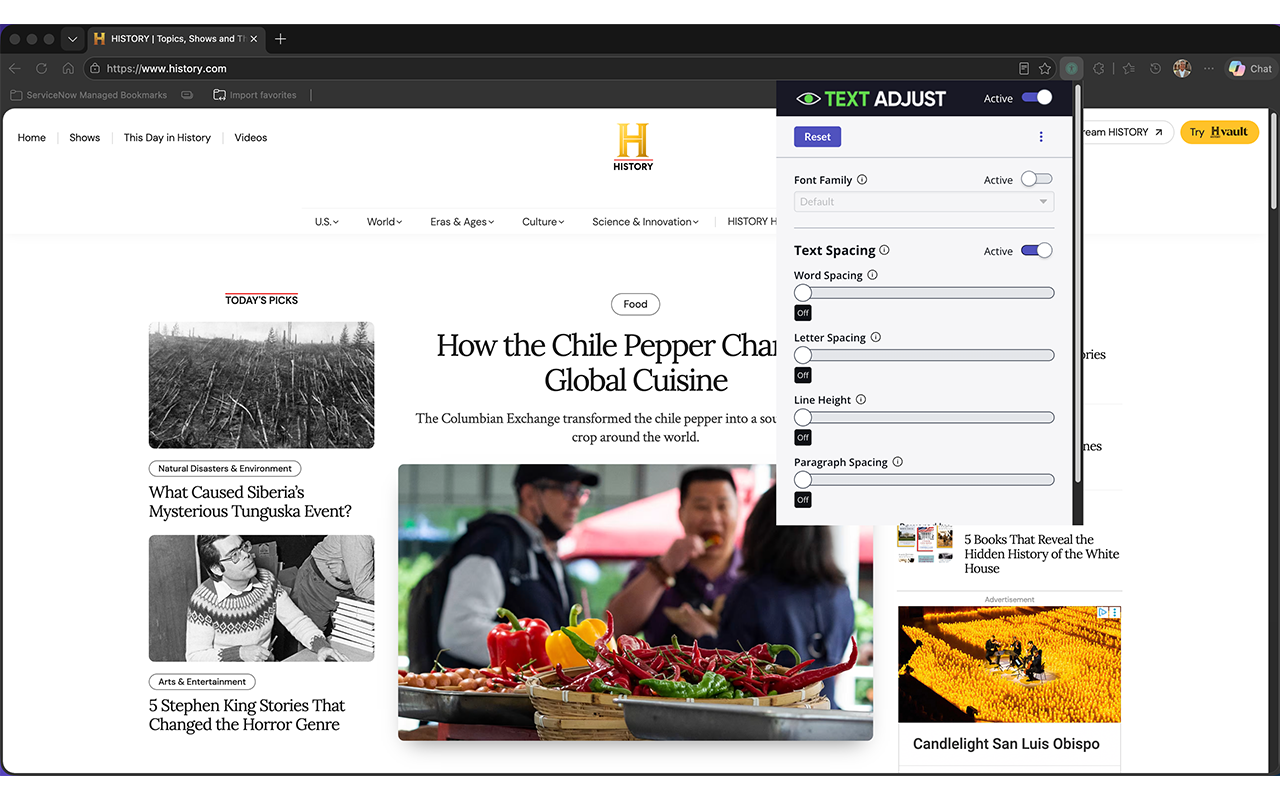
Adjust letter spacing, word spacing, line height, and paragraph spacing using simple slider controls to customize content layout.
• Real-Time Adjustments
See changes instantly on any webpage without reloading or modifying the site.
• Flexible and Easy to Use
Move the control panel anywhere on the screen, minimize it when not in use, and apply settings per page.
• Multilingual Support
The interface automatically matches your browser’s preferred language, supporting a wide range of global users.
Modern websites are not always designed for readability. TextAdjust empowers users to personalize how content is displayed, making it easier to read, process, and stay focused.
This extension aligns with accessibility best practices, including support for WCAG text spacing recommendations, and helps users adapt the web to their individual needs—without requiring any technical setup or configuration.
Privacy and Simplicity - TextAdjust runs entirely in your browser.
No accounts required
No data collected
No tracking or analytics
Your preferences are stored locally and applied instantly when browsing.
Make the web work for you. Install TextAdjust and create a more comfortable, accessible reading experience today.
TextAdjust Neurodiversity Tool 是做什么的
TextAdjust Neurodiversity Tool 是一款面向 Edge 的实用工具类扩展,主要用来解决浏览器里某类具体的小问题。官方对它的介绍是:Enhance readability with customizable text spacing and font options for users.在微软 Edge 加载项商店上,它当前版本 1.5.6,约 6,034 名用户。
适合什么人用
从功能定位看,TextAdjust Neurodiversity Tool 更适合想补上浏览器原生缺失功能的用户。如果你平时只是偶尔遇到相关需求,用浏览器自带功能也能凑合;但如果这件事每天都发生,装一个专门处理它的扩展通常比手动操作省事得多。需要注意的是它作用于所有网站,装上后建议先观察一两天,确认不影响常用站点的正常使用。
怎么安装 TextAdjust Neurodiversity Tool
- 打开微软 Edge 加载项商店上的官方页面;
- 点「添加到浏览器」并确认权限提示;
- 装好后在扩展列表里固定图标,方便随时开关。
本站只做索引与介绍,安装包来自官方商店。如果商店页面提示当前地区不可用,说明该扩展未在你所在区域上架。
常见问题
TextAdjust Neurodiversity Tool 是免费的吗?
TextAdjust Neurodiversity Tool 在微软 Edge 加载项商店免费提供下载。它是浏览器扩展,装上就能直接用,不需要注册账号。
TextAdjust Neurodiversity Tool 安全吗?
它只申请了 0 项权限,范围比较克制,没有申请「读取所有网站数据」这种大权限。
TextAdjust Neurodiversity Tool 支持哪些浏览器?
当前收录的版本来自微软 Edge 加载项商店,适用于 Edge。同一个扩展在其他商店可能有对应版本,但功能与版本号不一定相同。
怎么卸载 TextAdjust Neurodiversity Tool?
在扩展管理页找到 TextAdjust Neurodiversity Tool,点移除即可。它在本地保存的设置会一起清掉,不会残留数据。
权限清单 来自 manifest.json 原文
站点访问(可选) 2
http://*/*https://*/*
接口权限 5
activeTabbackgroundscriptingstoragetabs