
Text Shortcuts – Text Expander & Snippets EN
TextFields · EEdge MV3
Reusable text snippets with fillable fields. Insert dynamic templates anywhere on the web, without retyping.
截图
简介
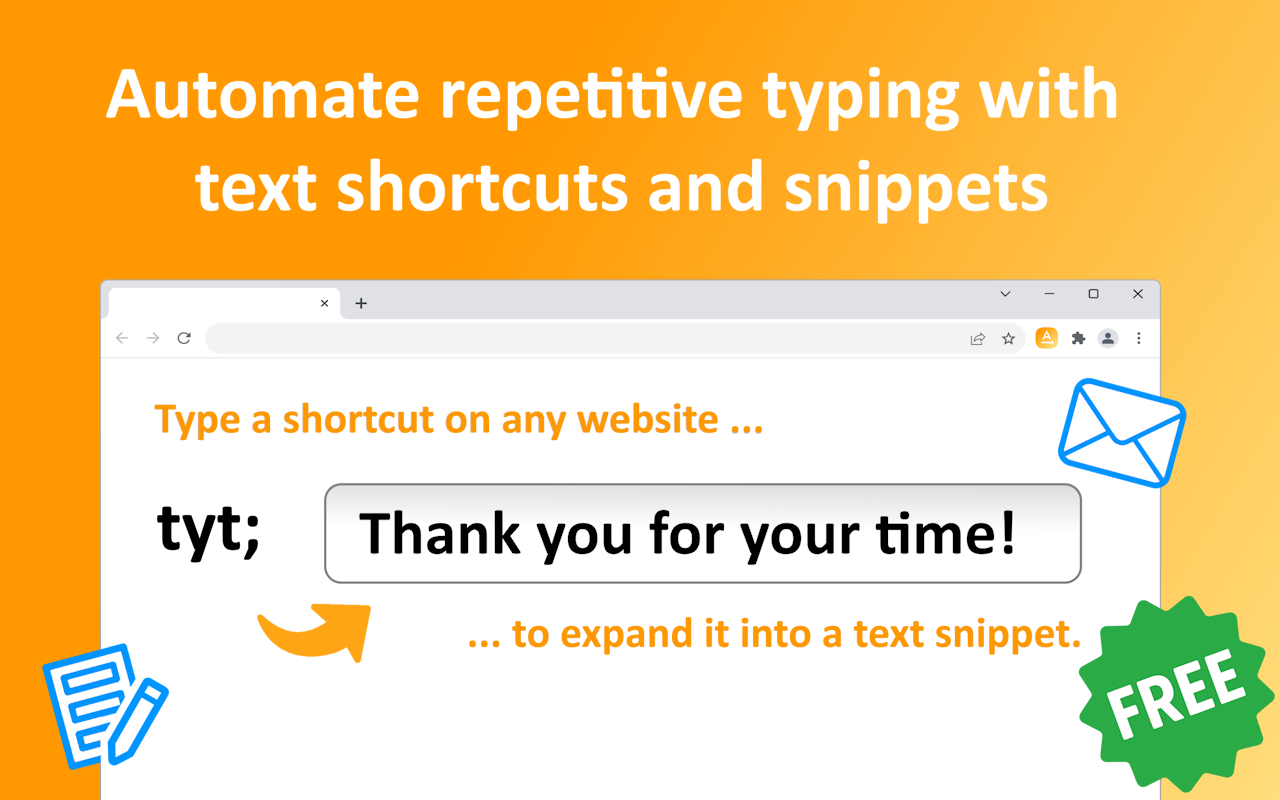
✨ Create text shortcuts that automatically expand into predefined snippets when typed on any website or web app. Save time, boost your productivity, and automate repetitive typing tasks.
🚀 What is a text expander? A text expander lets you create shortcuts or abbreviations for frequently used words, phrases, or rich-text formatted snippets, including full paragraphs. Type the shortcut, and it instantly expands into the complete text—saving time and effort.
🛡️ Fully private — your snippets are saved and synced by your browser, with no third-party servers involved. You can easily export and import them at any time.
📌 What can you use it for? Quickly insert standard greetings, commonly used expressions, pre-written email responses, meeting links, personalized email signatures, and more. Streamline tasks like adding frequently typed phrases, customer support templates, code snippets, social media hashtags, or even auto-filling addresses and contact information. The possibilities are endless!
Features:
⚡ Automatically insert snippets by typing predefined keywords.
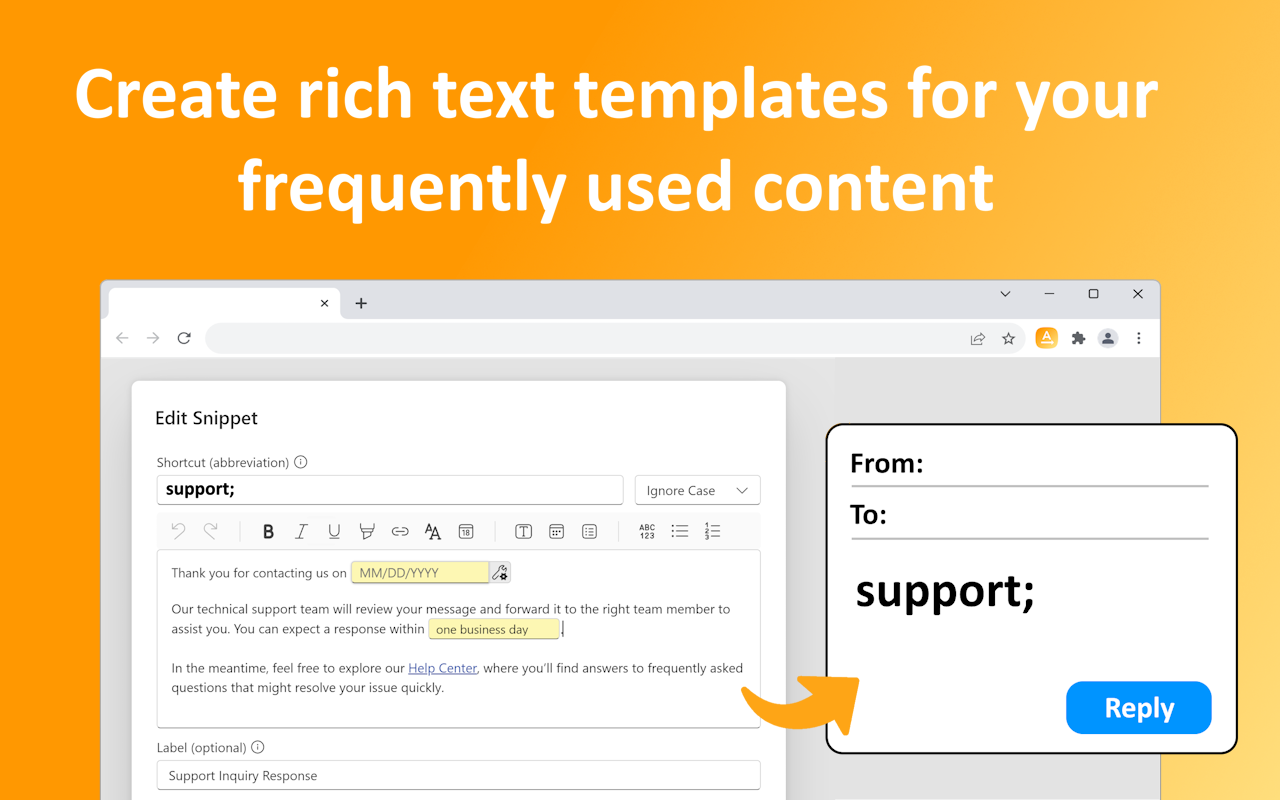
🚀 Customizable form fields (text, date, select and more) and date placeholders.
🌐 Works seamlessly on any website, including Gmail, Outlook, Google Docs, Word Online, mail clients ...
📝 Rich text formatting for your snippets, such as hyperlinks, colors, bullet points, and numbered lists.
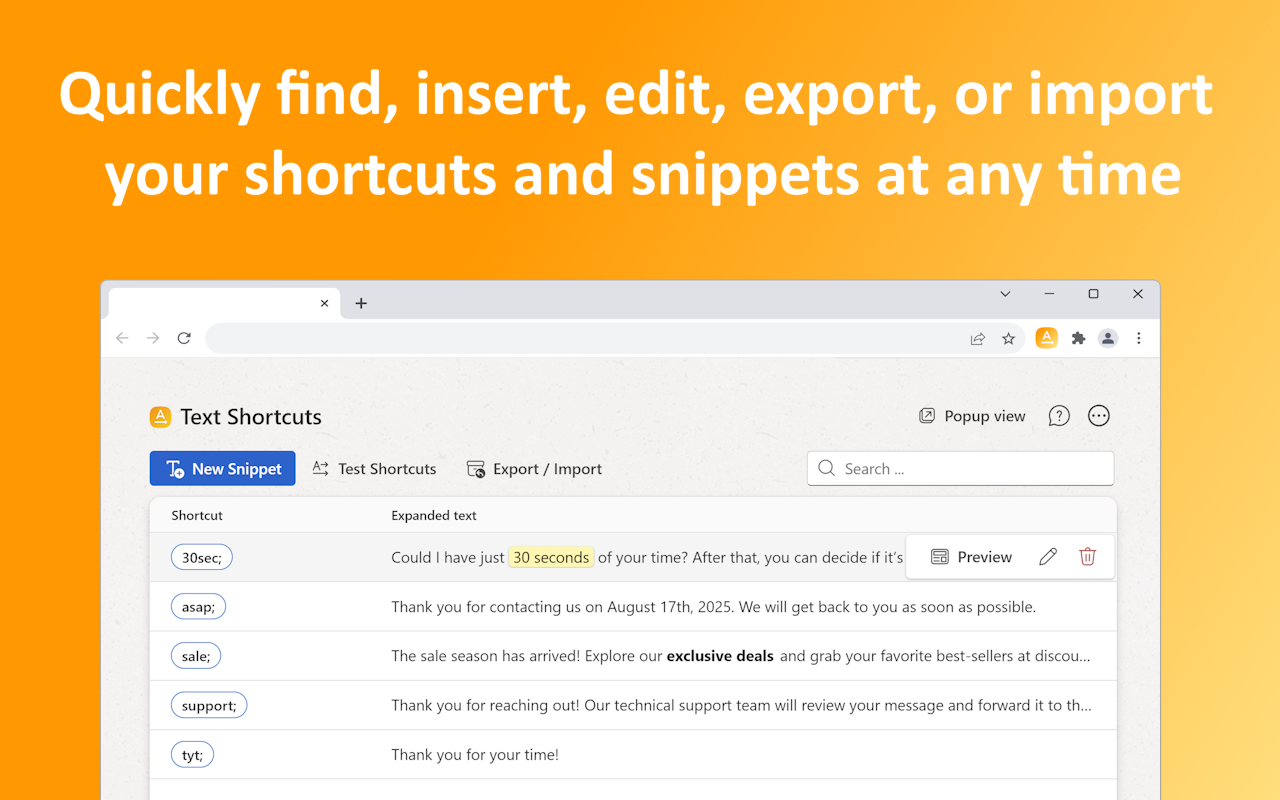
📤 Export and import your shortcuts and snippets at any time.
🔍 Quickly find and insert the right snippet.
🌓 Switch between Dark and Light themes to suit your preference.
📞 Customer Support: Create pre-written responses for frequently asked questions, troubleshooting steps, or issue escalation templates. Instantly insert responses like, "Thank you for reaching out! Our team is working on this issue, and we'll get back to you shortly."
📚 Teachers and Educators: Automate feedback for assignments, commonly used grading comments, and communication with parents or students. Quickly insert feedback like, "Great effort! To improve, focus on X. Let me know if you'd like additional resources!"
🤝 Recruiting Professionals: Draft standardized job offer letters, rejection emails, or follow-up communications. Instantly insert templated emails like, "We appreciate your application for [position]. Our team is currently reviewing it and will get back to you shortly."
📈 Sales Teams: Speed up outreach efforts by inserting personalized cold emails, follow-up messages, or product pitches. Quickly insert, "Hi [Name], I noticed your company specializes in [industry]. I'd love to discuss how our solution can help."
📣 Marketing Professionals: Insert frequently used hashtags, campaign slogans, or social media templates. Auto-insert a list of hashtags like, "#DigitalMarketing #SocialMediaStrategy #ContentCreation" with a single keyword.
💼 Lawyers and Legal Professionals: Draft standard legal disclaimers, contracts, or client communication templates. Instantly add disclaimers such as, "This communication is intended only for the recipient and may contain privileged information."
🏡 Real Estate Agents: Simplify communication with potential buyers by inserting property descriptions, open house invites, or follow-ups. Quickly insert, "Thank you for your interest in [property address]. Please let me know if you'd like to schedule a viewing!"
🩺 Healthcare Professionals: Streamline patient communications, appointment reminders, or pre-appointment instructions. Auto-fill instructions like, "Please arrive 15 minutes early and bring your ID and insurance card for your appointment."
✍️ Content Creators: Reuse common formatting for blog posts, video descriptions, or email campaigns. Quickly insert, "Subscribe for more tips and insights at [link]! Don't forget to follow us on social media."
💻 Freelancers and Consultants: Save time drafting proposals, invoicing templates, or client onboarding messages. Quickly insert, "Thank you for considering my services! Please find the attached proposal outlining the project details and timeline."
Website: https://textshortcuts.com
Privacy policy: https://textshortcuts.com/privacy
### Give us feedback and suggest ideas:
https://textshortcuts.com/support or email us at
Text Shortcuts – Text Expander & Snippets 是做什么的
Text Shortcuts – Text Expander & Snippets 是一款面向 Edge 的效率工具类扩展,主要用来管住注意力、屏蔽干扰站点、记录时间。官方对它的介绍是:Reusable text snippets with fillable fields. Insert dynamic templates anywhere on the web, without retyping.在微软 Edge 加载项商店上,它当前版本 1.3.4,评分 4(1 人评价),约 1,505 名用户。
适合什么人用
从功能定位看,Text Shortcuts – Text Expander & Snippets 更适合想专注工作学习、减少无效刷网页的用户。如果你平时只是偶尔遇到相关需求,用浏览器自带功能也能凑合;但如果这件事每天都发生,装一个专门处理它的扩展通常比手动操作省事得多。
怎么安装 Text Shortcuts – Text Expander & Snippets
- 打开微软 Edge 加载项商店上的官方页面;
- 点「添加到浏览器」并确认权限提示;
- 装好后在扩展列表里固定图标,方便随时开关。
本站只做索引与介绍,安装包来自官方商店。如果商店页面提示当前地区不可用,说明该扩展未在你所在区域上架。
常见问题
Text Shortcuts – Text Expander & Snippets 是免费的吗?
Text Shortcuts – Text Expander & Snippets 在微软 Edge 加载项商店免费提供下载。它是浏览器扩展,装上就能直接用,不需要注册账号。
Text Shortcuts – Text Expander & Snippets 安全吗?
它只申请了 0 项权限,范围比较克制,没有申请「读取所有网站数据」这种大权限。
Text Shortcuts – Text Expander & Snippets 支持哪些浏览器?
当前收录的版本来自微软 Edge 加载项商店,适用于 Edge。同一个扩展在其他商店可能有对应版本,但功能与版本号不一定相同。
怎么卸载 Text Shortcuts – Text Expander & Snippets?
在扩展管理页找到 Text Shortcuts – Text Expander & Snippets,点移除即可。它在本地保存的设置会一起清掉,不会残留数据。
权限清单 来自 manifest.json 原文
接口权限 5
activeTabcontextMenusoffscreenscriptingstorage