
SwiftDM – Download Capture EN
Simple Daily Planner · EEdge MV3
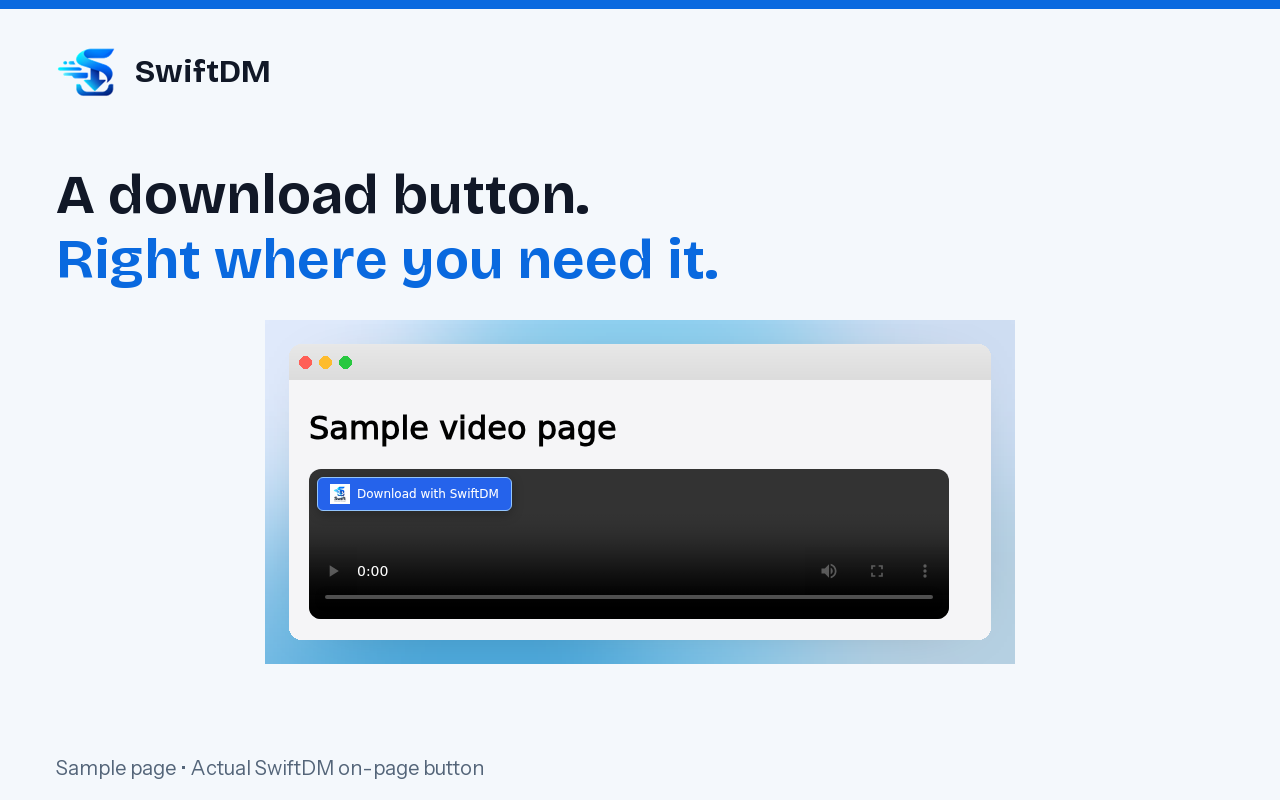
SwiftDM adds download buttons for files and social videos, with automatic browser download capture and desktop confirmation.
截图
简介
SwiftDM – Download Capture connects your browser to Swift Download Manager, the desktop download manager for Windows.
Start a download and SwiftDM takes it over: the file is split into parts, downloaded in parallel, and can be paused, resumed or restarted at any time — even after a reboot.
WHAT THE EXTENSION DOES
• Shows a "Download with SwiftDM" button on supported file links, images and videos.
• Catches downloads you start in the browser and sends them to the desktop app when automatic capture is on.
• Adds "Download with SwiftDM" to the right-click menu on links, images, audio and video.
• Offers available video qualities for supported, unprotected sources.
• Collects videos detected on Instagram, Facebook, LinkedIn and TikTok into a queue, then sends them all with one click.
• Shows capture status and whether the desktop app is running.
• File-type filters, a minimum file-size setting and a site skip list.
• Works in InPrivate windows when you explicitly allow the extension there in your browser's extension settings.
DESKTOP DOWNLOAD CONTROL
The companion Windows app handles saving, pause and resume, progress, bandwidth control, scheduling and quiet hours, checksum verification, duplicate detection, auto-sort folders and download statistics. Picture and sound can be joined into one file when compatible sources are available. These are desktop-app features, not standalone extension downloads.
HOW TO USE
1. Install Swift Download Manager for Windows from https://swiftdownloadmanager.com.
2. Sign in and activate the desktop app, then keep it running.
3. Install this extension and open a supported page.
4. Click the SwiftDM button, use the right-click menu, or enable automatic capture.
5. Review the link in SwiftDM and start downloading.
REQUIREMENTS AND PRICING
This extension requires the SwiftDM Windows desktop app; it is not a standalone downloader. The desktop app requires account sign-in and activation. Every feature is available during the 30-day trial. Continued use after the trial requires a paid Premium license. Current pricing: https://swiftdownloadmanager.com.
SUPPORTED CONTENT AND LIMITATIONS
SwiftDM detects supported, unprotected media on Instagram, Facebook, LinkedIn, TikTok, Vimeo, Wistia and ordinary websites. Detection depends on the page, player, source availability and the site's own restrictions, so not every video is downloadable.
YouTube downloads are not supported. The extension does not unlock private content, bypass sign-in, defeat DRM or remove download restrictions. Some downloads that depend on your signed-in browser session cannot be saved by the desktop app; add those sites to the skip list. Download only content you own or have permission to save.
PRIVACY AND PERMISSIONS
The extension reads relevant page, link and media information to identify downloads, then sends selected links and related metadata to SwiftDM running on the same computer. It observes media requests needed for capture and saves your preferences locally. It does not copy your browser's cookies or passwords to the desktop app, and nothing is sent to our servers.
Website access is used for on-page buttons and media detection. Download access is used to detect and hand off downloads. Tab and navigation access keep capture associated with the page you are viewing. Localhost access connects the extension to the Windows companion app.
Privacy policy: https://swiftdownloadmanager.com/privacy
Help and contact: https://swiftdownloadmanager.com/contact
Downloads and release notes: https://swiftdownloadmanager.com/extensions
SwiftDM – Download Capture 是做什么的
SwiftDM – Download Capture 是一款面向 Edge 的效率工具类扩展,主要用来管住注意力、屏蔽干扰站点、记录时间。官方对它的介绍是:SwiftDM adds download buttons for files and social videos, with automatic browser download capture and desktop confirmation.在微软 Edge 加载项商店上,它当前版本 2.0.9。
适合什么人用
从功能定位看,SwiftDM – Download Capture 更适合想专注工作学习、减少无效刷网页的用户。如果你平时只是偶尔遇到相关需求,用浏览器自带功能也能凑合;但如果这件事每天都发生,装一个专门处理它的扩展通常比手动操作省事得多。
怎么安装 SwiftDM – Download Capture
- 打开微软 Edge 加载项商店上的官方页面;
- 点「添加到浏览器」并确认权限提示;
- 装好后在扩展列表里固定图标,方便随时开关。
本站只做索引与介绍,安装包来自官方商店。如果商店页面提示当前地区不可用,说明该扩展未在你所在区域上架。
常见问题
SwiftDM – Download Capture 是免费的吗?
SwiftDM – Download Capture 在微软 Edge 加载项商店免费提供下载。它是浏览器扩展,装上就能直接用,不需要注册账号。
SwiftDM – Download Capture 安全吗?
它只申请了 0 项权限,范围比较克制,没有申请「读取所有网站数据」这种大权限。
SwiftDM – Download Capture 支持哪些浏览器?
当前收录的版本来自微软 Edge 加载项商店,适用于 Edge。同一个扩展在其他商店可能有对应版本,但功能与版本号不一定相同。
怎么卸载 SwiftDM – Download Capture?
在扩展管理页找到 SwiftDM – Download Capture,点移除即可。它在本地保存的设置会一起清掉,不会残留数据。
权限清单 来自 manifest.json 原文
接口权限 7
activeTabcontextMenusdownloadsstoragetabswebNavigationwebRequest