
StyleProof: CSS Style Difference & Contrast Checker EN
Shahid Irfan · EEdge MV3
Compare two webpage elements, inspect rendered CSS differences, and check contrast locally.
截图
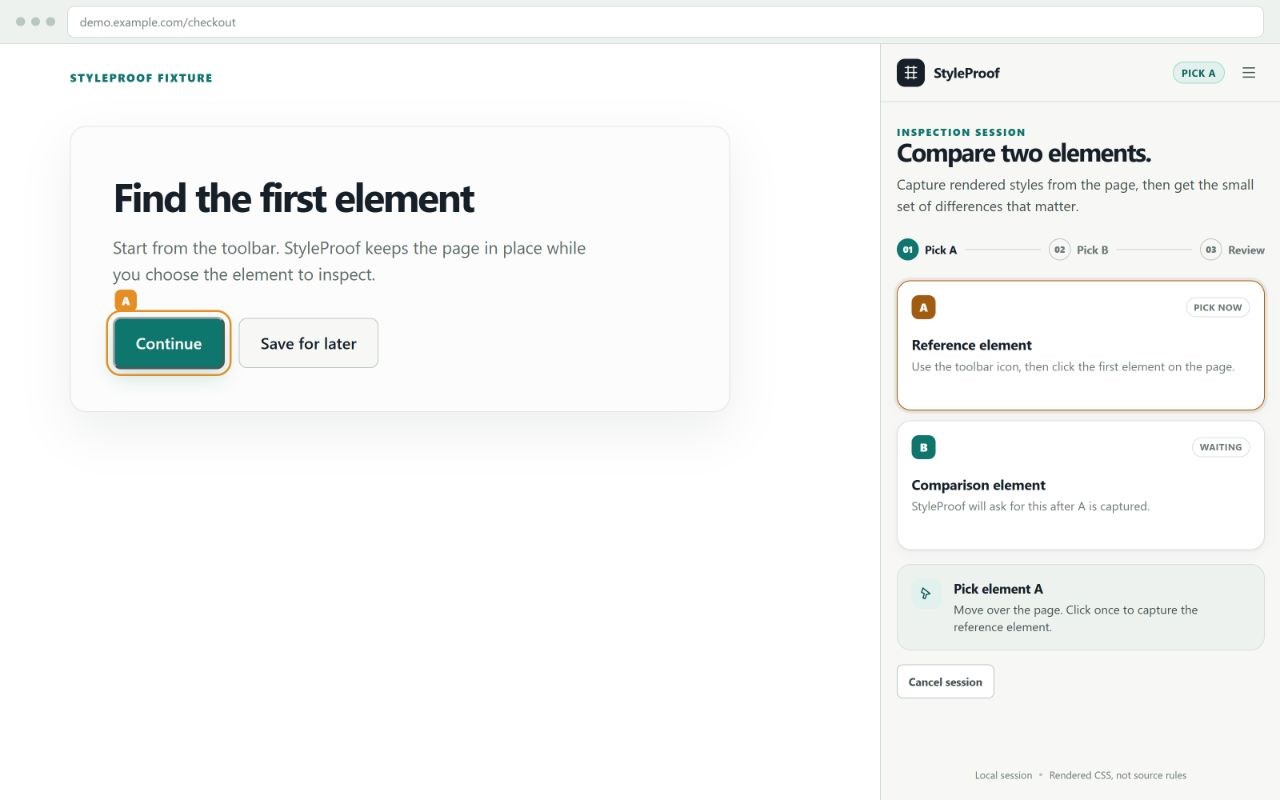
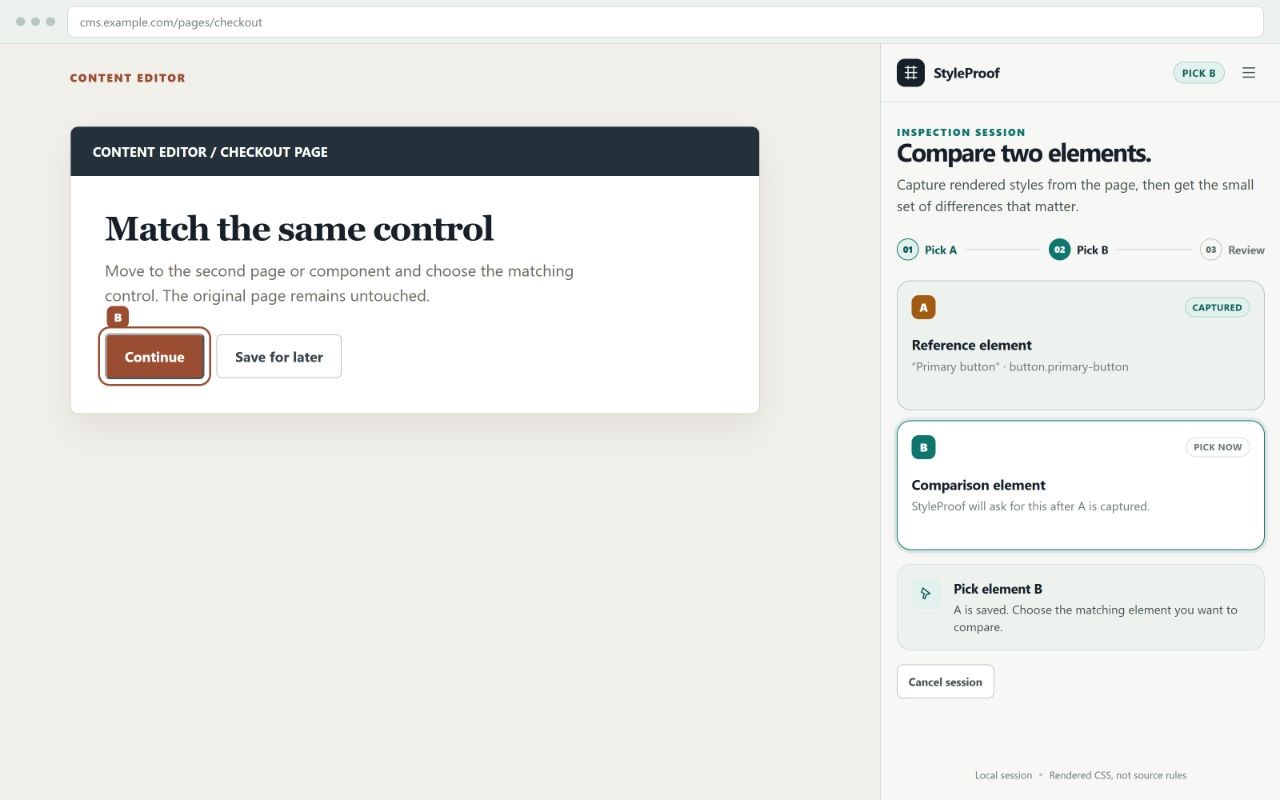
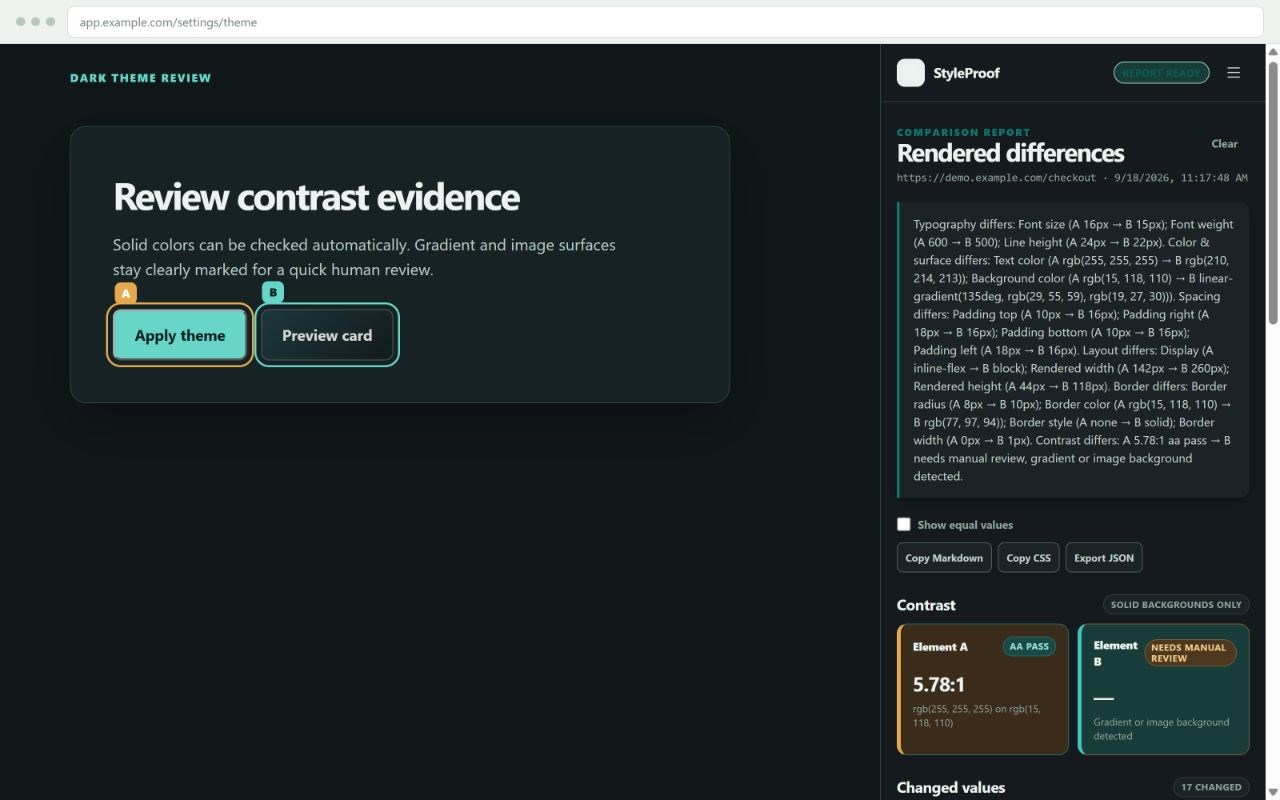
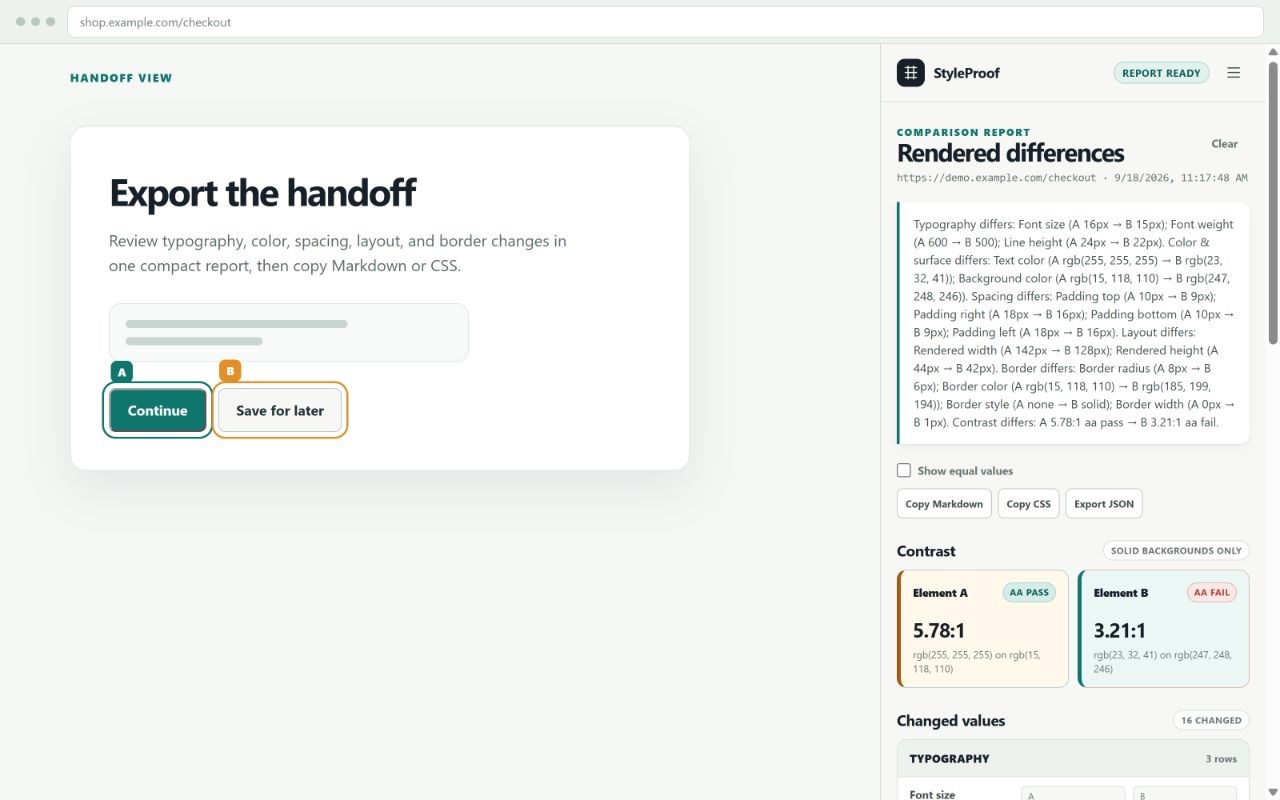
简介
StyleProof compares the rendered styles of two elements on the current webpage and turns the result into a clear comparison report.
Select a reference element and a comparison element. StyleProof shows the actual differences between them across:
Typography, including font family, size, weight, and line height
Text and background colors
Spacing and padding
Display and rendered dimensions
Borders, radius, and border styles
Contrast results for supported solid backgrounds
The report shows the exact A and B values, so you can see what changed instead of reading a generic summary. You can copy the comparison as Markdown or CSS, export it as JSON, or save the report locally for later reference.
HOW TO USE
Click the StyleProof icon in the browser toolbar.
Select the first element on the page.
Select the second element.
Review the comparison report in the side panel.
Copy, export, or save the result if needed.
Clicking Clear stops the old picker and immediately starts a fresh Pick A session on the same page.
PRIVACY
StyleProof works locally in the browser. It does not require an account, analytics, remote API, telemetry, or network service. Page information is read only after the user starts an inspection and selects elements. Reports are saved only when the user chooses to save them.
StyleProof does not change page-owned CSS, fonts, content, layout, links, or controls. Its temporary picker is removed when the inspection is completed, cancelled, or cleared.
LIMITATIONS
Browser-restricted pages, cross-origin iframe content, closed Shadow DOM, and complex image or gradient backgrounds may not be fully inspectable. The report describes rendered CSS values and does not identify the original source stylesheet rule. Contrast results are not an accessibility compliance certification.
StyleProof: CSS Style Difference & Contrast Checker 是做什么的
StyleProof: CSS Style Difference & Contrast Checker 是一款面向 Edge 的实用工具类扩展,主要用来解决浏览器里某类具体的小问题。官方对它的介绍是:Compare two webpage elements, inspect rendered CSS differences, and check contrast locally.在微软 Edge 加载项商店上,它当前版本 0.2.1,约 1 名用户。
适合什么人用
从功能定位看,StyleProof: CSS Style Difference & Contrast Checker 更适合想补上浏览器原生缺失功能的用户。如果你平时只是偶尔遇到相关需求,用浏览器自带功能也能凑合;但如果这件事每天都发生,装一个专门处理它的扩展通常比手动操作省事得多。
怎么安装 StyleProof: CSS Style Difference & Contrast Checker
- 打开微软 Edge 加载项商店上的官方页面;
- 点「添加到浏览器」并确认权限提示;
- 装好后在扩展列表里固定图标,方便随时开关。
本站只做索引与介绍,安装包来自官方商店。如果商店页面提示当前地区不可用,说明该扩展未在你所在区域上架。
常见问题
StyleProof: CSS Style Difference & Contrast Checker 是免费的吗?
StyleProof: CSS Style Difference & Contrast Checker 在微软 Edge 加载项商店免费提供下载。它是浏览器扩展,装上就能直接用,不需要注册账号。
StyleProof: CSS Style Difference & Contrast Checker 安全吗?
它只申请了 0 项权限,范围比较克制,没有申请「读取所有网站数据」这种大权限。
StyleProof: CSS Style Difference & Contrast Checker 支持哪些浏览器?
当前收录的版本来自微软 Edge 加载项商店,适用于 Edge。同一个扩展在其他商店可能有对应版本,但功能与版本号不一定相同。
怎么卸载 StyleProof: CSS Style Difference & Contrast Checker?
在扩展管理页找到 StyleProof: CSS Style Difference & Contrast Checker,点移除即可。它在本地保存的设置会一起清掉,不会残留数据。
权限清单 来自 manifest.json 原文
接口权限 5
activeTabclipboardWritescriptingsidePanelstorage