
Stylepick - CSS, Font & Color Inspector EN
infora · EEdge MV3
Hover any element to see its fonts, colors and spacing, then copy clean CSS. No account, no trackers.
截图
简介
Want to know what font a site is using, or grab the exact color and spacing of a
button? Opening DevTools and scrolling through hundreds of computed properties is
slow. Stylepick shows you just the part that matters.
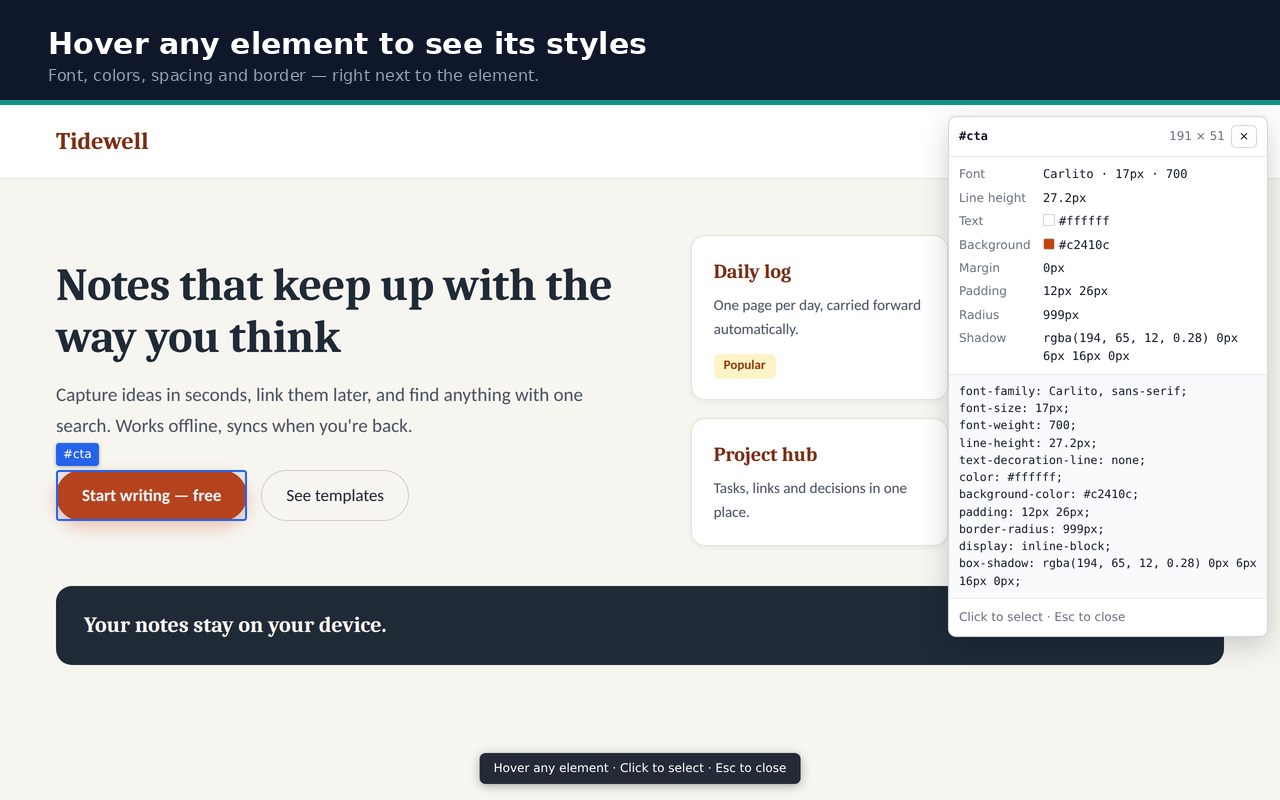
Click the toolbar icon, then hover over anything on the page. A small panel shows
its font, size and weight, line height, text and background color, margin, padding,
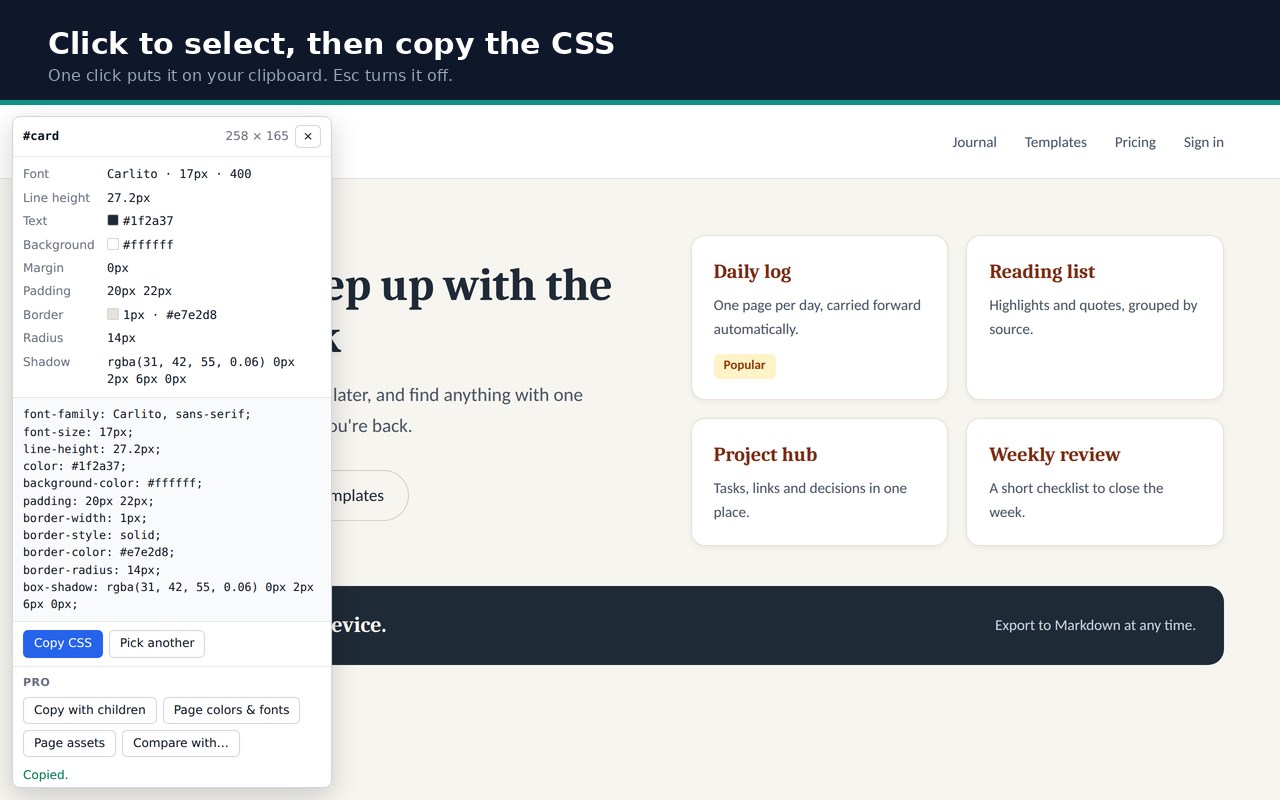
border, corner radius and shadow. Click to select it, and copy its CSS in one click.
WHAT YOU GET — free, no account, no limit
- Live preview while you hover: font, colors and spacing at a glance
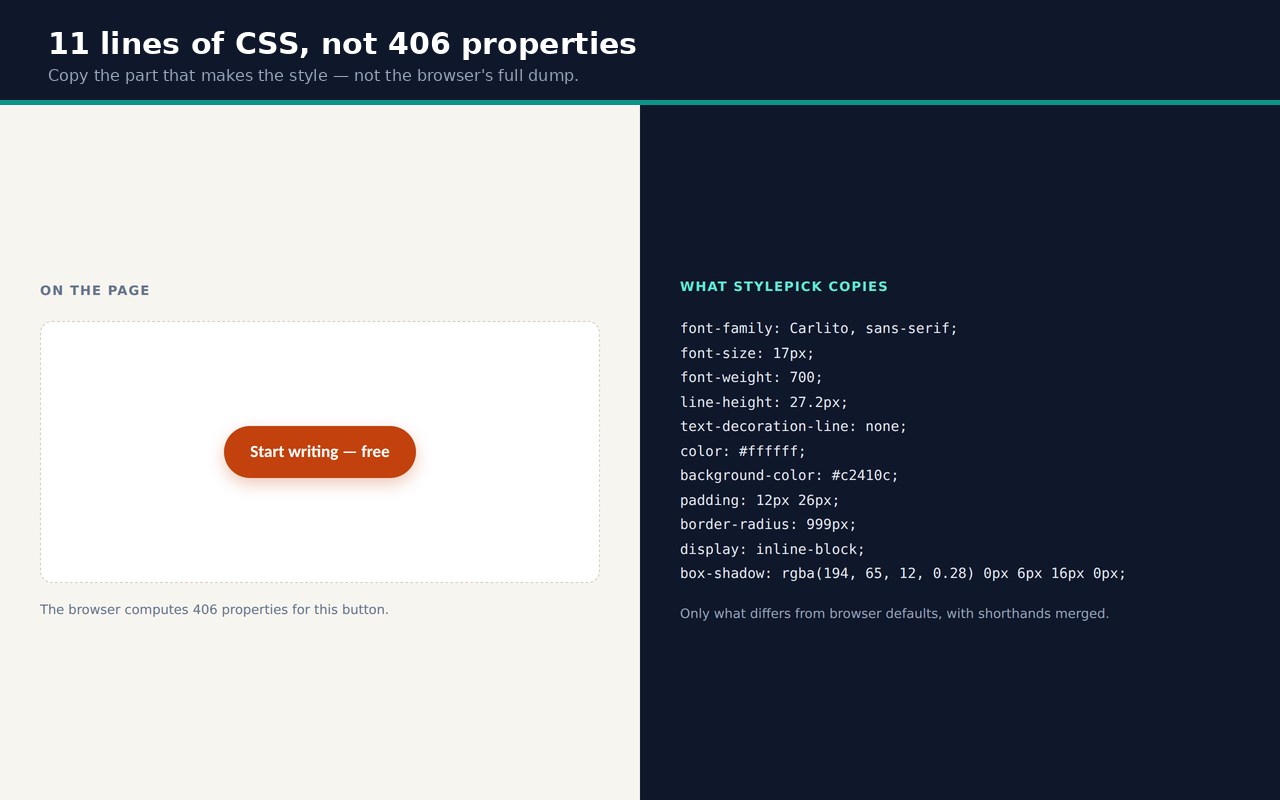
- Copy CSS: only the properties that differ from browser defaults, so you get a
short, readable block instead of a full dump
- Shorthands merged where it's safe (margin, padding, border-width / -style /
-color, border-radius, gap)
- Colors written as hex (rgba kept when there is transparency)
- The panel moves out of the way of the element you are looking at
- Notes when something can't be fully captured — ::before / ::after, SVG shapes,
web components, or font files from stylesheets on another site
- Esc or the toolbar icon turns it off and leaves the page exactly as it was
PRO — optional upgrade, two ways to pay
- Copy an element together with its children as ready-to-paste CSS rules,
keeping the class names
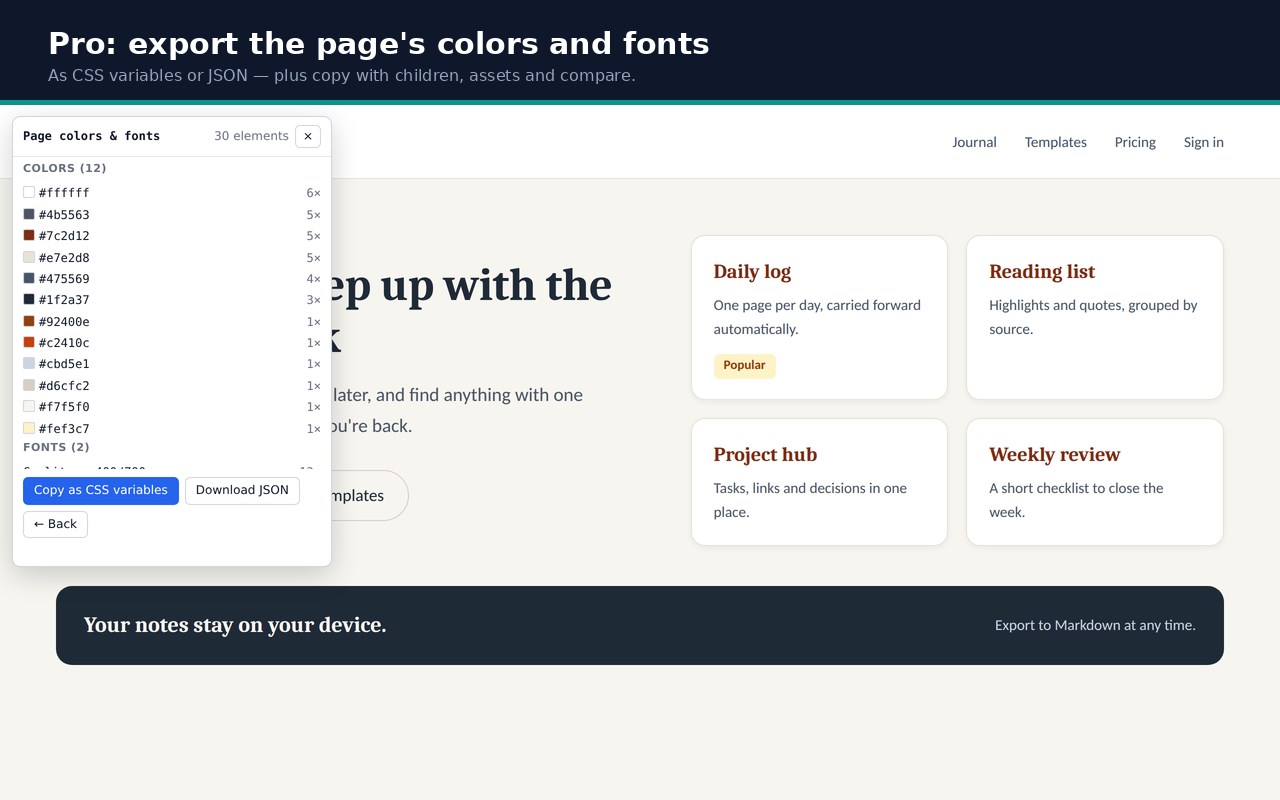
- Export the page's colors and fonts as CSS variables or JSON
- Export a list of the page's images, background images and font files
- Compare two elements side by side, with the distance between them
- Monthly: $2.99 / mo, billed monthly. Cancel anytime; Pro stops when the
subscription ends.
- Lifetime: $24, one-time purchase. No subscription.
- One key works on up to 5 devices, and keeps working offline for up to 30 days.
Payment, tax and refunds are handled by Polar, the merchant of record.
NOTHING LEAVES YOUR BROWSER
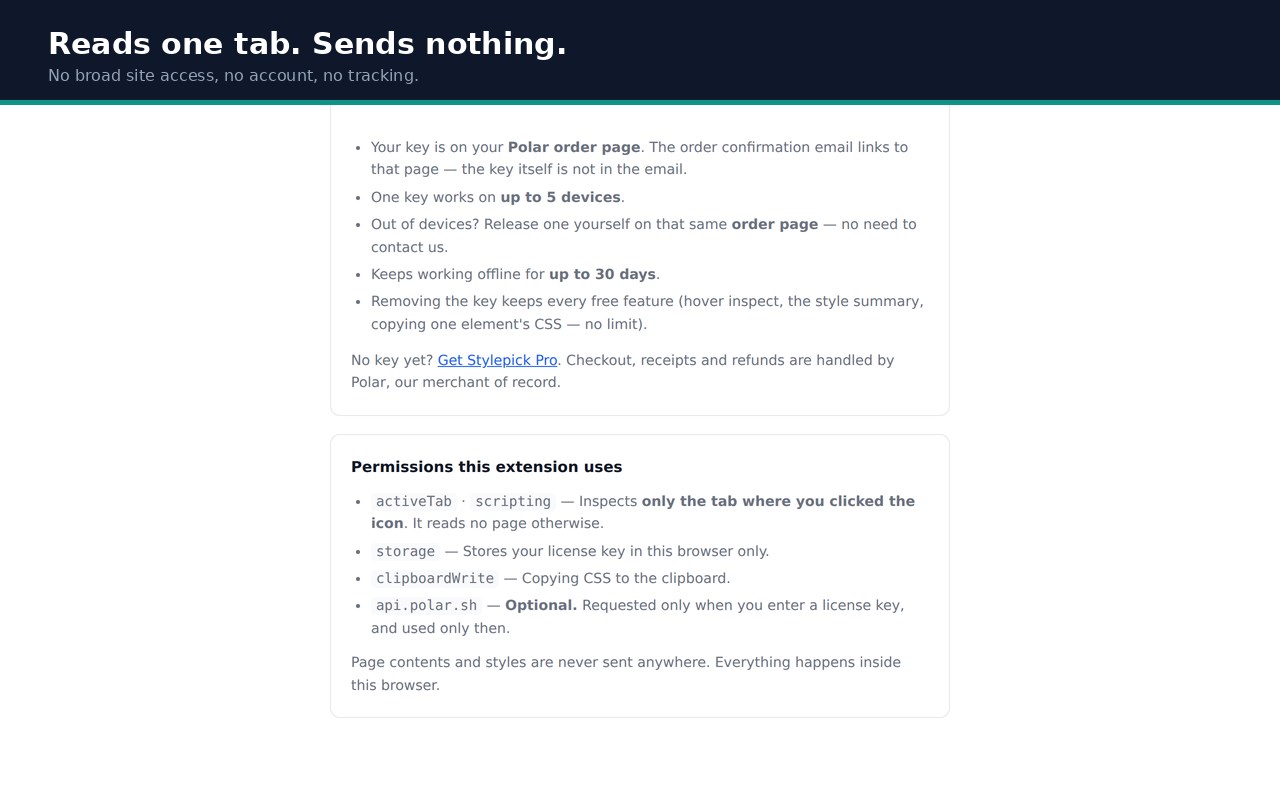
There is no server and no account. Everything runs inside the page you are viewing,
and nothing about the page or its styles is sent anywhere. The extension does not ask
for access to all your sites: it runs only in the tab where you click the icon.
No analytics, no tracking.
WHAT IT DOES NOT DO — worth knowing before you install
- Values are the ones the browser actually applied (for example line-height: 27.2px),
not the original stylesheet text or variable names.
- Width, height and position offsets are left out on purpose — they usually depend
on the page around the element.
- ::before / ::after styles, and hover or focus states, are not included.
- Elements inside embedded frames (iframes) can't be picked.
- The browser blocks every extension on its own internal pages (edge://), the
add-ons store and the built-in PDF viewer. This one is no exception; the icon
shows "!" there.
Questions, refunds and license help: https://infora.pages.dev
Stylepick - CSS, Font & Color Inspector 是做什么的
Stylepick - CSS, Font & Color Inspector 是一款面向 Edge 的实用工具类扩展,主要用来解决浏览器里某类具体的小问题。官方对它的介绍是:Hover any element to see its fonts, colors and spacing, then copy clean CSS. No account, no trackers.在微软 Edge 加载项商店上,它当前版本 0.1.0,约 1 名用户。
适合什么人用
从功能定位看,Stylepick - CSS, Font & Color Inspector 更适合想补上浏览器原生缺失功能的用户。如果你平时只是偶尔遇到相关需求,用浏览器自带功能也能凑合;但如果这件事每天都发生,装一个专门处理它的扩展通常比手动操作省事得多。
怎么安装 Stylepick - CSS, Font & Color Inspector
- 打开微软 Edge 加载项商店上的官方页面;
- 点「添加到浏览器」并确认权限提示;
- 装好后在扩展列表里固定图标,方便随时开关。
本站只做索引与介绍,安装包来自官方商店。如果商店页面提示当前地区不可用,说明该扩展未在你所在区域上架。
常见问题
Stylepick - CSS, Font & Color Inspector 是免费的吗?
Stylepick - CSS, Font & Color Inspector 在微软 Edge 加载项商店免费提供下载。它是浏览器扩展,装上就能直接用,不需要注册账号。
Stylepick - CSS, Font & Color Inspector 安全吗?
它只申请了 0 项权限,范围比较克制,没有申请「读取所有网站数据」这种大权限。
Stylepick - CSS, Font & Color Inspector 支持哪些浏览器?
当前收录的版本来自微软 Edge 加载项商店,适用于 Edge。同一个扩展在其他商店可能有对应版本,但功能与版本号不一定相同。
怎么卸载 Stylepick - CSS, Font & Color Inspector?
在扩展管理页找到 Stylepick - CSS, Font & Color Inspector,点移除即可。它在本地保存的设置会一起清掉,不会残留数据。
权限清单 来自 manifest.json 原文
接口权限 4
activeTabclipboardWritescriptingstorage