
Stash Bookmarks - AI Bookmark Organizer EN
TL Labs · EEdge MV3
Organize your bookmark in minutes with AI — auto-categorize, find duplicates, detect dead links, and more.
<all_urls>),意味着它可以读取你在任意站点的页面内容,包括已登录的页面。这是许多扩展正常工作的必要条件,但也值得你确认来源可信。
截图
简介
Got hundreds of bookmarks buried in random folders? Stash Bookmarks uses AI to organize your entire bookmark collection in minutes — but it does a lot more than just categorize.
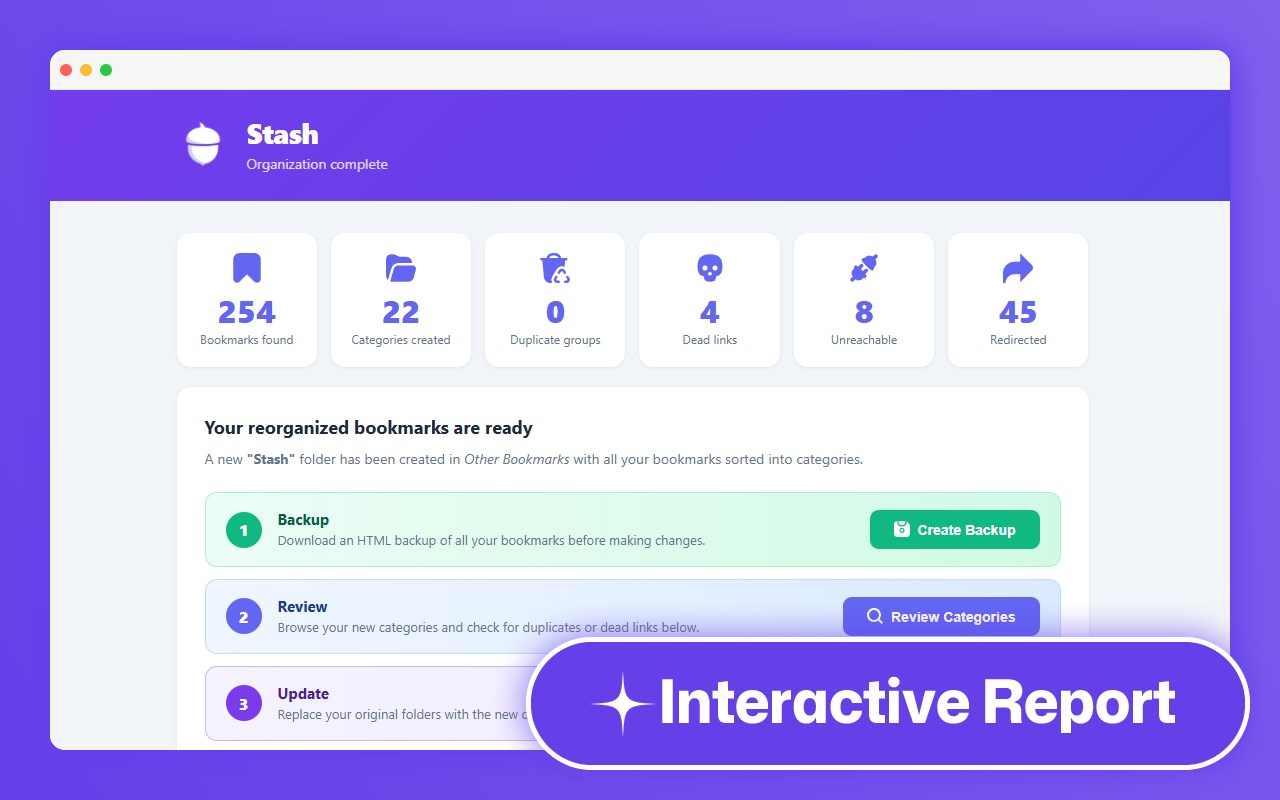
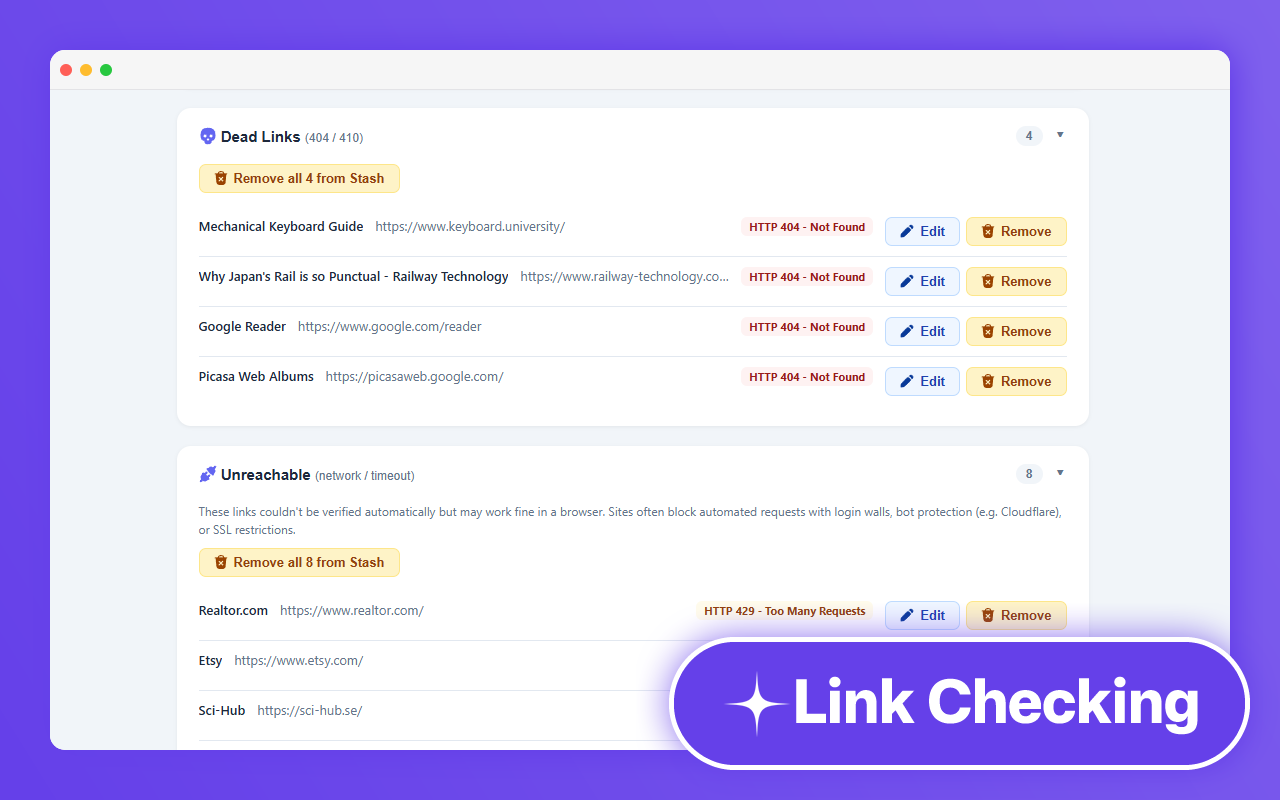
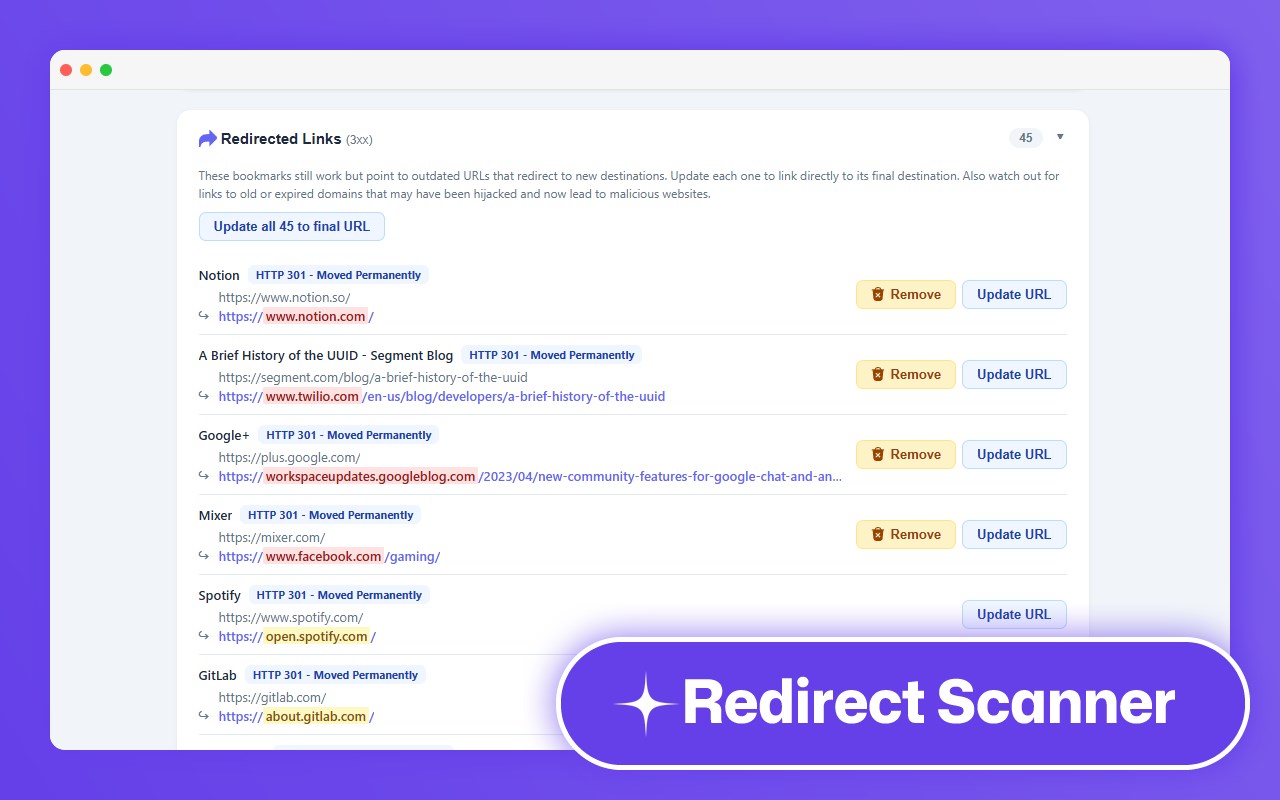
After scanning your bookmarks, you’ll get a full interactive report showing everything that needs attention: dead links returning 404s, duplicate bookmarks cluttering up your folders, and outdated URLs that silently redirect somewhere else entirely — including old domains that may have been hijacked. Rename categories, merge groups, bulk-clean duplicates, and update stale links, all from one page.
Important: We don't recommend using Stash's AI categorization for bookmark collections with over 1,000 bookmarks unless you have access to a paid AI API plan (not through us).
How it works:
① Connect a free AI provider (Google Gemini or OpenRouter — no paid account required)
② Click "Scan Bookmarks" from the toolbar popup
③ Review your results in a beautiful, interactive report
④ Make a backup, then commit your changes to update your collection
Core features (100% free):
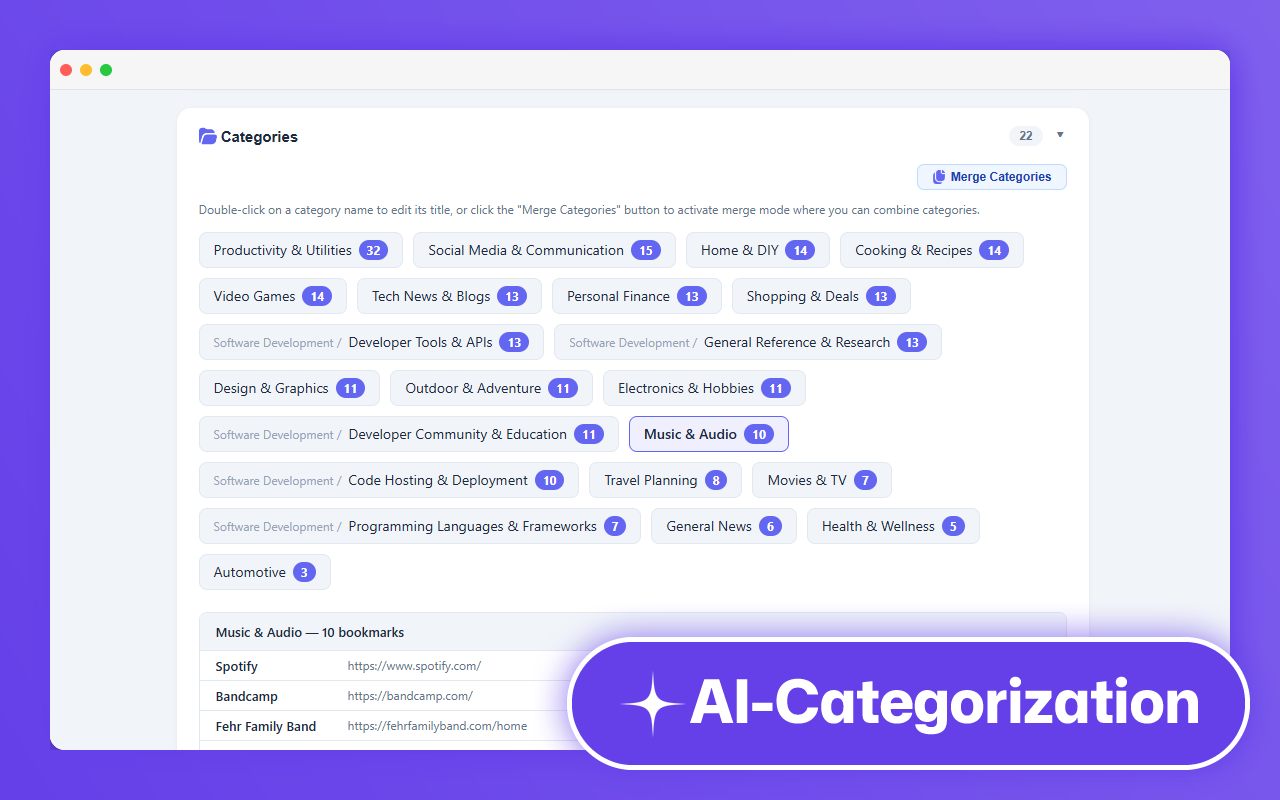
★ AI-powered categorization — automatically groups bookmarks by topic into neatly named folders (with optional emoji icons)
★ Smart taxonomy — the AI first designs a folder structure tailored to your collection, then classifies each bookmark into it
★ Duplicate detection — finds bookmarks pointing to the same URL, even with minor formatting differences
★ Dead link detection — identifies 404s, 410s, and other unreachable pages so you can keep things clean
★ Redirect detection — spots bookmarks that silently redirect to a new URL (including potential domain hijacks)
★ Interactive report — rename categories, merge related groups, bulk-clean duplicates, and update redirected links with a couple of clicks
★ Multiple AI providers — choose between Google Gemini 2.5 Flash, Groq, or OpenRouter, all with free API tiers
★ Works with large collections — batches bookmarks with smart rate-limit handling to stay within free-tier quotas (optimized for up to 1,000 bookmarks on free AI accounts)
Pro features:
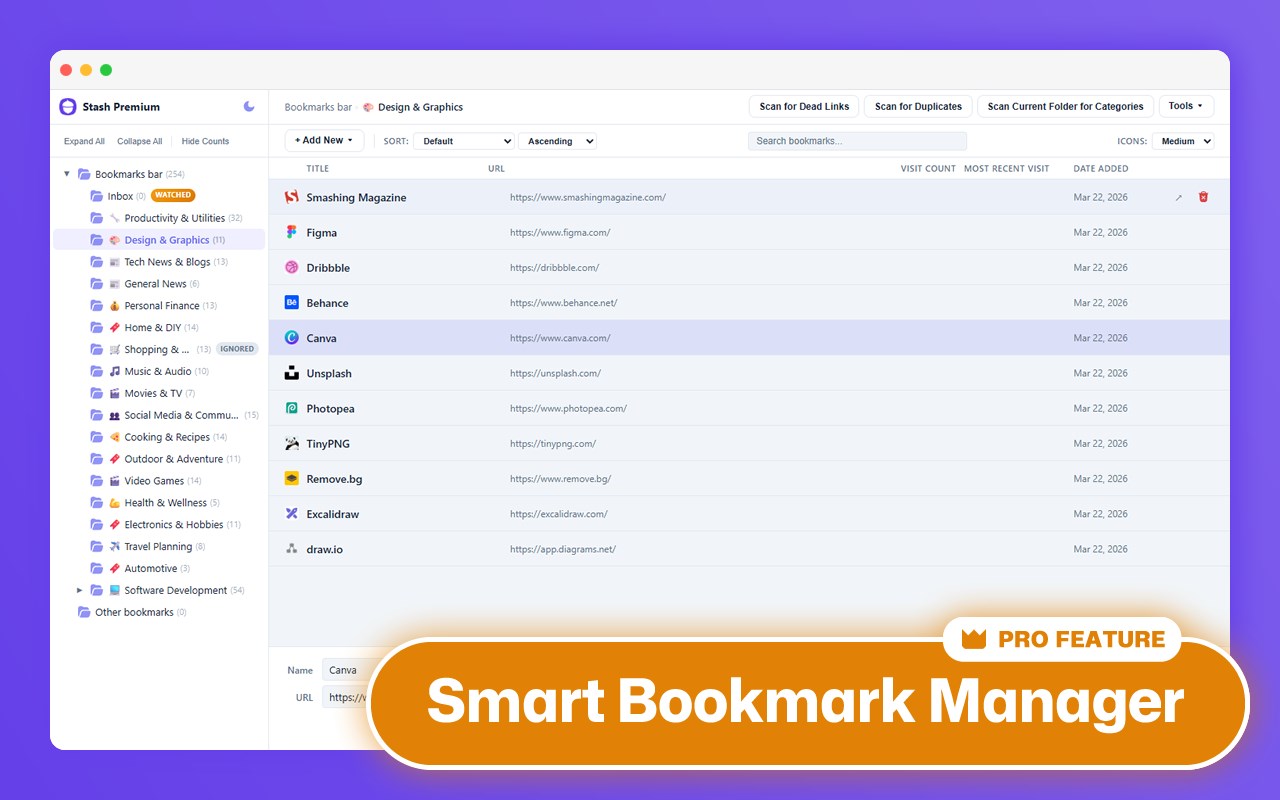
✦ Bookmark Manager — a full-featured AI-powered bookmark manager with a collapsible folder tree, custom sorting, search, bulk operations, custom folder colours, drag-and-drop, and keyboard navigation
✦ Watched Folder — designate an "Inbox" folder and Stash will use AI to suggest the best existing folder (or a new one) every time you save a bookmark there. Your unsorted bookmarks will never pile up again!
✦ Ignored Folders — exclude specific folders from scans and AI suggestions
✦ Folder-level operations — scan individual folders for categories, dead links, duplicates, or redirect issues right from the Manager
Pro is pay-what-you-want at StashBookmarks.com.
Your data stays yours:
- Your API key is stored locally in your browser — it is never sent anywhere except to the AI provider you choose
- Stash does not collect, transmit, or store any personal data, browsing history, or bookmark content on external servers
- All bookmark processing happens locally in your browser
- The only external requests are: (1) AI categorization calls to your chosen provider, (2) link checks (requests to verify your bookmarks are alive), and (3) license activation checks for Pro users
- No tracking, no ads
Version 1.0.3
Bug Fixes:
- Fixed a Google Gemini 2.5 flash "model not available" (404) error that prevented new users from scanning with their own API key. Stash now uses Google's current free model, Gemini 3.5 Flash.
- The Gemini free tier has been updated so larger bookmark collections can be organized in a single session. Updated the in-app rate-limit details to match.
Version 1.0.2
General:
- More reliable scans on large collections: temporary network and "Server Busy" errors now retry automatically instead of stopping a run
- New setting: Choose whether to include your mobile bookmarks in scan
Version 1.0.1
General:
- Added "AI Processing & Data Transmission" section to privacy policy: https://stashbookmarks.com/privacy/
Bug Fixes:
- Fixed "Update URL" buttons in redirected links report updating the wrong bookmark
- Fixed Bookmark Manager not accessible from popup after a scan error (Pro users)
- Disabled Groq AI provider due to changes in token usage policies
Stash Bookmarks - AI Bookmark Organizer 是做什么的
Stash Bookmarks - AI Bookmark Organizer 是一款面向 Edge 的效率工具类扩展,主要用来管住注意力、屏蔽干扰站点、记录时间。官方对它的介绍是:Organize your bookmark in minutes with AI — auto-categorize, find duplicates, detect dead links, and more.在微软 Edge 加载项商店上,它当前版本 1.0.3,约 83 名用户。
适合什么人用
从功能定位看,Stash Bookmarks - AI Bookmark Organizer 更适合想专注工作学习、减少无效刷网页的用户。如果你平时只是偶尔遇到相关需求,用浏览器自带功能也能凑合;但如果这件事每天都发生,装一个专门处理它的扩展通常比手动操作省事得多。需要注意的是它作用于所有网站,装上后建议先观察一两天,确认不影响常用站点的正常使用。
怎么安装 Stash Bookmarks - AI Bookmark Organizer
- 打开微软 Edge 加载项商店上的官方页面;
- 点「添加到浏览器」并确认权限提示;
- 装好后在扩展列表里固定图标,方便随时开关。
本站只做索引与介绍,安装包来自官方商店。如果商店页面提示当前地区不可用,说明该扩展未在你所在区域上架。
常见问题
Stash Bookmarks - AI Bookmark Organizer 是免费的吗?
Stash Bookmarks - AI Bookmark Organizer 在微软 Edge 加载项商店免费提供下载。它是浏览器扩展,装上就能直接用,不需要注册账号。
Stash Bookmarks - AI Bookmark Organizer 安全吗?
它只申请了 0 项权限,范围比较克制,没有申请「读取所有网站数据」这种大权限。
Stash Bookmarks - AI Bookmark Organizer 支持哪些浏览器?
当前收录的版本来自微软 Edge 加载项商店,适用于 Edge。同一个扩展在其他商店可能有对应版本,但功能与版本号不一定相同。
怎么卸载 Stash Bookmarks - AI Bookmark Organizer?
在扩展管理页找到 Stash Bookmarks - AI Bookmark Organizer,点移除即可。它在本地保存的设置会一起清掉,不会残留数据。
权限清单 来自 manifest.json 原文
站点访问(可选) 1
<all_urls>
接口权限 4
alarmsbookmarkshistorystorage
其他商店也有这款
同一款扩展在不同浏览器下的版本,权限与更新节奏可能不同
