
Speed Changer – Play videos faster EN
Sarkis Andreyan · EEdge MV3
Play videos at 2x & faster on YouTube, Instagram, TikTok — everywhere! Control the speed right from the page using on-page controls.
<all_urls>),意味着它可以读取你在任意站点的页面内容,包括已登录的页面。这是许多扩展正常工作的必要条件,但也值得你确认来源可信。
截图

简介
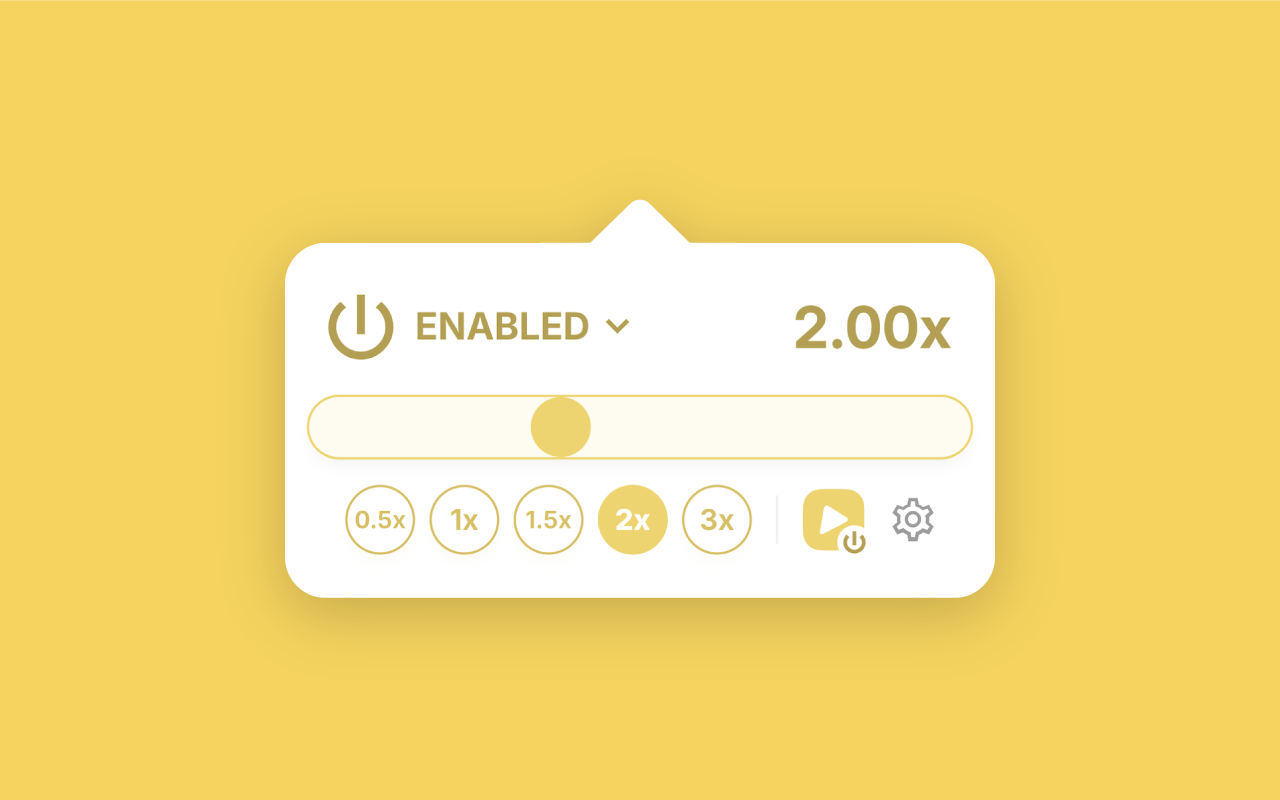
Play videos at 2x and faster on YouTube, Instagram, TikTok — everywhere! Control the speed right from the page using on-page controls. Press and hold the floating buttons to play at 2x, pull away while pressing to lock the speed.
🚀 CONTROL WITHOUT LIMITS — Bypass platform limitations and play media content up to 16x faster or slower.
▶️ CHANGE THE SPEED DIRECTLY FROM THE PAGE — No need to bounce between the page and the browser toolbar anymore — the on-page floating buttons make changing the speed a breeze.
🍃 FRIENDLY AND FAMILIAR EXPERIENCE — All the familiar gestures from the apps you use brought to your browser — press and hold the floating buttons to play at 2x, pull away while pressing to lock the speed.
💬 TRADITIONAL POP-UP INTERFACE — Not a fan of the on-page floating buttons? Just turn them off and use the more traditional pop-up experience provided by the extension.
⌨️ KEYBOARD SHORTCUTS — Use your keyboard to quickly change the playback speed — press Alt/⌥+2 to play at 2x, Alt/⌥+3 to play at 3x etc., or use your own shortcuts.
🎵 AUDIO CONTENT SUPPORT — Listen to your favorite podcasts at your desired speed, or create sped-up versions of your favorite songs on the spot.
🖤 DARK MODE FRIENDLY — The extension adapts to the color scheme of your browser so you will not strain your eyes at nighttime.
🔧 HIGHLY CUSTOMIZABLE — Make yourself at home with the extension by adjusting the wide range of configuration options to your preferences.
For an interactive demo of the features, check out the official website: https://speed-changer.andreyan.com
Speed Changer – Play videos faster 是做什么的
Speed Changer – Play videos faster 是一款面向 Edge 的效率工具类扩展,主要用来管住注意力、屏蔽干扰站点、记录时间。官方对它的介绍是:Play videos at 2x & faster on YouTube, Instagram, TikTok — everywhere! Control the speed right from the page using on-page controls.在微软 Edge 加载项商店上,它当前版本 1.0.4,约 199 名用户。
适合什么人用
从功能定位看,Speed Changer – Play videos faster 更适合想专注工作学习、减少无效刷网页的用户。如果你平时只是偶尔遇到相关需求,用浏览器自带功能也能凑合;但如果这件事每天都发生,装一个专门处理它的扩展通常比手动操作省事得多。需要注意的是它作用于所有网站,装上后建议先观察一两天,确认不影响常用站点的正常使用。
怎么安装 Speed Changer – Play videos faster
- 打开微软 Edge 加载项商店上的官方页面;
- 点「添加到浏览器」并确认权限提示;
- 装好后在扩展列表里固定图标,方便随时开关。
本站只做索引与介绍,安装包来自官方商店。如果商店页面提示当前地区不可用,说明该扩展未在你所在区域上架。
常见问题
Speed Changer – Play videos faster 是免费的吗?
Speed Changer – Play videos faster 在微软 Edge 加载项商店免费提供下载。它是浏览器扩展,装上就能直接用,不需要注册账号。
Speed Changer – Play videos faster 安全吗?
它只申请了 0 项权限,范围比较克制,没有申请「读取所有网站数据」这种大权限。
Speed Changer – Play videos faster 支持哪些浏览器?
当前收录的版本来自微软 Edge 加载项商店,适用于 Edge。同一个扩展在其他商店可能有对应版本,但功能与版本号不一定相同。
怎么卸载 Speed Changer – Play videos faster?
在扩展管理页找到 Speed Changer – Play videos faster,点移除即可。它在本地保存的设置会一起清掉,不会残留数据。
权限清单 来自 manifest.json 原文
站点访问(可选) 1
<all_urls>
接口权限 1
storage