
SparkVault NextGEN Elite Screen Recorder EN
ProductivityMaster X-Ultra · EEdge MV3
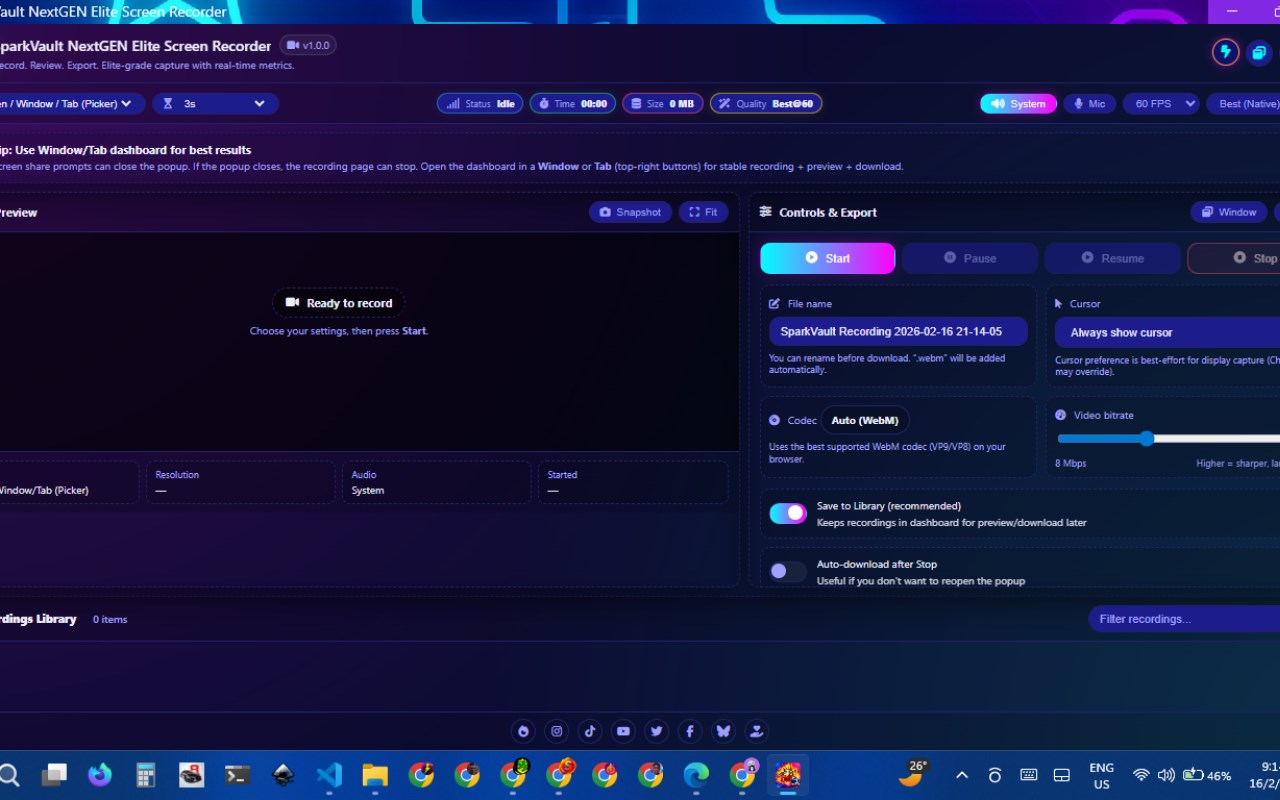
Elite screen recording dashboard with live preview, audio options, a built-in recordings library, and export tools.
截图


简介
SparkVault NextGEN Elite Screen Recorder is a professional-grade screen recording browser extension designed to provide users with a comprehensive and intuitive tool for capturing high-quality screen activity. Ideal for educators, business professionals, content creators, and anyone who needs reliable screen capture, SparkVault combines advanced functionality with an elegant and customizable interface. The extension integrates seamlessly within a modern dashboard that is easy to navigate, offering a visually engaging experience enhanced by a variety of themes and extensive customization options.
Built using the latest browser APIs—including getDisplayMedia, browser.tabCapture, and MediaRecorder—SparkVault supports recording various screen sources such as the entire display, individual browser tabs, system audio, and microphone input. This flexibility allows users to capture exactly what they need, whether it’s a simple quick recording or a complex presentation. Users have full control over technical aspects like frame rate, resolution, bit rate, encoding formats, and cursor visibility, ensuring that the output matches professional standards. Complementing these are features like built-in countdown timers, recording overlays, and live video previews, which provide real-time feedback and help deliver polished final recordings.
Beyond just recording, SparkVault emphasizes efficient media management with its robust internal library powered by IndexedDB. This secure system allows users to store, organize, and retrieve recordings without cluttering local download folders. Users can easily export videos to popular formats, rename files, discard unwanted clips, or capture snapshots from recordings to extract specific frames. The flexibility in launching the recorder—either within a full browser tab or a maximized popup window—supports diverse workflows and user preferences, allowing for distraction-free or multitasking environments.
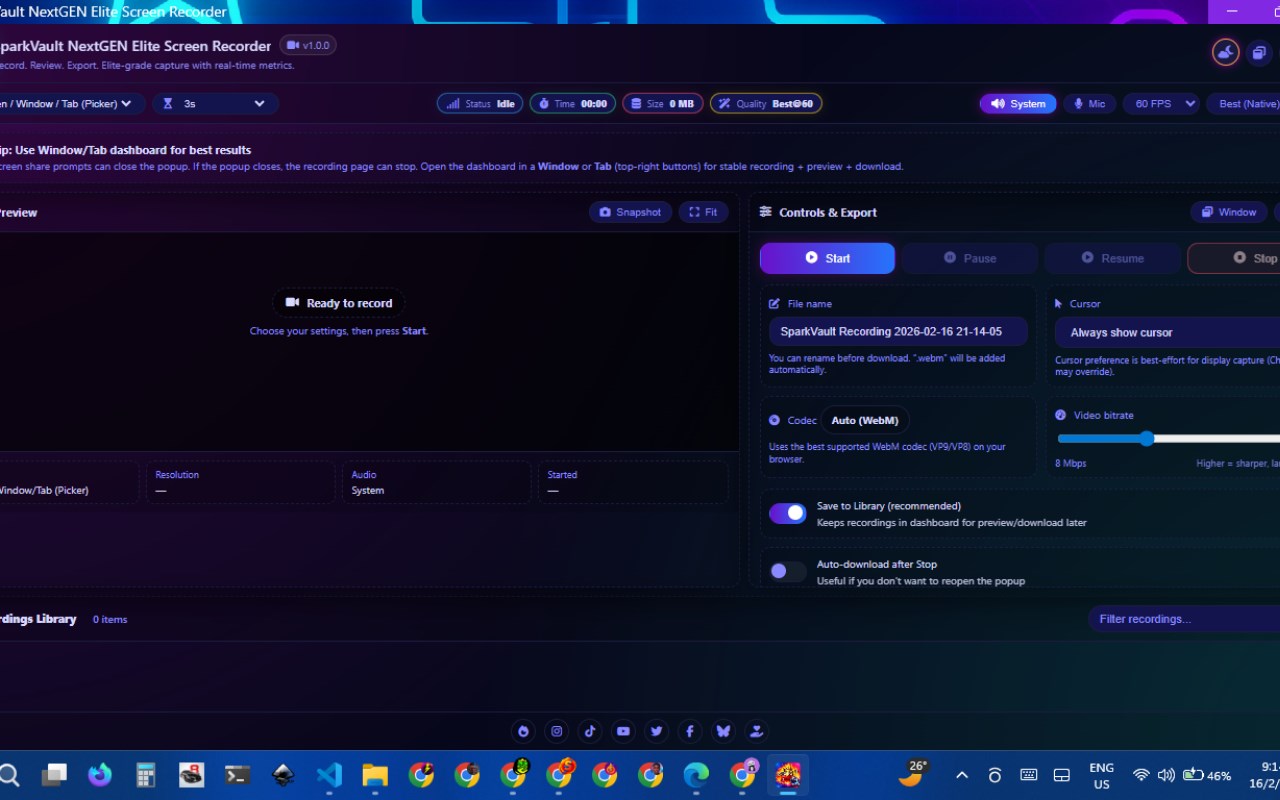
The extension’s visual experience is highly customizable through a theme manager offering over a dozen distinct styles including classic dark mode, neon, frost, midnight, and cosmic palettes. Each theme is crafted with matching iconography and design elements that let users personalize their workspace and adapt the look and feel of the dashboard to their mood or professional setting. Settings such as recording preferences, library organization, and export options persist across sessions thanks to secure local storage, facilitating a seamless and productive workflow. Quick toggles for system audio and microphone inputs provide privacy control, ensuring users have complete control over what is recorded.
Designed from the ground up for performance and security, SparkVault does not rely on external libraries. Instead, it prioritizes stability and responsiveness across browser and Chromium-based browsers, providing a reliable screen recording experience that meets the needs of both casual users and professionals alike. Overall, SparkVault NextGEN Elite Screen Recorder is a refined, feature-rich extension that combines ease of use, powerful controls, and customizable aesthetics to deliver an elite screen recording solution.
Key Features:
- Elite dashboard offering screen recording, preview, and management within a modern and intuitive interface.
- Multiple recording modes including full display, browser tab capture, system audio, microphone, or their combinations.
- Fully customizable controls for frame rate, resolution, bitrate, codec, and cursor visibility to tailor recordings precisely.
- Built-in countdown timer and on-screen overlays enable professional and well-timed recordings.
- Internal library powered by IndexedDB for secure storage, organized management, and easy retrieval of recordings.
- Export support for common video formats, snapshot capture tools for extracting frames, and simple download options.
- Responsive theme manager with over 12 styles—dark, neon, cosmic, frost, and more—to personalize the dashboard appearance.
- Persistent local settings storage ensuring user preferences and workflows are saved across sessions.
- Flexible recording launcher supporting both a maximized popup window and a dedicated browser tab.
How It Works:
1. Install the SparkVault NextGEN Elite Screen Recorder extension from your browser’s extension store.
2. Open the main dashboard by clicking the browser action button, and choose whether to launch it in a tab or maximized popup window.
3. Configure your preferred recording settings: select the capture source (screen or tab), setup audio input options, adjust frame rate, resolution, and other parameters.
4. Customize your recording session further by enabling countdown timers, overlays, and choosing a theme to enhance your user interface.
5. Start recording while monitoring the live video preview; use controls to pause, resume, or stop the capture as needed.
6. Manage your recordings within the internal library—save them locally, export videos, rename files, discard unnecessary clips, or capture snapshots of specific frames.
7. Continue using the extension by managing your recordings, adjusting settings for new sessions, and switching themes to keep your workspace fresh and personalized.
Privacy: - No personal data collected. All recordings and settings are stored locally in the browser using IndexedDB and local storage. No analytics or external data transmission.
SparkVault NextGEN Elite Screen Recorder 是做什么的
SparkVault NextGEN Elite Screen Recorder 是一款面向 Edge 的效率工具类扩展,主要用来管住注意力、屏蔽干扰站点、记录时间。官方对它的介绍是:Elite screen recording dashboard with live preview, audio options, a built-in recordings library, and export tools.在微软 Edge 加载项商店上,它当前版本 1.0.0,约 2 名用户。
适合什么人用
从功能定位看,SparkVault NextGEN Elite Screen Recorder 更适合想专注工作学习、减少无效刷网页的用户。如果你平时只是偶尔遇到相关需求,用浏览器自带功能也能凑合;但如果这件事每天都发生,装一个专门处理它的扩展通常比手动操作省事得多。
怎么安装 SparkVault NextGEN Elite Screen Recorder
- 打开微软 Edge 加载项商店上的官方页面;
- 点「添加到浏览器」并确认权限提示;
- 装好后在扩展列表里固定图标,方便随时开关。
本站只做索引与介绍,安装包来自官方商店。如果商店页面提示当前地区不可用,说明该扩展未在你所在区域上架。
常见问题
SparkVault NextGEN Elite Screen Recorder 是免费的吗?
SparkVault NextGEN Elite Screen Recorder 在微软 Edge 加载项商店免费提供下载。它是浏览器扩展,装上就能直接用,不需要注册账号。
SparkVault NextGEN Elite Screen Recorder 安全吗?
它只申请了 0 项权限,范围比较克制,没有申请「读取所有网站数据」这种大权限。
SparkVault NextGEN Elite Screen Recorder 支持哪些浏览器?
当前收录的版本来自微软 Edge 加载项商店,适用于 Edge。同一个扩展在其他商店可能有对应版本,但功能与版本号不一定相同。
怎么卸载 SparkVault NextGEN Elite Screen Recorder?
在扩展管理页找到 SparkVault NextGEN Elite Screen Recorder,点移除即可。它在本地保存的设置会一起清掉,不会残留数据。
权限清单 来自 manifest.json 原文
接口权限 2
storageunlimitedStorage