
SparkVault NextGEN Auto Text Replacer EN
SparkVault Browser Extensions Package · EEdge MV3
Powerful site-wide auto text replacement engine with support for find & replace, regex rules, and dynamic text transformations.
截图


简介
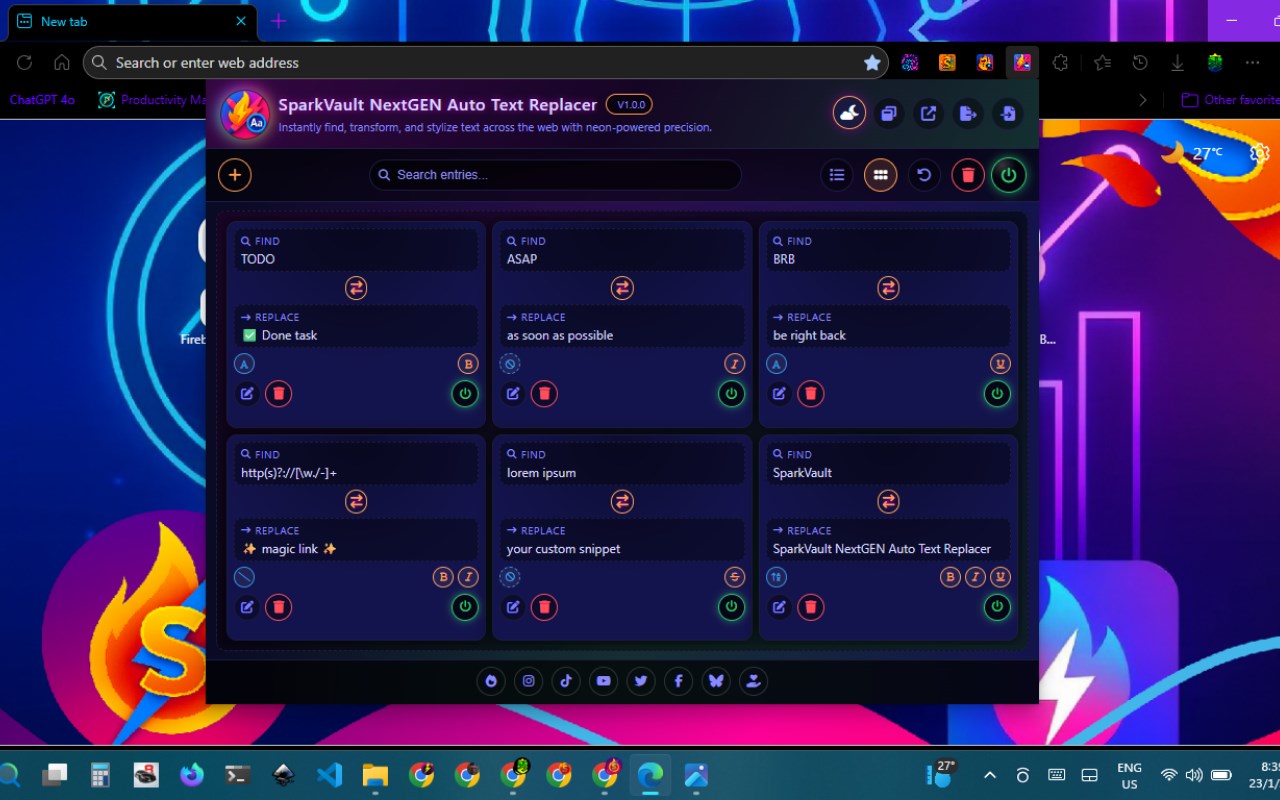
SparkVault NextGEN Auto Text Replacer is an advanced browser extension that brings precise, site-wide text transformation capabilities directly to your browsing experience. It enables users to create and apply highly customizable text replacement rules across all web pages they visit, enhancing productivity, consistency, and creativity with ease. Whether your goal is to streamline workflows, correct repetitive terminology, automate text edits, or add dynamic styling for improved readability and accessibility, SparkVault offers a powerful toolkit tailored for modern web environments.
Powered by a sophisticated engine that fully supports regular expressions (regex), find-and-replace operations, and dynamic text formatting, SparkVault operates in real-time to scan and transform visible content on web pages. The extension smartly ignores certain HTML elements such as input fields, scripts, and styles, ensuring that interactive components and site functionality remain unaffected. This careful scope protection guarantees the safety and integrity of your browsing without interfering with essential elements or user input.
A standout feature of SparkVault is its robust regex safety mechanism that protects users from potentially harmful or excessively resource-heavy patterns. This safeguard ensures that even large-scale or complex text processing tasks run smoothly and stably without freezing or slowing down pages. Beyond simple textual substitution, you can apply visual enhancements to replaced text, including bold, italic, underline, and strike-through formats to emphasize important changes or enhance document clarity.
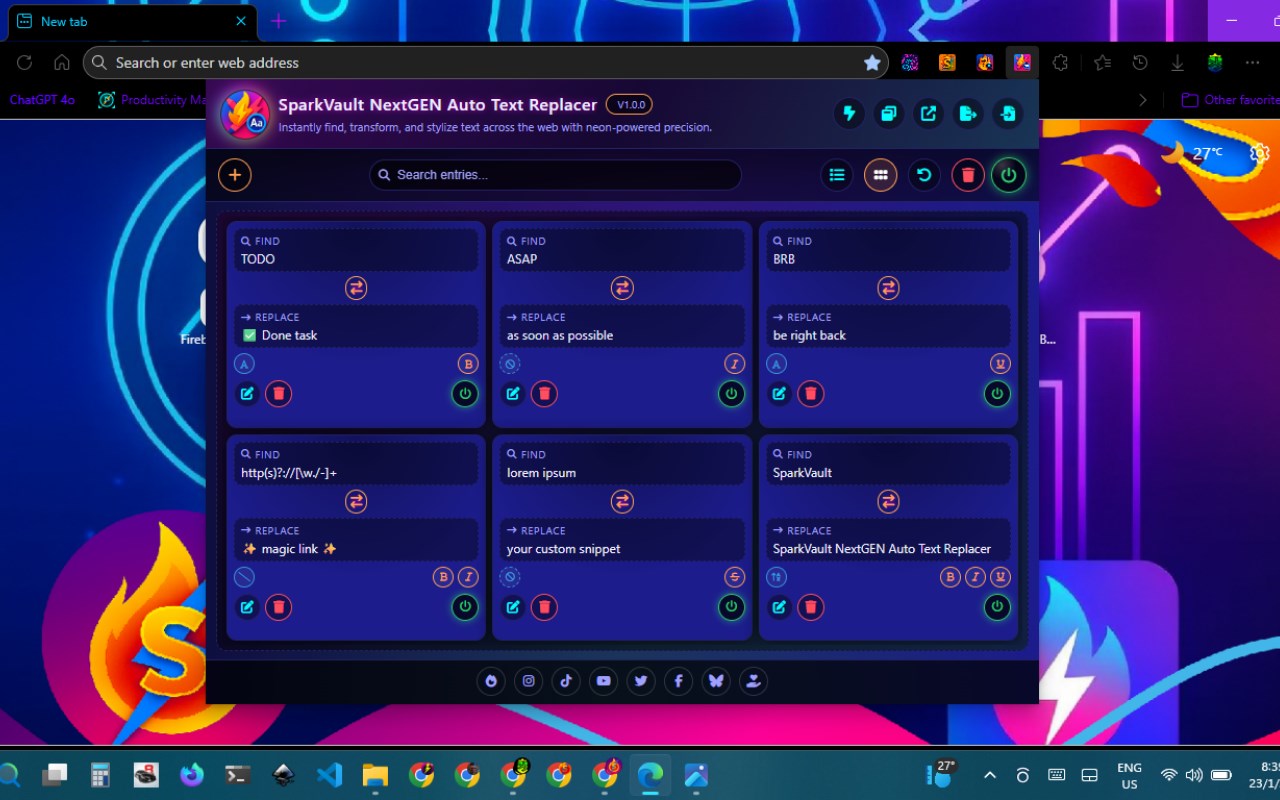
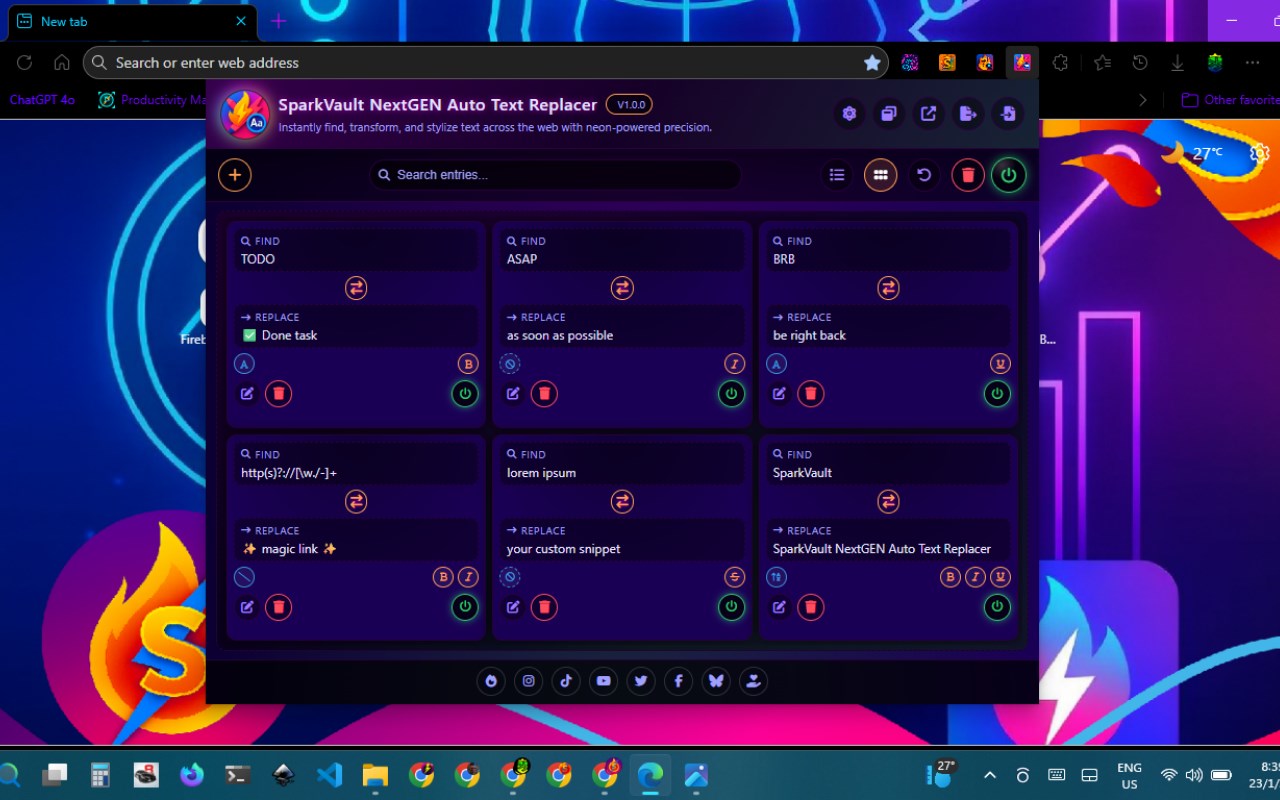
SparkVault offers an elegant and vibrant user interface accessible via a compact popup or a full-featured dashboard, designed with multiple vivid themes such as “Neon,” “Aurora Veil,” and “Lava Cosmic” to suit a wide range of aesthetic preferences. The UI supports flexible management of your replacement rules, allowing you to view them in grid or list format, perform batch edits, search and organize entries, and toggle the extension’s functionality instantly across all tabs. Import and export features enable users to back up their configurations or share them for collaboration effortlessly.
This extension is ideal for developers normalizing code or documentation, professionals seeking to boost digital workflows, educators adapting content for accessibility, and creatives looking to add customized text styling dynamically. SparkVault NextGEN Auto Text Replacer transforms web-wide text handling from a mundane task into a versatile and efficient experience that puts full control at your fingertips.
Key Features:
- Site-wide automatic text replacement driven by customizable rules and patterns.
- Advanced regex engine with built-in safety limits to prevent performance issues.
- Dynamic text formatting options including bold, italics, underline, and strikethrough.
- Instant, real-time text transformation applied across all open browser tabs.
- Intelligent filtering that skips critical tags like input fields, scripts, and styles to protect functionality.
- User-friendly dashboard and popup UI featuring multiple modern, vibrant themes.
- Easy import and export of text replacement rules in JSON format for backup and sharing.
How It Works:
1. Install SparkVault NextGEN Auto Text Replacer from your browser’s extension store.
2. Access the extension through the browser’s extension menu to open the popup or full dashboard.
3. Create new text replacement rules by specifying “find” and “replace” terms, using regex patterns and selecting desired formatting styles.
4. Enable or disable the extension’s functionality with a toggle button to apply transformations instantly across all your tabs.
5. Manage your rules efficiently by organizing, searching, and batch editing entries in grid or list views.
6. Personalize your experience by selecting from multiple themed interfaces to match your style.
7. Export your configured rules as a JSON file to save backups or import rules shared by others for collaborative workflows.
Privacy: - No personal data collected. All text replacement entries are stored locally within your browser. SparkVault does not access, transmit, or analyze personal or browsing data beyond what is necessary for performing text transformations on the current webpage.
SparkVault NextGEN Auto Text Replacer 是做什么的
SparkVault NextGEN Auto Text Replacer 是一款面向 Edge 的效率工具类扩展,主要用来管住注意力、屏蔽干扰站点、记录时间。官方对它的介绍是:Powerful site-wide auto text replacement engine with support for find & replace, regex rules, and dynamic text transformations.在微软 Edge 加载项商店上,它当前版本 1.0.1,约 8 名用户。
适合什么人用
从功能定位看,SparkVault NextGEN Auto Text Replacer 更适合想专注工作学习、减少无效刷网页的用户。如果你平时只是偶尔遇到相关需求,用浏览器自带功能也能凑合;但如果这件事每天都发生,装一个专门处理它的扩展通常比手动操作省事得多。
怎么安装 SparkVault NextGEN Auto Text Replacer
- 打开微软 Edge 加载项商店上的官方页面;
- 点「添加到浏览器」并确认权限提示;
- 装好后在扩展列表里固定图标,方便随时开关。
本站只做索引与介绍,安装包来自官方商店。如果商店页面提示当前地区不可用,说明该扩展未在你所在区域上架。
常见问题
SparkVault NextGEN Auto Text Replacer 是免费的吗?
SparkVault NextGEN Auto Text Replacer 在微软 Edge 加载项商店免费提供下载。它是浏览器扩展,装上就能直接用,不需要注册账号。
SparkVault NextGEN Auto Text Replacer 安全吗?
它只申请了 0 项权限,范围比较克制,没有申请「读取所有网站数据」这种大权限。
SparkVault NextGEN Auto Text Replacer 支持哪些浏览器?
当前收录的版本来自微软 Edge 加载项商店,适用于 Edge。同一个扩展在其他商店可能有对应版本,但功能与版本号不一定相同。
怎么卸载 SparkVault NextGEN Auto Text Replacer?
在扩展管理页找到 SparkVault NextGEN Auto Text Replacer,点移除即可。它在本地保存的设置会一起清掉,不会残留数据。
权限清单 来自 manifest.json 原文
接口权限 1
storage