
Source LM EN
Limato · EEdge MV3
Bulk-add sources to NotebookLM and Gemini Notebook: Notion pages, JSON datasets, YouTube videos, link lists, web pages.
截图
简介
Bulk-add sources to NotebookLM and Gemini Notebook: JSON datasets, Telegram exports, Notion pages, YouTube videos, link lists, web pages.
NotebookLM takes sources one at a time, through a file picker. Source LM takes the batch.
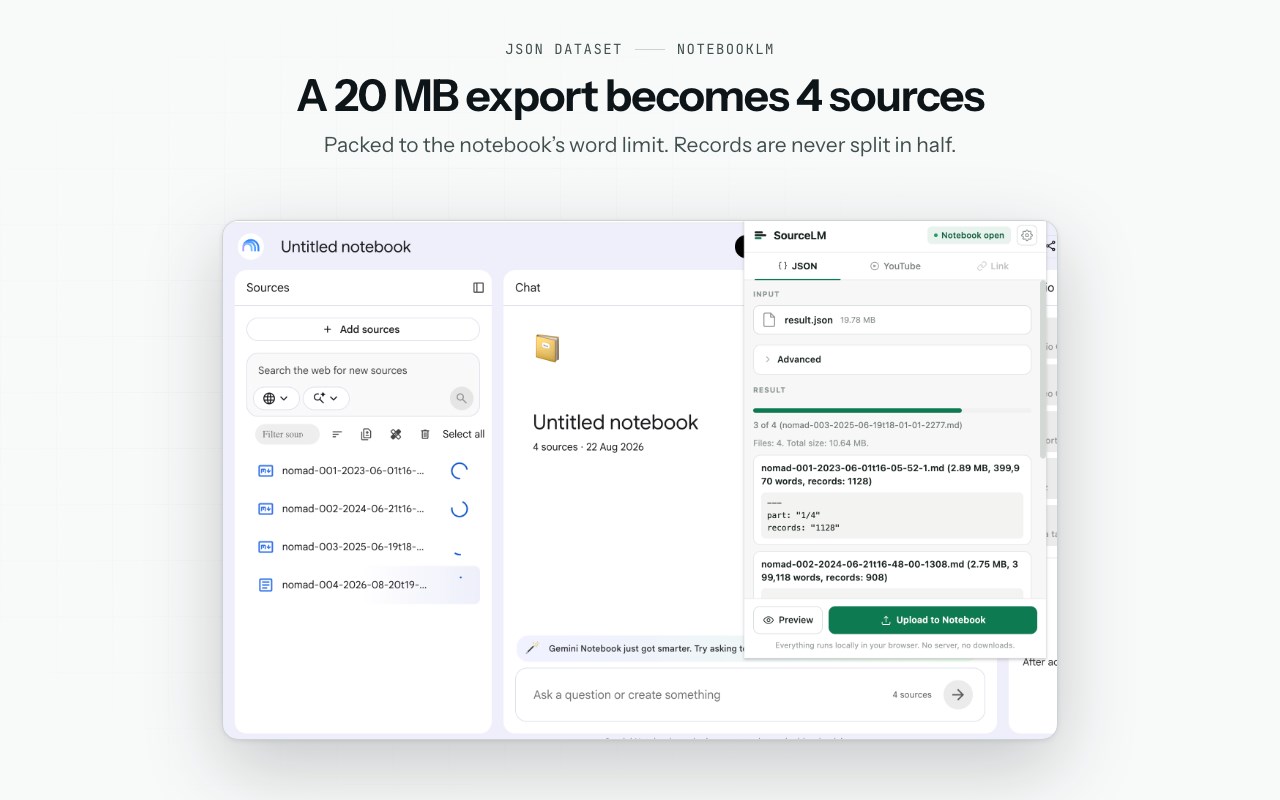
Point it at a JSON export, a Telegram export, a YouTube playlist or a list of links, and the sources land in the notebook you already have open. Nothing is downloaded to disk first: files are built in memory and sent through the notebook page's own upload path.
WHAT YOU CAN ADD
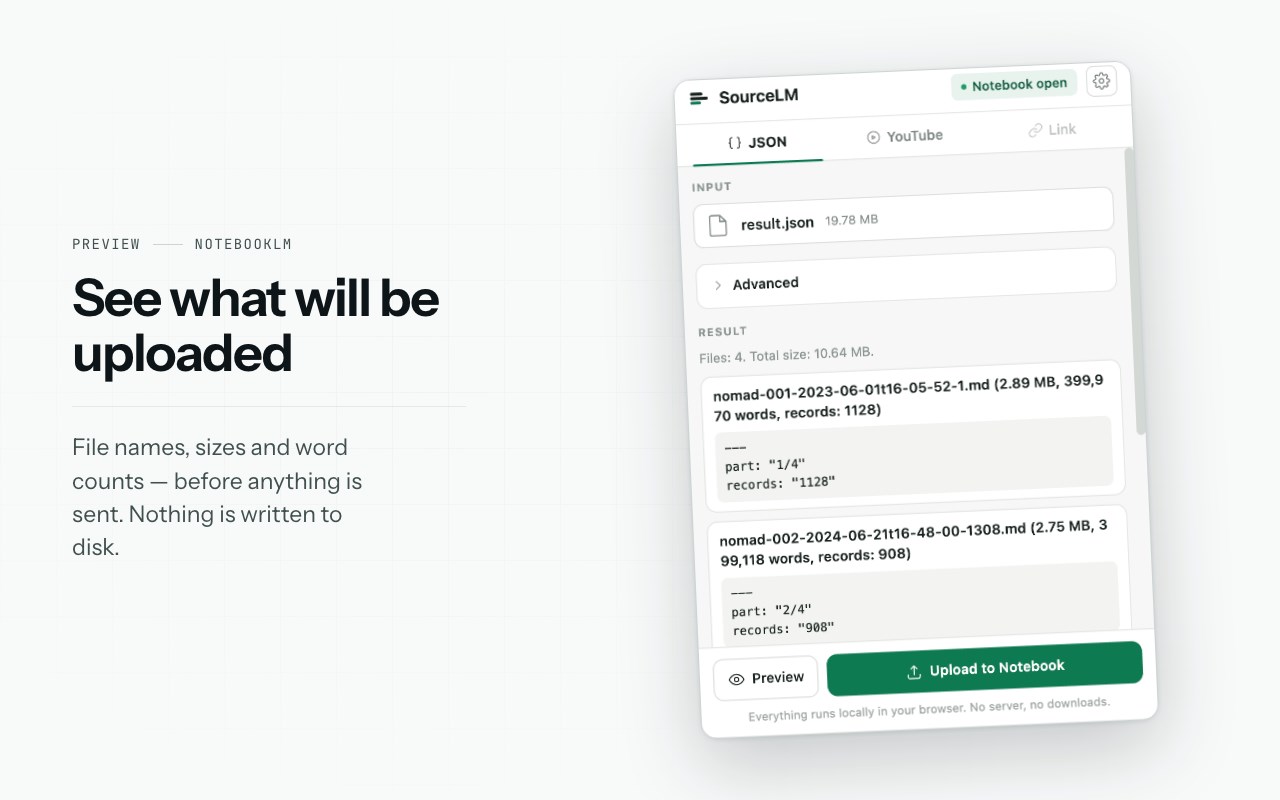
• JSON datasets and Telegram HTML exports — pick the file, preview how it will be split into Markdown sources, then upload. NotebookLM allows 500,000 words per source; the extension packs to a budget of 400,000 rendered words. Records are never cut in half, and re-running the same file adds only what is new — the check runs against the source names already in the notebook, nothing is kept locally.
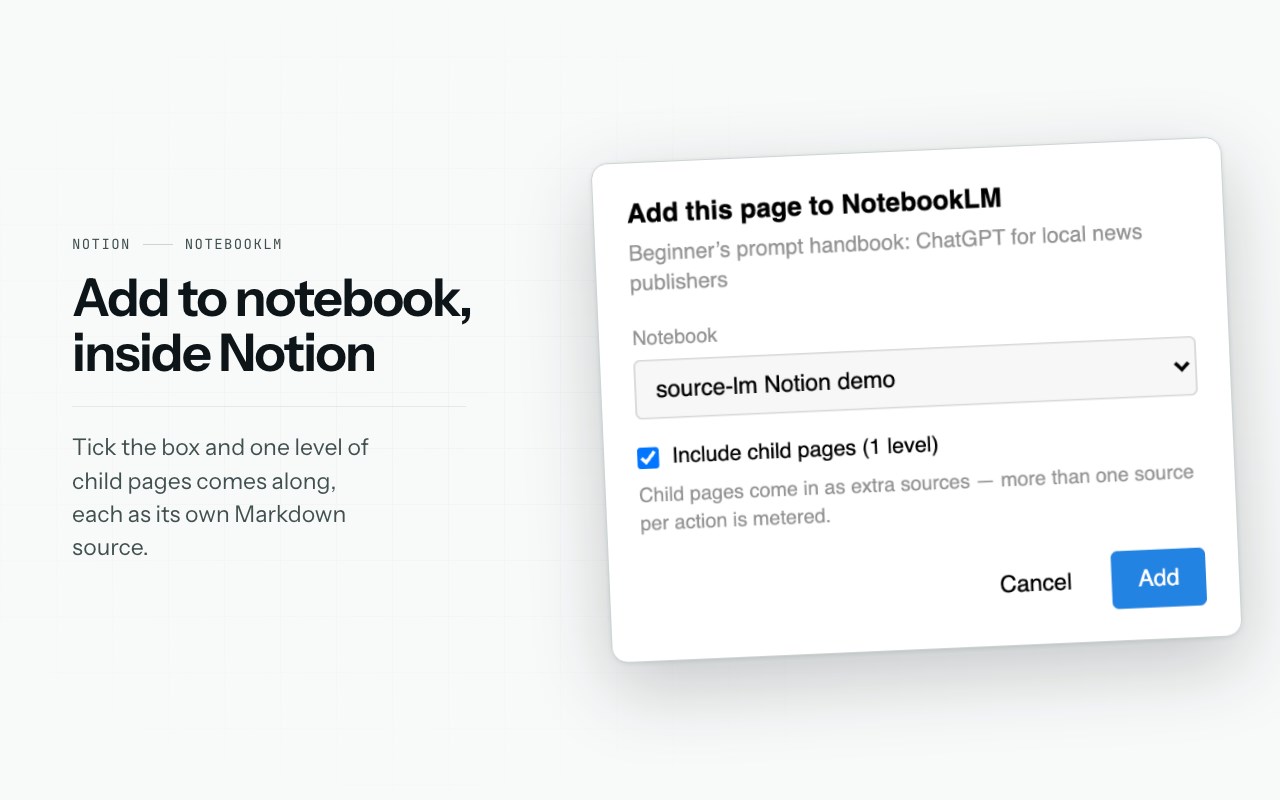
• Notion pages — an "Add to NotebookLM" button in Notion's own top bar. One click adds the page you have open; tick "Include child pages (1 level)" and its direct child pages come along, each as its own Markdown source. In your own workspace the page is fetched through Notion's own Markdown export; on a published *.notion.site page it is read the same way the site itself draws it. No API key, no integration token, nothing written to disk.
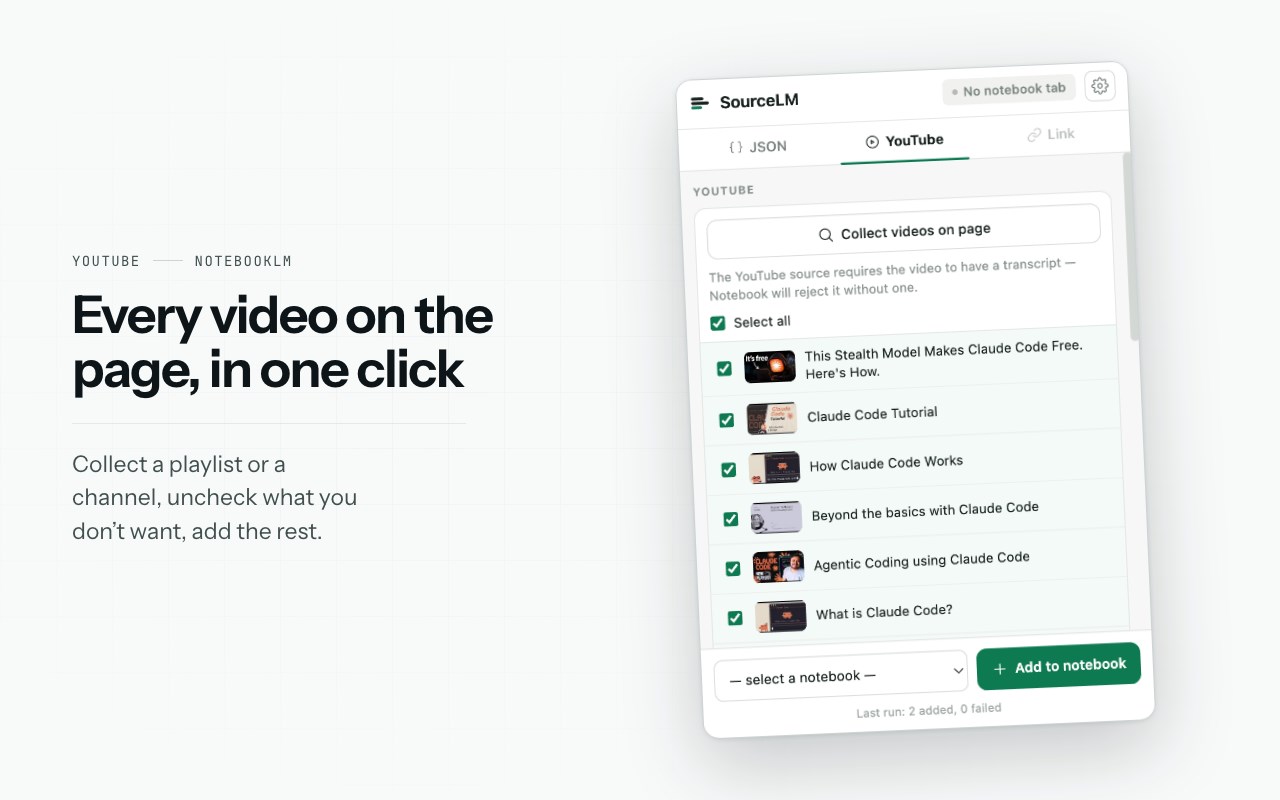
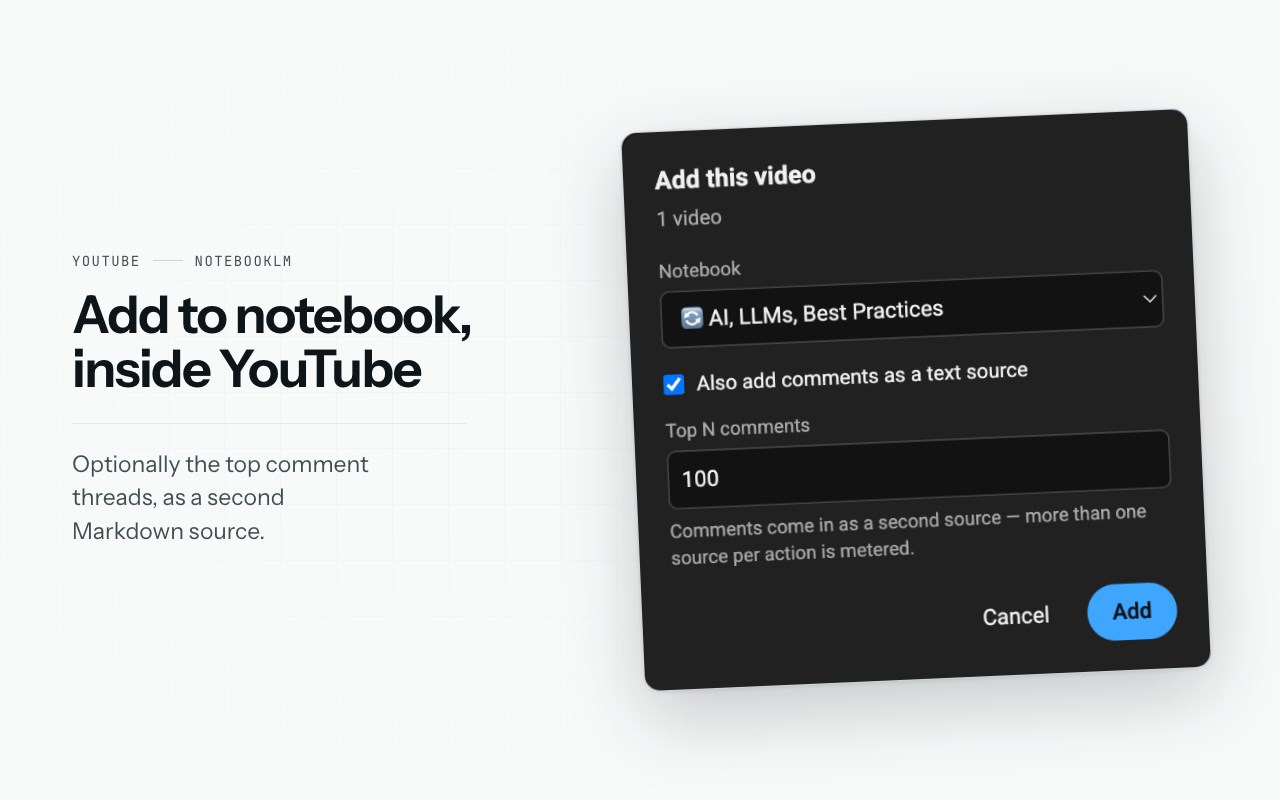
• YouTube videos, playlists and channels — an "Add to notebook" button inside YouTube's own interface, or pick videos from the extension popup. A channel brings in its latest N videos (50 by default).
• YouTube comments — the top comment threads with their replies, saved as a separate Markdown source.
• Web pages — paste one link or a whole list, one per line. For pages NotebookLM cannot fetch (logged-in or JavaScript-rendered), "Add page as .md" reads the text from the tab you have open.
• Selected text — select, right-click, "Add selection to Notebook", choose the notebook.
ON THE NOTEBOOK PAGE
• Filter the source list by typing a few letters.
• Select duplicate sources in one click.
• Delete every checked source in one batch, after a confirmation that lists what is about to go.
• Find sources that failed to import and capture them again from an open tab.
FREE AND PRO
$29 once. Not a subscription. Without paying you get 5 bulk actions per month, reset on the 1st. Single sources — one page, one link, one video, one Notion page, comments on their own — and deleting sources are always free and never counted. A Notion page taken together with its child pages is one bulk action.
HOW IT HANDLES YOUR DATA
There is no server behind this extension and no account to create. Traffic goes only to the notebook's own origin, Google's upload endpoint and the licence check — plus Notion's own origin when you press the button on a Notion page, in the tab you are already signed into. No proxy, no telemetry, no analytics. The extension acts inside your own signed-in tab and stores only your settings and pending jobs locally.
The source code is published unobfuscated at github.com/source-lm/source-lm-extension under PolyForm Noncommercial 1.0.0.
Source LM is an independent project. It is not created by, affiliated with, endorsed by or sponsored by Google. NotebookLM, Gemini and YouTube are trademarks of Google LLC; Notion is a trademark of Notion Labs, Inc. NotebookLM changes its interface from time to time; behaviour may change with it.
Source LM 是做什么的
Source LM 是一款面向 Edge 的效率工具类扩展,主要用来管住注意力、屏蔽干扰站点、记录时间。官方对它的介绍是:Bulk-add sources to NotebookLM and Gemini Notebook: Notion pages, JSON datasets, YouTube videos, link lists, web pages.在微软 Edge 加载项商店上,它当前版本 1.2.3,约 47 名用户。
适合什么人用
从功能定位看,Source LM 更适合想专注工作学习、减少无效刷网页的用户。如果你平时只是偶尔遇到相关需求,用浏览器自带功能也能凑合;但如果这件事每天都发生,装一个专门处理它的扩展通常比手动操作省事得多。
怎么安装 Source LM
- 打开微软 Edge 加载项商店上的官方页面;
- 点「添加到浏览器」并确认权限提示;
- 装好后在扩展列表里固定图标,方便随时开关。
本站只做索引与介绍,安装包来自官方商店。如果商店页面提示当前地区不可用,说明该扩展未在你所在区域上架。
常见问题
Source LM 是免费的吗?
Source LM 在微软 Edge 加载项商店免费提供下载。它是浏览器扩展,装上就能直接用,不需要注册账号。
Source LM 安全吗?
它只申请了 0 项权限,范围比较克制,没有申请「读取所有网站数据」这种大权限。
Source LM 支持哪些浏览器?
当前收录的版本来自微软 Edge 加载项商店,适用于 Edge。同一个扩展在其他商店可能有对应版本,但功能与版本号不一定相同。
怎么卸载 Source LM?
在扩展管理页找到 Source LM,点移除即可。它在本地保存的设置会一起清掉,不会残留数据。
权限清单 来自 manifest.json 原文
接口权限 5
activeTabcontextMenusscriptingsidePanelstorage