
Social's Privacy Blur EN
Md. Tofazzal Hossain · EEdge MV3
Privacy blur and live link safety security checks for Facebook, WhatsApp, Messenger, LinkedIn and Telegram Web.
截图
简介
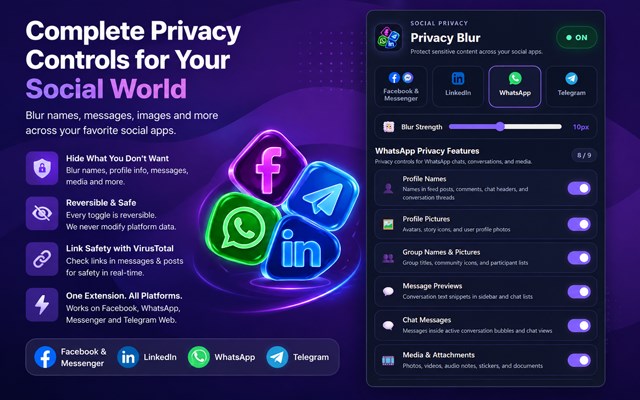
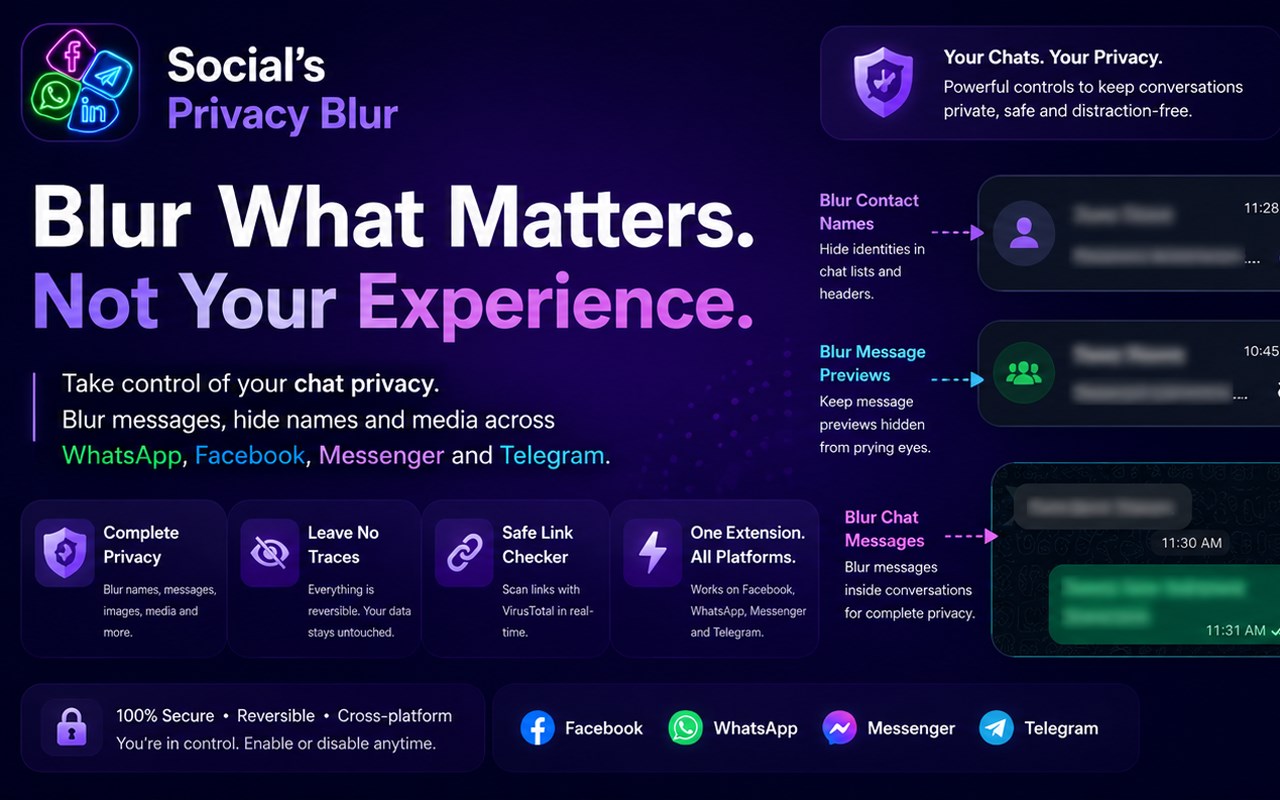
Social's Privacy Blur is a privacy-first browser extension designed to protect sensitive information displayed on popular web-based social media and messaging platforms. Built with a Manifest V3 architecture, the extension provides cross-platform privacy controls for Facebook, Messenger, LinkedIn Feed and Messaging, WhatsApp Web, and Telegram Web. Its primary purpose is to give users real-time, fine-grained control over the information visible on their screens while browsing, messaging, presenting, recording, or working in public environments.
The extension is particularly useful in situations where private information could accidentally become visible to other people. Users may rely on Social's Privacy Blur while live streaming, sharing their screen during meetings or presentations, working in coffee shops or open offices, recording tutorials, taking screenshots, or simply protecting their screens from shoulder surfing. Instead of hiding an entire webpage, the extension allows users to decide which categories of information should be protected, making privacy controls flexible without interfering unnecessarily with normal browsing.
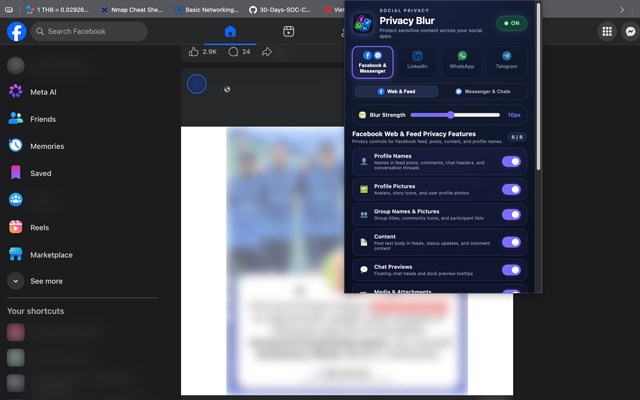
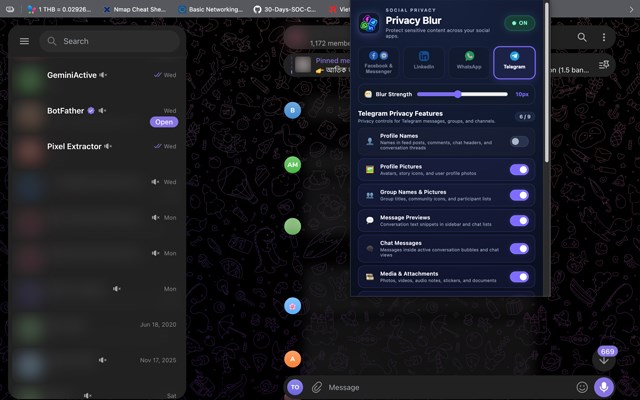
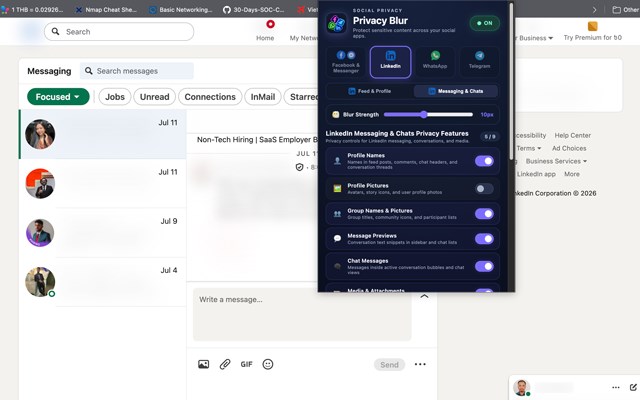
One of the major strengths of Social's Privacy Blur is its multi-platform support and contextual routing. Privacy settings can be controlled independently for Facebook, Messenger, LinkedIn, WhatsApp Web, and Telegram Web. A master switch can enable or disable protection globally, while individual platform and sub-context controls allow users to configure privacy differently depending on where they are browsing. For example, LinkedIn Feed and LinkedIn Messaging can have separate privacy configurations, while Facebook and Messenger can also be managed according to their respective browsing and messaging contexts.
The extension includes interactive hover-to-reveal functionality, allowing users to temporarily view protected information without permanently disabling privacy protection. When an element such as a name, message, image, or input box is blurred, moving the mouse over it reveals the content, and moving the cursor away immediately restores the blur. Users can also adjust the blur intensity dynamically using a slider ranging from 2 pixels to 20 pixels. This provides flexibility for different environments, from subtle privacy masking to stronger visual protection.
Social's Privacy Blur also provides extensive granular controls. Users can independently manage profile names, profile pictures, group names and pictures, chat previews, message previews, active chat messages, post content, media and attachments, input fields and search bars, unread message lists, and platform link safety. These controls are designed to cover the major categories of information that may appear across social feeds, messaging interfaces, conversation sidebars, and active chats.
A particularly important feature is Smart Unread Message Blurring. The extension can blur sender names and preview snippets for unread conversations while keeping useful interface indicators such as unread badges, counters, and timestamps visible. This approach protects private information without removing the visual signals users rely on to understand their messaging activity. Similar controls can protect active conversation messages, post content, media, attachments, search fields, comments, and other sensitive interface elements.
Another major capability is Platform Link Safety, an optional security layer that analyzes external links discovered in social feeds and messaging conversations. The system can check HTTP and HTTPS links through its VirusTotal integration and provide status indicators for safe, suspicious, unsafe, or currently scanning links. The extension also provides a dedicated link scanner in its popup, where discovered links can be reviewed and scanned using a batch scanning action. Custom VirusTotal API keys can be supplied by users, and scan results are temporarily cached locally for up to 30 minutes to reduce unnecessary network activity and help respect service rate limits.
Using the extension is straightforward. Users open the Social's Privacy Blur popup from their browser toolbar, after which the extension detects the currently viewed supported platform and highlights the relevant controls. Context-specific tabs provide separate settings for social browsing and messaging where applicable. The blur-strength slider controls the visual intensity, while hover-to-reveal makes it possible to inspect protected information temporarily. Platform Link Safety can also be enabled from the selected platform settings, and discovered external links can be scanned from the popup.
From a technical perspective, Social's Privacy Blur uses a modern Manifest V3 extension architecture. Its background service worker manages tab detection, extension badge states, local settings synchronization, and asynchronous security requests. The content script operates directly inside supported webpages and uses lightweight DOM observation to detect dynamically rendered content. This is especially important for modern single-page applications where interfaces can change continuously without full page reloads. The extension is designed to recognize dynamic renders, chat lists, and other changing page structures while minimizing performance impact.
The privacy engine is deliberately non-destructive. Rather than replacing or deleting page content, it marks protected elements with dedicated data attributes and applies CSS-based visual effects. Text, input fields, containers, and media elements can be tagged according to the feature responsible for their protection. A custom blur value is also applied through the extension's styling system. When a protection feature is disabled, the corresponding markers are removed, allowing the original platform interface to return immediately. This architecture helps preserve the underlying page content and DOM structure while providing visual privacy.
Privacy and data handling …
Social's Privacy Blur 是做什么的
Social's Privacy Blur 是一款面向 Edge 的实用工具类扩展,主要用来解决浏览器里某类具体的小问题。官方对它的介绍是:Privacy blur and live link safety security checks for Facebook, WhatsApp, Messenger, LinkedIn and Telegram Web.在微软 Edge 加载项商店上,它当前版本 1.0.0,约 17 名用户。
适合什么人用
从功能定位看,Social's Privacy Blur 更适合想补上浏览器原生缺失功能的用户。如果你平时只是偶尔遇到相关需求,用浏览器自带功能也能凑合;但如果这件事每天都发生,装一个专门处理它的扩展通常比手动操作省事得多。
怎么安装 Social's Privacy Blur
- 打开微软 Edge 加载项商店上的官方页面;
- 点「添加到浏览器」并确认权限提示;
- 装好后在扩展列表里固定图标,方便随时开关。
本站只做索引与介绍,安装包来自官方商店。如果商店页面提示当前地区不可用,说明该扩展未在你所在区域上架。
常见问题
Social's Privacy Blur 是免费的吗?
Social's Privacy Blur 在微软 Edge 加载项商店免费提供下载。它是浏览器扩展,装上就能直接用,不需要注册账号。
Social's Privacy Blur 安全吗?
它只申请了 0 项权限,范围比较克制,没有申请「读取所有网站数据」这种大权限。
Social's Privacy Blur 支持哪些浏览器?
当前收录的版本来自微软 Edge 加载项商店,适用于 Edge。同一个扩展在其他商店可能有对应版本,但功能与版本号不一定相同。
怎么卸载 Social's Privacy Blur?
在扩展管理页找到 Social's Privacy Blur,点移除即可。它在本地保存的设置会一起清掉,不会残留数据。
权限清单 来自 manifest.json 原文
接口权限 2
storagetabs