
Snap Translate — Instant Selection Translator EN
ambleworks · EEdge MV3
Select text on any web page to see the original and its translation in the side panel. Uses Chrome's on-device AI - free, private.
截图
简介
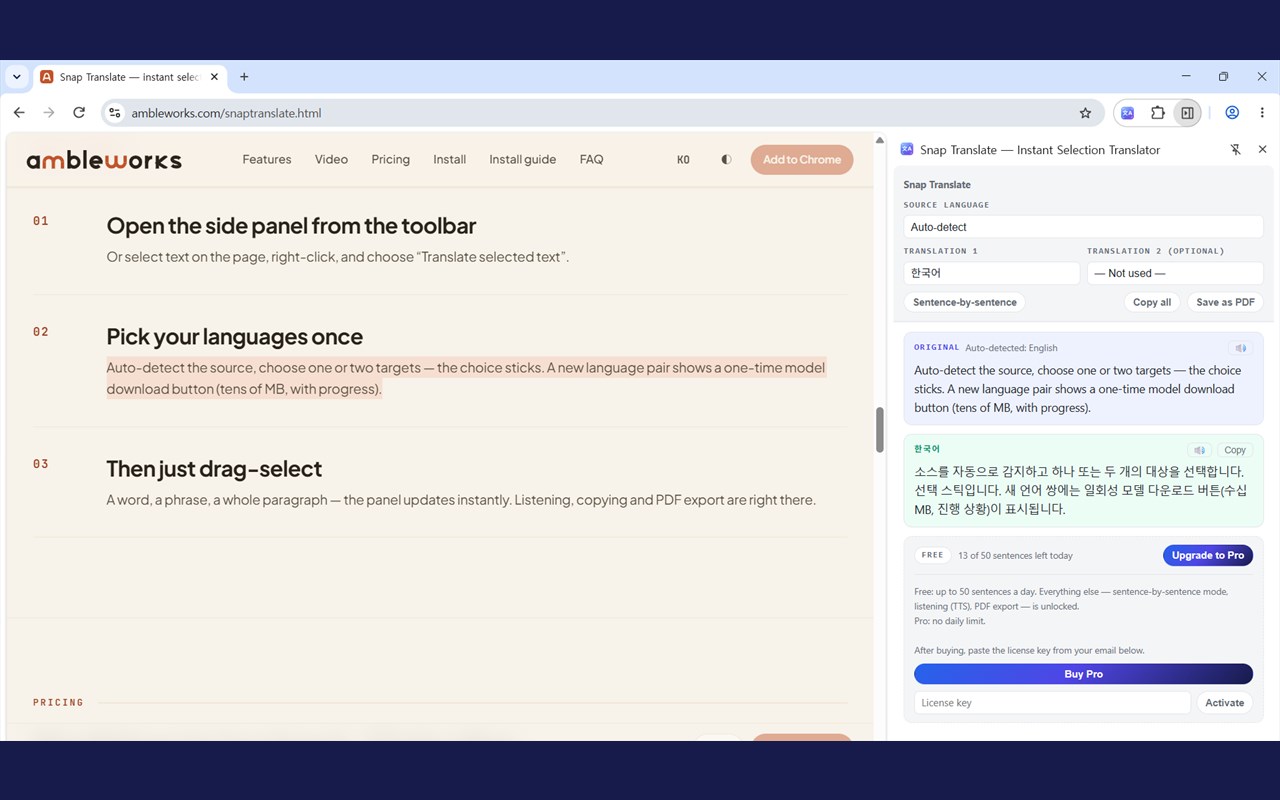
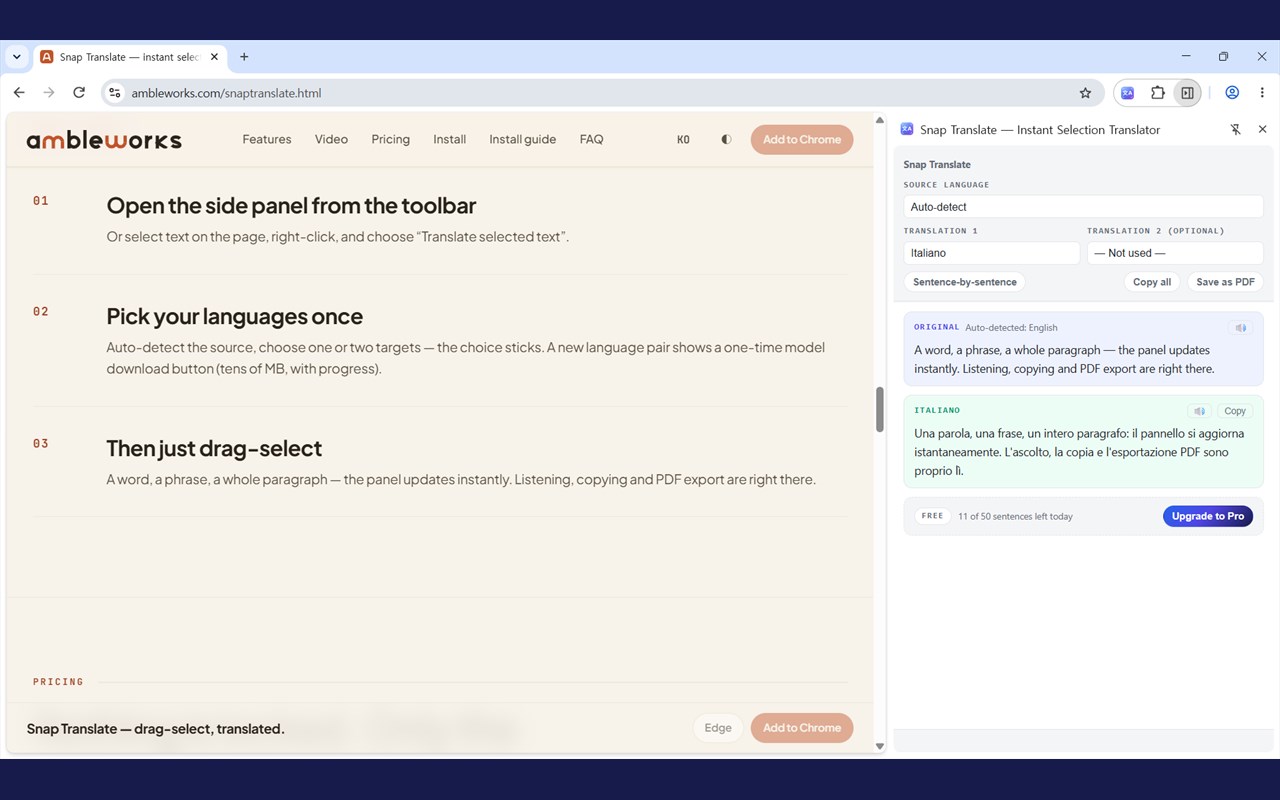
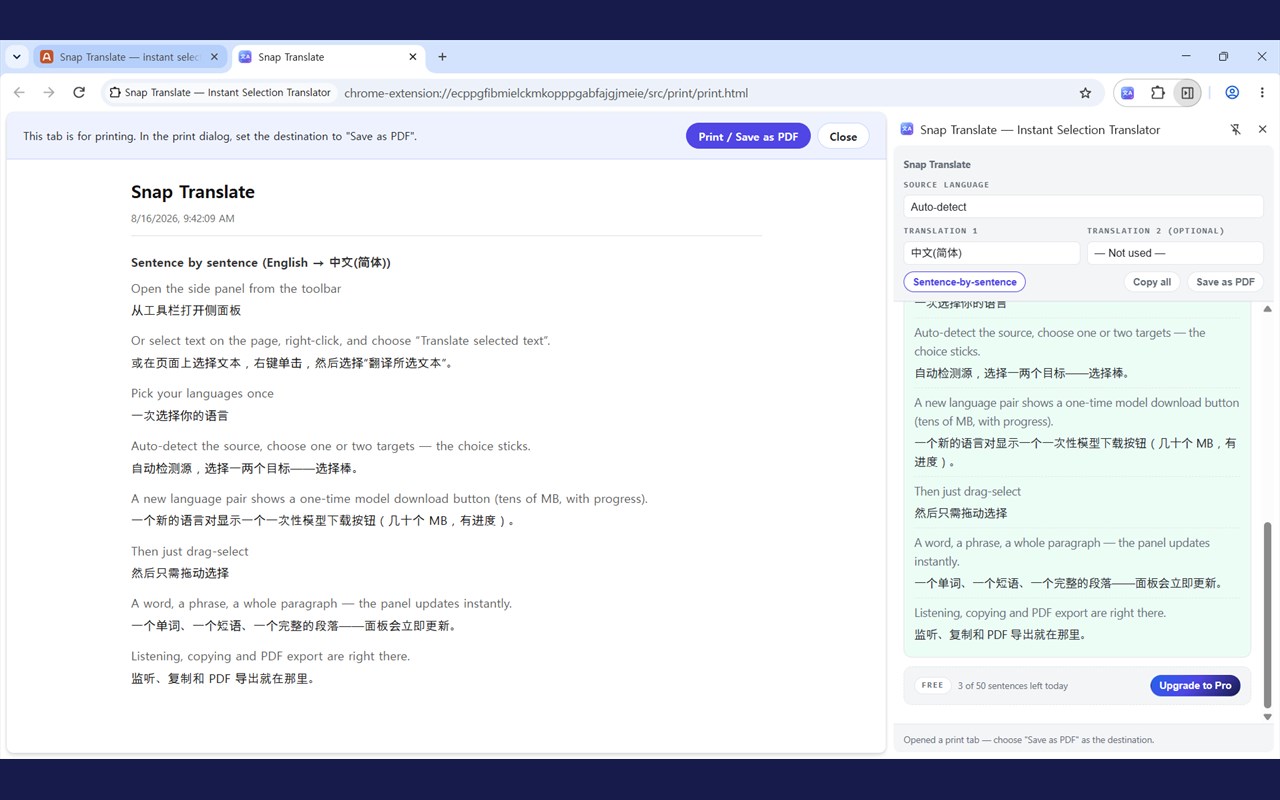
Snap Translate helps you translate exactly the text you highlight while staying on the page you are reading. Instead of interrupting your workflow with a separate website or full-page translation tool, it sends selected text directly into a browser side panel where the original content and translated results appear together. The package shows a design focused on quick reading assistance, allowing you to select a single word, a short phrase, a full sentence, or a longer passage and immediately review the result without navigating away from the current site. Because the side panel remains available alongside the webpage, the extension supports a more continuous and less disruptive translation experience for browsing, study, and comparison.
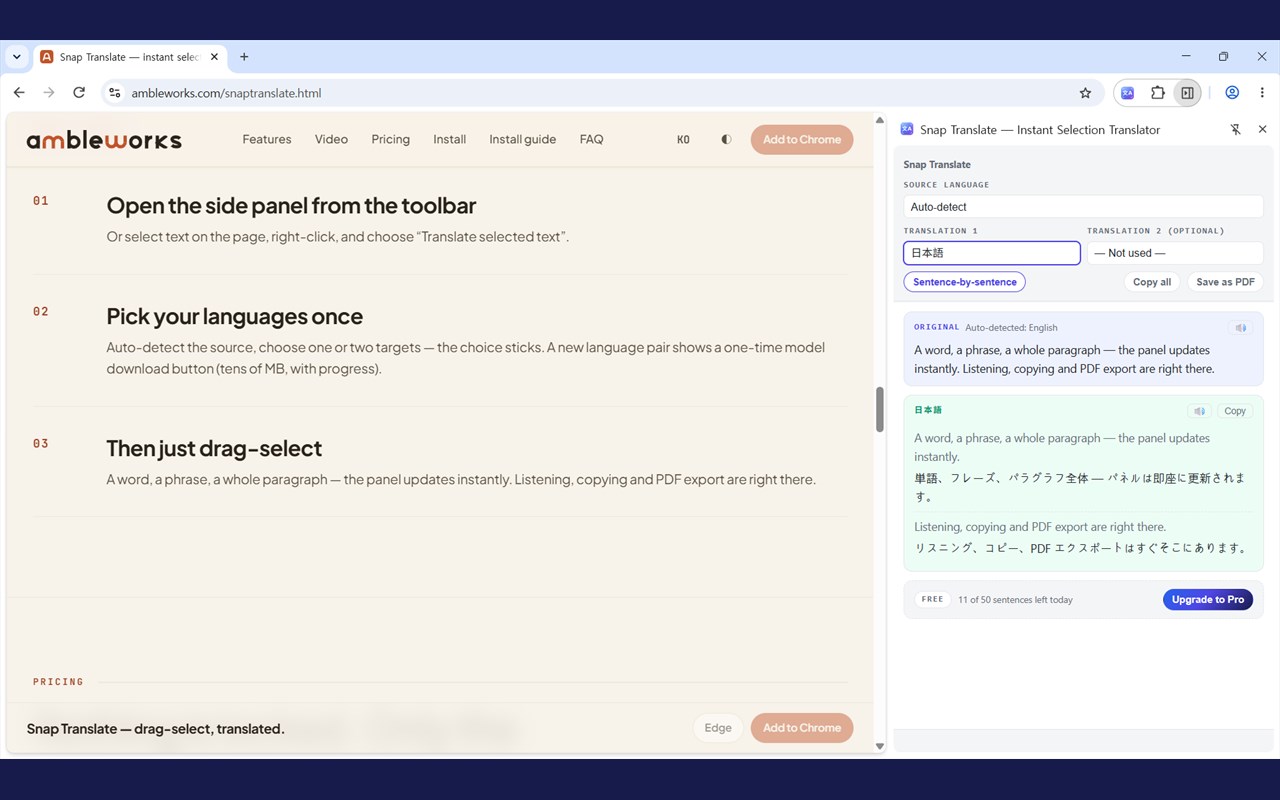
A major part of the extension’s functionality comes from Chrome’s built-in language capabilities. The package explicitly uses the browser’s Translator and LanguageDetector APIs, so language detection and translation rely on native browser support rather than a custom translation service described in the package. Users can let the extension detect the source language automatically or manually choose the source language themselves. The side panel also supports one or two target languages, which makes the extension useful for focused translation, bilingual reading, or comparing how the same text appears across multiple languages. When only one target language is active, a sentence mode can be enabled to present sentence pairs instead of one large translated block, which is especially useful for close reading and language learning.
The package also shows careful handling of how text is selected on webpages. Snap Translate responds to drag-and-release selection, keyboard-based selection changes, and double-click word selection. It trims text, avoids repeatedly sending the same selection, and limits very long passages. The latest selected text is stored in session storage so the side panel can update in real time and recover the most recent selection if reopened later. This supports a smoother workflow and helps maintain continuity even if the panel was closed or the extension worker restarted.
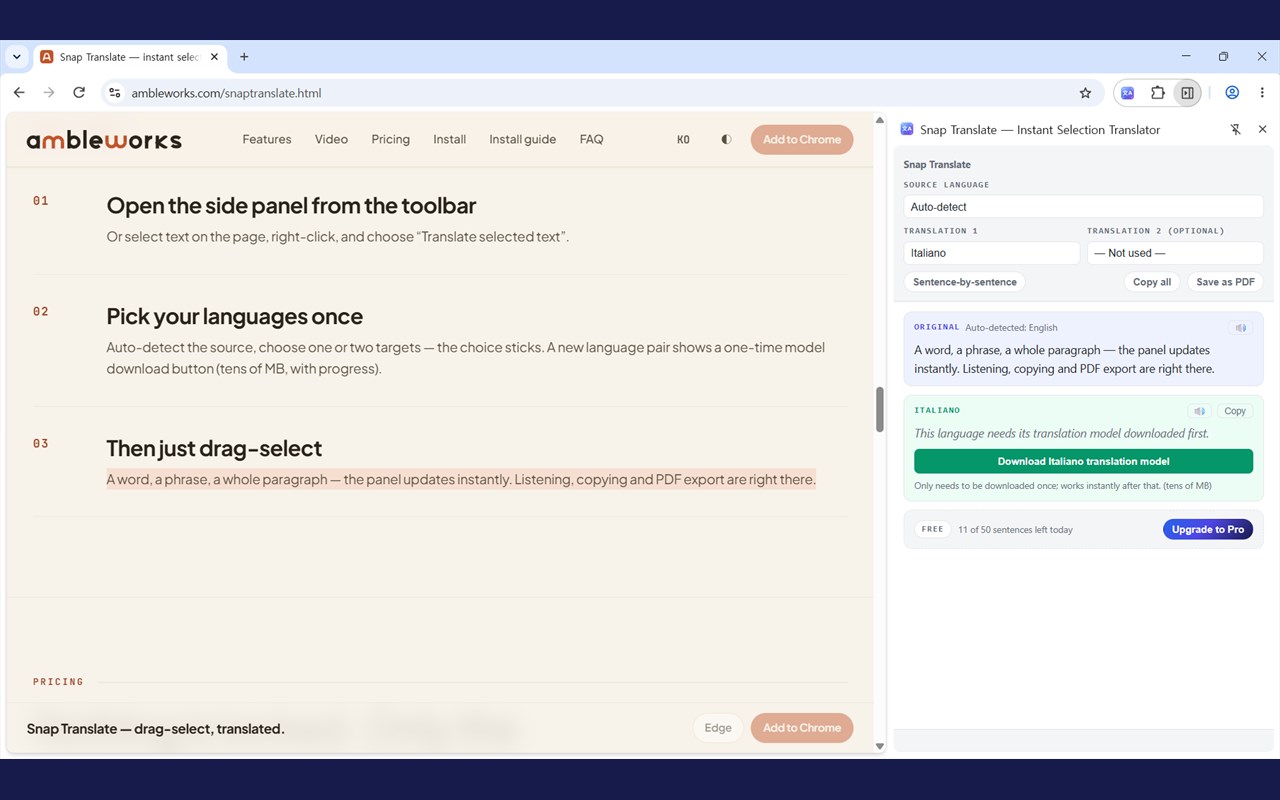
Beyond translation, the side panel includes tools for text-to-speech, copy, and PDF-oriented export. Playback is available for both source and translated text through browser speech synthesis, with logic to ensure only one audio stream plays at a time. The export flow is also practical: instead of creating an image-style document, the extension prepares a print-friendly page intended for printing or saving as PDF, keeping the text selectable and searchable. The package further shows Free and Pro plan support, including license activation, validation, deactivation, and an offline grace period for previously validated Pro users. Supported languages listed in the package include Korean, English, Japanese, simplified Chinese, traditional Chinese, Spanish, French, German, Russian, Portuguese, Italian, Vietnamese, Thai, Indonesian, Hindi, Arabic, Turkish, Polish, Dutch, and Ukrainian. The extension also checks language-pair availability and presents a user-triggered model download flow when required by the browser.
Key Features:
- Selection-based translation in a side panel, so highlighted text can be translated without leaving the current webpage.
- Automatic source-language detection through Chrome’s built-in LanguageDetector API, with manual source-language choice also available.
- Support for one or two target languages for either focused reading or side-by-side multilingual comparison.
- Sentence mode for single-target translation, displaying source and translated content in sentence pairs.
- Text-to-speech playback for original and translated text using the browser’s speech synthesis support.
- Copy and PDF export tools designed to preserve translated content in a readable, selectable, and searchable format.
- Free and Pro plan support, with a daily sentence quota on Free and removal of that daily limit on Pro.
How It Works:
1. Install the extension and open the side panel from the browser action or selection context menu.
2. Choose automatic detection or manually select the source language, then choose one or two target languages.
3. Highlight text on a webpage using mouse selection, keyboard-based selection, or double-click selection.
4. The extension captures the selected text and sends it to the side panel, while keeping the latest selection in session storage.
5. The browser’s built-in language tools detect the source language if needed and translate the selection into the chosen target language or languages.
6. Use optional tools such as sentence mode, text-to-speech, copy, or print-to-PDF export to work with the results.
7. If required for a language pair, download the translation model through the provided user interface action, then continue translating.
Privacy: - This extension stores selected text, language settings, usage counters, and license state locally in Chrome storage to support translation, session continuity, and plan management. The package indicates that page URLs and titles are not sent or stored for translation handling. External communication shown in the package is limited to Lemon Squeezy license API endpoints for Pro license activation, validation, and deactivation.
Snap Translate — Instant Selection Translator 是做什么的
Snap Translate — Instant Selection Translator 是一款面向 Edge 的效率工具类扩展,主要用来管住注意力、屏蔽干扰站点、记录时间。官方对它的介绍是:Select text on any web page to see the original and its translation in the side panel. Uses Chrome's on-device AI - free, private.在微软 Edge 加载项商店上,它当前版本 1.6.0,评分 5(1 人评价),约 6 名用户。
适合什么人用
从功能定位看,Snap Translate — Instant Selection Translator 更适合想专注工作学习、减少无效刷网页的用户。如果你平时只是偶尔遇到相关需求,用浏览器自带功能也能凑合;但如果这件事每天都发生,装一个专门处理它的扩展通常比手动操作省事得多。
怎么安装 Snap Translate — Instant Selection Translator
- 打开微软 Edge 加载项商店上的官方页面;
- 点「添加到浏览器」并确认权限提示;
- 装好后在扩展列表里固定图标,方便随时开关。
本站只做索引与介绍,安装包来自官方商店。如果商店页面提示当前地区不可用,说明该扩展未在你所在区域上架。
常见问题
Snap Translate — Instant Selection Translator 是免费的吗?
Snap Translate — Instant Selection Translator 在微软 Edge 加载项商店免费提供下载。它是浏览器扩展,装上就能直接用,不需要注册账号。
Snap Translate — Instant Selection Translator 安全吗?
它只申请了 0 项权限,范围比较克制,没有申请「读取所有网站数据」这种大权限。
Snap Translate — Instant Selection Translator 支持哪些浏览器?
当前收录的版本来自微软 Edge 加载项商店,适用于 Edge。同一个扩展在其他商店可能有对应版本,但功能与版本号不一定相同。
怎么卸载 Snap Translate — Instant Selection Translator?
在扩展管理页找到 Snap Translate — Instant Selection Translator,点移除即可。它在本地保存的设置会一起清掉,不会残留数据。
权限清单 来自 manifest.json 原文
接口权限 3
contextMenussidePanelstorage