
Smart NotebookLM Importer EN
MT5Run · EEdge MV3
Import web content, selections, and YouTube transcripts directly into Google NotebookLM.
<all_urls>),意味着它可以读取你在任意站点的页面内容,包括已登录的页面。这是许多扩展正常工作的必要条件,但也值得你确认来源可信。
截图
简介
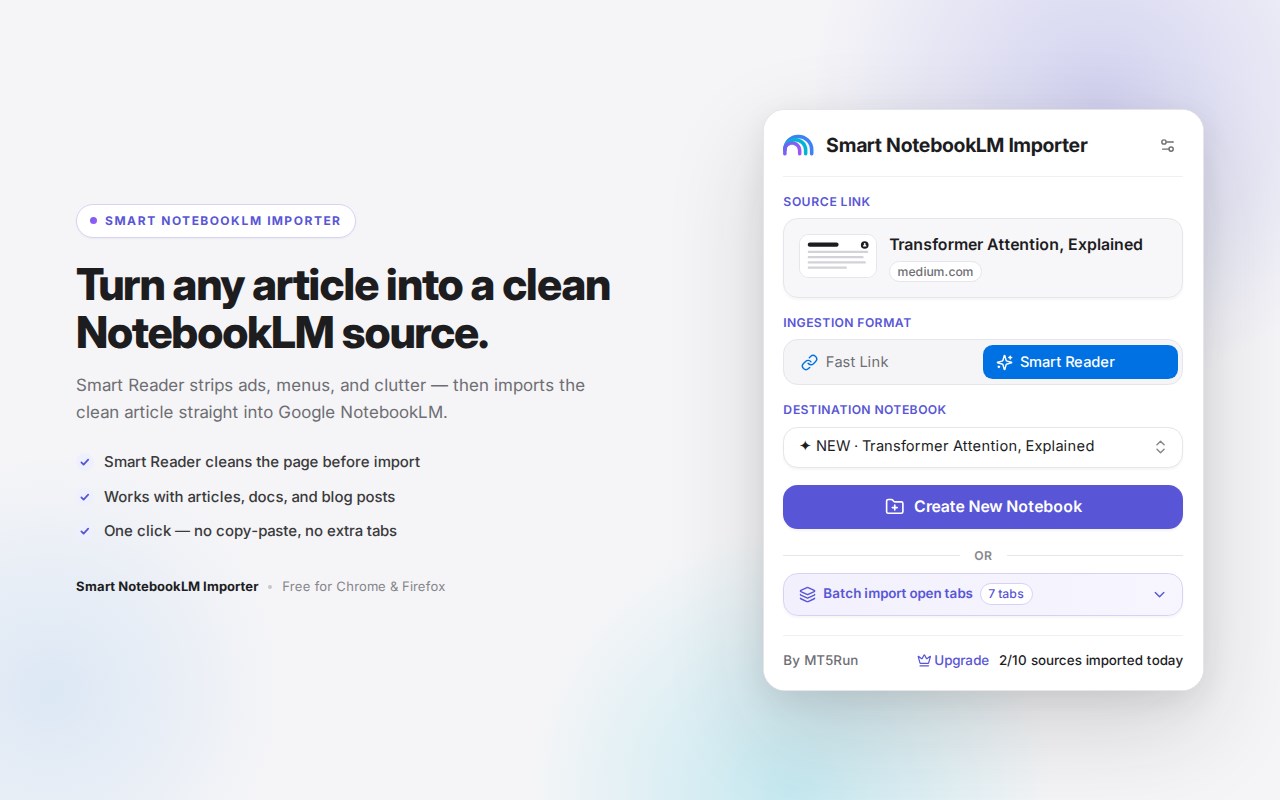
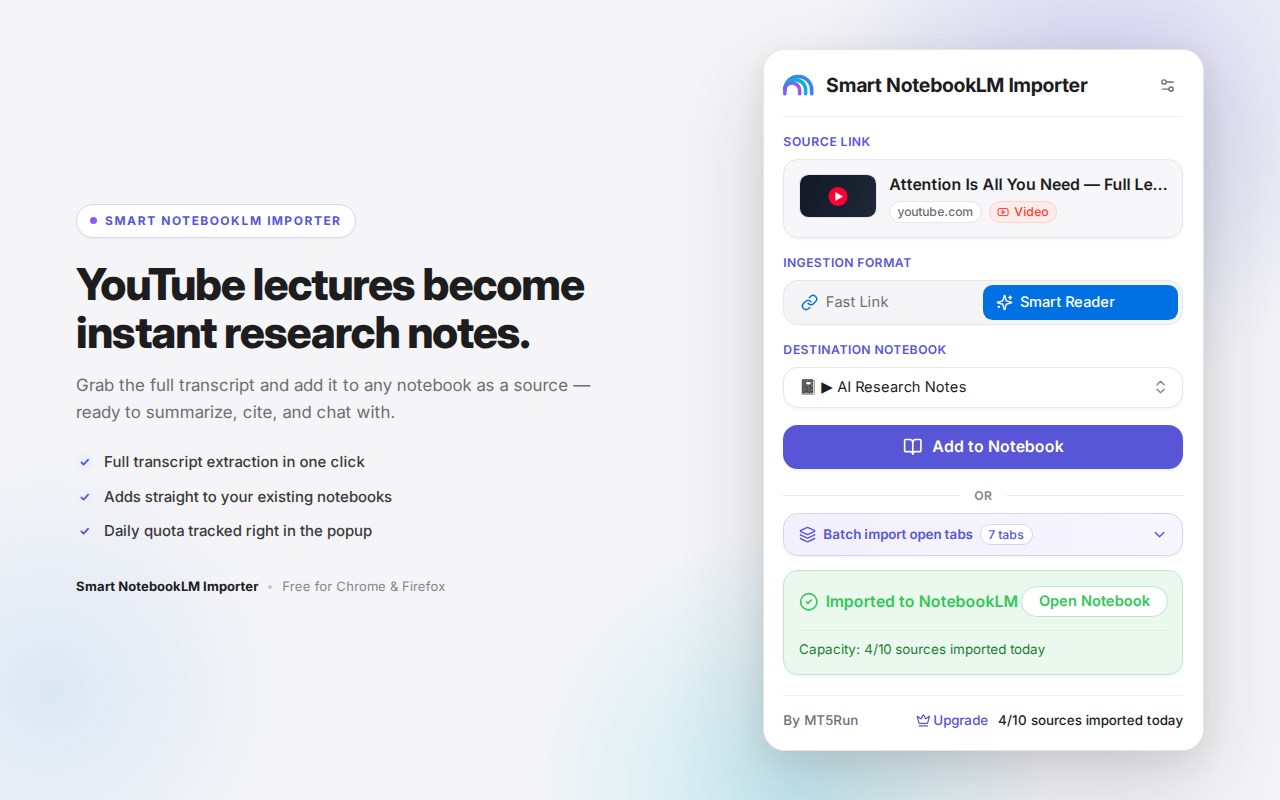
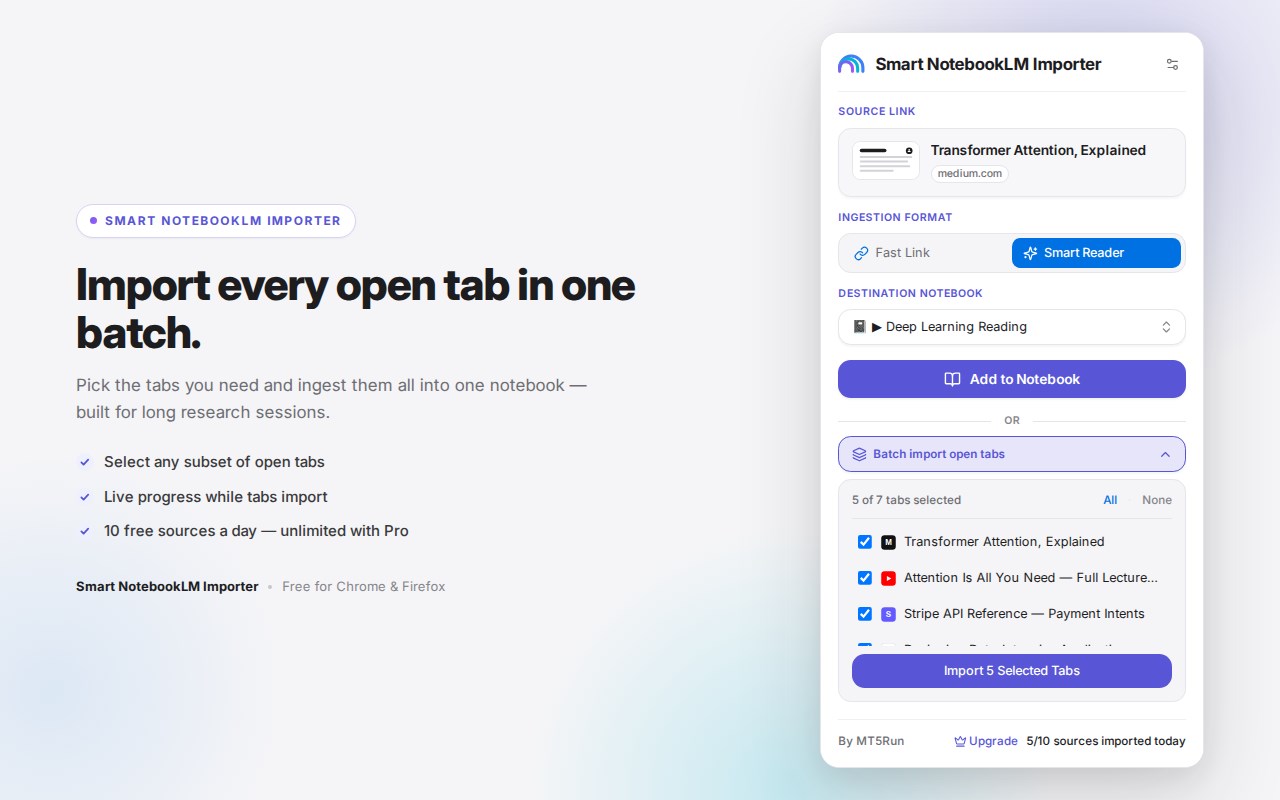
Smart NotebookLM Importer helps send web content directly into Google NotebookLM in a faster, cleaner, and more structured way. Based on the extension package, it is built for people who gather information while browsing and want to turn that material into useful NotebookLM sources without repeated manual copying and pasting. The extension supports several import types, including full web pages, highlighted selections, standard links, and YouTube content, making it suitable for research, reading, reference collection, and study workflows.
The extension works through a popup interface, background service worker, and content scripts that coordinate across regular websites and NotebookLM pages. On normal web pages, it can inspect the active tab, detect selected text, gather metadata such as the page title, URL, favicon, preview image, and approximate word count, and determine whether the page is a YouTube link. On NotebookLM pages, it uses a bridge layer to communicate with the NotebookLM interface so it can retrieve available notebooks, create new notebooks, add sources, and provide a notebook link after import completes.
One of its main strengths is content cleanup. The package includes article extraction logic based on readability-style processing and Markdown conversion, showing that it aims to capture the useful body of a page rather than raw HTML. Imported content can include a heading, source URL, author when available, publication or site name when available, and a capture timestamp. For highlighted text, the extension creates a focused Markdown note marked as a captured highlight, again preserving source details and timing information. This helps keep imported material easier to review later inside NotebookLM.
The extension also adds context menu shortcuts for sending a selection, sending a clean page, and sending a link. These actions allow quick importing without opening the popup each time. The popup itself appears to support notebook selection and notebook creation, with controls such as Create New Notebook, Add to Notebook, and Open Notebook. It can fetch notebook lists, show page details, and return the destination notebook URL after a successful import. The package also indicates login checks, status handling, retry behavior for some source actions, and a clipboard fallback when direct insertion is limited, helping maintain usability across different NotebookLM states.
Key Features:
- Imports content directly into Google NotebookLM from the popup, background workflow, and context menu actions.
- Supports multiple source types, including clean web pages, selected text highlights, links, and YouTube content.
- Uses readability-style extraction and Markdown conversion to produce cleaner, more structured page imports.
- Preserves metadata such as title, source URL, author, publication or site name, and capture timestamp when available.
- Lets you choose an existing NotebookLM notebook or create a new notebook during the import process.
- Checks NotebookLM sign-in state, retrieves notebook lists, and can open the destination notebook after import.
- Includes fallback behavior that can copy prepared content for manual pasting when direct NotebookLM insertion is not available.
How It Works:
1. Open a web page, article, link, or YouTube page you want to send to NotebookLM.
2. Use the extension popup or a context menu action to choose whether to import a clean page, a selection, or a link.
3. The extension analyzes the active tab, gathers available metadata, and detects whether selected text or YouTube content is present.
4. For page imports, it extracts the readable content and converts it into structured Markdown with optional metadata details.
5. The extension connects to Google NotebookLM, checks sign-in state, and retrieves available notebooks or lets you create a new one.
6. It sends the prepared content or source link into the chosen NotebookLM notebook and returns success information when available.
7. If direct insertion is limited, it can fall back to copying the prepared content so you can paste it into NotebookLM manually.
Privacy: - This extension uses browser permissions such as active tab access, tabs, storage, context menus, scripting, and host access to NotebookLM and visited pages in order to extract content and send it to Google NotebookLM. The package contents do not include a privacy policy file, and no explicit statement saying that no personal data is collected is present in the extension files.
Smart NotebookLM Importer 是做什么的
Smart NotebookLM Importer 是一款面向 Edge 的效率工具类扩展,主要用来管住注意力、屏蔽干扰站点、记录时间。官方对它的介绍是:Import web content, selections, and YouTube transcripts directly into Google NotebookLM.在微软 Edge 加载项商店上,它当前版本 1.2.0,约 49 名用户。
适合什么人用
从功能定位看,Smart NotebookLM Importer 更适合想专注工作学习、减少无效刷网页的用户。如果你平时只是偶尔遇到相关需求,用浏览器自带功能也能凑合;但如果这件事每天都发生,装一个专门处理它的扩展通常比手动操作省事得多。需要注意的是它作用于所有网站,装上后建议先观察一两天,确认不影响常用站点的正常使用。
怎么安装 Smart NotebookLM Importer
- 打开微软 Edge 加载项商店上的官方页面;
- 点「添加到浏览器」并确认权限提示;
- 装好后在扩展列表里固定图标,方便随时开关。
本站只做索引与介绍,安装包来自官方商店。如果商店页面提示当前地区不可用,说明该扩展未在你所在区域上架。
常见问题
Smart NotebookLM Importer 是免费的吗?
Smart NotebookLM Importer 在微软 Edge 加载项商店免费提供下载。它是浏览器扩展,装上就能直接用,不需要注册账号。
Smart NotebookLM Importer 安全吗?
它只申请了 0 项权限,范围比较克制,没有申请「读取所有网站数据」这种大权限。
Smart NotebookLM Importer 支持哪些浏览器?
当前收录的版本来自微软 Edge 加载项商店,适用于 Edge。同一个扩展在其他商店可能有对应版本,但功能与版本号不一定相同。
怎么卸载 Smart NotebookLM Importer?
在扩展管理页找到 Smart NotebookLM Importer,点移除即可。它在本地保存的设置会一起清掉,不会残留数据。
权限清单 来自 manifest.json 原文
站点访问(可选) 1
<all_urls>
接口权限 5
activeTabcontextMenusscriptingstoragetabs