
Sitecore Extensions EN
Alan Płócieniak · EEdge MV3
Small improvements which will make your work with Sitecore much easier.
<all_urls>),意味着它可以读取你在任意站点的页面内容,包括已登录的页面。这是许多扩展正常工作的必要条件,但也值得你确认来源可信。
截图
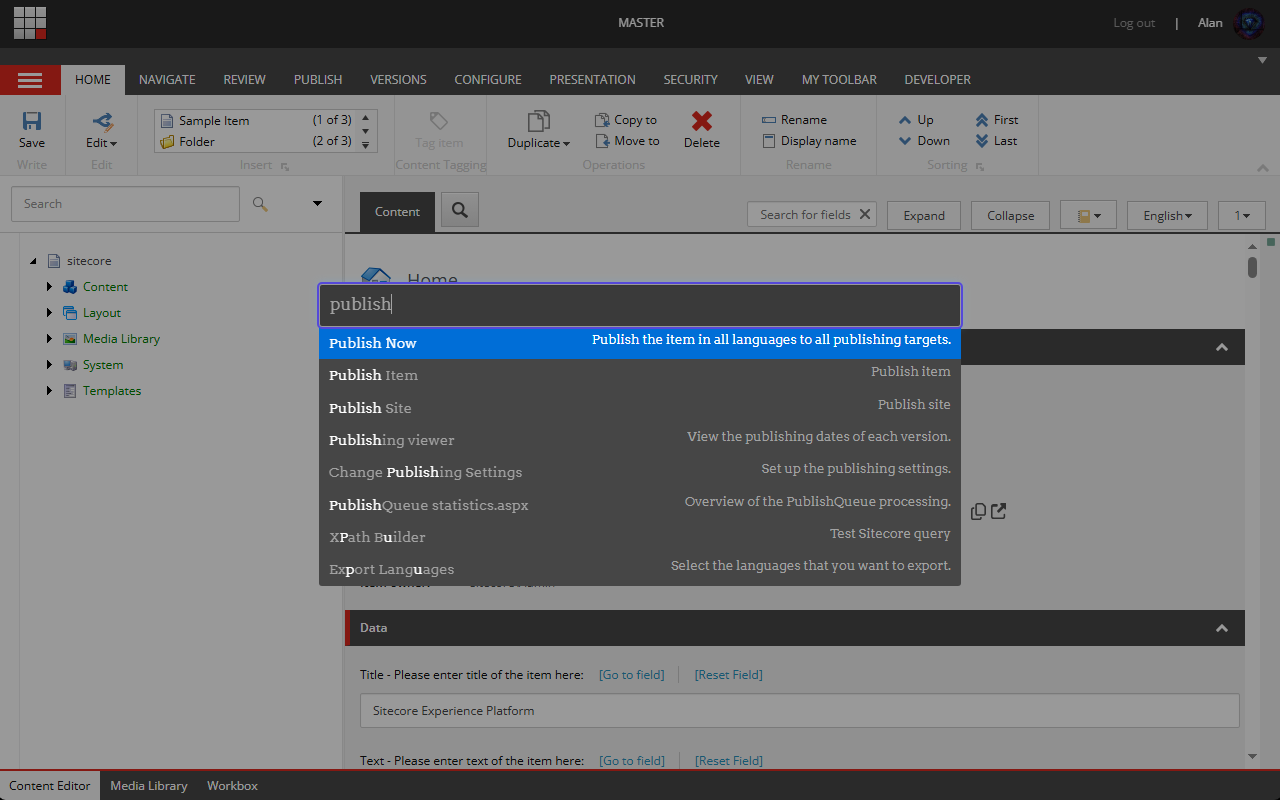
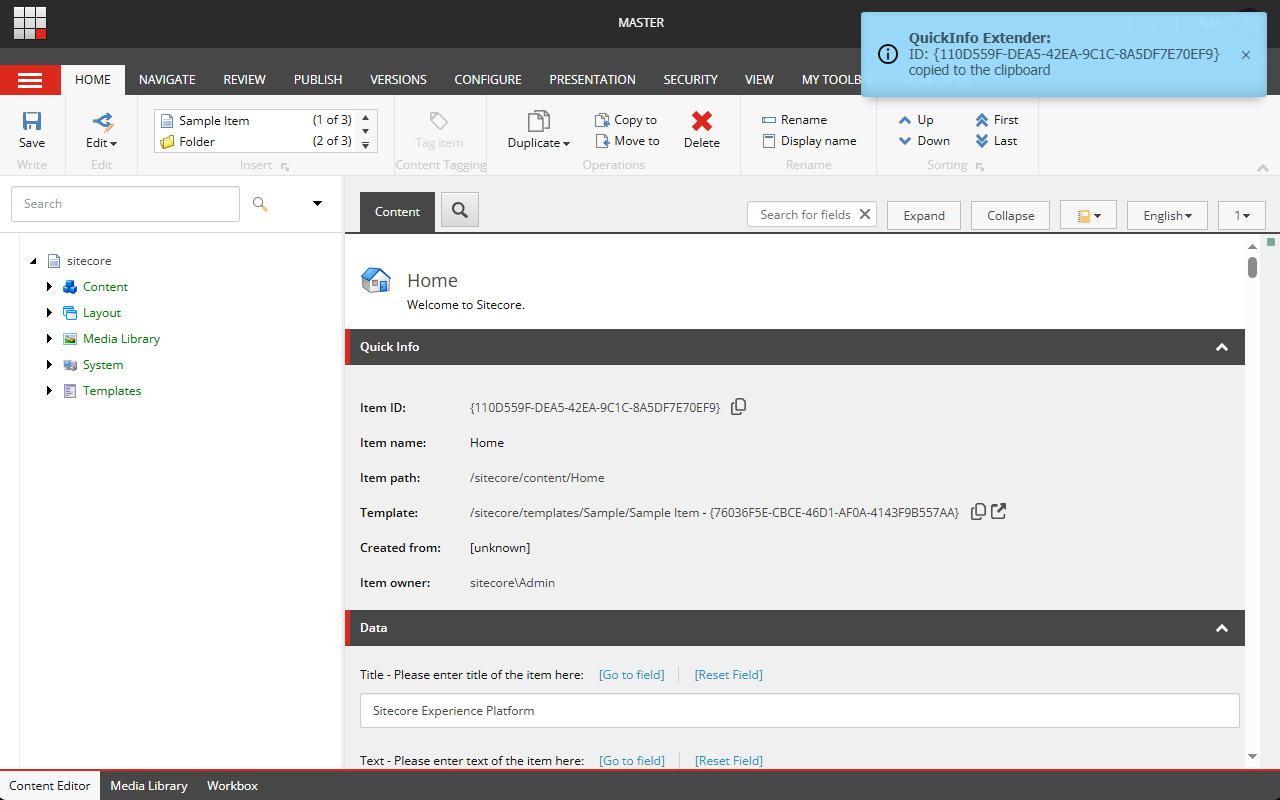

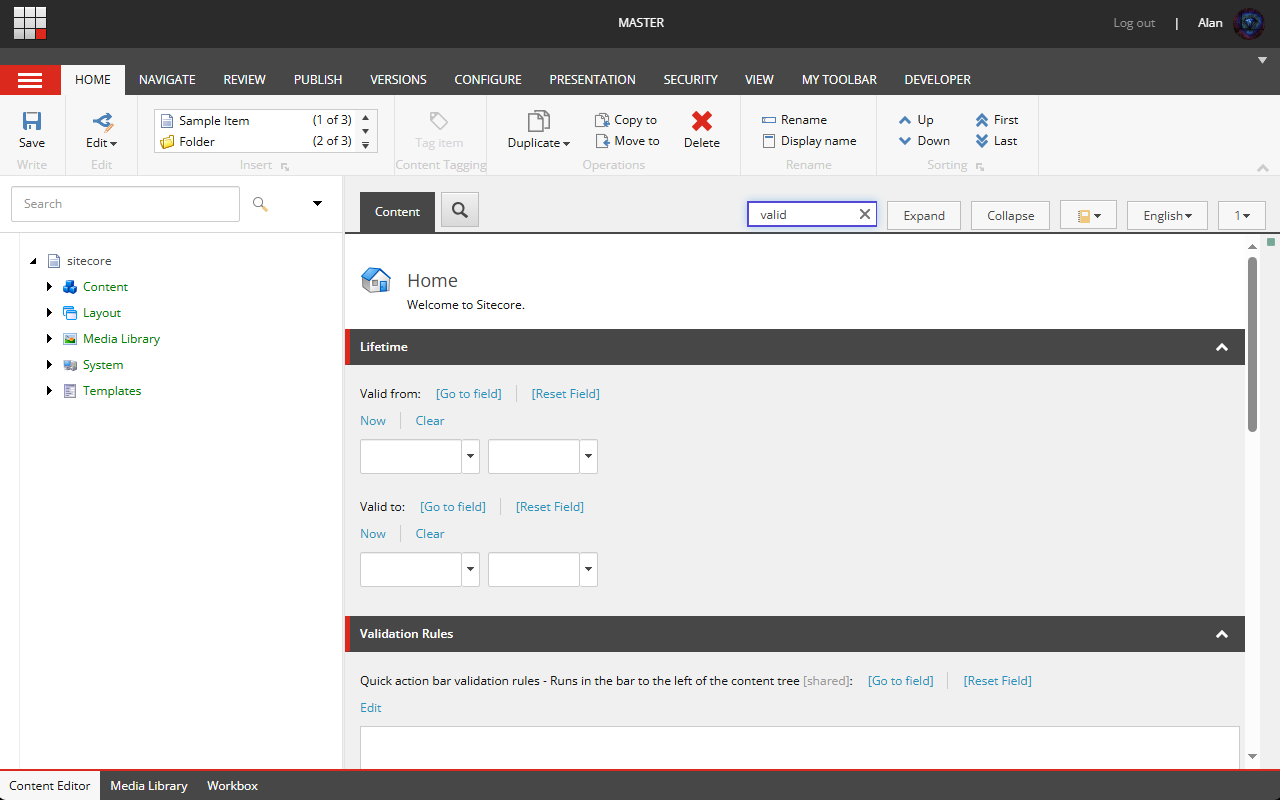
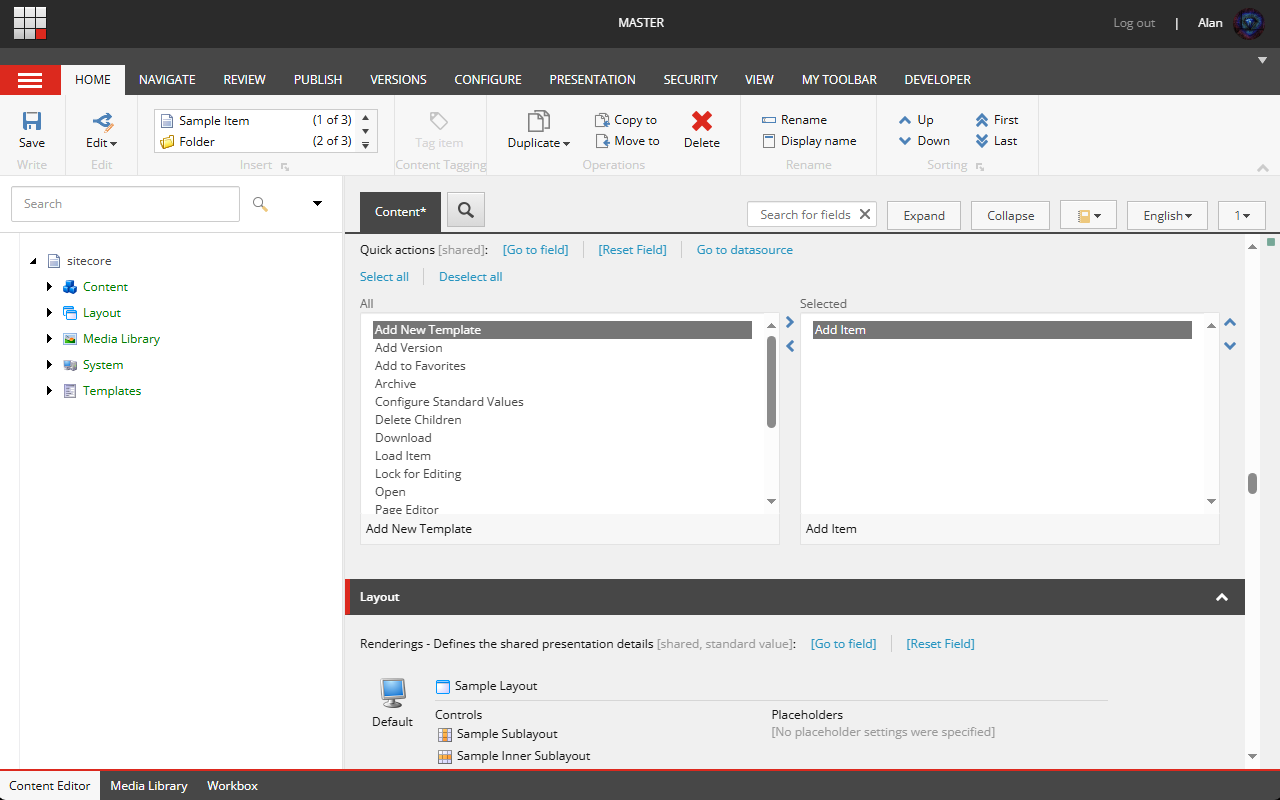
简介
Sitecore Extensions is a free, open-source browser extension that supercharges your Sitecore CMS experience.
Built for developers, editors, and administrators, it streamlines everyday actions with clever UI improvements and shortcuts – no backend installation required.
Whether you’re managing content, debugging layouts, or switching between environments, Sitecore Extensions helps you do it faster, cleaner, and with fewer clicks.
⚙️ Core Features
🧭 Productivity Boosters
Launcher (Ctrl + Space) – run Sitecore commands instantly without touching the ribbon.
Quick Navigation – jump to any item, field, or template in seconds.
Restore Last Location – reopen your last visited item after page reloads.
🎨 Visual Enhancements
Environment-aware header – instantly see which database you’re using (e.g. master, web, core) with color cues.
Collapse / Expand Sections – tidy up long list of fields and sections with one-click collapse/expand buttons.
Ribbon Toggle – hide the Sitecore ribbon in Experience Editor for distraction-free editing.
🔍 Content Editing Improvements
Field Search – locate any field by name, even inside long templates.
Treelist enhancement – display item path next to it.
Field Inspector – inspect and trace item relationships.
Empty Placeholder – remove all renderings from a placeholder with a single click.
🌲 Content Tree Tools
Tree Auto-Expand – automatically open single-child branches while browsing deep hierarchies.
Tree Scope – restrict the tree view to your current branch for focused editing.
See all available modules here: https://github.com/alan-null/sc_ext/wiki/Modules
Sitecore Extensions 是做什么的
Sitecore Extensions 是一款面向 Edge 的实用工具类扩展,主要用来解决浏览器里某类具体的小问题。官方对它的介绍是:Small improvements which will make your work with Sitecore much easier.在微软 Edge 加载项商店上,它当前版本 4.1.0,约 512 名用户。
适合什么人用
从功能定位看,Sitecore Extensions 更适合想补上浏览器原生缺失功能的用户。如果你平时只是偶尔遇到相关需求,用浏览器自带功能也能凑合;但如果这件事每天都发生,装一个专门处理它的扩展通常比手动操作省事得多。需要注意的是它作用于所有网站,装上后建议先观察一两天,确认不影响常用站点的正常使用。
怎么安装 Sitecore Extensions
- 打开微软 Edge 加载项商店上的官方页面;
- 点「添加到浏览器」并确认权限提示;
- 装好后在扩展列表里固定图标,方便随时开关。
本站只做索引与介绍,安装包来自官方商店。如果商店页面提示当前地区不可用,说明该扩展未在你所在区域上架。
常见问题
Sitecore Extensions 是免费的吗?
Sitecore Extensions 在微软 Edge 加载项商店免费提供下载。它是浏览器扩展,装上就能直接用,不需要注册账号。
Sitecore Extensions 安全吗?
它只申请了 0 项权限,范围比较克制,没有申请「读取所有网站数据」这种大权限。
Sitecore Extensions 支持哪些浏览器?
当前收录的版本来自微软 Edge 加载项商店,适用于 Edge。同一个扩展在其他商店可能有对应版本,但功能与版本号不一定相同。
怎么卸载 Sitecore Extensions?
在扩展管理页找到 Sitecore Extensions,点移除即可。它在本地保存的设置会一起清掉,不会残留数据。
权限清单 来自 manifest.json 原文
站点访问(可选) 2
http://*/*https://*/*
接口权限 2
activeTabstorage